► Unlock Your Unzer Financial Services Account
Modified on Tue, 8 Sep at 5:46 PM
Activate Your Unzer Financial Services Account
Getting started is easy. Open your invitation email, create a secure password, and complete the activation steps to access your account.
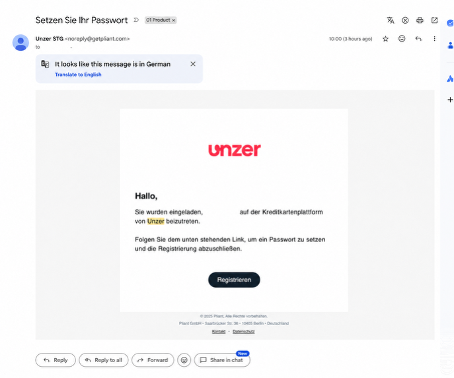
01. Open Your Invitation Email
You will receive an email from Pliant with the subject line:
"Set your password"
The email is sent from no-reply@getpliant.com and contains your personal registration link.
Your next step: Select "Register" in the email to create your password and begin the activation process.
02. Create Your Password
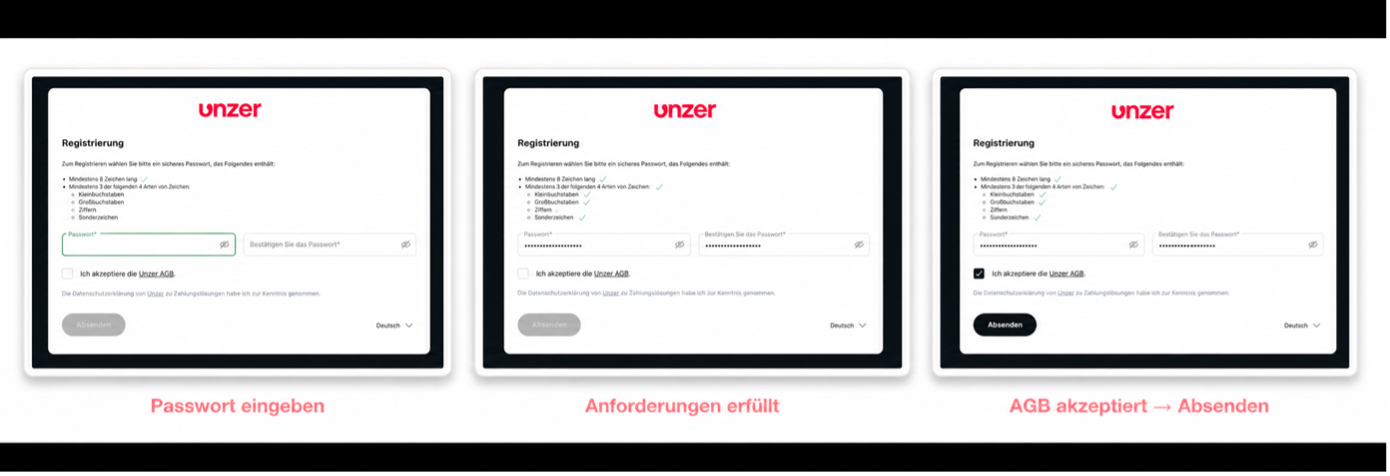
Create a secure password with at least 8 characters. Your password must include at least three of the following four character types:
► Lowercase letters (a-z)
► Uppercase letters (A-Z)
► Numbers (0-9)
► Special characters (e.g. !, %, #, &)
You'll also need to accept the Terms and Conditions for Data Transmission.
Your next step: Once all requirements have been met, the "Submit" button will become available. Select "Submit" to continue with your account activation.
03. Sign In and Verify Your Mobile Number
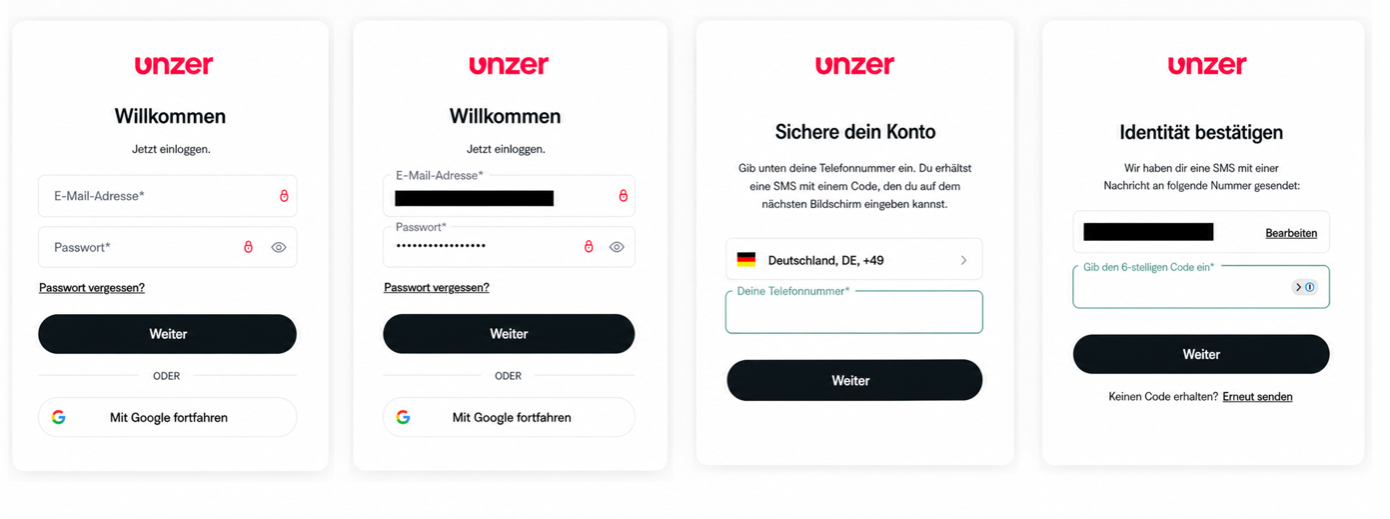
Sign in using your email address and the password you created during registration.
To help keep your account secure, you'll be asked to add and verify your mobile phone number.
► Select your country code
► Enter your mobile phone number
► Receive a verification code via SMS
► Enter the six-digit verification code
► Select "Continue" to confirm
Your next step: Once your phone number has been verified, you'll be ready to complete the final activation steps and start using your Unzer Financial Services account.
04. Accept the Terms & Conditions
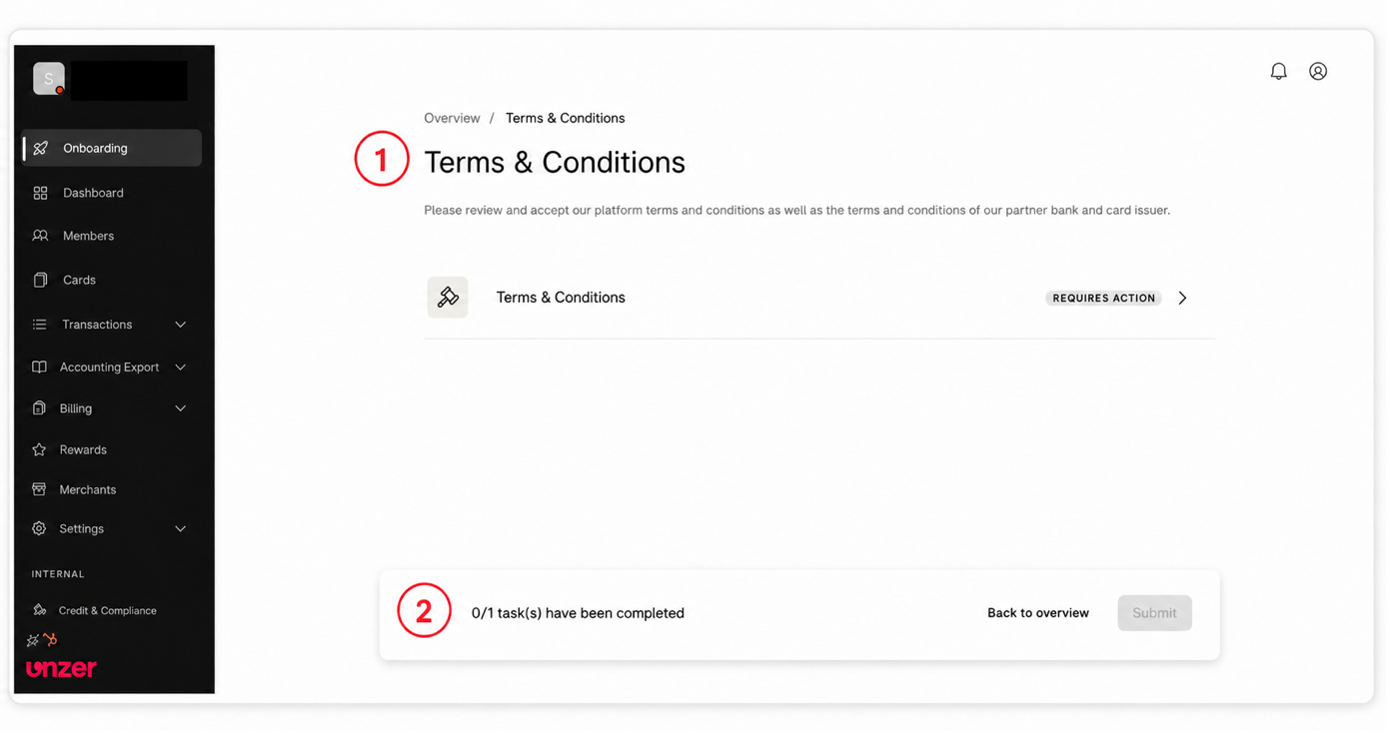
After signing in, you'll be taken to your onboarding dashboard. Here, you'll see the "Terms & Conditions" task marked as "Requires Action".
► Accept the platform Terms & Conditions
► Accept the Terms & Conditions of the partner bank and card issuer
► Select "Submit" to complete the onboarding process
Important: You can only submit your activation once all required onboarding tasks have been completed.
Your next step: Review and accept all Terms & Conditions, then select "Submit" to activate your Unzer Financial Services account.
Good to know
We've received your information.
Your account activation may take a little time while we complete the final checks. We'll let you know as soon as your account is ready to use.
Was this article helpful?
That’s Great!
Thank you for your feedback
Sorry! We couldn't be helpful
Thank you for your feedback
Feedback sent
We appreciate your effort and will try to fix the article
