Unblocking your Unzer Insights account
Modified on Wed, 21 Jan at 1:13 PM
There are two reasons why your Unzer Insights account might be blocked:
A wrong password was entered three times
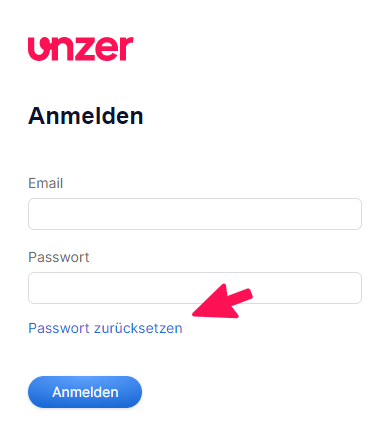
If your account has been blocked because a wrong password was entered three times, you can use the "Reset your password?" button on the login page to reset your password.
When you click on Passwort zurücksetzen (Reset your password), a window opens where you can enter your email. Provided this email address is registered for your account, you will receive a system notification that will enable you to log back in to Unzer Insights.
I forgot my password
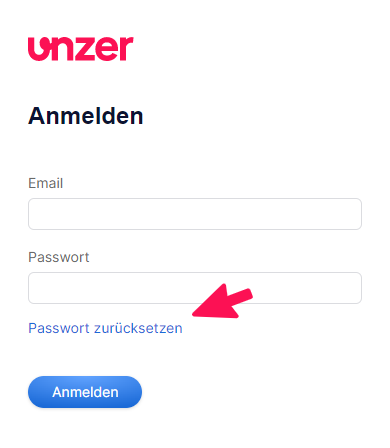
If you have forgotten your password, you can use the "Reset your password?" button on the login page to reset your password.
When you click on Passwort zurücksetzen (Reset your password), a window opens where you can enter your email. Provided this email address is registered for your account, you will receive a system notification that will enable you to log back in to Unzer Insights.
Click here to go to Unzer Insights.
Was this article helpful?
That’s Great!
Thank you for your feedback
Sorry! We couldn't be helpful
Thank you for your feedback
Feedback sent
We appreciate your effort and will try to fix the article
