Option 3: Excel Desktop
Modified on Mon, 16 Feb at 10:12 AM
The .xlsx files created from previous options can also be seamlessly opened with the desktop version of Excel. However, if you have not selected any of the previous options, you can use this method to import a CSV directly into Excel.
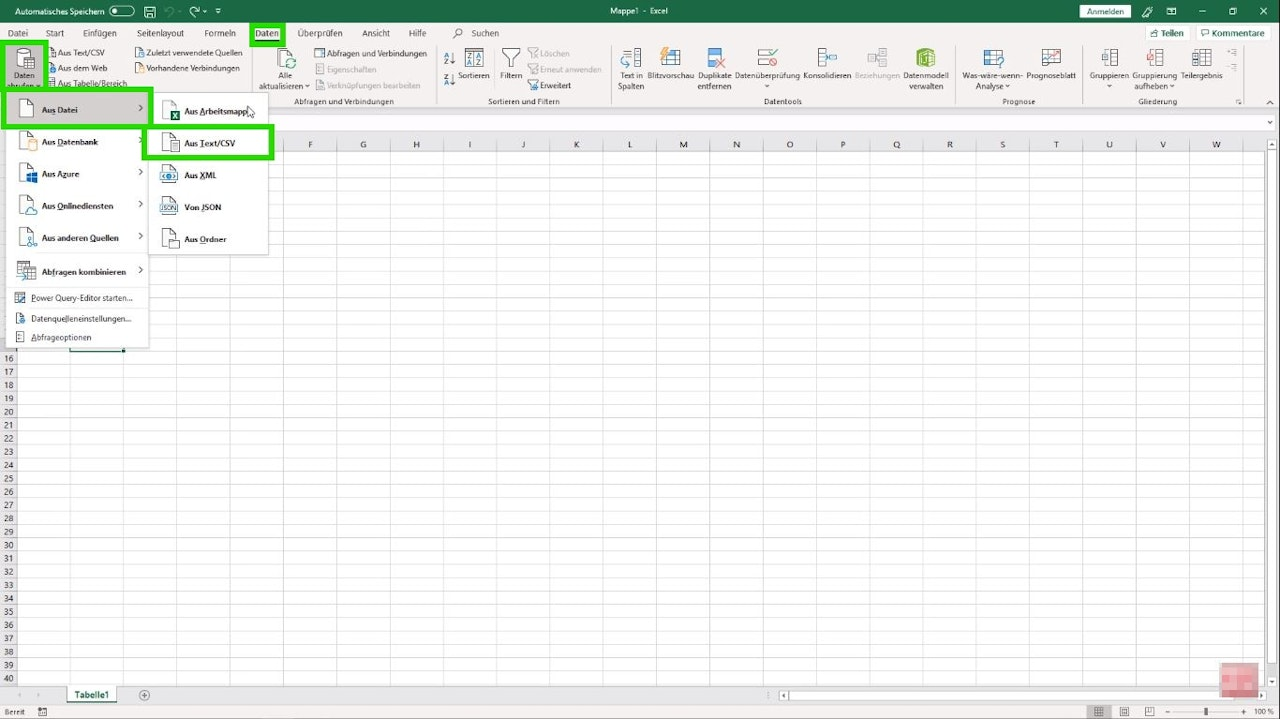
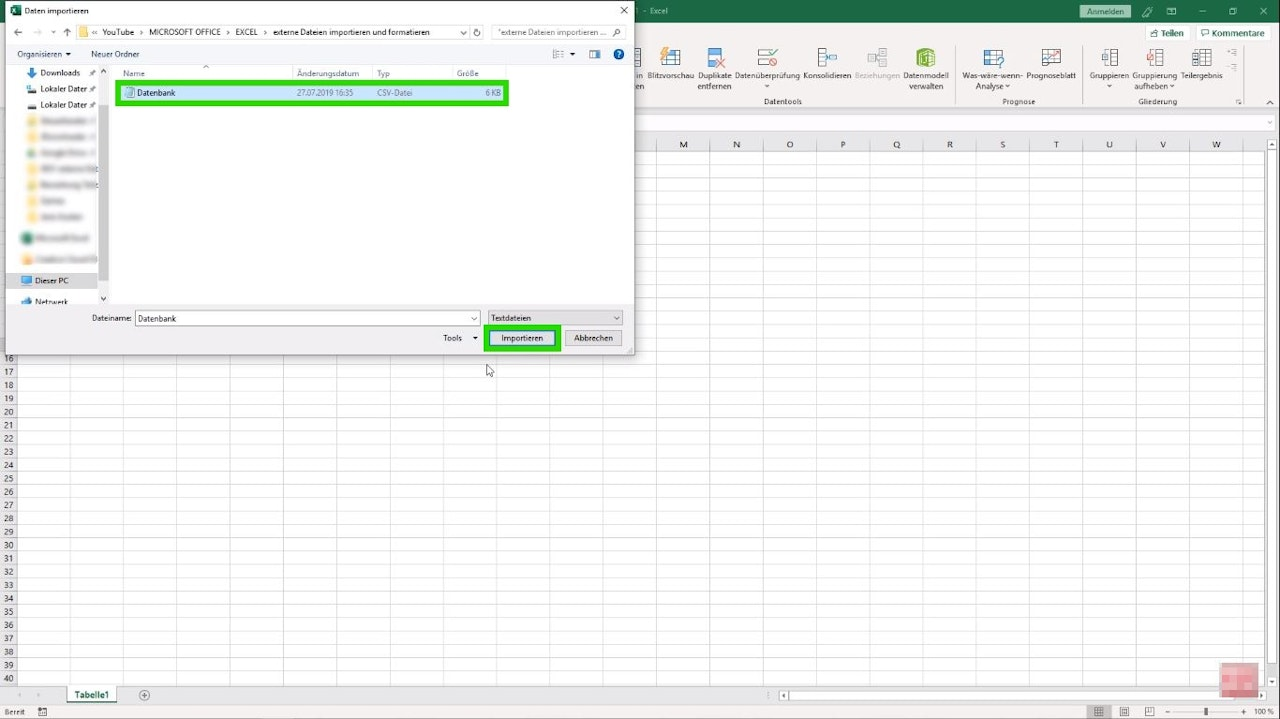
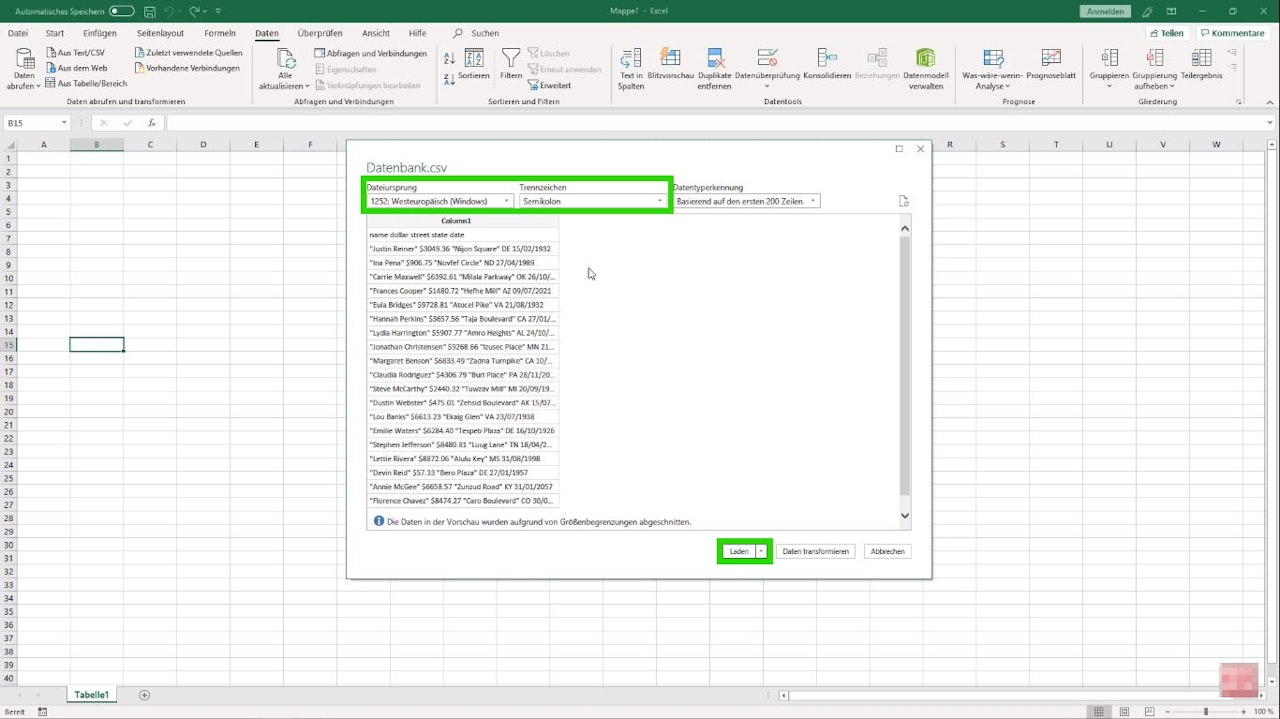
Navigate to the tab "Data - Get Data - From Text/CSV" and select the CSV file you wish to import, then confirm your selection with "Import" (Image 1+2). In the following window, you need to choose the "File Origin" (it is recommended to use Unicode UTF-8 again) and the desired "Delimiter". Once you have made your settings, import the CSV by clicking "Load" (Image 3).
Was this article helpful?
That’s Great!
Thank you for your feedback
Sorry! We couldn't be helpful
Thank you for your feedback
Feedback sent
We appreciate your effort and will try to fix the article
