Option 1: Open-/ Libre Office
Modified on Mon, 16 Feb at 10:12 AM
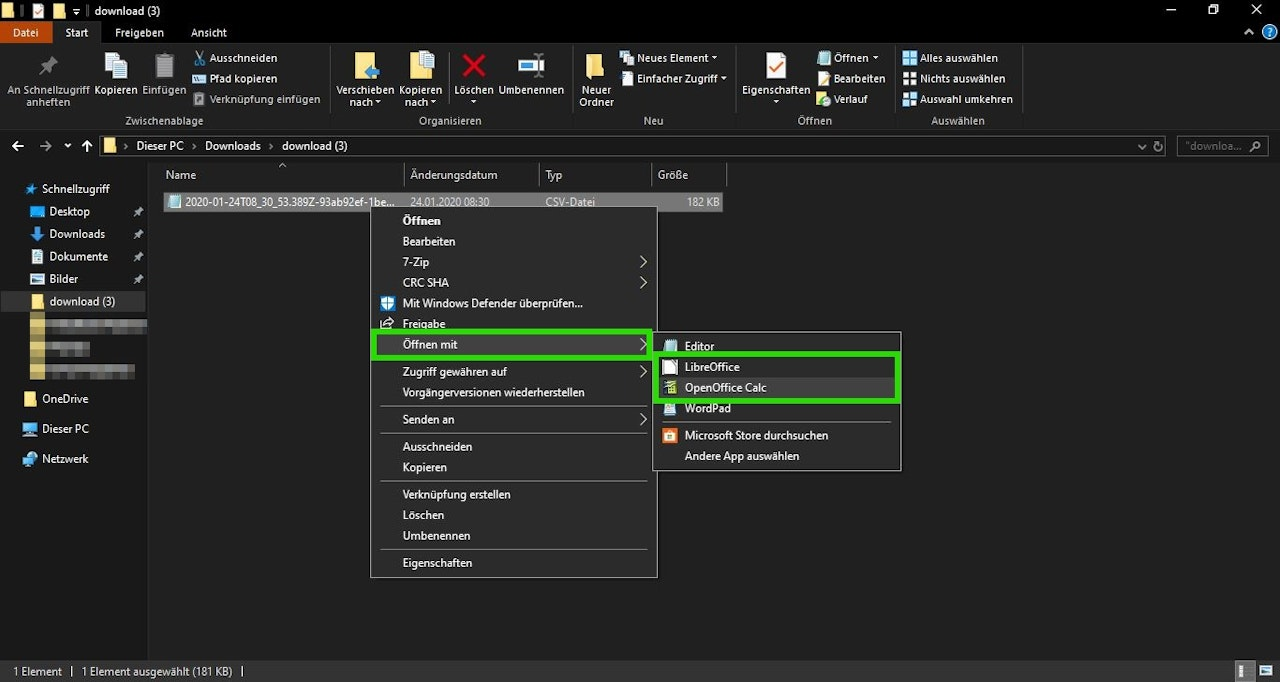
If you use Open-/ Libre Office as your spreadsheet program, you can easily open a CSV file with these programs. The safest method is to select the CSV file with a right-click, then click on "Open with - Libre Office / Open Office" (Image 1).
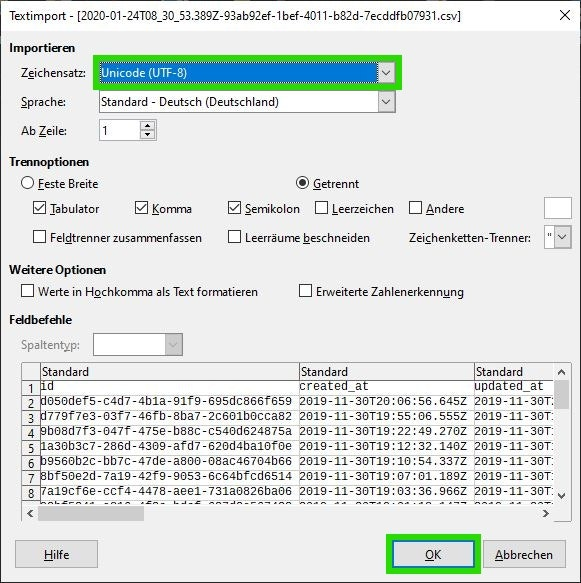
When opening the file, "Character Set: Unicode (UTF-8)" should be selected. Confirm your selection with "OK" (Image 2).
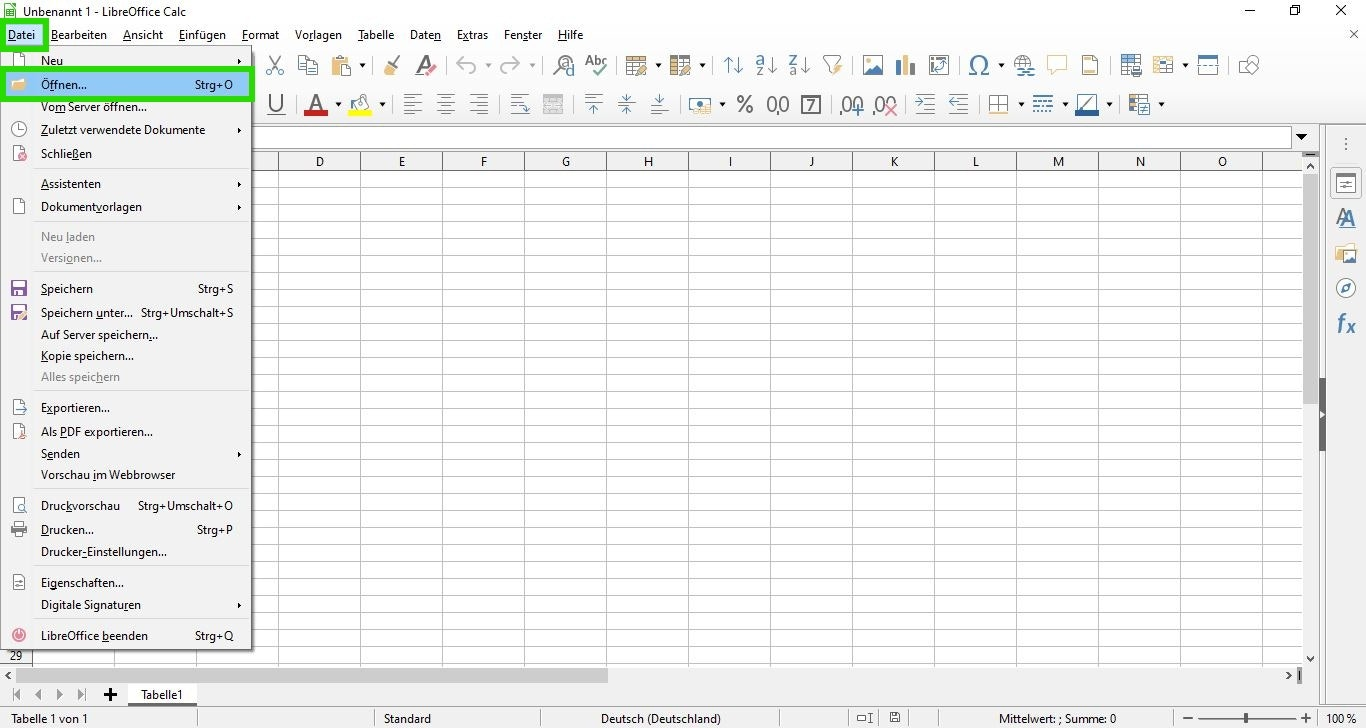
Alternatively, you can also open and view the desired CLS file within the running program by clicking on "File - Open..." (Image 3).
Tip: To ensure that the file can subsequently be opened smoothly by Excel users, you can save it as an .xlsx (Excel file) by using "File - Save As...".
Was this article helpful?
That’s Great!
Thank you for your feedback
Sorry! We couldn't be helpful
Thank you for your feedback
Feedback sent
We appreciate your effort and will try to fix the article
