3. How to create articles with variants
Modified on Wed, 25 Feb at 12:29 PM
Here you can watch the video explaining how to create articles with variants.
Create item variants
If you have chosen the item type "Item with Variants," you now have the option to create the item variants under the metadata section.
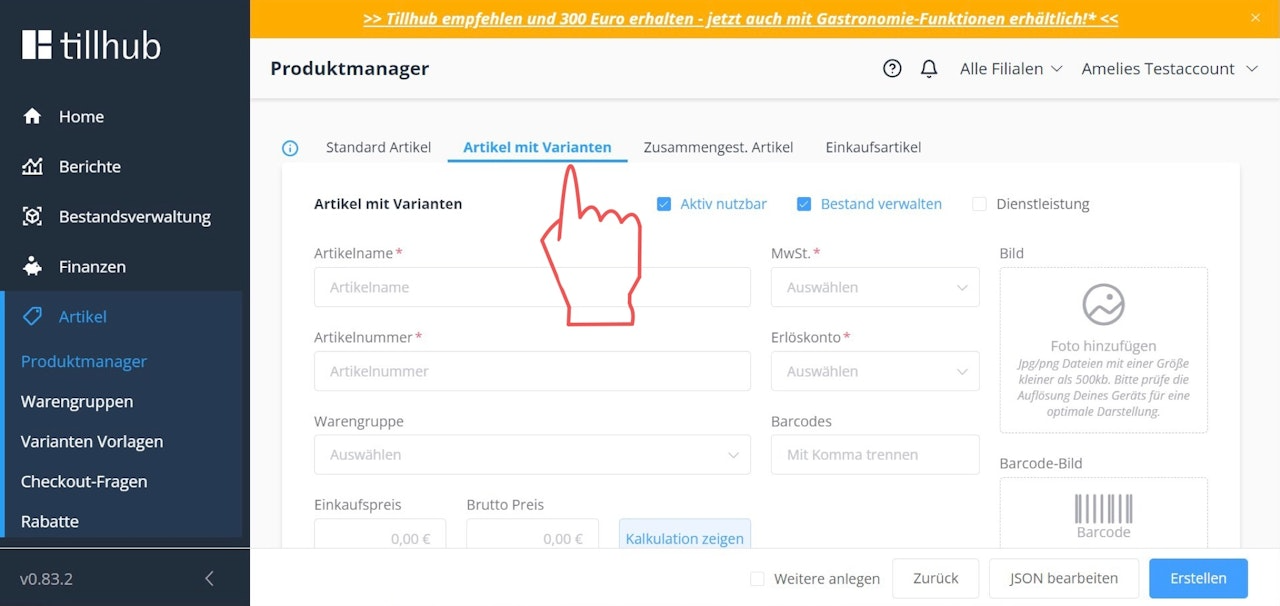
Define attributes
First, you should define the relevant attributes of your "item with variants."
An "attribute" refers to the varying property of your item, such as size or color. Define the different attributes of your item by entering the corresponding properties into the fields labeled "Attribute."
To add multiple attribute names, click "Add Attribute."
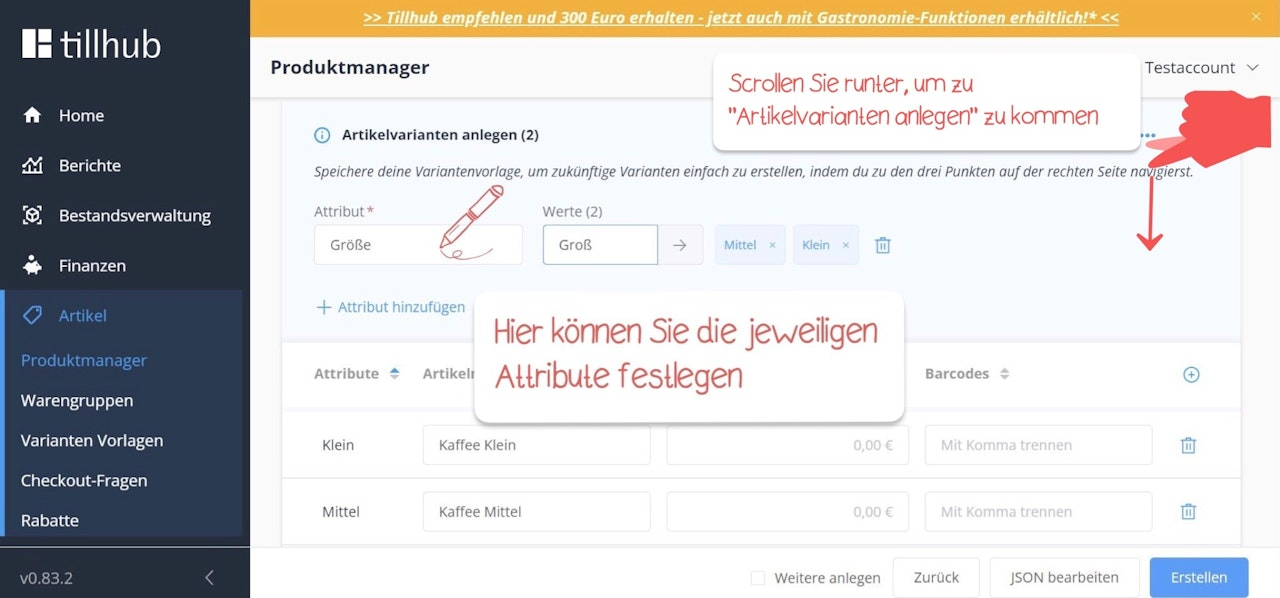
Define attribute values
Next, specify the attribute values, such as XS, S, M, L, XL, etc.
Enter each attribute value individually in the small field to the right of the attribute name, confirming each entry by clicking the small arrow next to it.
Define attribute variants
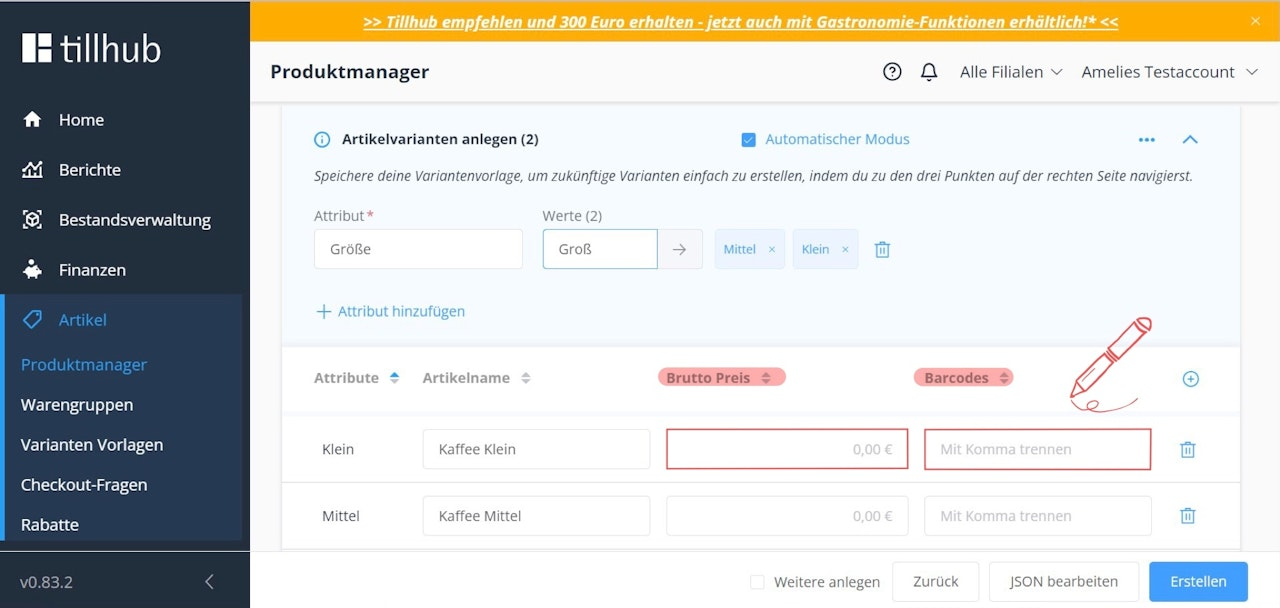
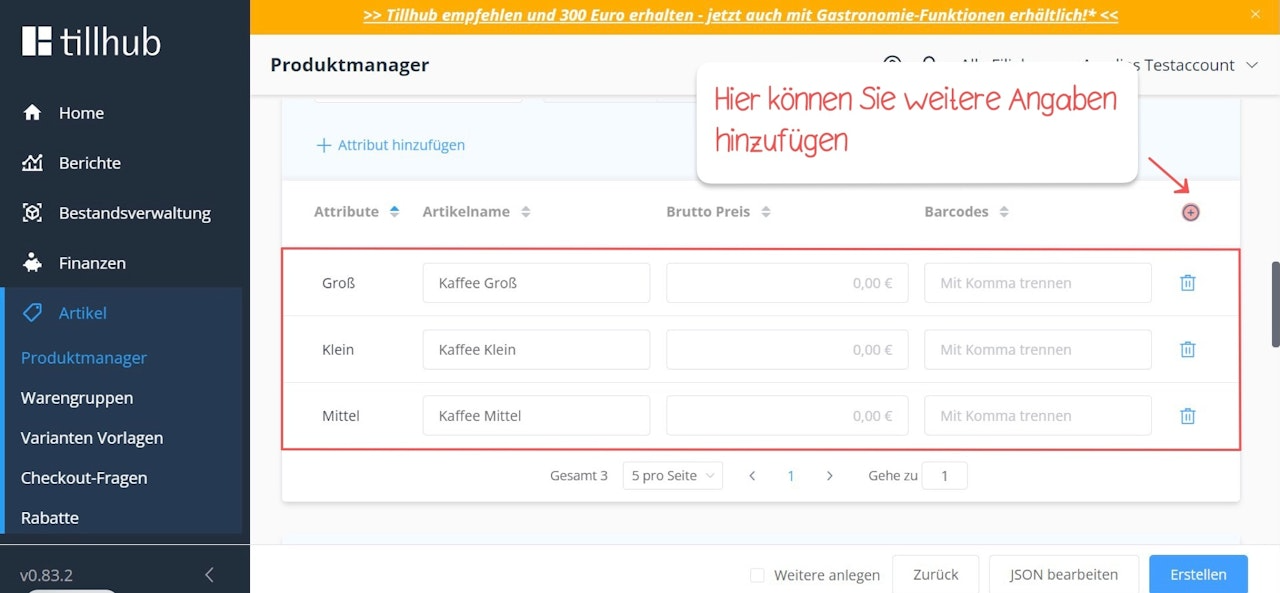
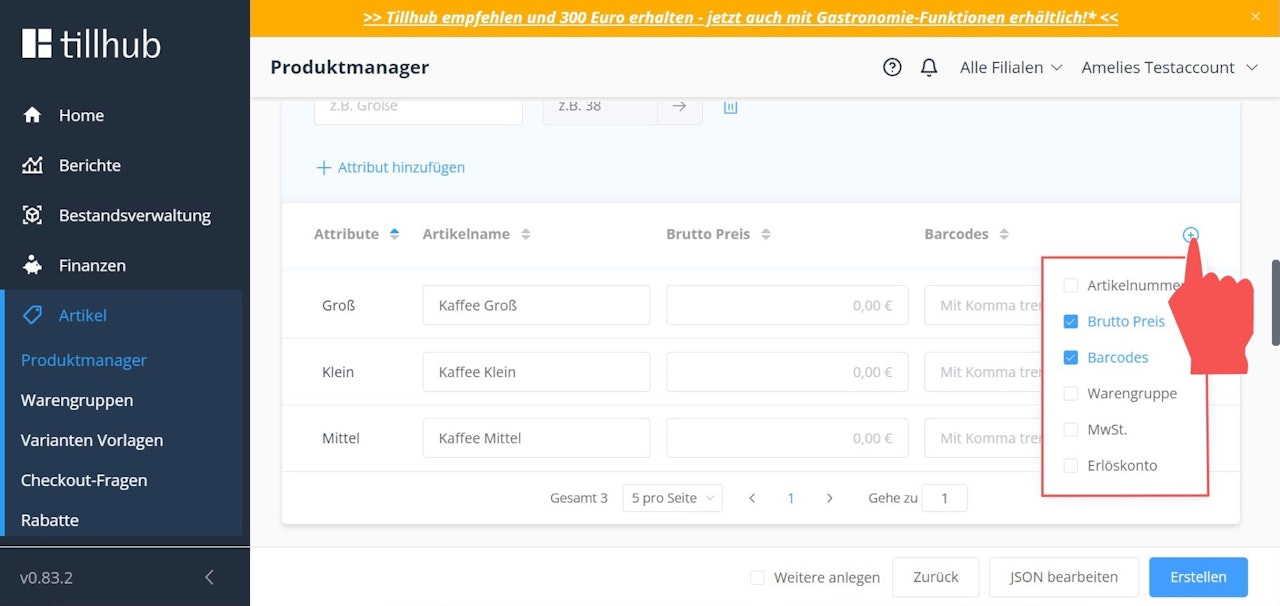
Once you have confirmed your attribute values, your various item variants will be generated.
You now have the option to define the price, barcode, and initial stock for each individual item variant.
If you want to add more information to each item variant, click the blue "+".
Save your entries by clicking the blue "Create" button at the bottom right.
Was this article helpful?
That’s Great!
Thank you for your feedback
Sorry! We couldn't be helpful
Thank you for your feedback
Feedback sent
We appreciate your effort and will try to fix the article
