Article with Variants
Modified on Mon, 8 Jun at 9:55 AM
Adding Article Variants
If you have chosen the article type "Article with Variants", you now have the option to create article variants under the metadata.
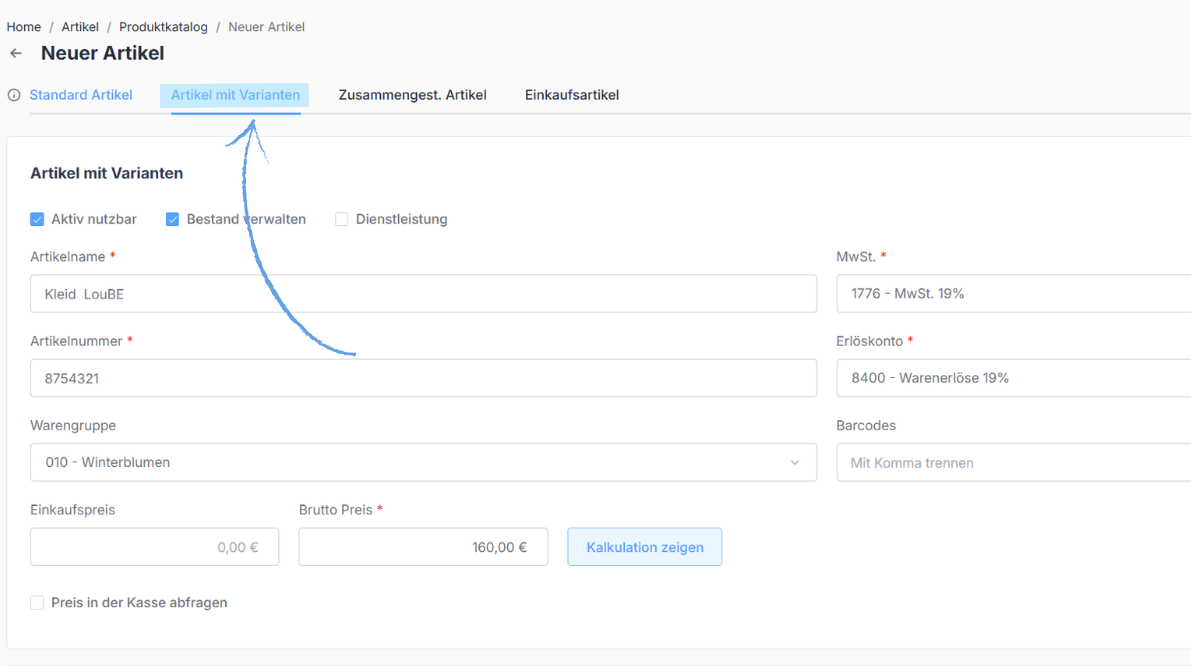
After filling in the metadata of your article, you can select the corresponding attributes in the "Add Article Variants" section. An "attribute" refers to the varying property of your article – such as size or color.
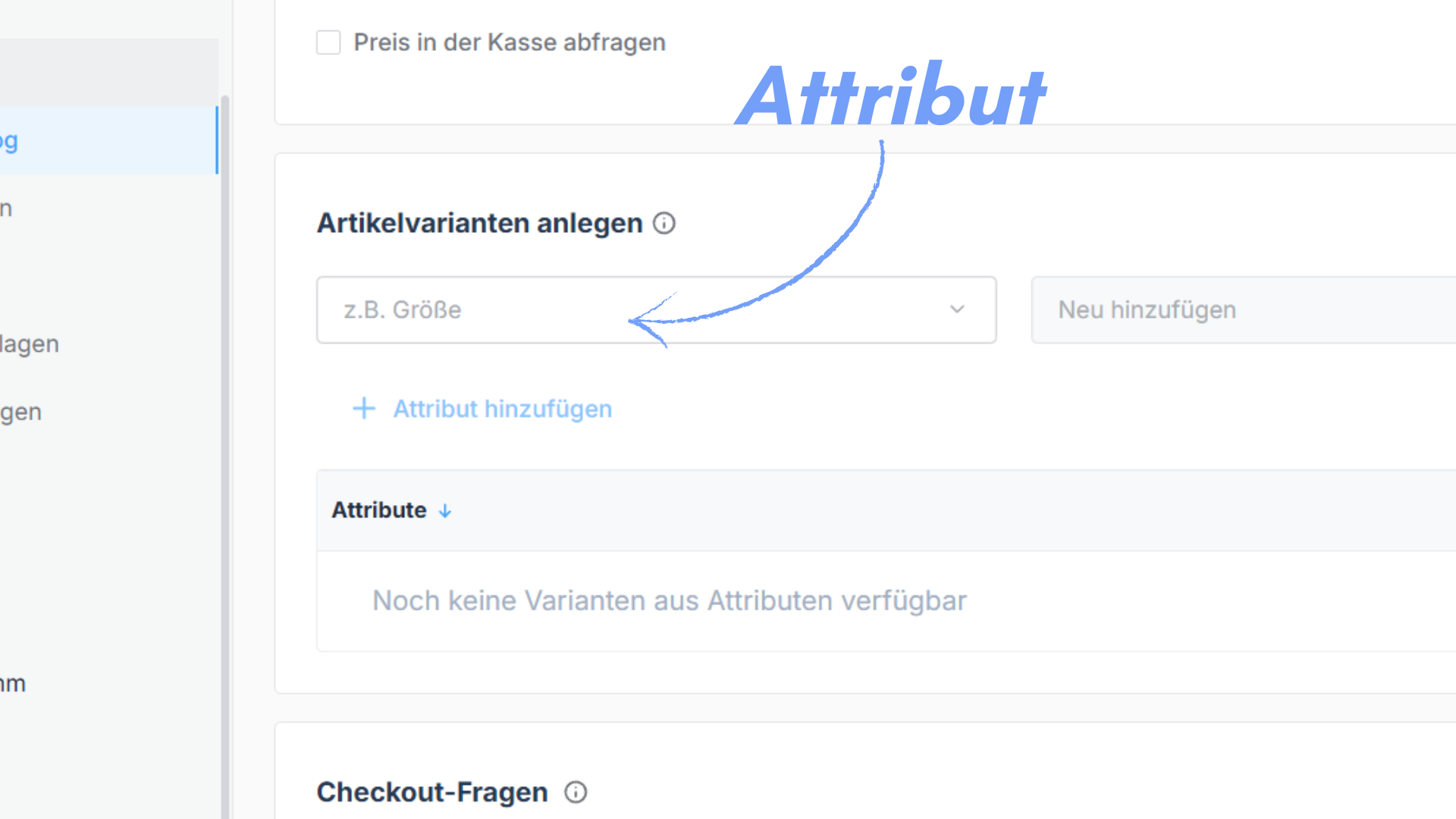
Selecting or Creating an Attribute
Select the appropriate attribute from our existing options. If there is no suitable attribute available, you can simply type your own term directly into the field.
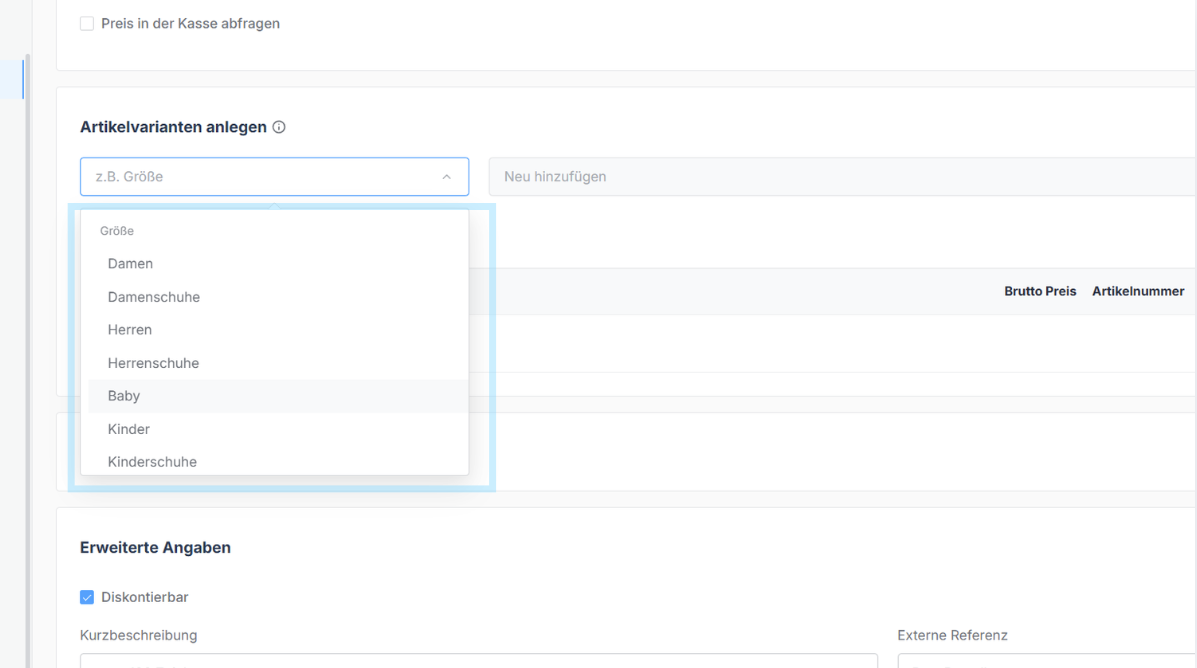
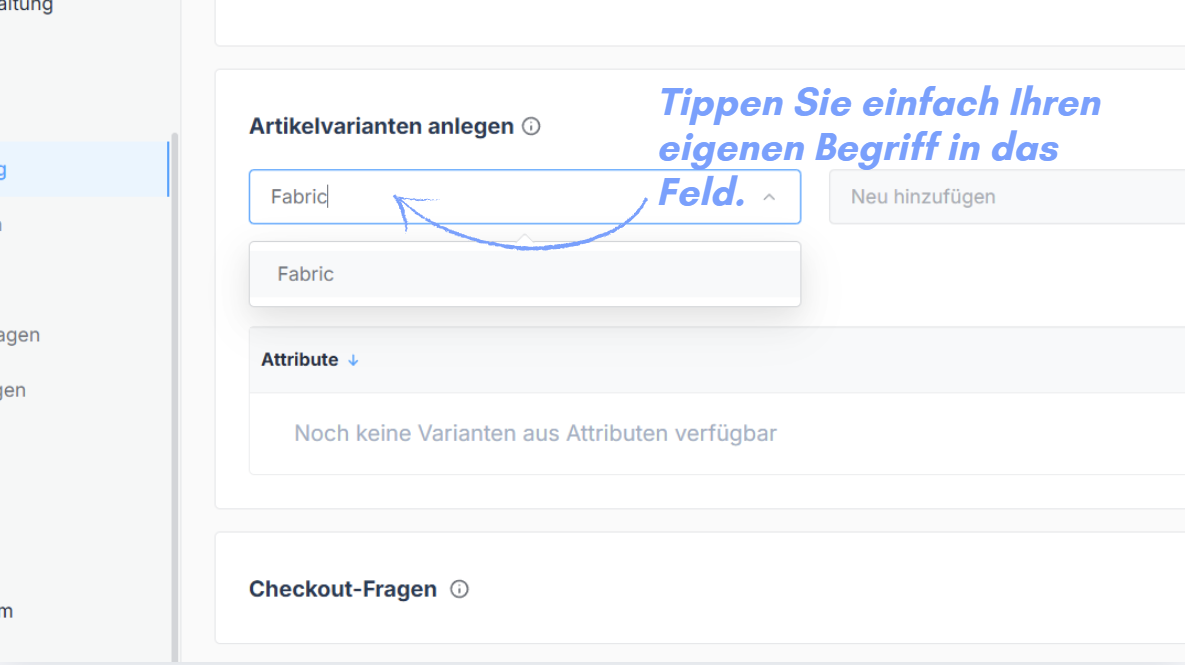
Setting Attribute Values
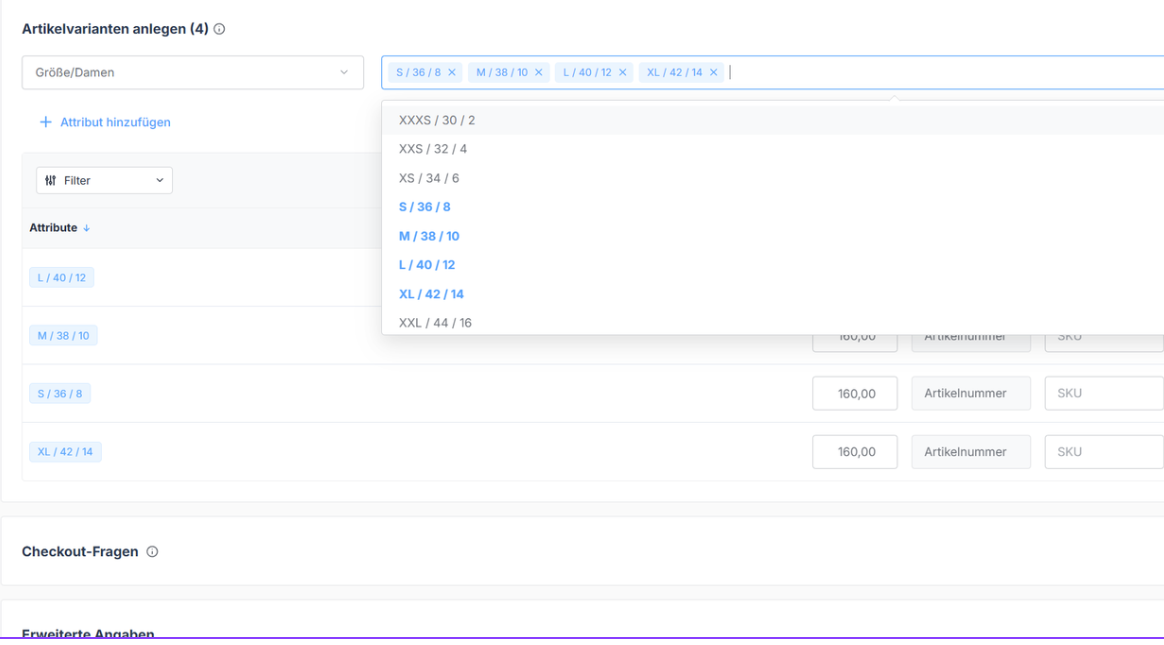
If you choose one of our pre-defined attribute categories, click on "Add New" in the field next to it. There you can choose from our pre-defined options and simply click on all the applicable values – for example, the sizes S, M, L and XL. Alternatively, you can also enter your own values manually into the field.
Editing Prices
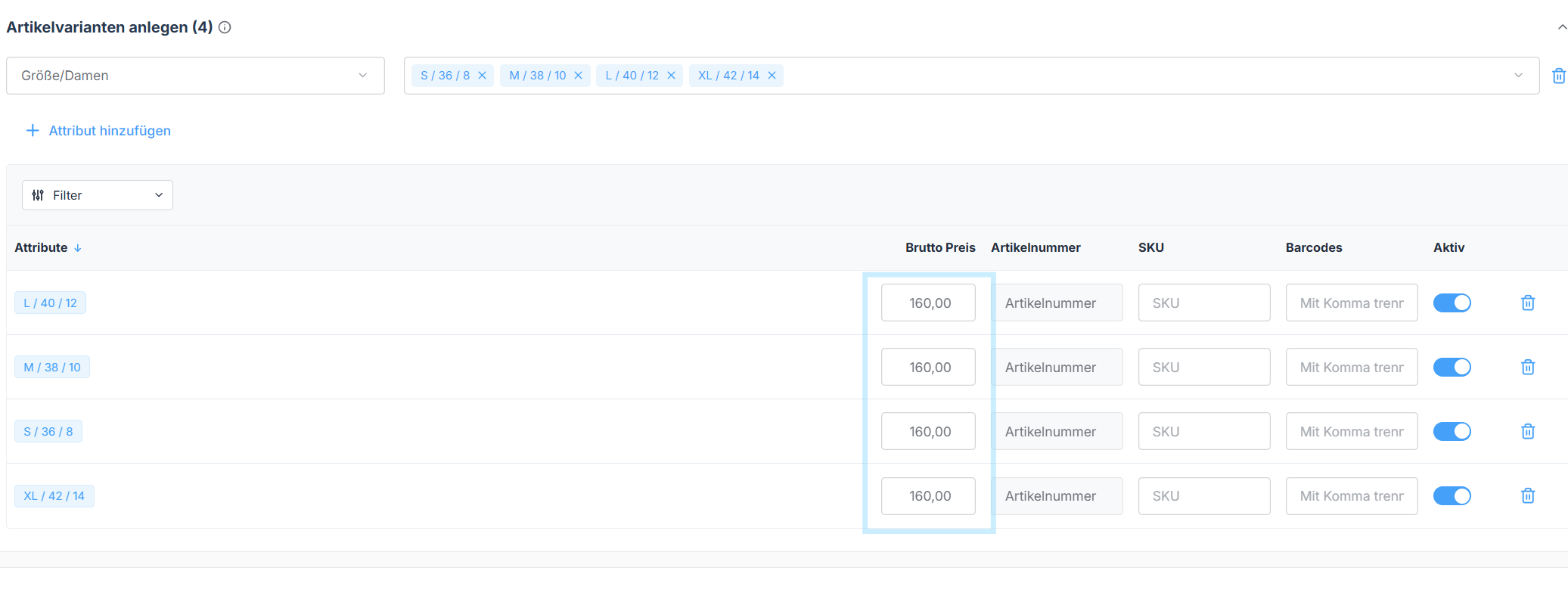
You can edit the prices of the individual variants directly below the respective options.
Activating & Deactivating Variants
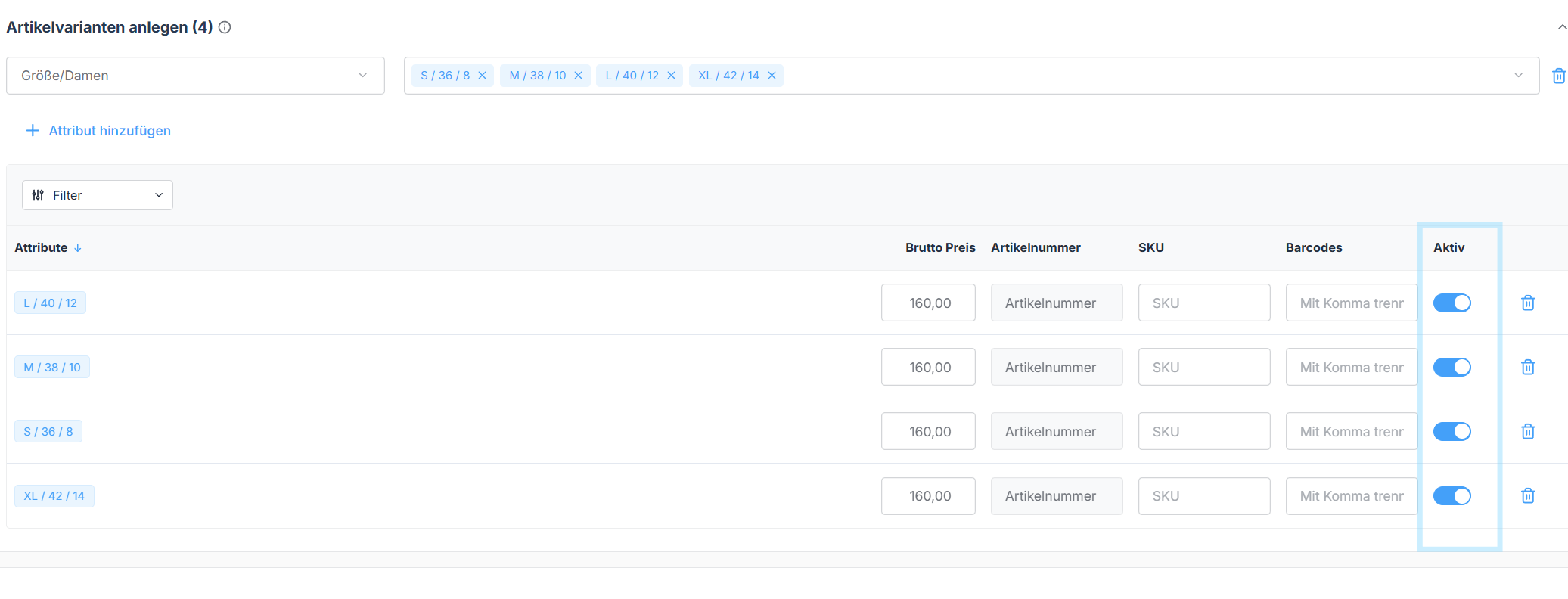
You now have the option to activate or deactivate individual article variants – giving you full control at all times over which variants are available in your point of sale.
Finally, save your entries by clicking the blue "Create" button in the bottom right corner.
Was this article helpful?
That’s Great!
Thank you for your feedback
Sorry! We couldn't be helpful
Thank you for your feedback
Feedback sent
We appreciate your effort and will try to fix the article
