Activating the Item Number Generator
Modified on Mon, 16 Feb at 10:12 AM
To avoid having to manually enter item numbers each time, activate the Item Number Generator.
To do this, click on Settings in the main menu of the dashboard. Then navigate to Items in the submenu and enable the toggle in the top right corner labeled “The item number generator is activated” .
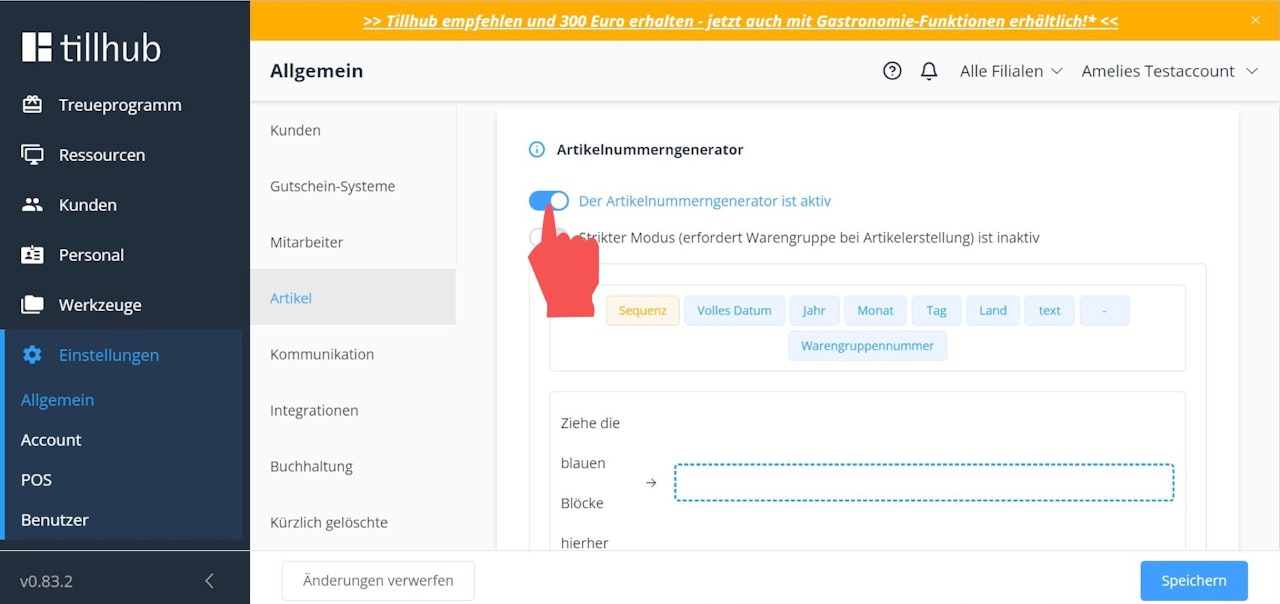
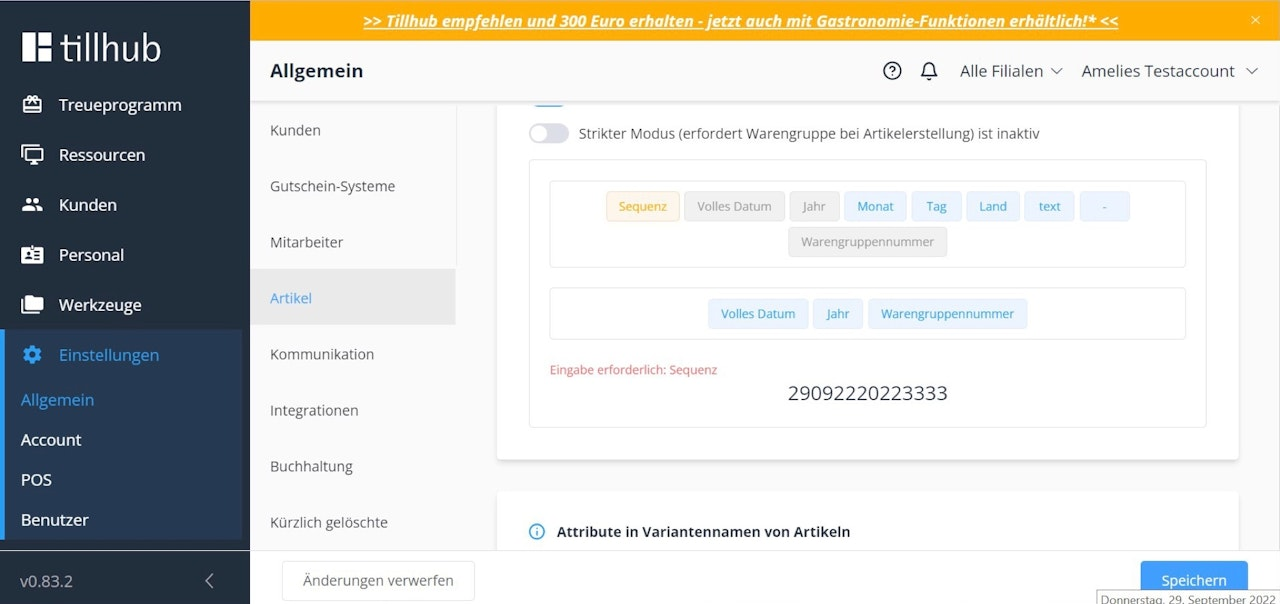
Next, decide which components your item numbers should consist of by dragging the blue blocks with the desired elements into the blue outlined field.
For example, if you want your item numbers to consist of a continuous sequence and always include the corresponding product group number, drag the “Sequence” and “Product Group” blocks into the blue outlined field.
 .
.
Was this article helpful?
That’s Great!
Thank you for your feedback
Sorry! We couldn't be helpful
Thank you for your feedback
Feedback sent
We appreciate your effort and will try to fix the article
