Product Groups
Modified on Mon, 16 Feb at 10:12 AM
Creating Product Groups
In this section, we explain how to manually create product groups in our system using the dashboard.
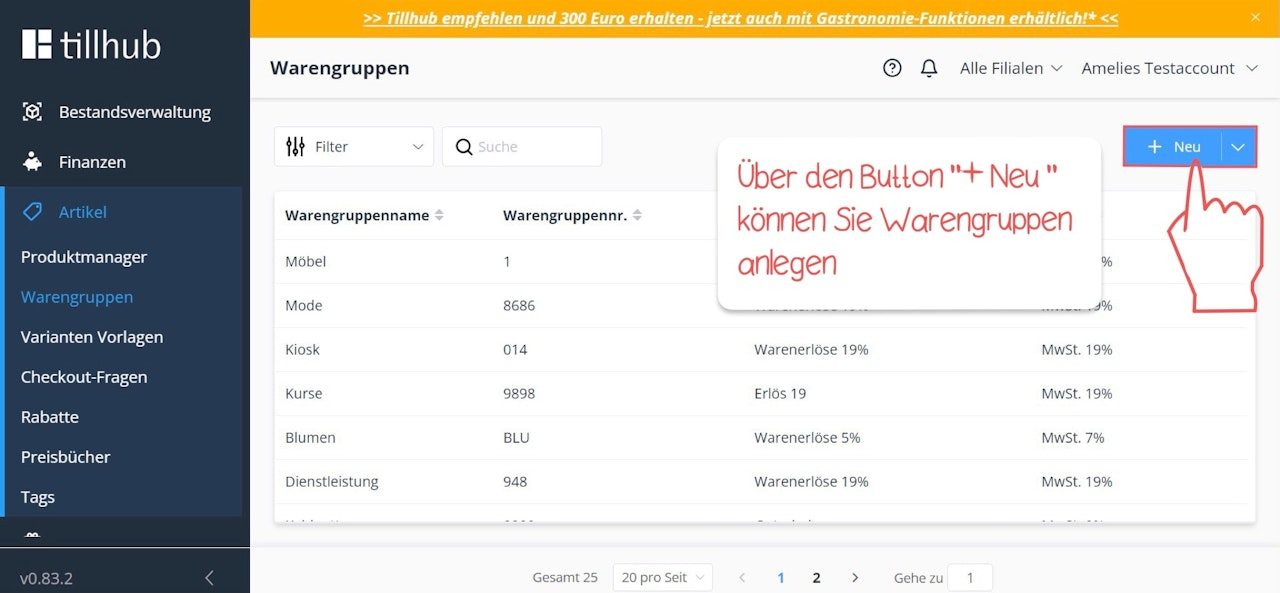
First, navigate to Items in the main menu on the left. Then click on Product Groups and select the blue “+ New” button in the top right corner to create a new product group.
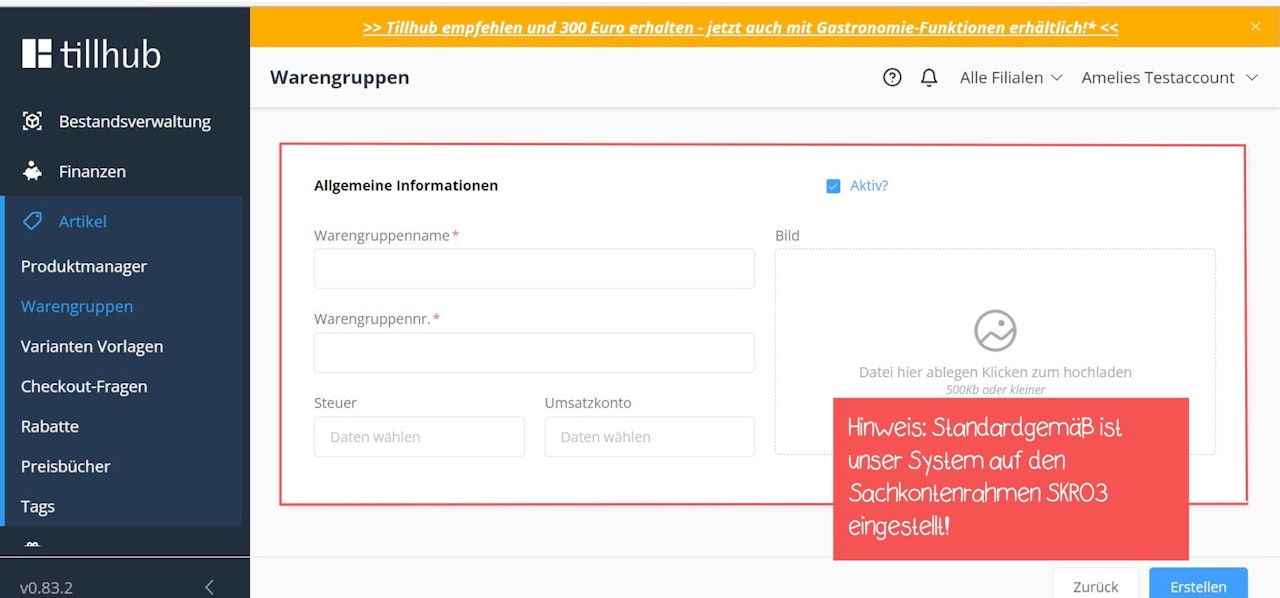
An input form will open where you can enter the product group name, product group number, as well as the tax account and revenue account.
Click the blue “Create” button to save your entries.
Note:
Our system is set to the SKR03 chart of accounts by default. If your tax advisor uses a different chart of accounts, you can change this in the Finances section.Creating Product Groups
Was this article helpful?
That’s Great!
Thank you for your feedback
Sorry! We couldn't be helpful
Thank you for your feedback
Feedback sent
We appreciate your effort and will try to fix the article
