T650p - Reference Number
Modified on Mon, 9 Feb at 4:48 PM
Activating a Reference Number
You can add an individual 12-digit numeric reference number to each payment receipt. In this guide, we show you how to activate this option.
The reference number is often used to add, for example, the related invoice number or reservation number on the payment receipt.
Main Menu
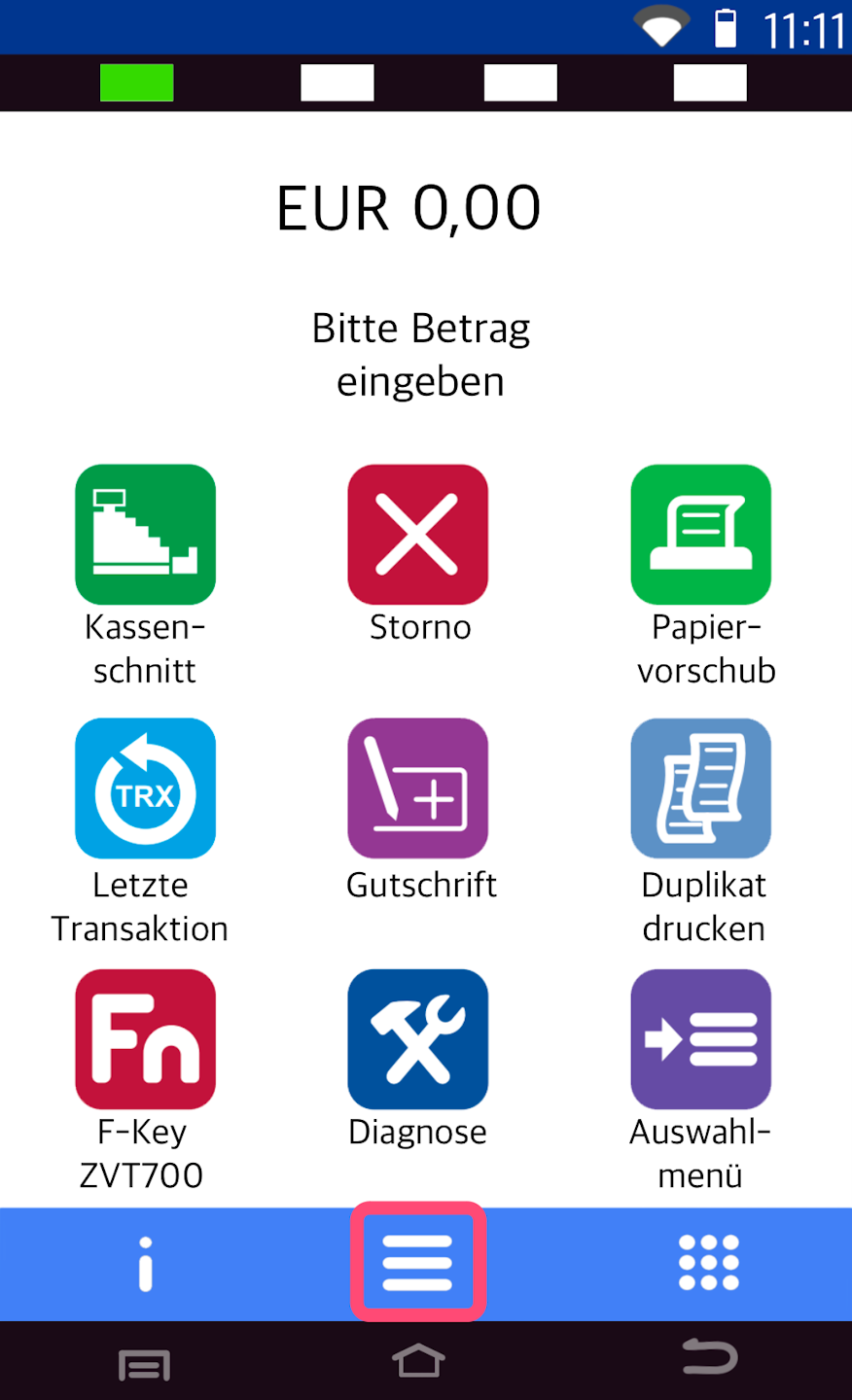
Here you see your starting display.
Please press the button with the three horizontal lines to access the main menu.
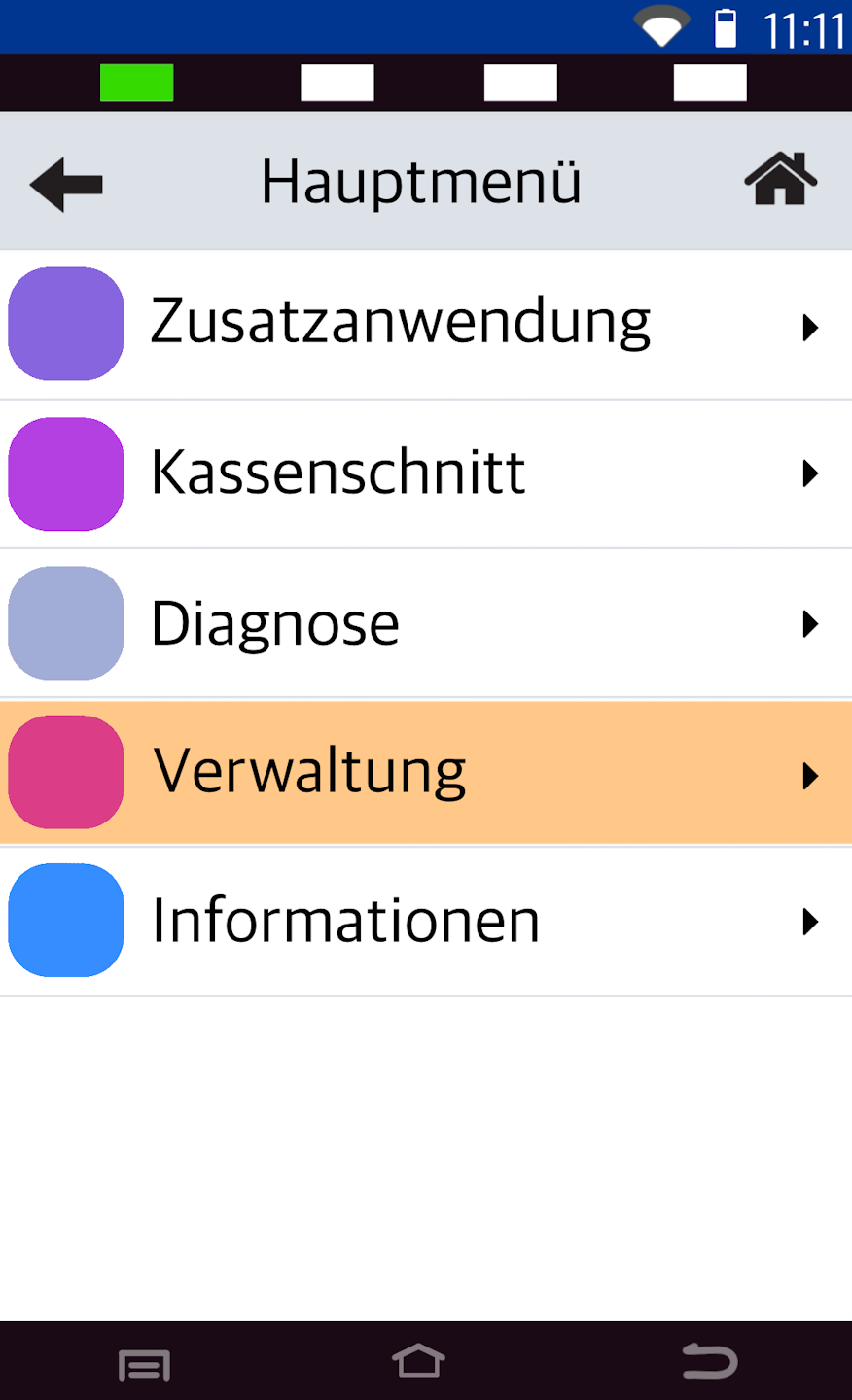
Administration
Now please select the menu item Verwaltung.
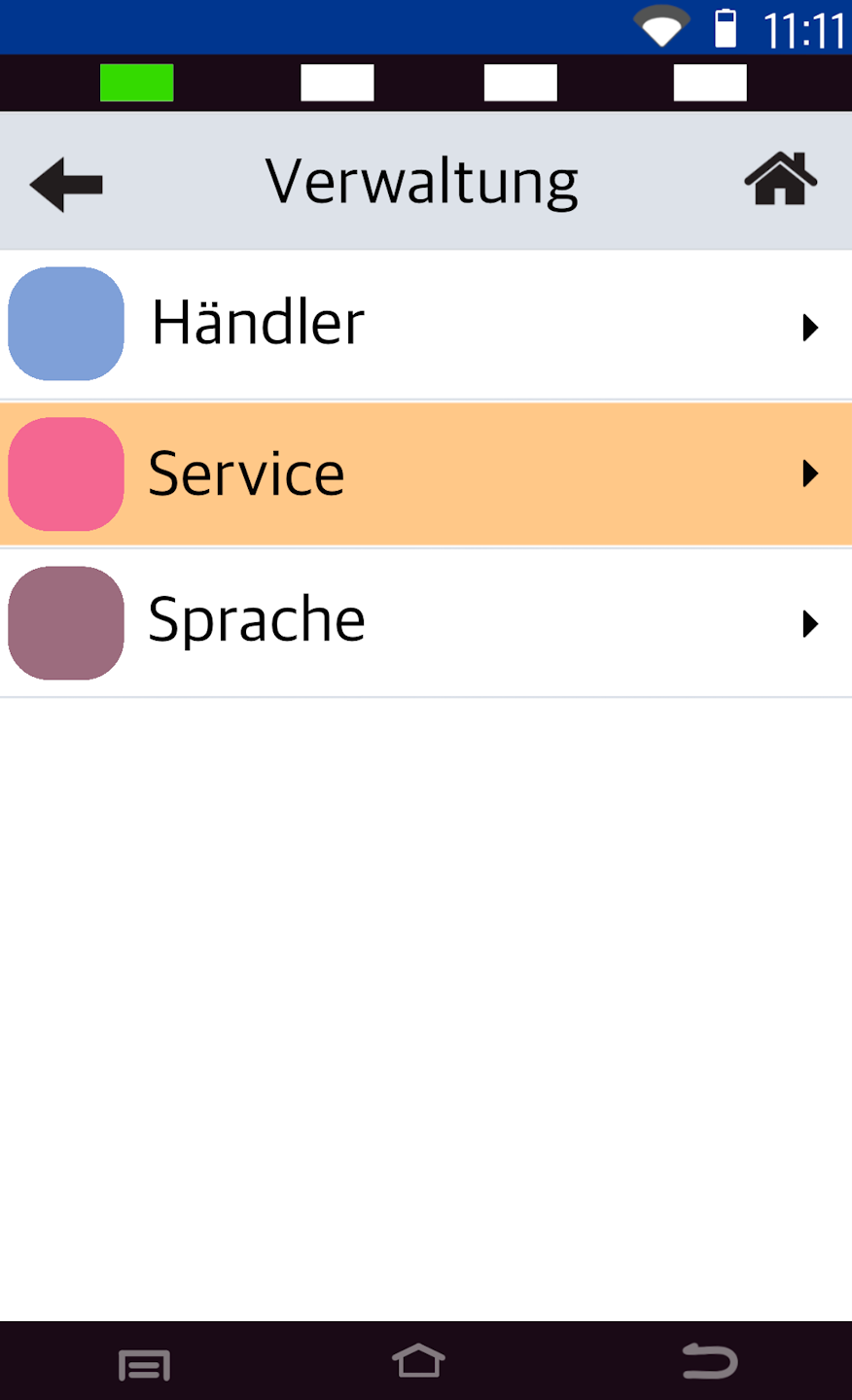
Operator Selection
Please select Service.
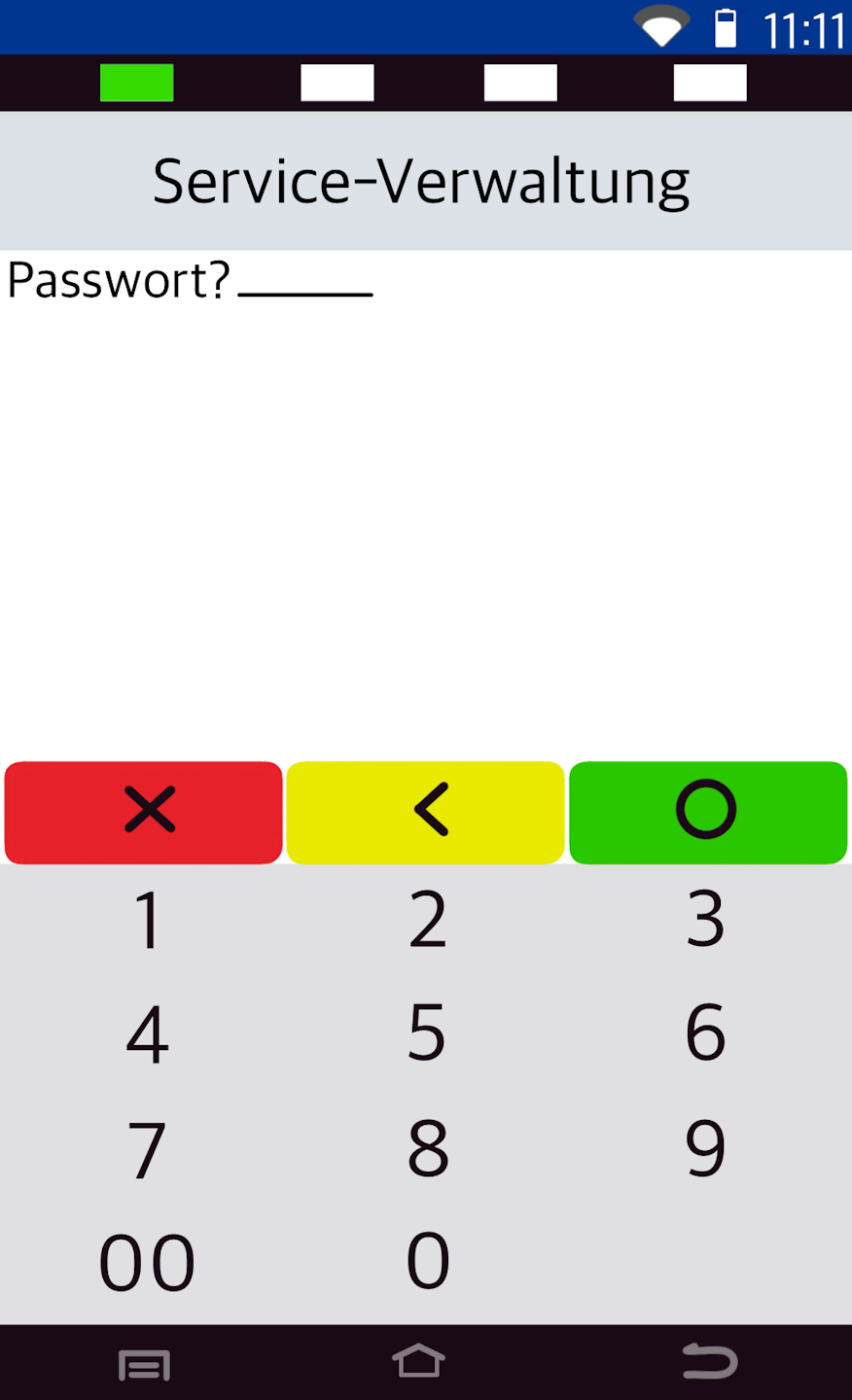
Password Entry
Please enter the 6-digit technician password and confirm the entry with the green OK button.
If you do not know the technician password, please contact our service hotline.
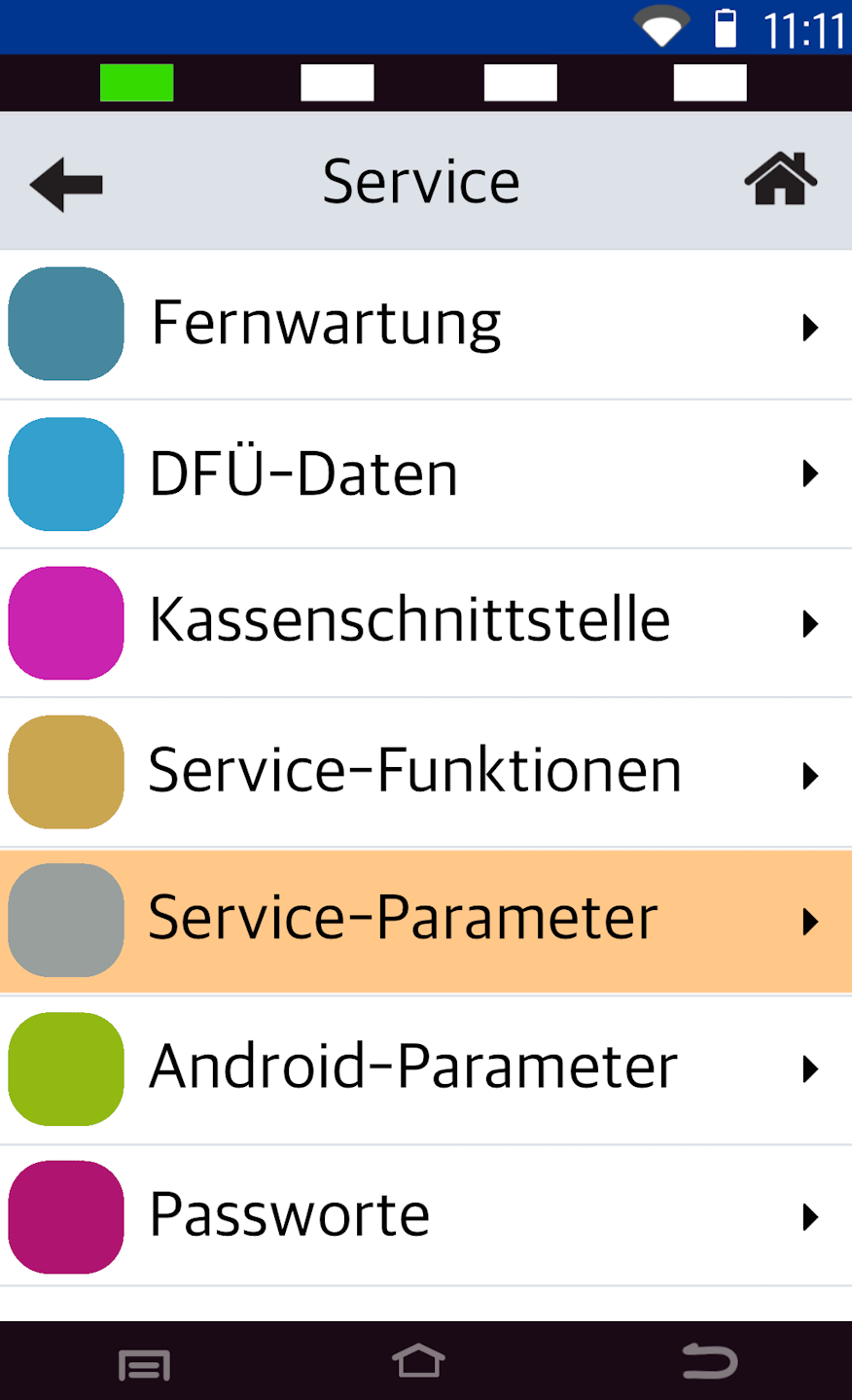
Service Parameters
Here, select the menu item Service-Parameter.
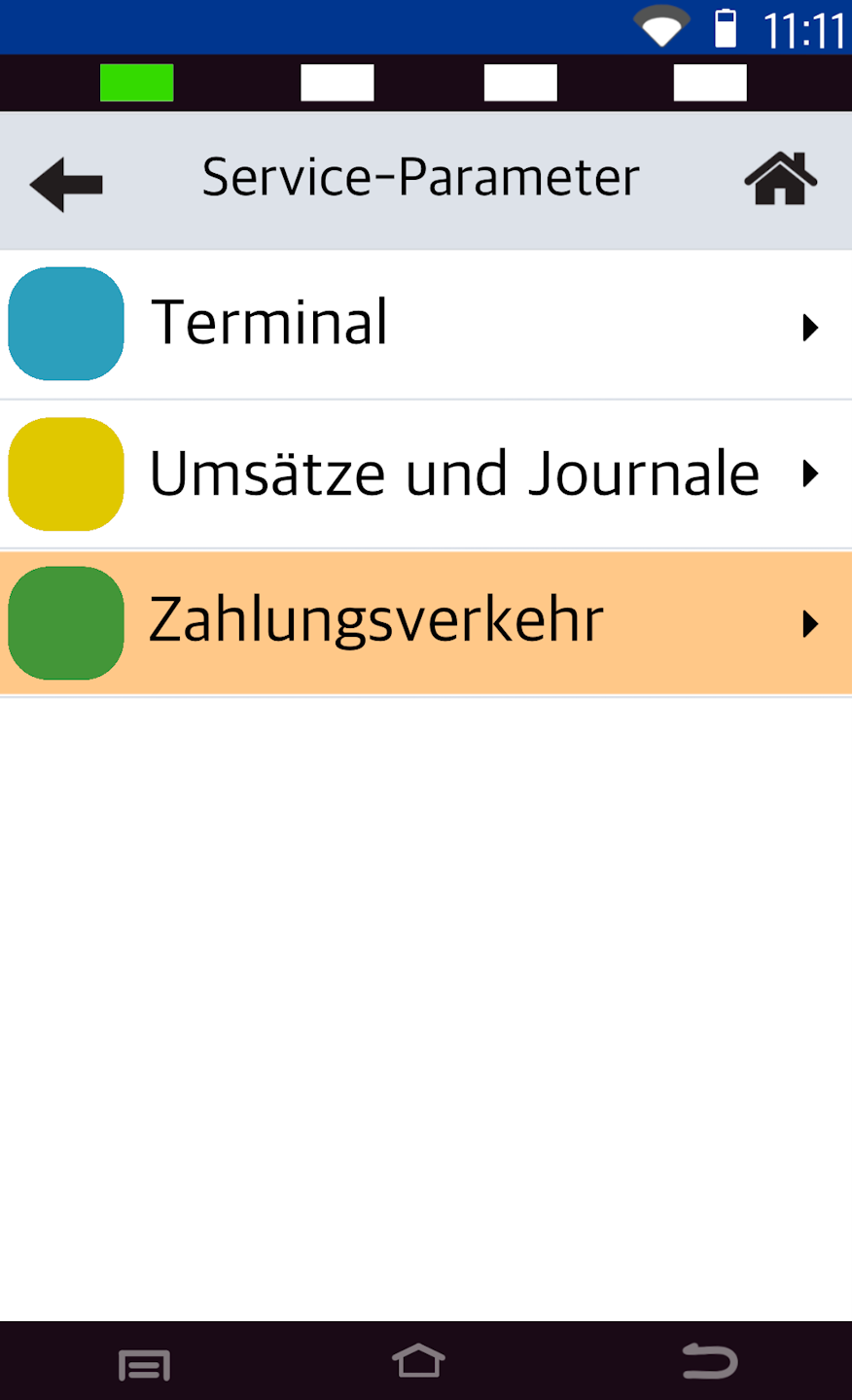
Payment Transactions
Please select the menu item Zahlungsverkehr
Activating the Reference Number
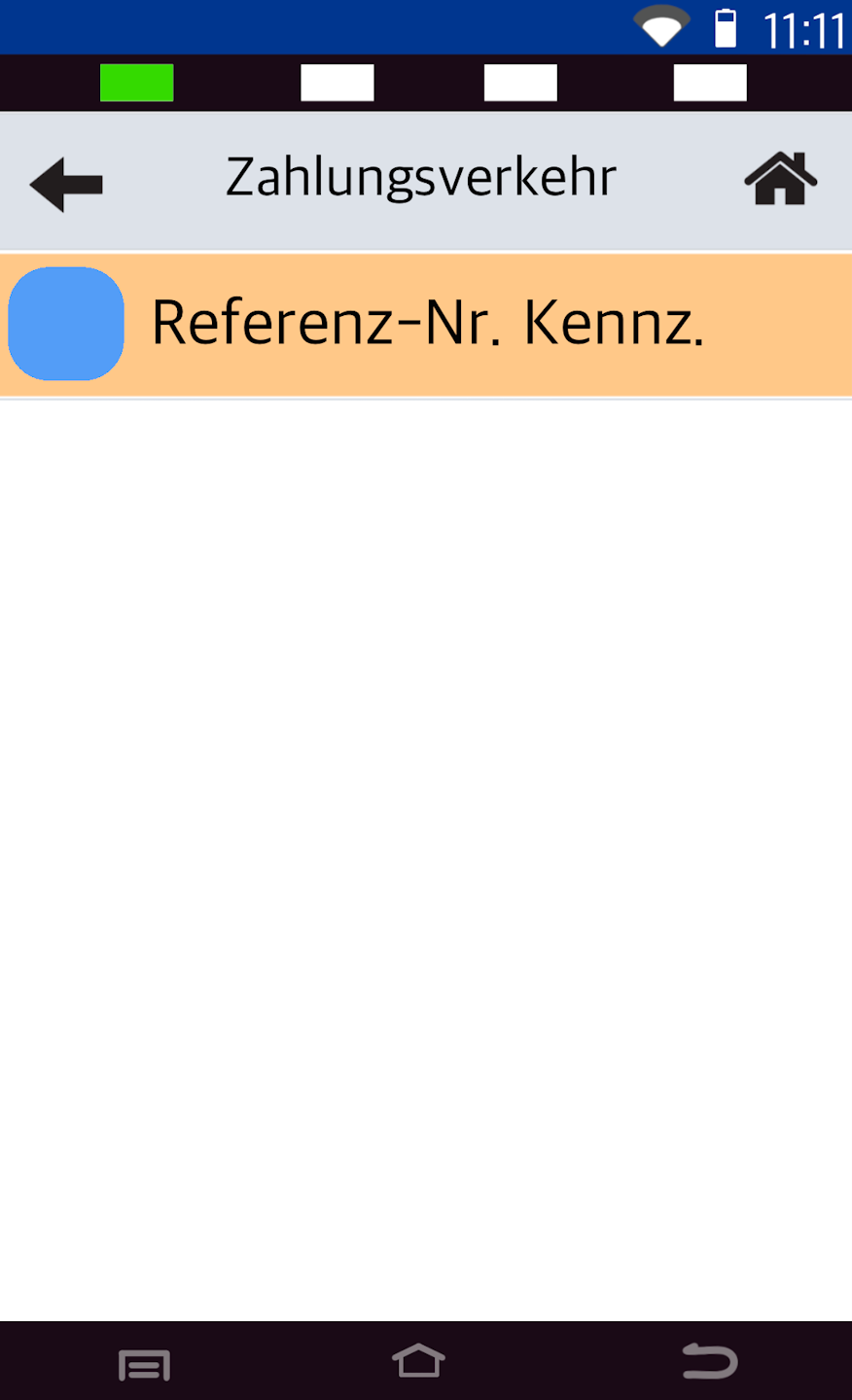
Now we can activate the reference number.
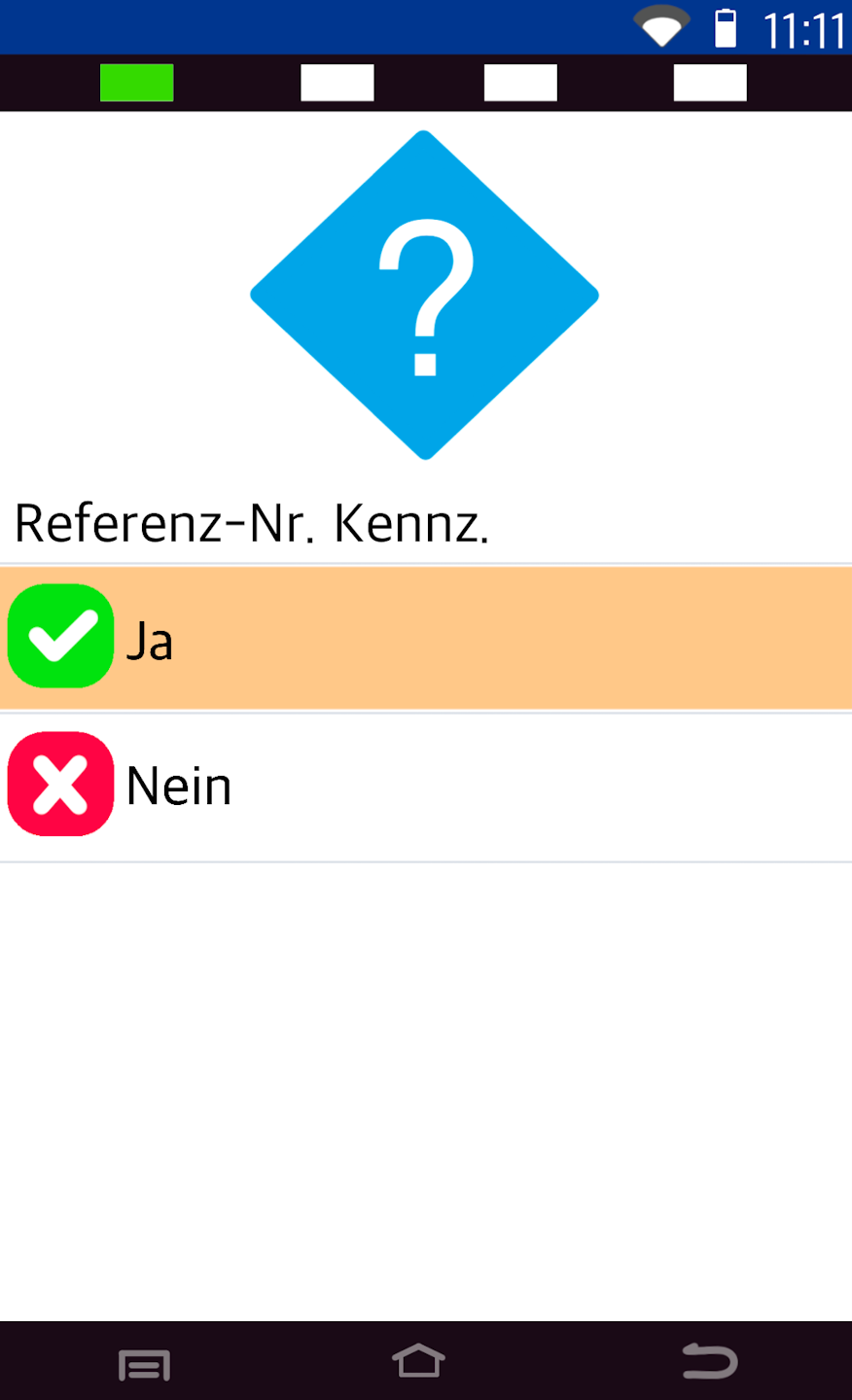
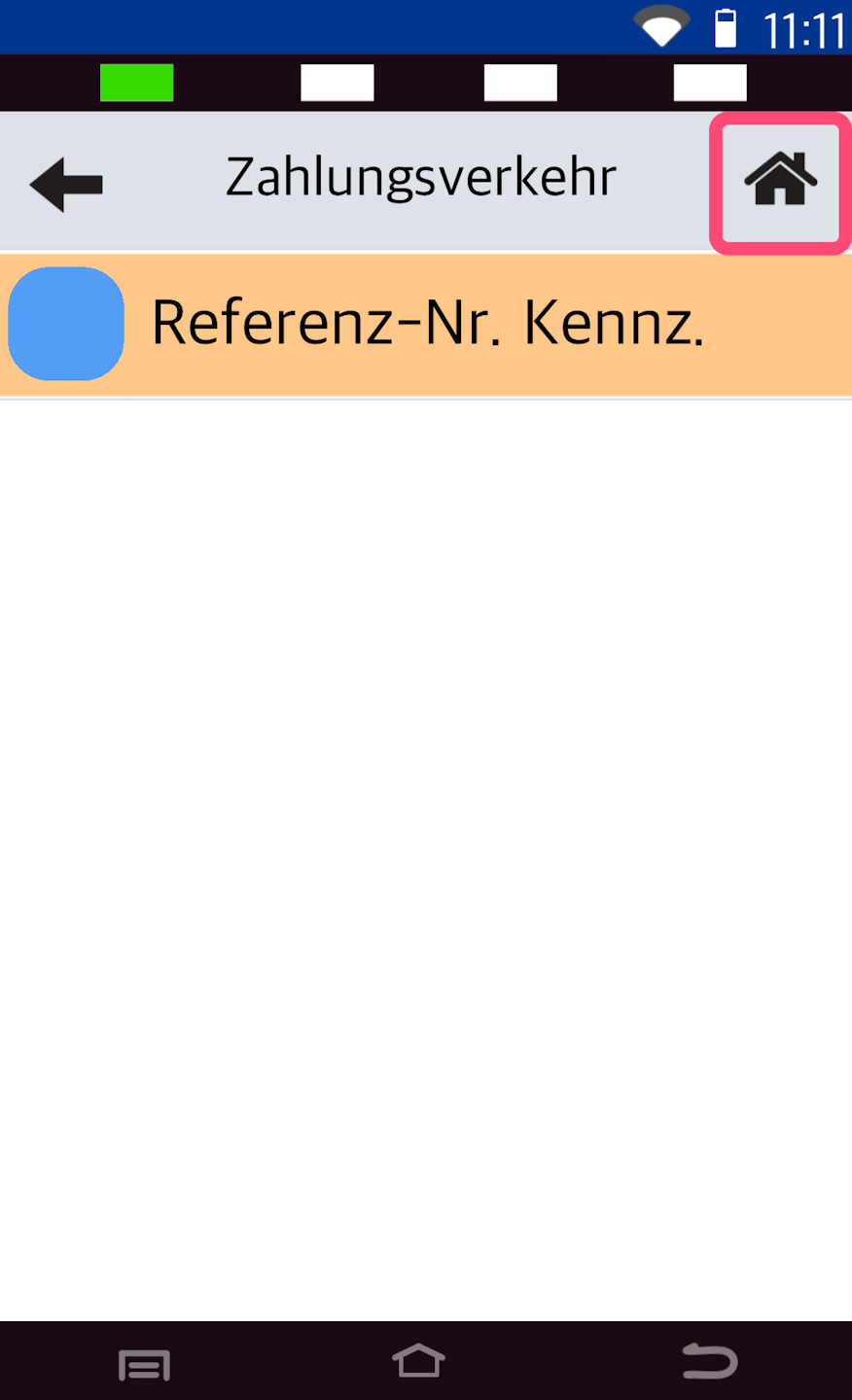
As shown in Fig. 1, please tap Referenz-Nr. Kennz. Activate the option by selecting Yes (Fig. 2).
To return to your starting display, please tap the house icon in the top right corner (Fig. 3).
Was this article helpful?
That’s Great!
Thank you for your feedback
Sorry! We couldn't be helpful
Thank you for your feedback
Feedback sent
We appreciate your effort and will try to fix the article
