CCV - Detailed End-of-Day Report
Modified on Wed, 4 Feb at 9:49 AM
Setting Up the Detailed End-of-Day Report
Here you will learn how to enable or disable the "Detailed End-of-Day Report" function on your card reader from the manufacturer CCV.
The Detailed End-of-Day Report shows you all receipt numbers along with the corresponding receipt totals.
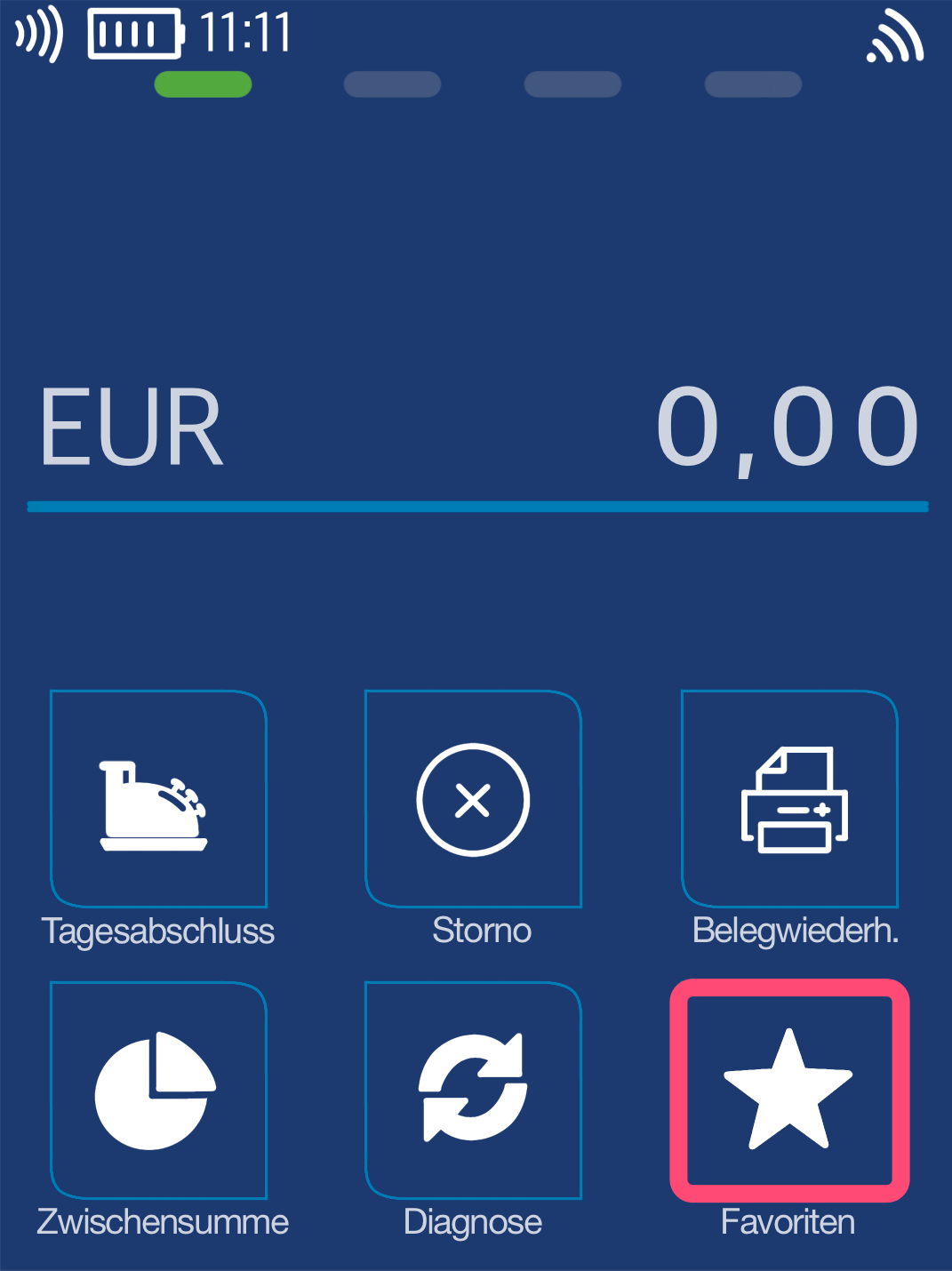
Favorites Button
You will see your main display. Please select the Favorites button.
Select by tapping.
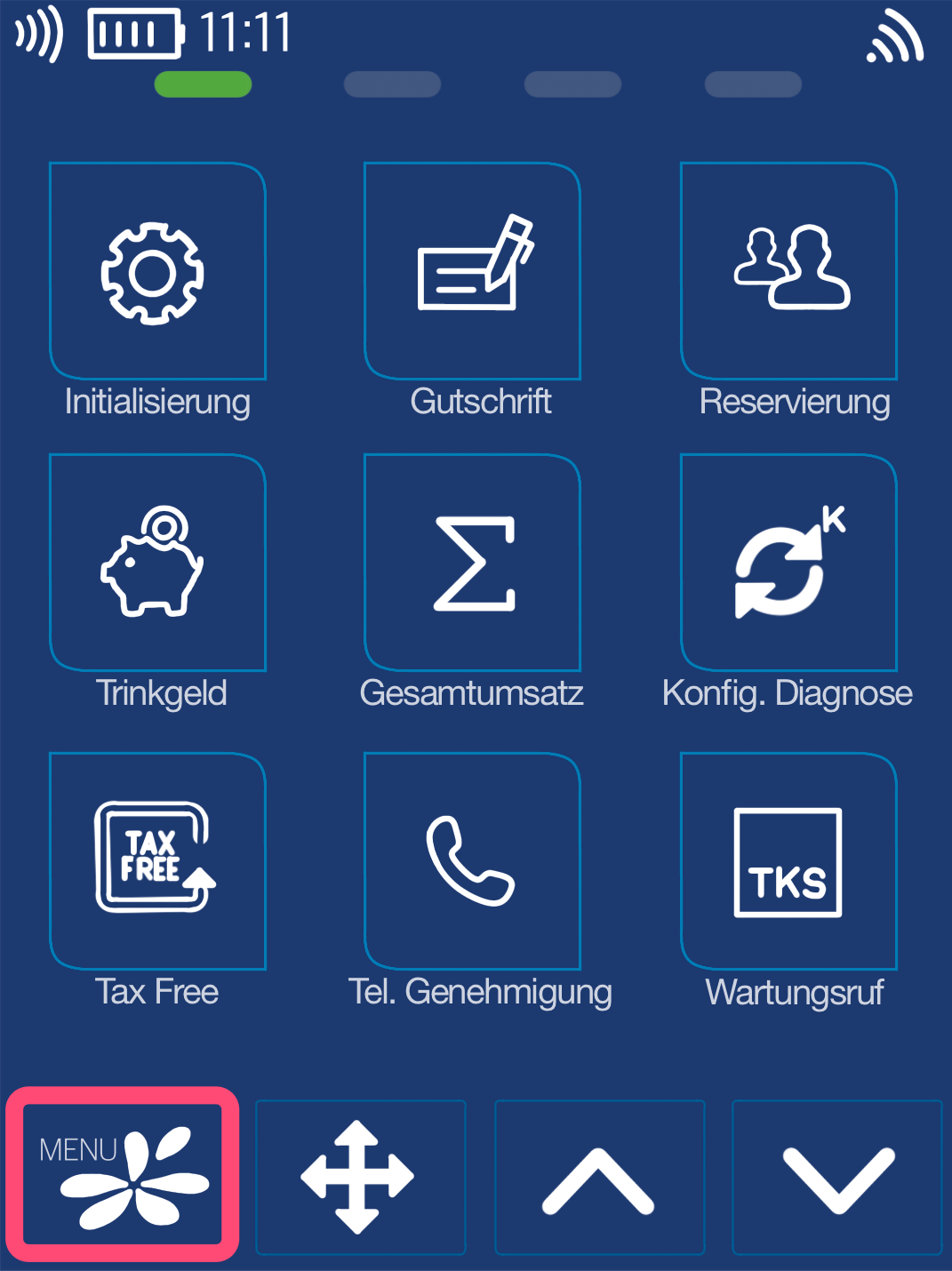
Menu Button
Now please select the Menu button.
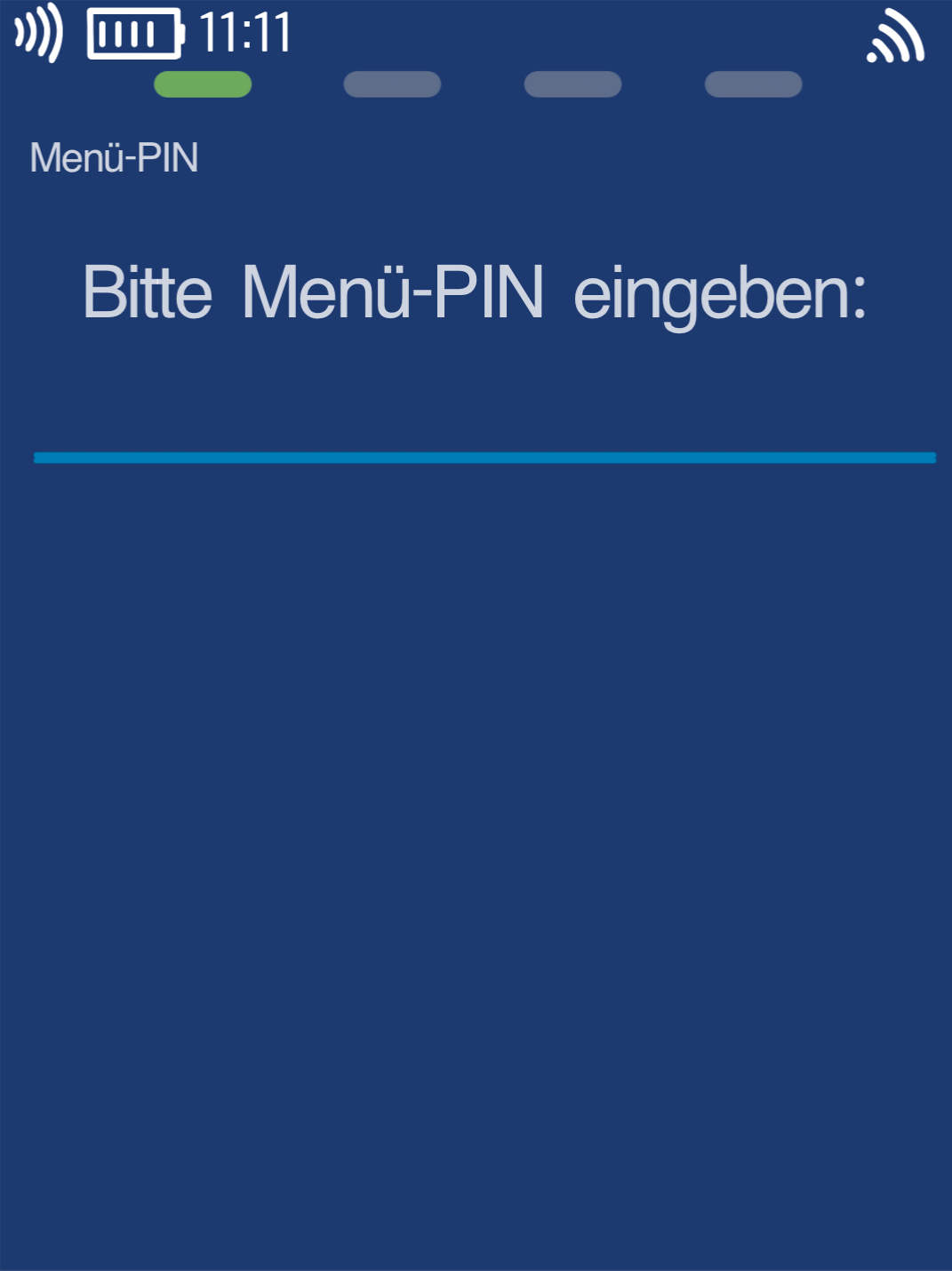
Menu PIN
Please now enter your merchant PIN.
You can find the Terminal ID on your merchant receipts or on the end-of-day report.
Terminal IDs starting with 61xxxxxx: 111111
Terminal IDs starting with 68xxxxxx: 111111
Terminal IDs starting with 526xxxxx: 0123
Please confirm the entry by pressing the green OK button.
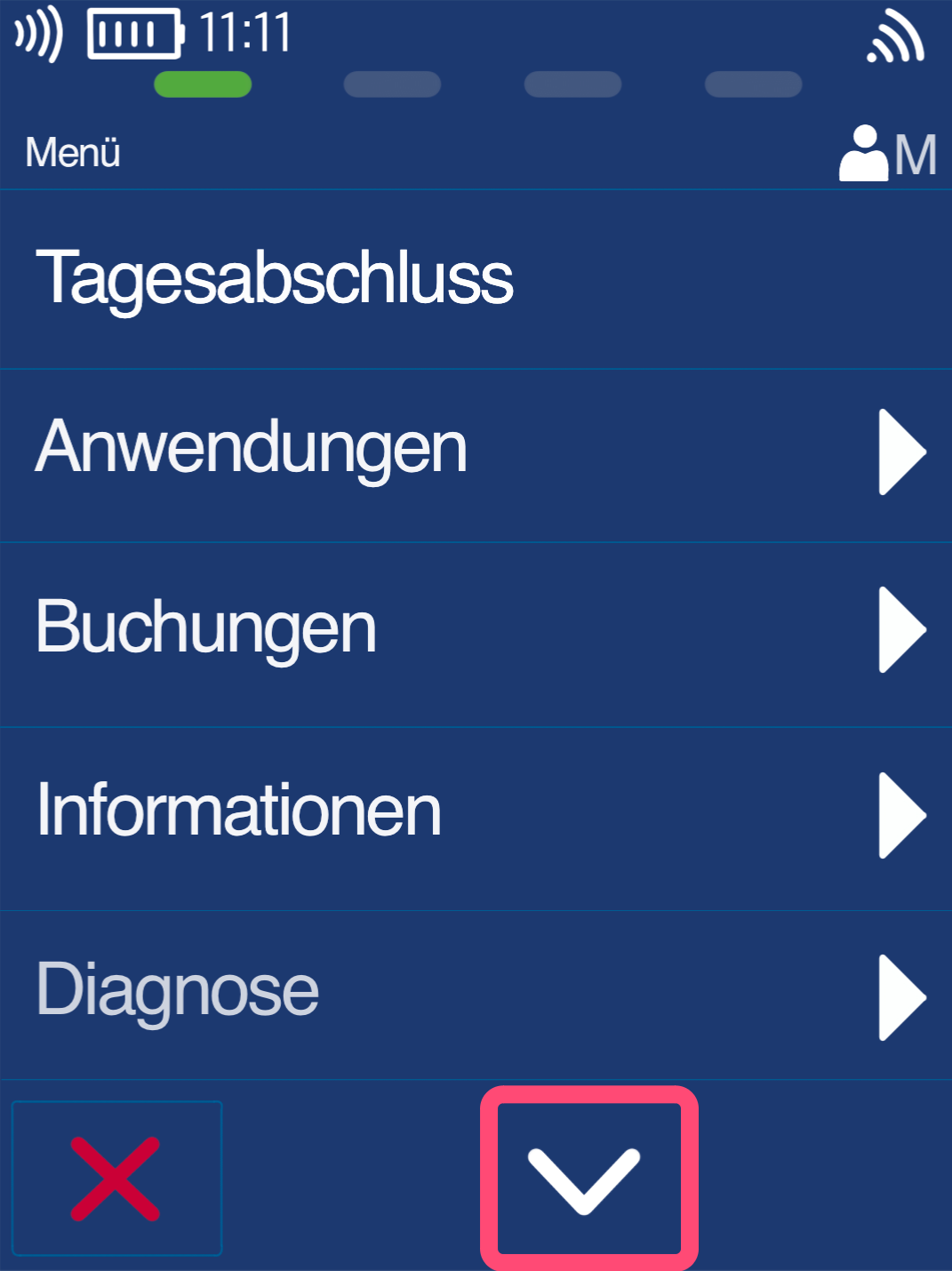
Selection
Please click the down arrow key.
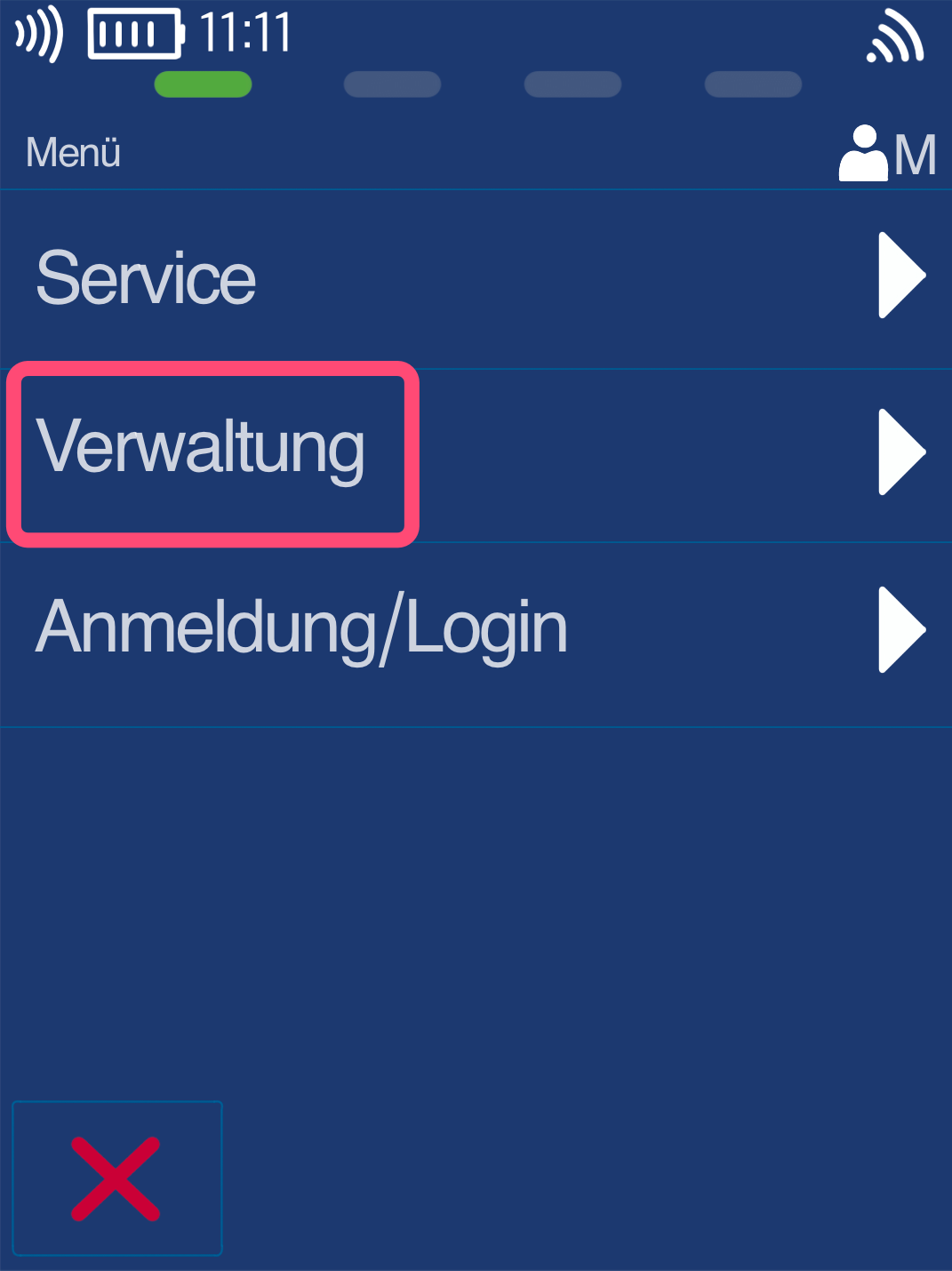
Administration
Please click the Administration button.
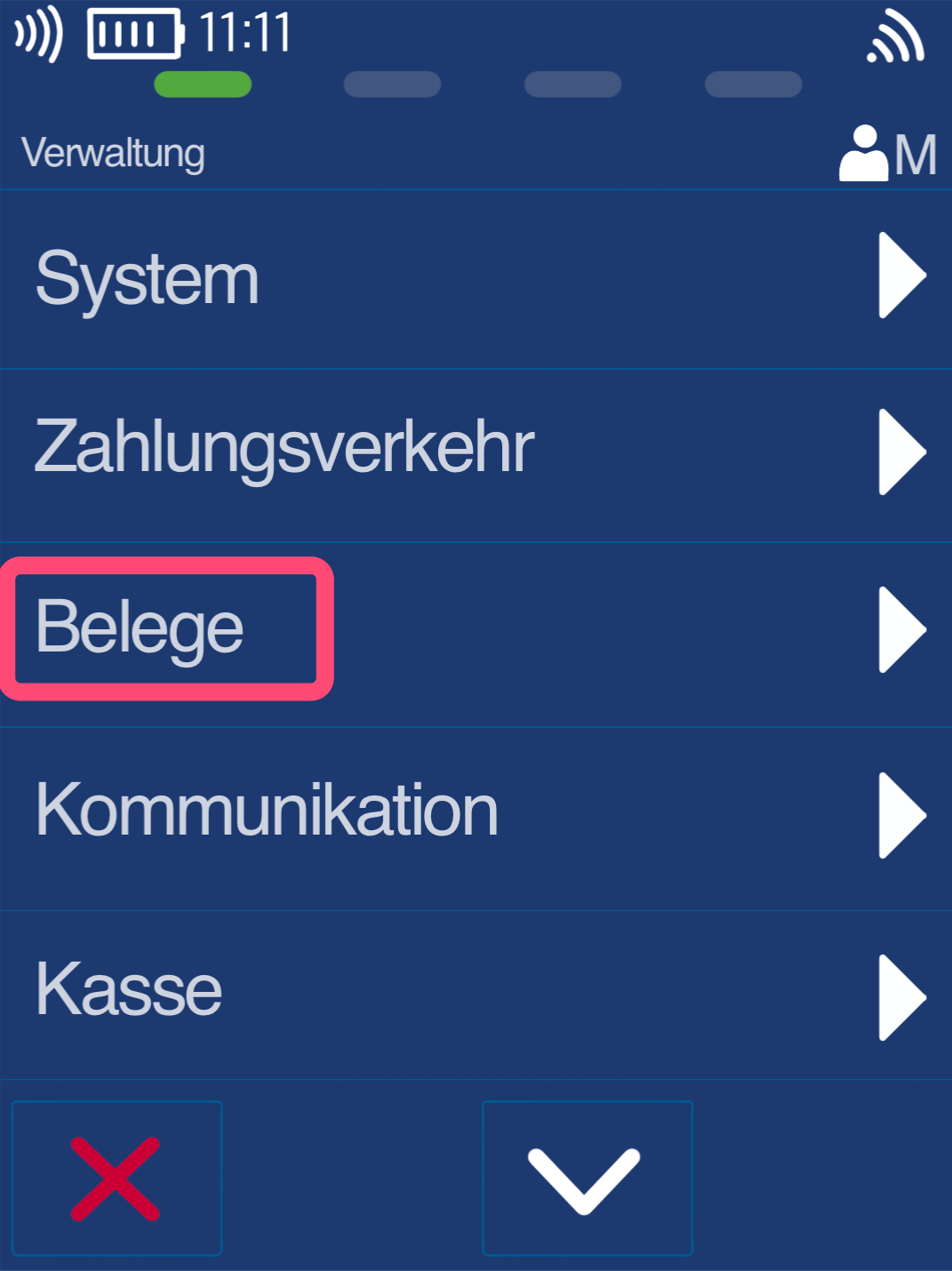
Receipts
Now please select the Receipts button.
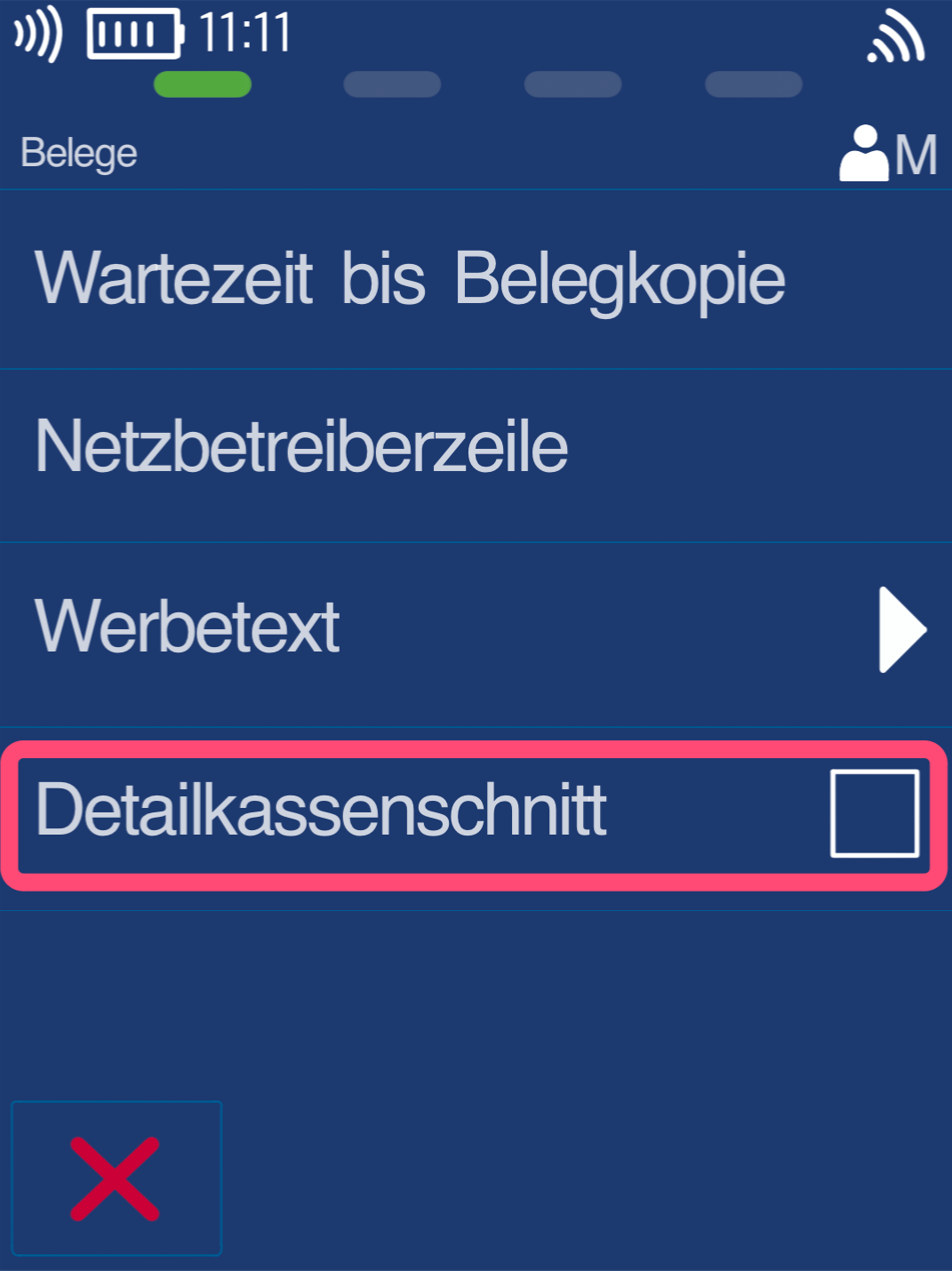
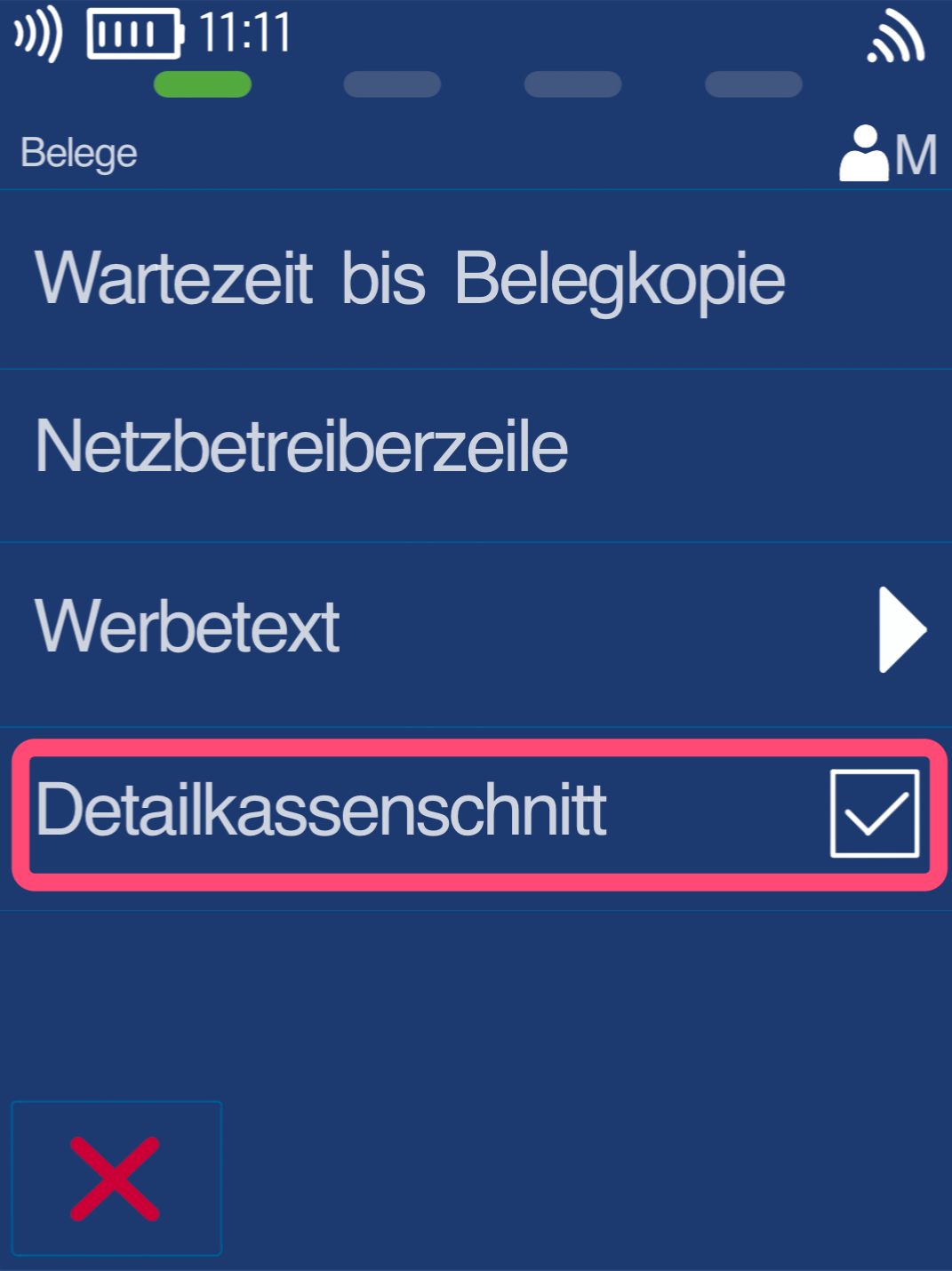
Detailed End-of-Day Report
You enable the Detailed End-of-Day Report by tapping the checkbox. A check mark will now appear. The Detailed End-of-Day Report is now activated (Fig. 2).
If you want to deactivate the Detailed End-of-Day Report, simply tap the checkbox again.
Was this article helpful?
That’s Great!
Thank you for your feedback
Sorry! We couldn't be helpful
Thank you for your feedback
Feedback sent
We appreciate your effort and will try to fix the article
