CCV - Account Index
Modified on Wed, 4 Feb at 9:50 AM
Activating Account Index / Account Splitting
The account index function allows you to assign a payment amount to a specific account.
Assign payment amount to desired account
Shared use of one card reader across multiple stores or practices
This step-by-step guide shows you how to activate the account index function (account splitting) on your card reader.
Note: The account index function must first be contractually agreed upon in order to use it.
Main Menu
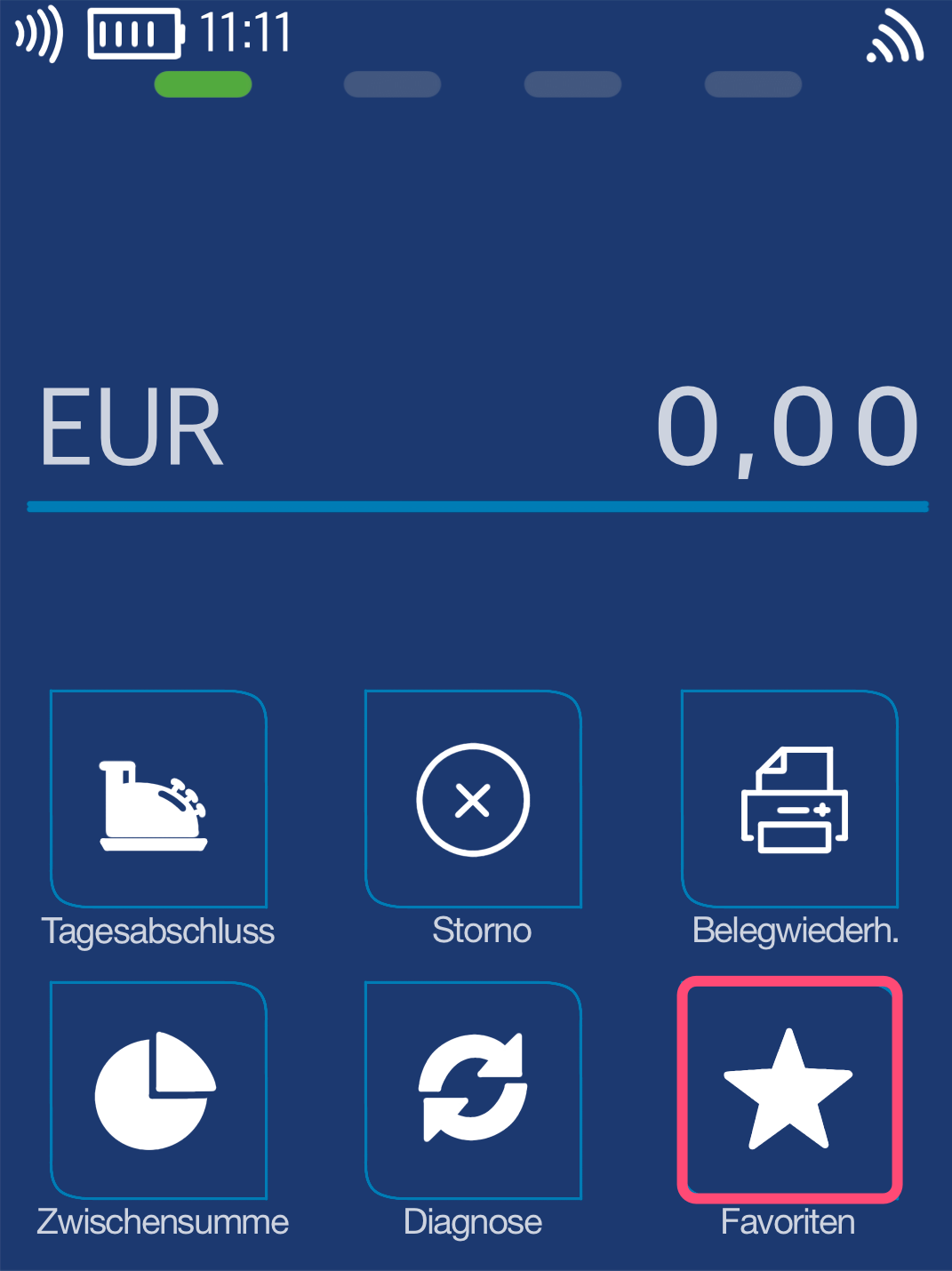
You will see your start display. Please select the Favorites button.
Select by tapping the touchscreen.
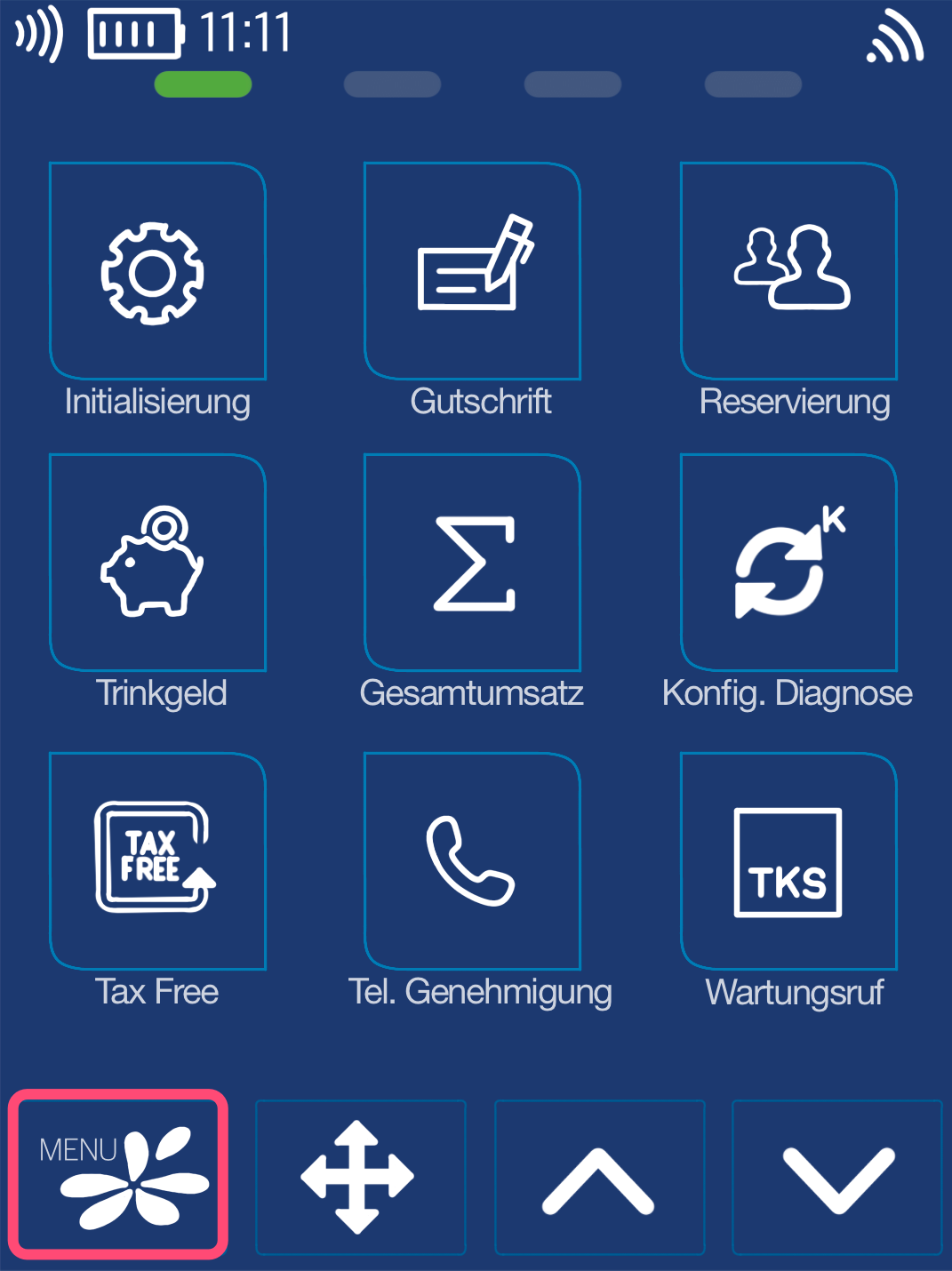
Fig. 2 – Now please select the Menu button.
PIN Entry
Please now enter your merchant PIN.
You can find the Terminal ID on your merchant receipts or on the end-of-day report.
Terminal IDs starting with 61xxxxxx: 111111
Terminal IDs starting with 68xxxxxx: 111111
Terminal IDs starting with 526xxxxx: 0123
Please confirm the entry by pressing the green OK button.

Menu Structure
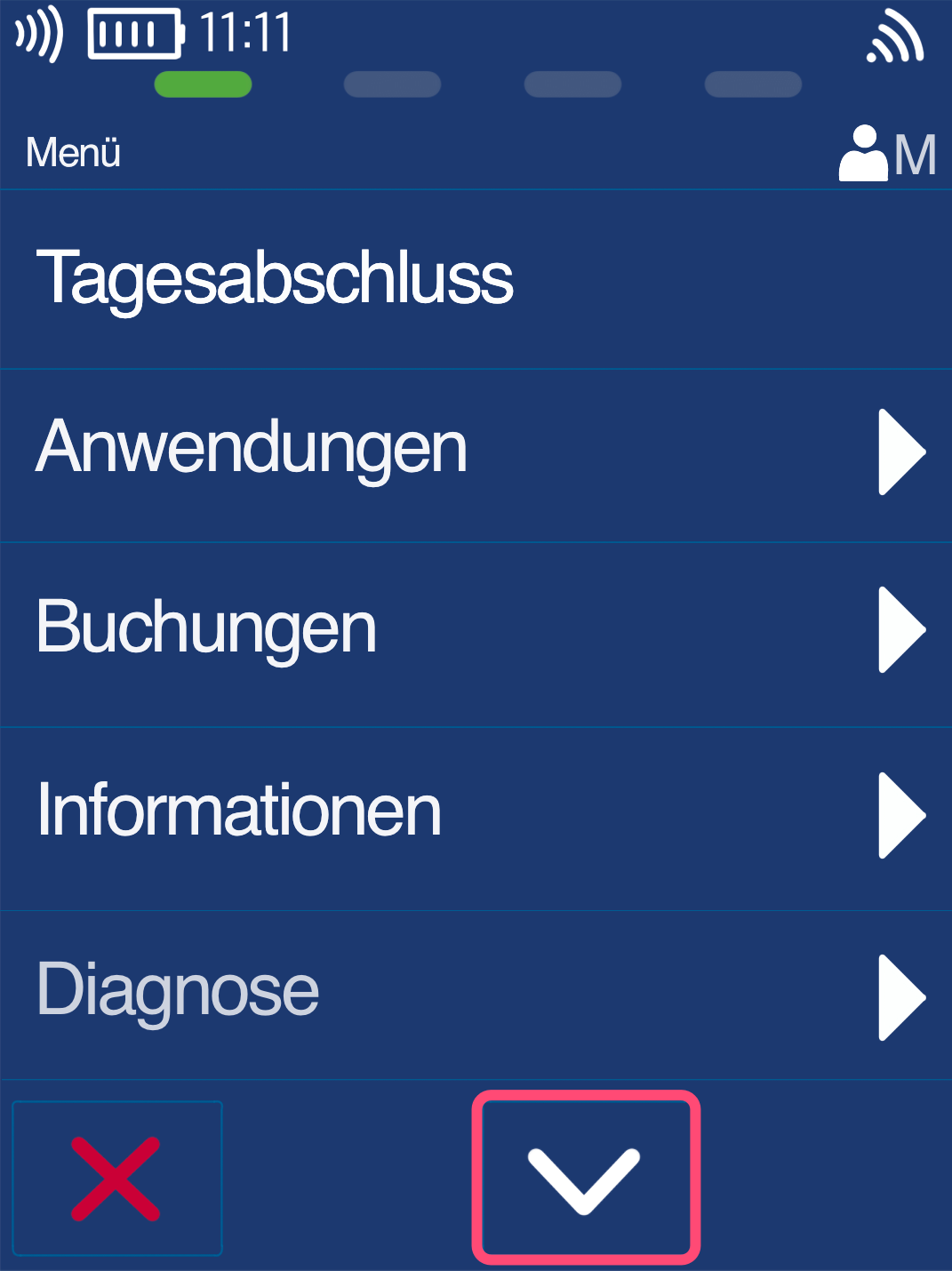
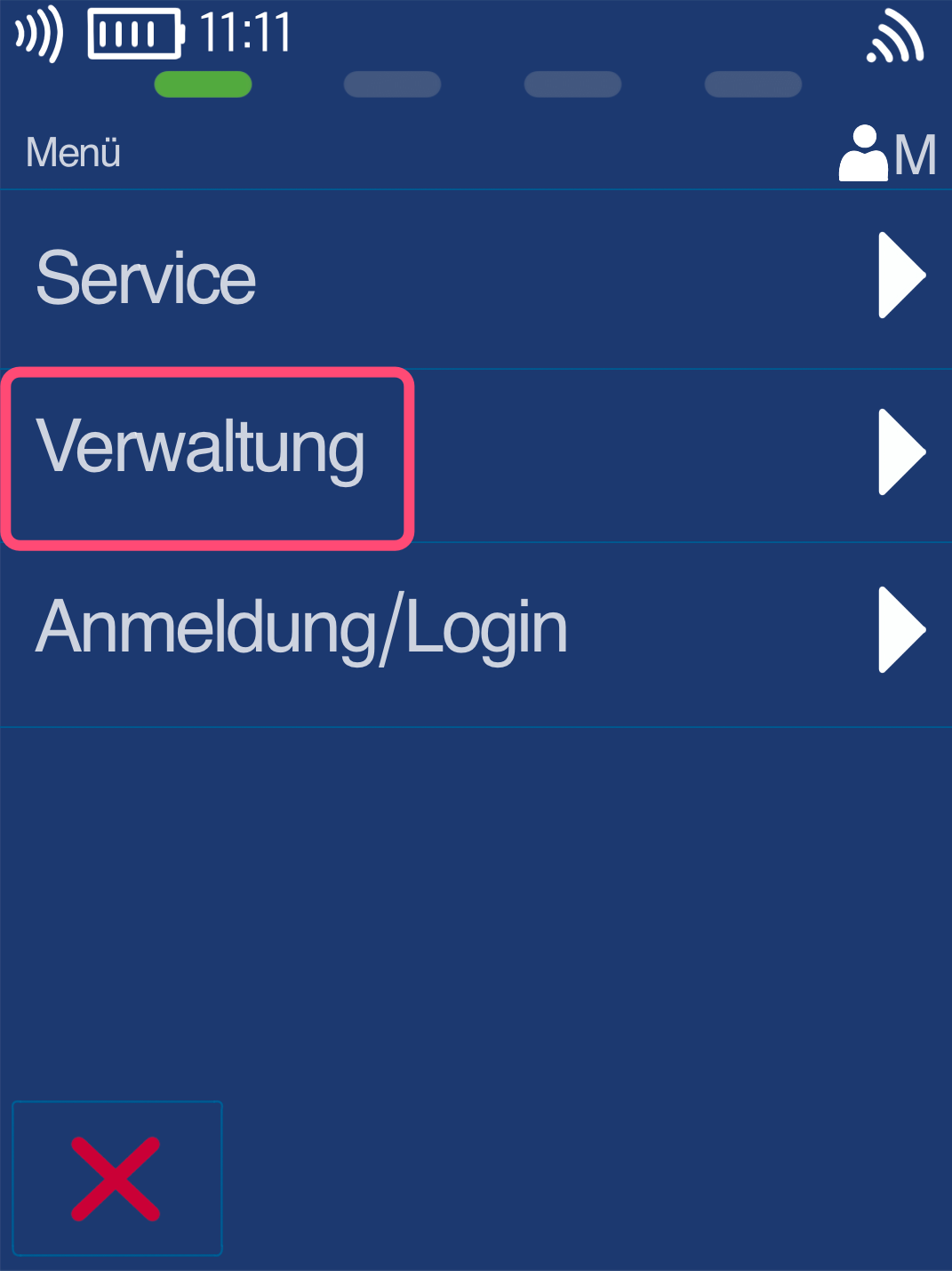
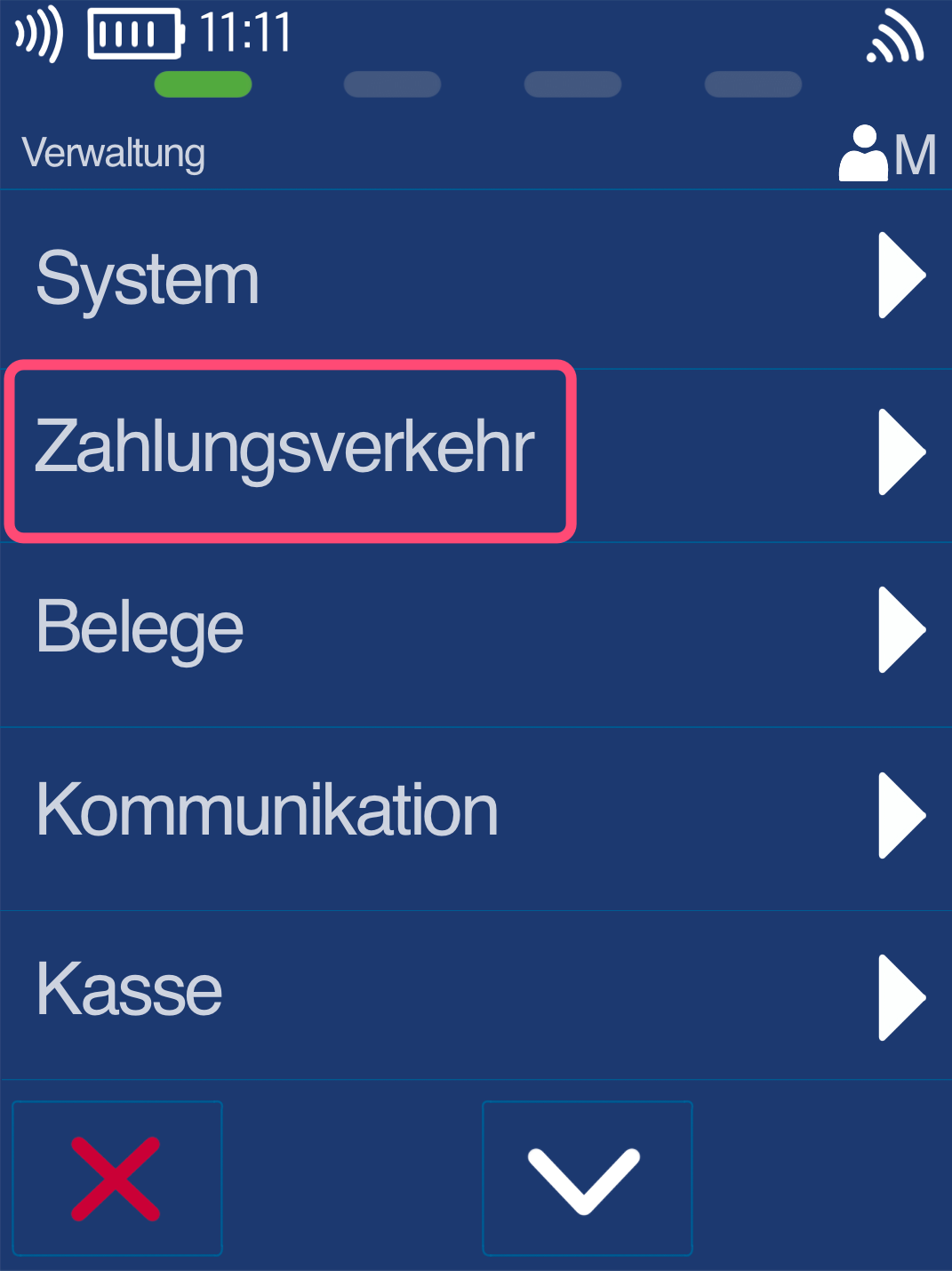
Please use the down arrow key to navigate to the menu item Administration (Fig. 2).
Fig. 3 – Please select the menu item Payment Transactions.
Activation and Completion
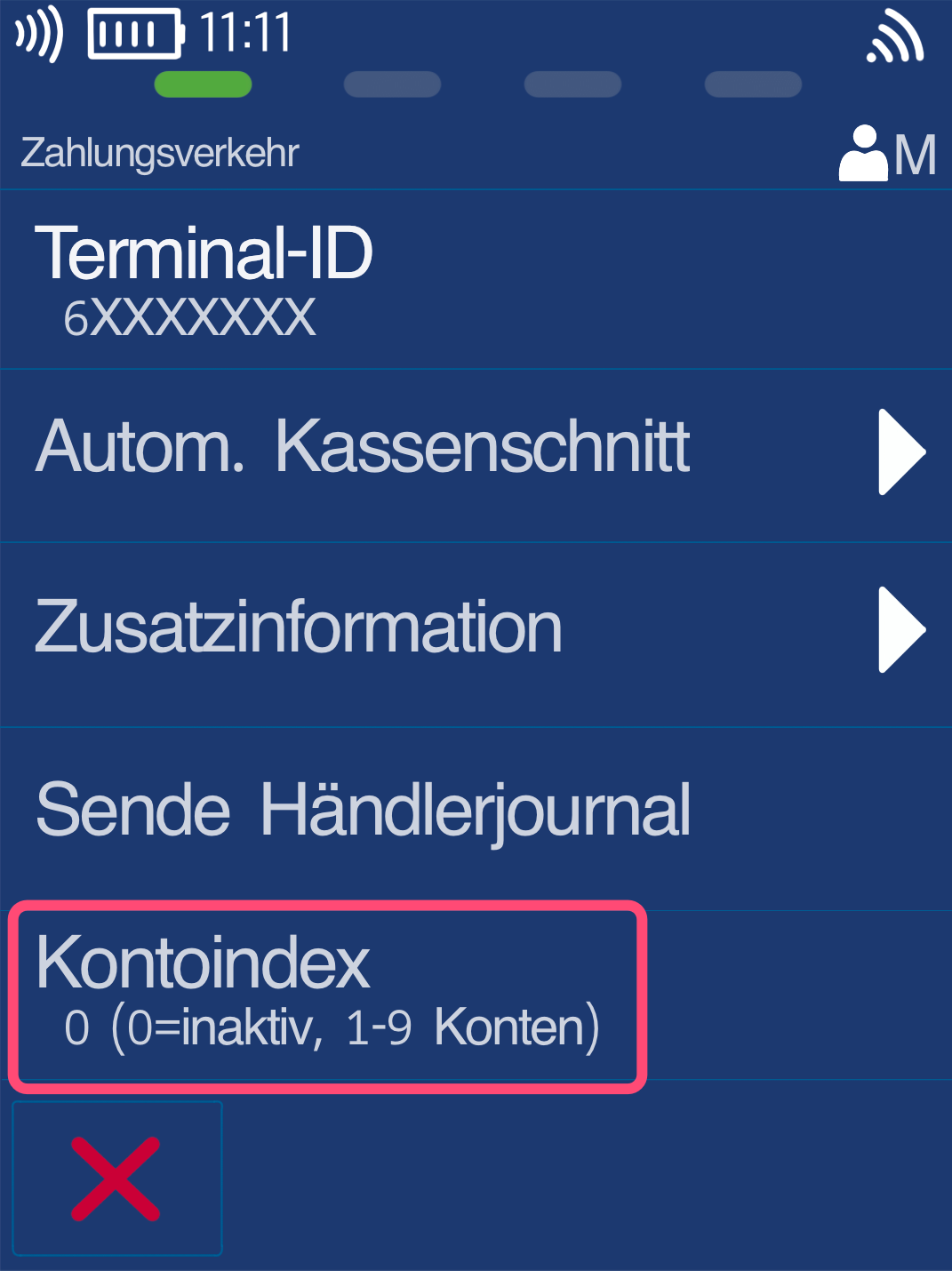
Fig. 1 – Please select the menu item Account Index.
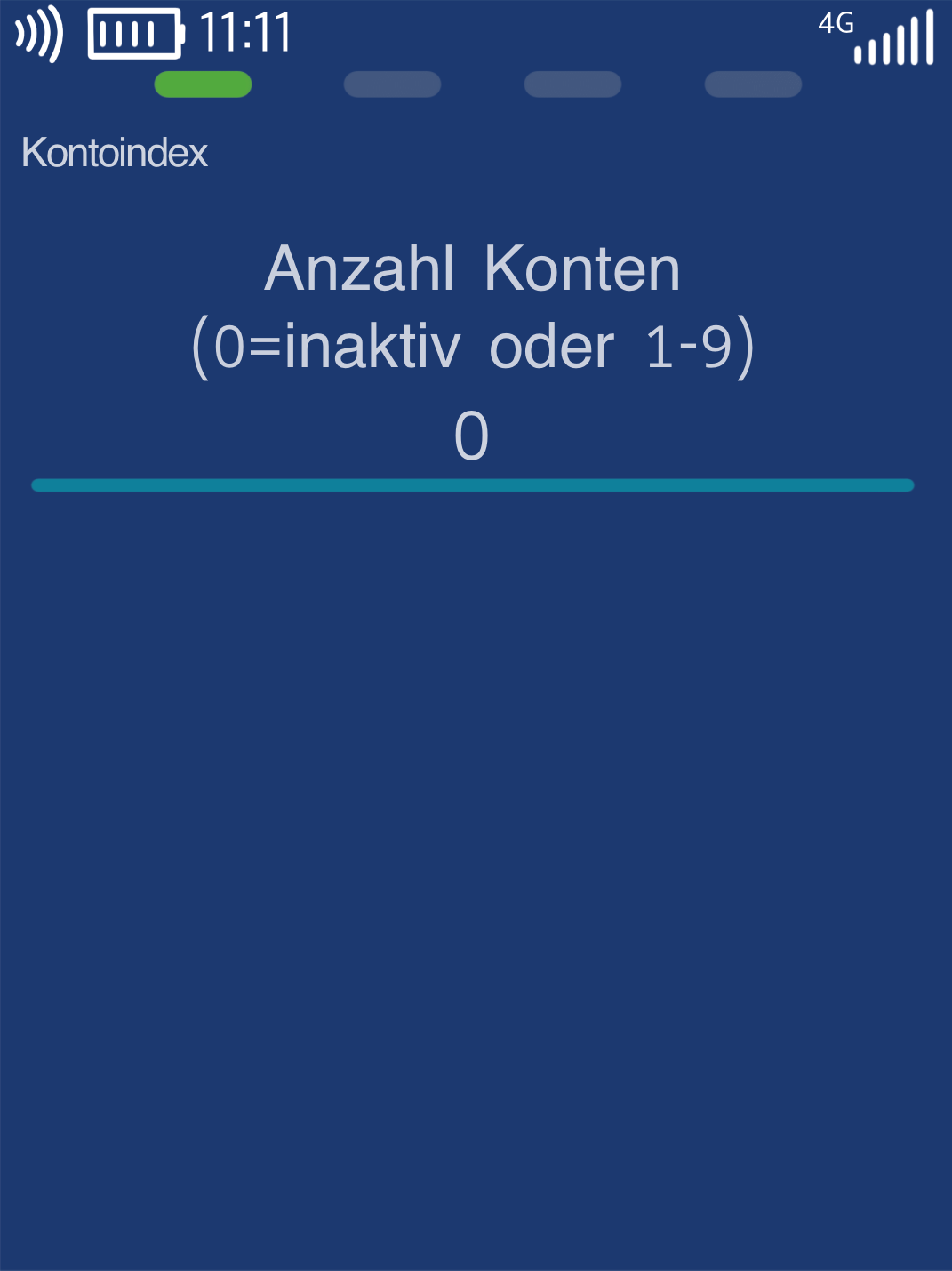
Fig. 2 – Enter the number of accounts to be stored in the account index.
The number of accounts must match the contractually agreed amount.
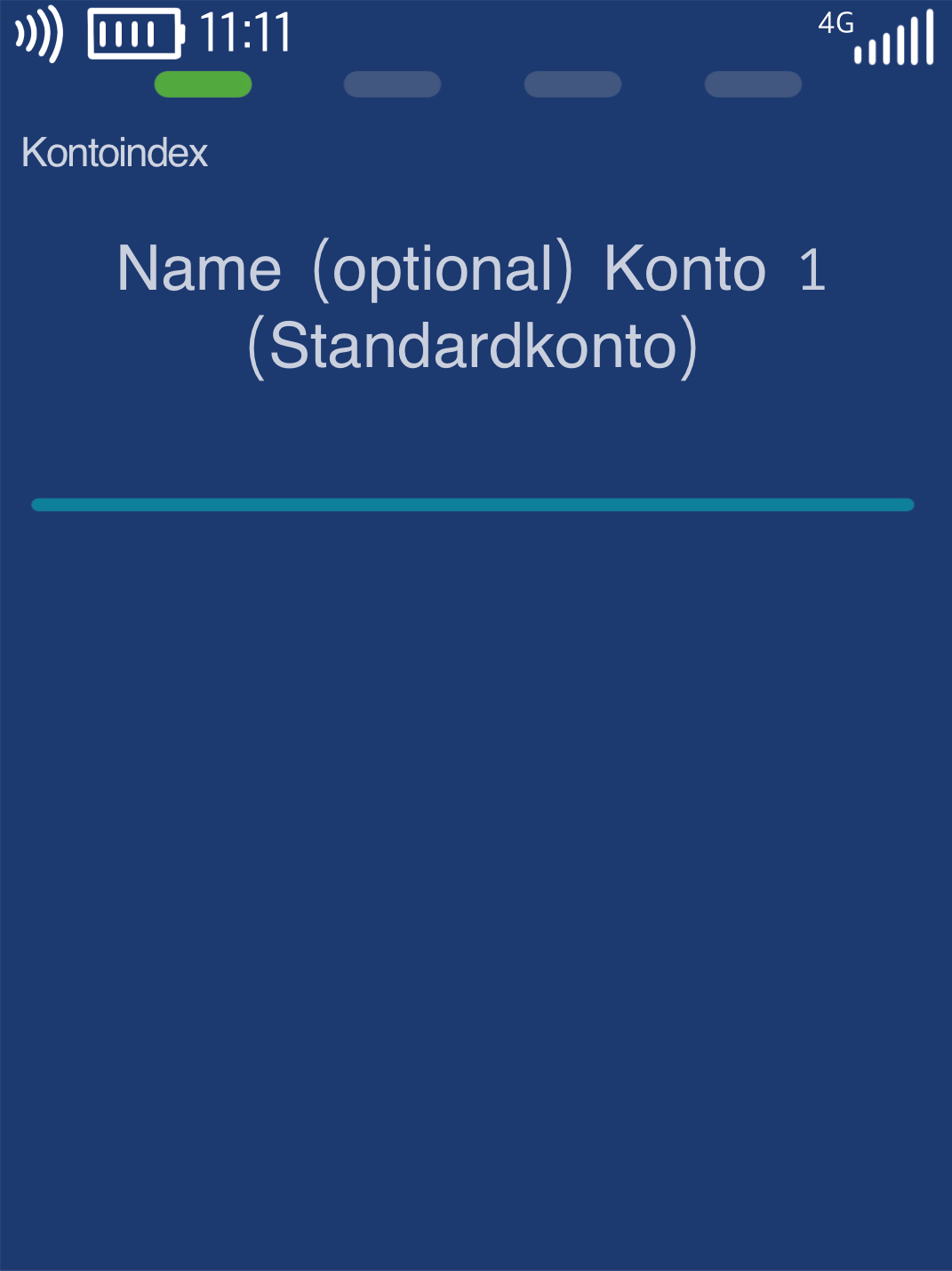
Fig. 3 – You can assign names to the accounts for easier identification.
The account selection prompt will appear after each amount entry.
To return to your start display, please press the red Stop button.
Activation is now complete.
Was this article helpful?
That’s Great!
Thank you for your feedback
Sorry! We couldn't be helpful
Thank you for your feedback
Feedback sent
We appreciate your effort and will try to fix the article
