CCV - Connection Symbols
Modified on Wed, 4 Feb at 9:49 AM
Your card reader from the manufacturer CCV displays various symbols indicating the status of your connection.
Please select which type of connection you would like more information about.
WLAN
Models: CCV Base Next (wired) / CCV Mobile Premium (mobile)
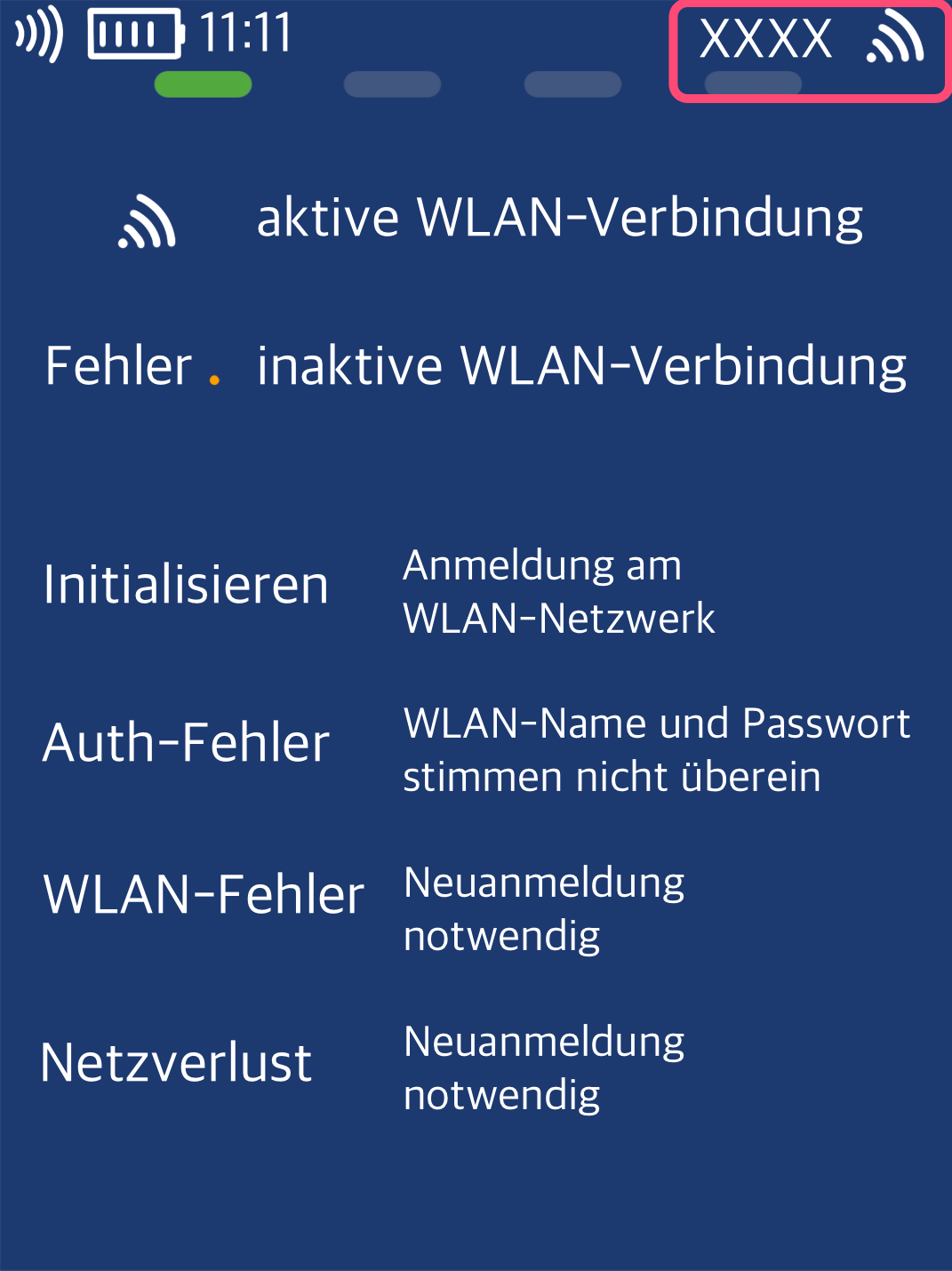
Is only the WLAN symbol displayed on your card reader?
This means that a WLAN connection has been set up and is active.
Feel free to run a connection test based on our instructions.
If one of the messages listed appears before the WLAN symbol, the connection has not yet been established or is faulty.
Please reconfigure the WLAN connection using the step-by-step guide for setting up the connection.
Mobile Network (SIM Card)
Models: CCV Mobile Premium (mobile)
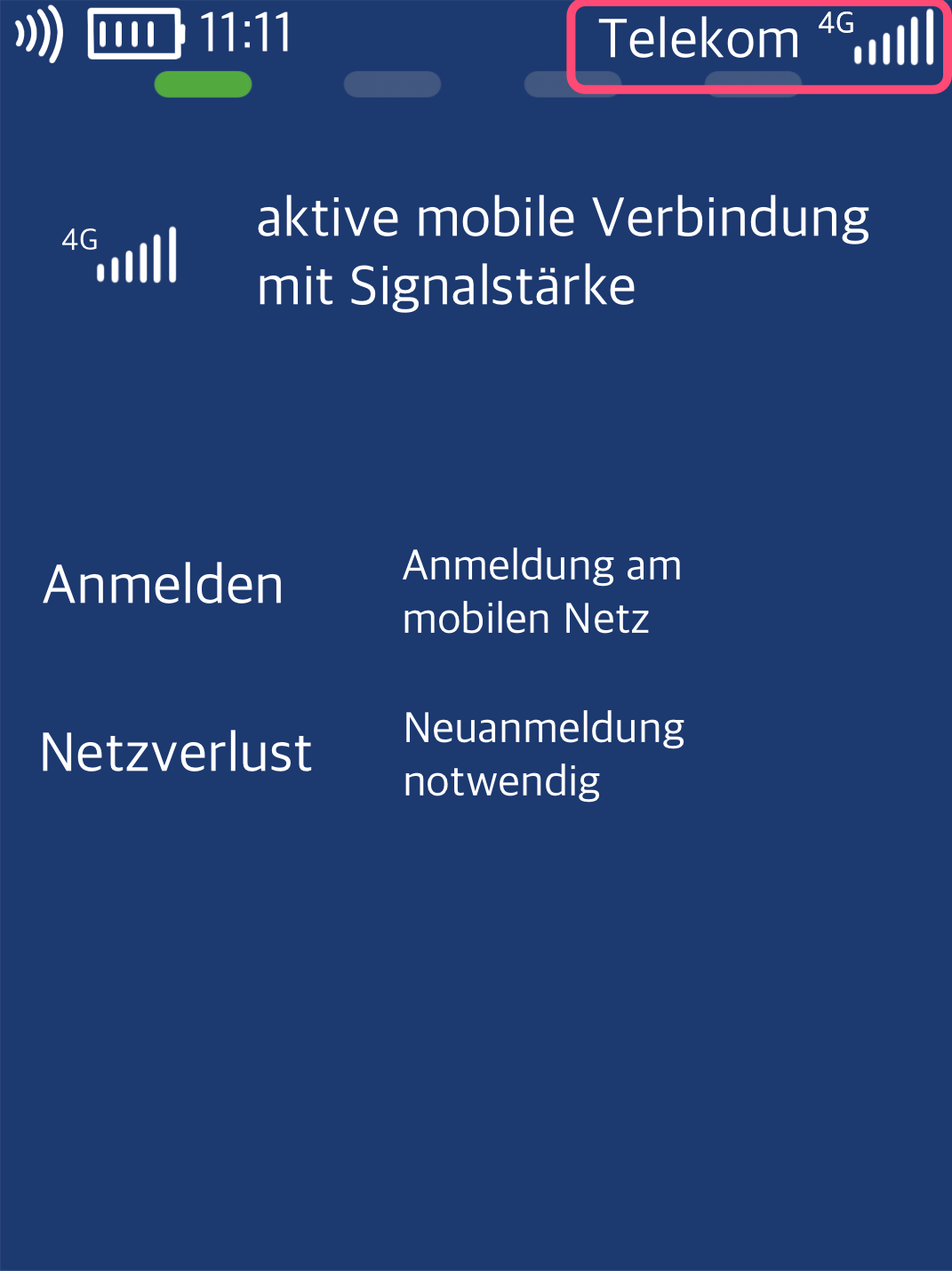
In the upper area of the display, you can see whether your SIM card has logged into the mobile Telekom network.
The signal strength is visible.
Do you see "Network Loss" in the upper area?
Please restart the card reader or perform a new registration on the mobile network.
Feel free to run a connection test using our instructions.
Was this article helpful?
That’s Great!
Thank you for your feedback
Sorry! We couldn't be helpful
Thank you for your feedback
Feedback sent
We appreciate your effort and will try to fix the article
