CCV - Duplicate End-of-Day Report
Modified on Wed, 4 Feb at 9:49 AM
Do you need a copy of the last end-of-day report? You can print a copy at any time.
Here you will find the instructions for printing a duplicate end-of-day report from the manufacturer CCV.
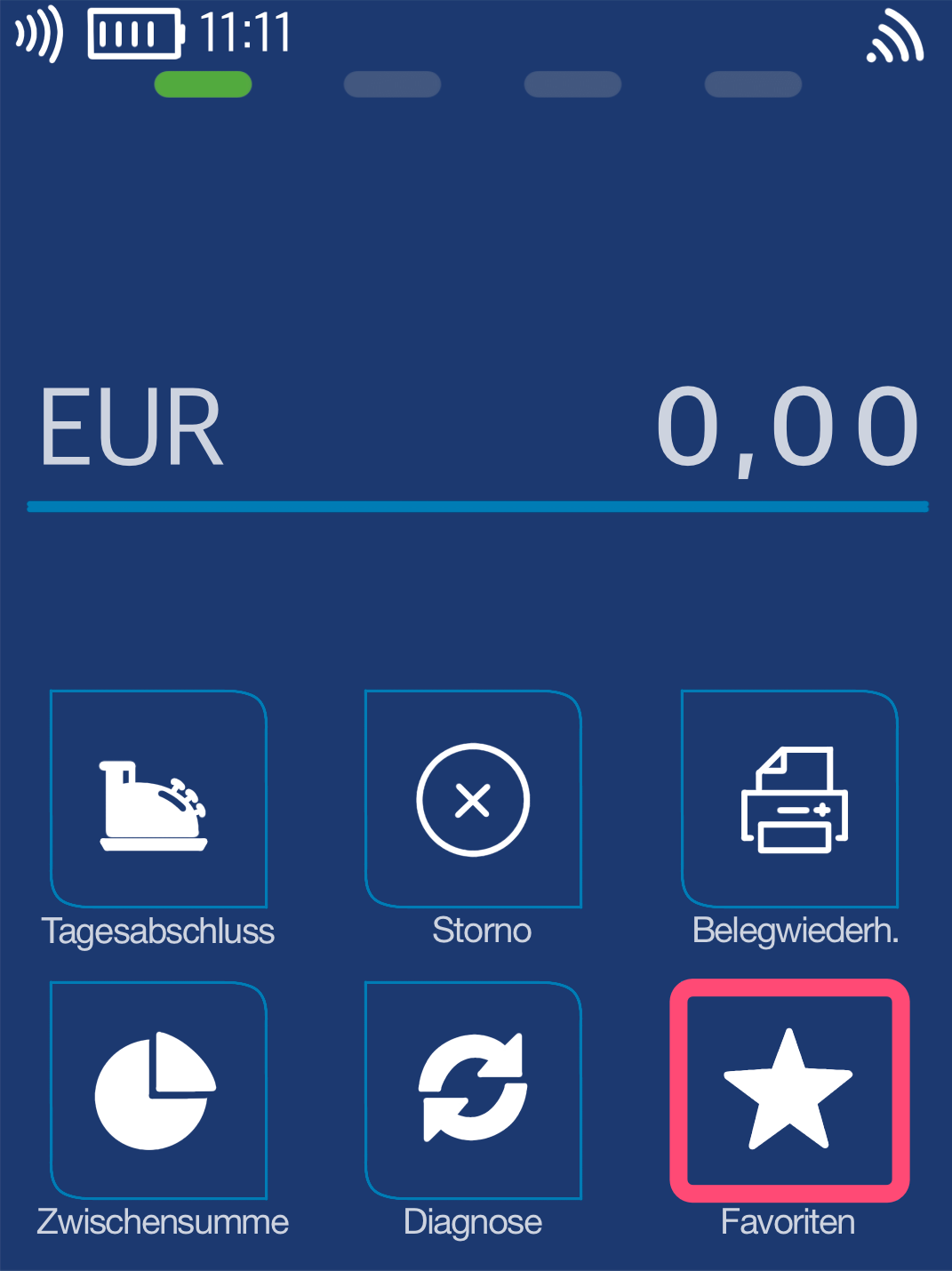
Favorites Button
You will see your main display. Please select the Favorites button.
Select by tapping.
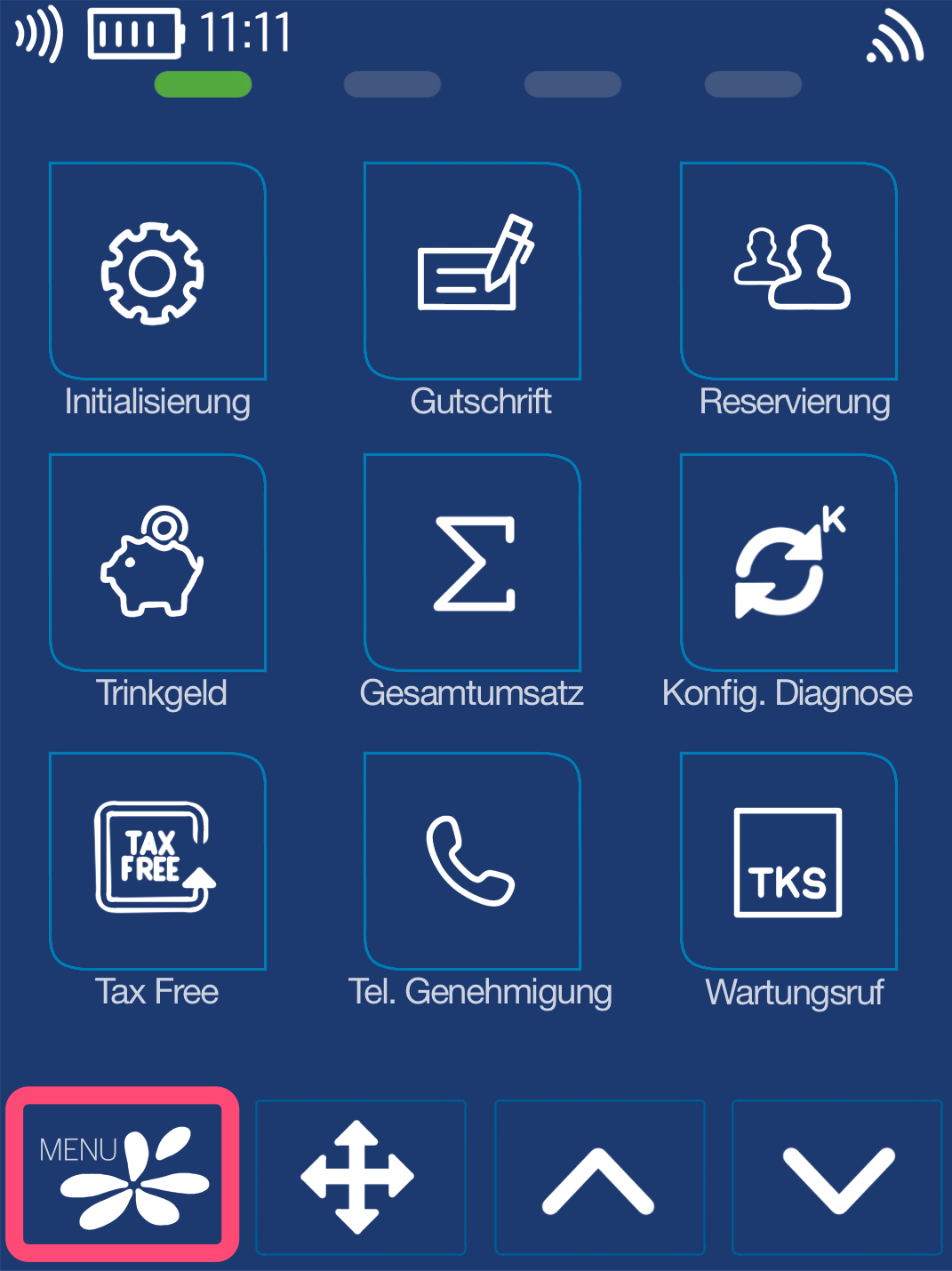
Menu Button
Now please select the Menu button.
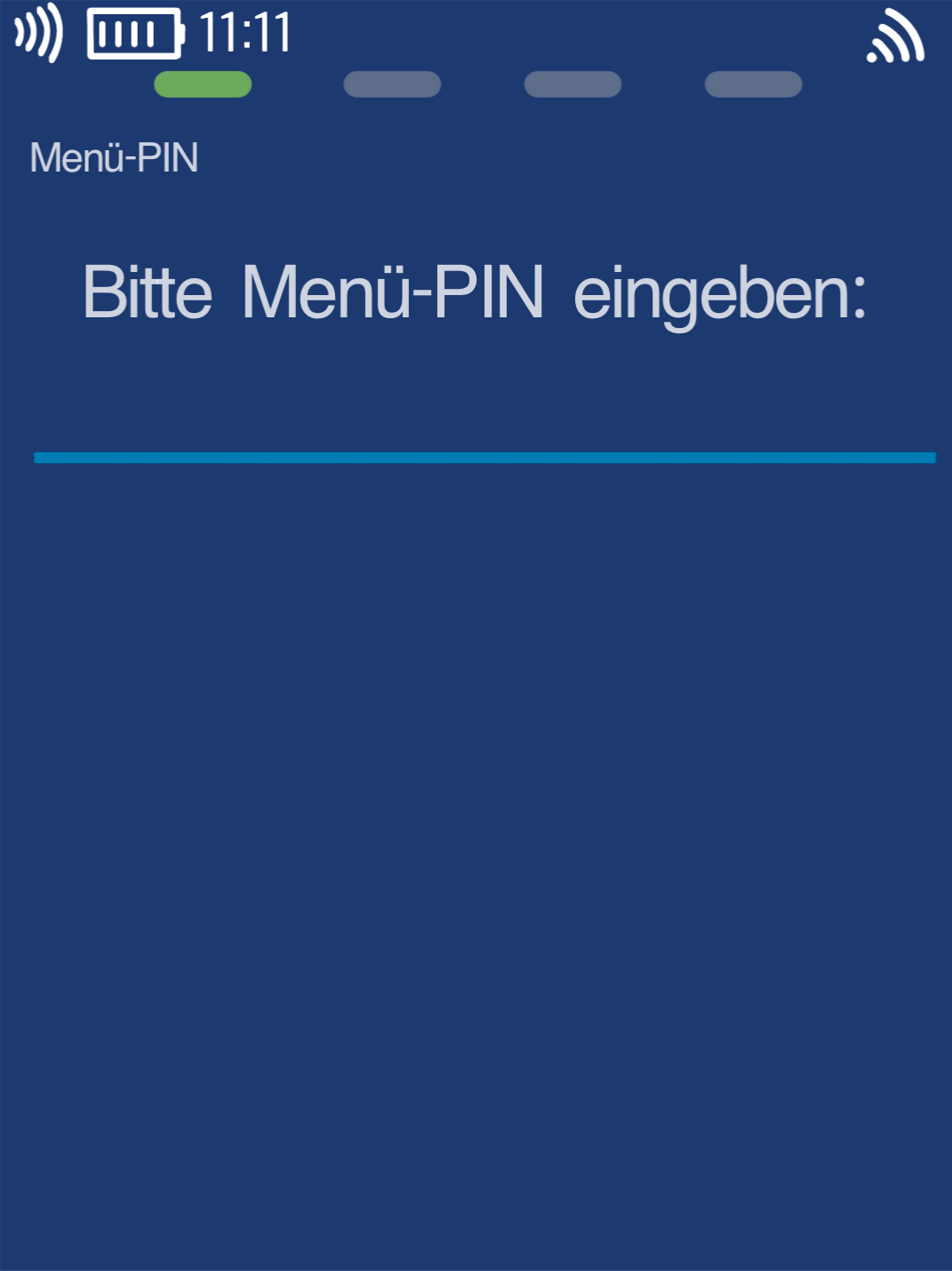
Menu PIN
Please now enter your merchant PIN.
You can find the Terminal ID on your merchant receipts or on the end-of-day report.
Terminal IDs starting with 61xxxxxx: 111111
Terminal IDs starting with 68xxxxxx: 111111
Terminal IDs starting with 526xxxxx: 0123
Please confirm the entry by pressing the green OK button.
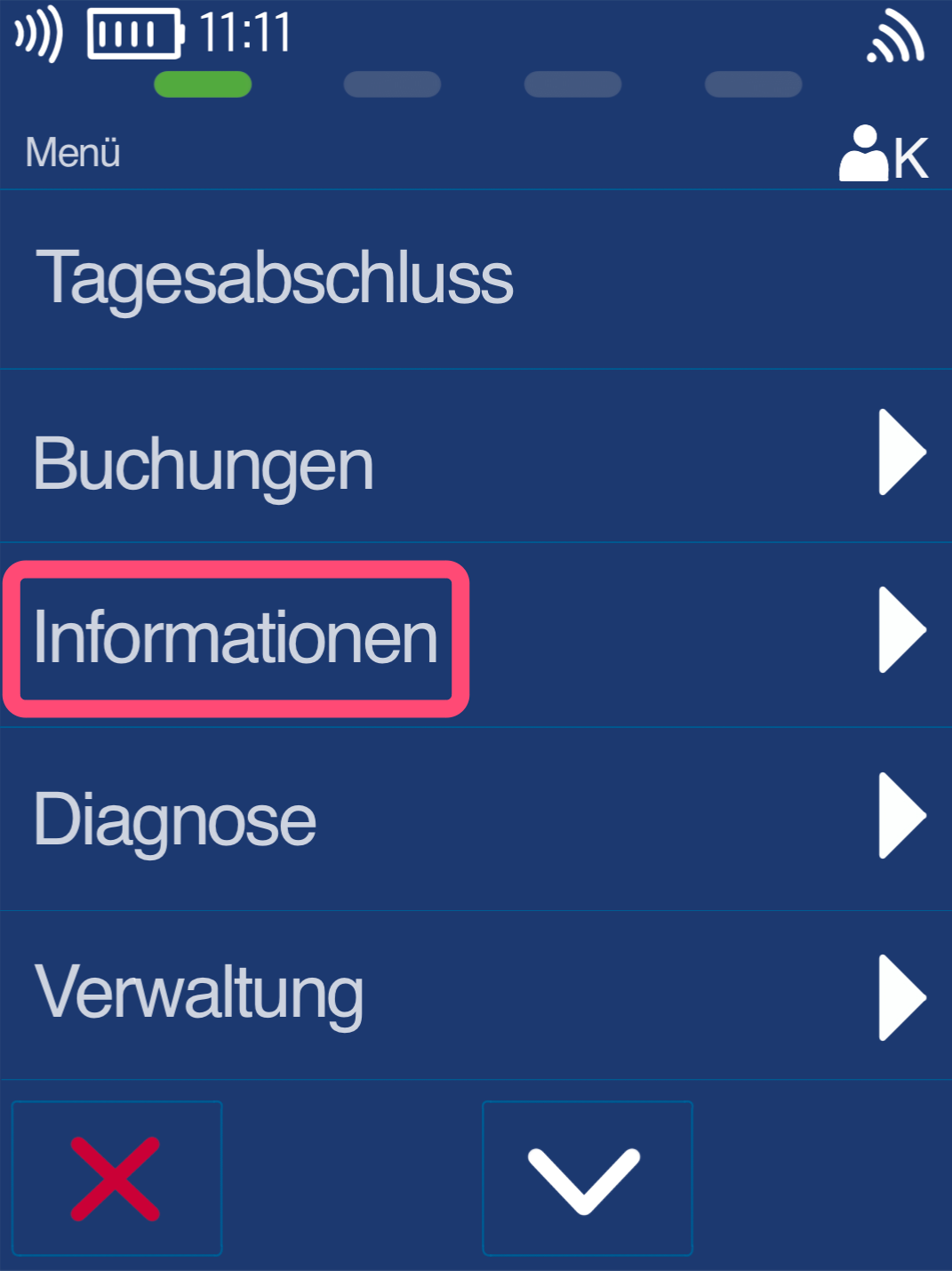
Information
Please select the Information button.
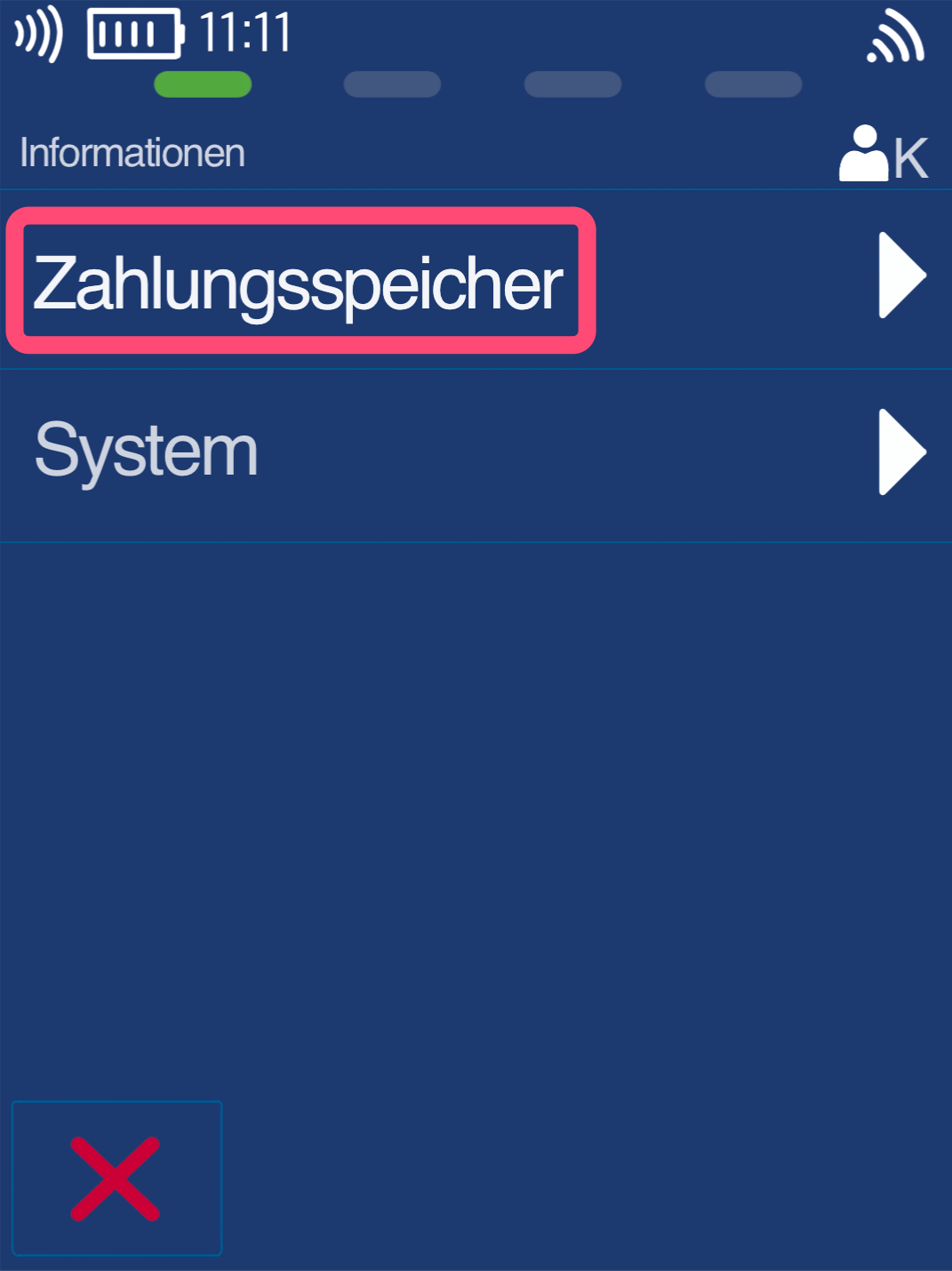
Payment Memory
Please select the Payment Memory button.
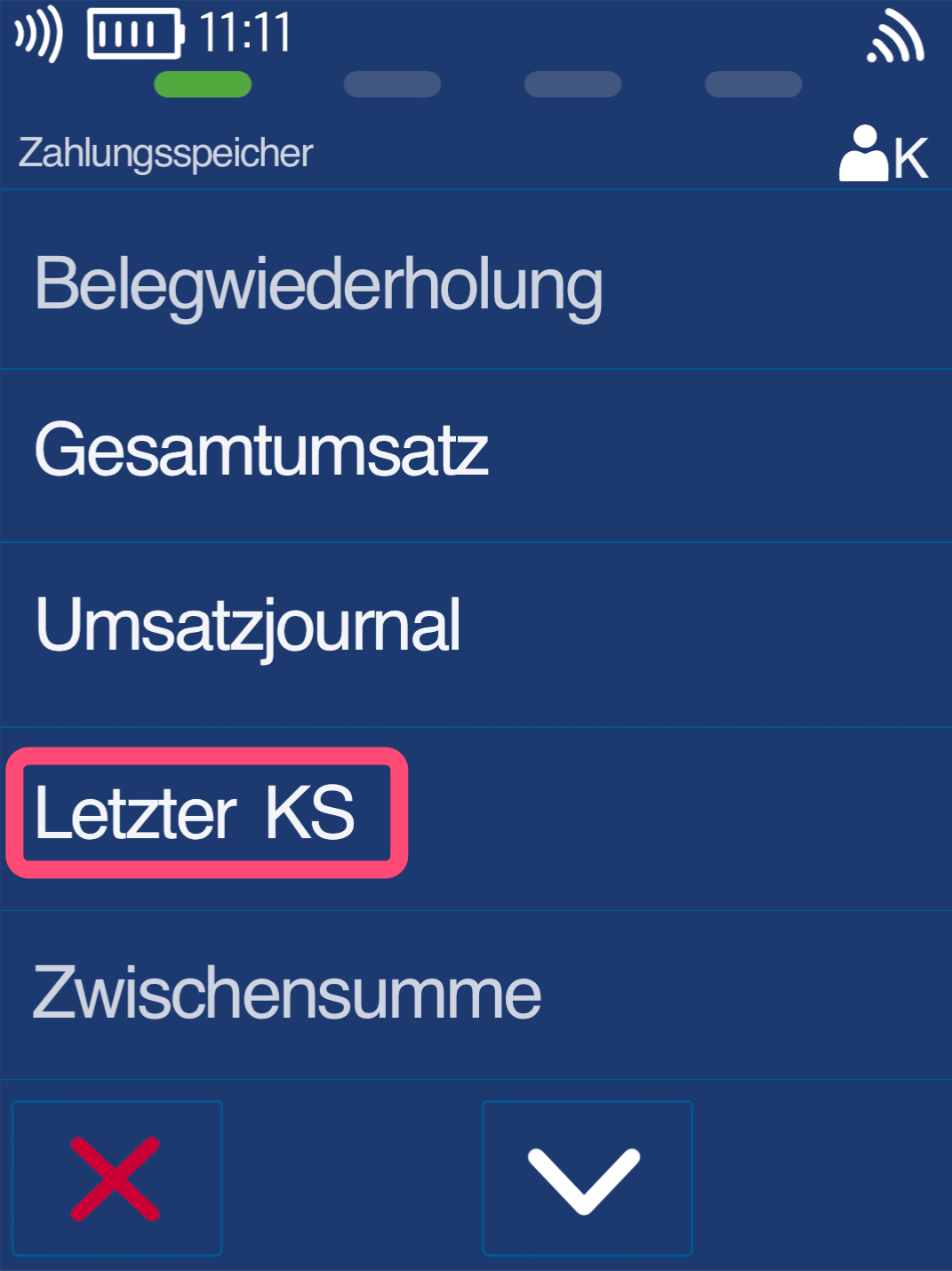
Last EoD (End-of-Day Report)
Please select the button Last EoD (End-of-Day Report).
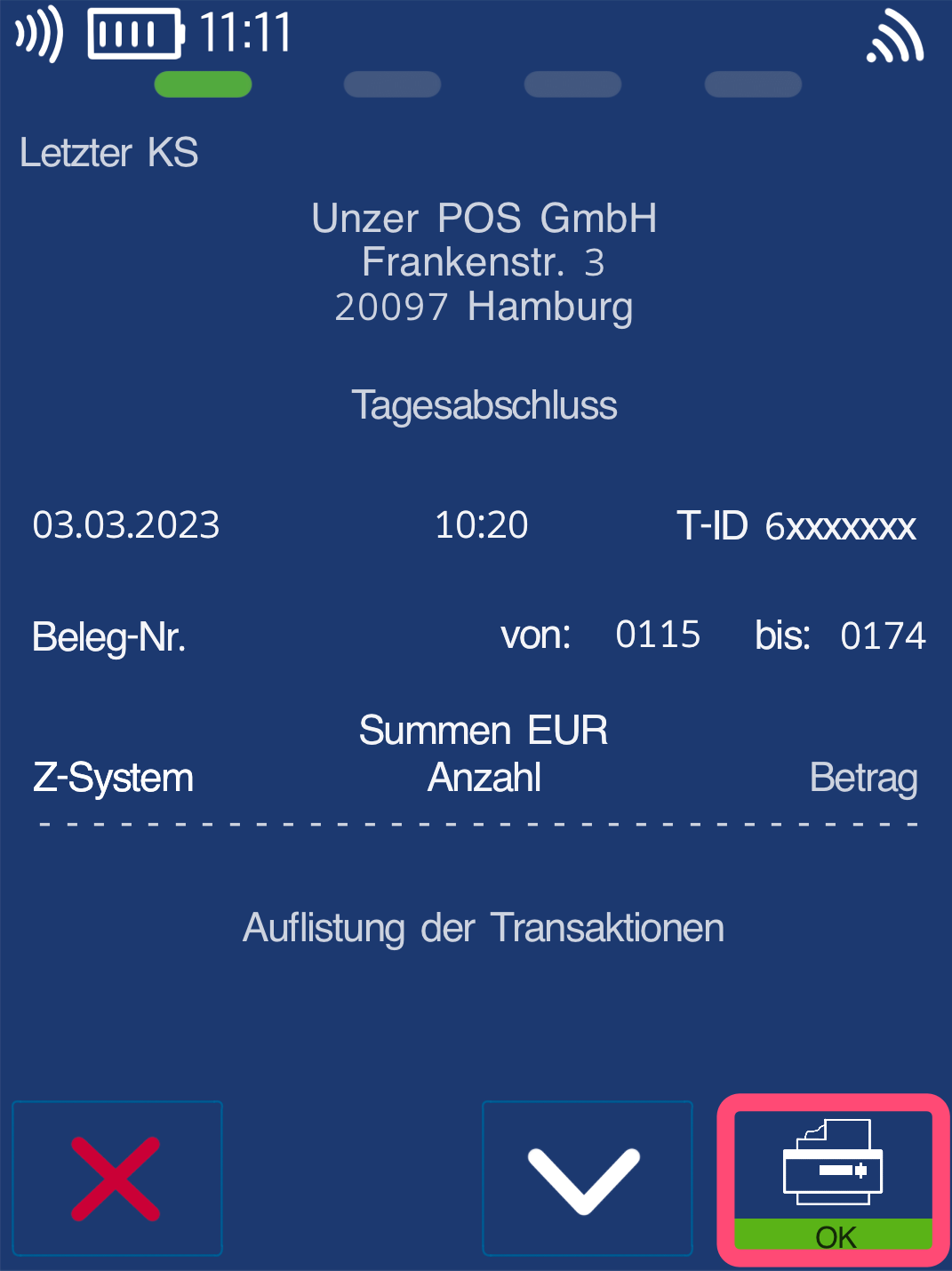
Print Duplicate End-of-Day Report
You will now see a display of the last end-of-day report.
To print, please press the printer icon at the bottom right.
The printout will begin.
Was this article helpful?
That’s Great!
Thank you for your feedback
Sorry! We couldn't be helpful
Thank you for your feedback
Feedback sent
We appreciate your effort and will try to fix the article
