T650p - Subtotal
Modified on Tue, 10 Feb at 4:04 PM
Would you like to know how much revenue is currently stored on the card reader without performing an end-of-day closing?
Then follow our step-by-step guide.
Main Menu
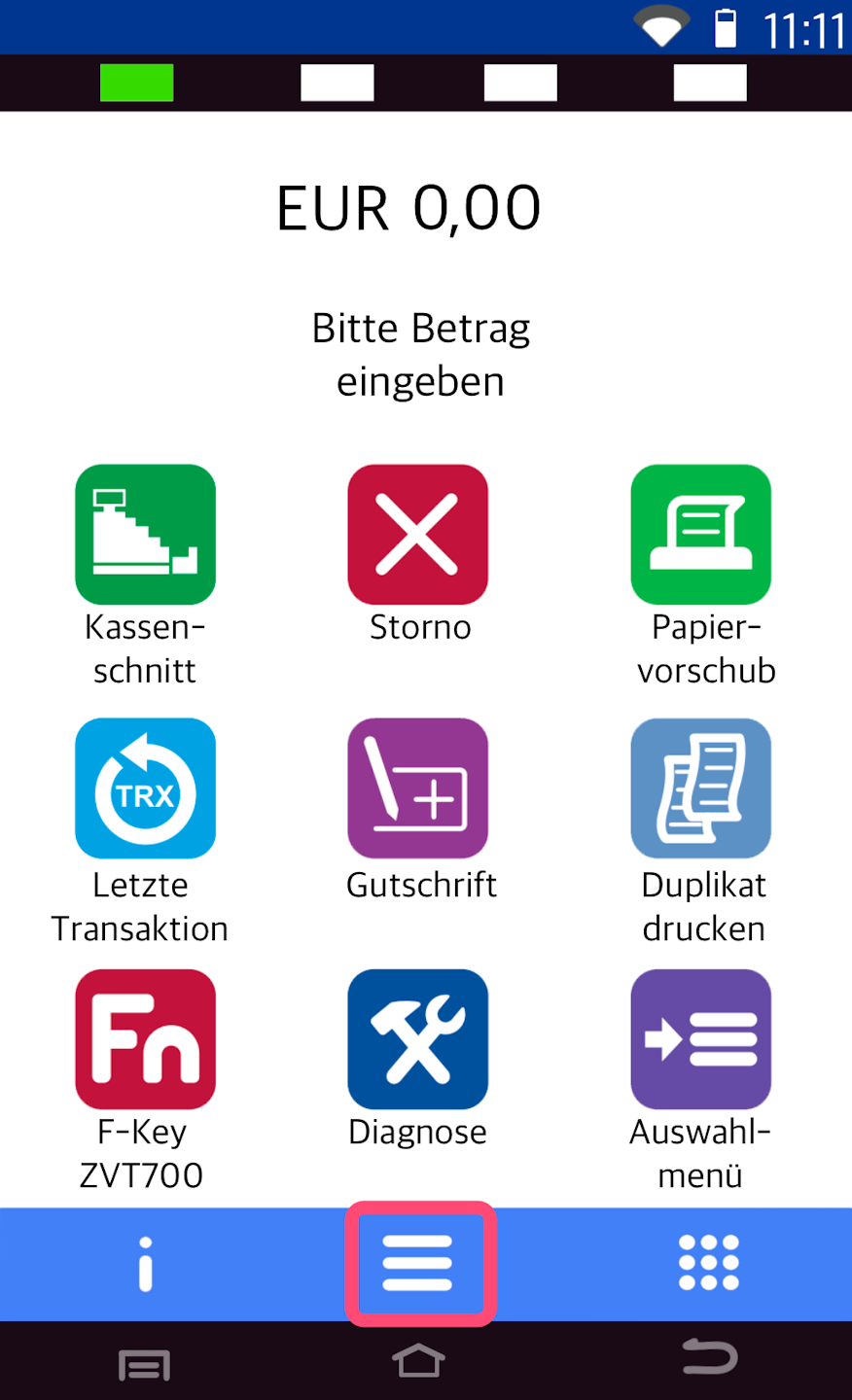
Here you see your starting display.
Please tap the button with the three horizontal lines to access the main me
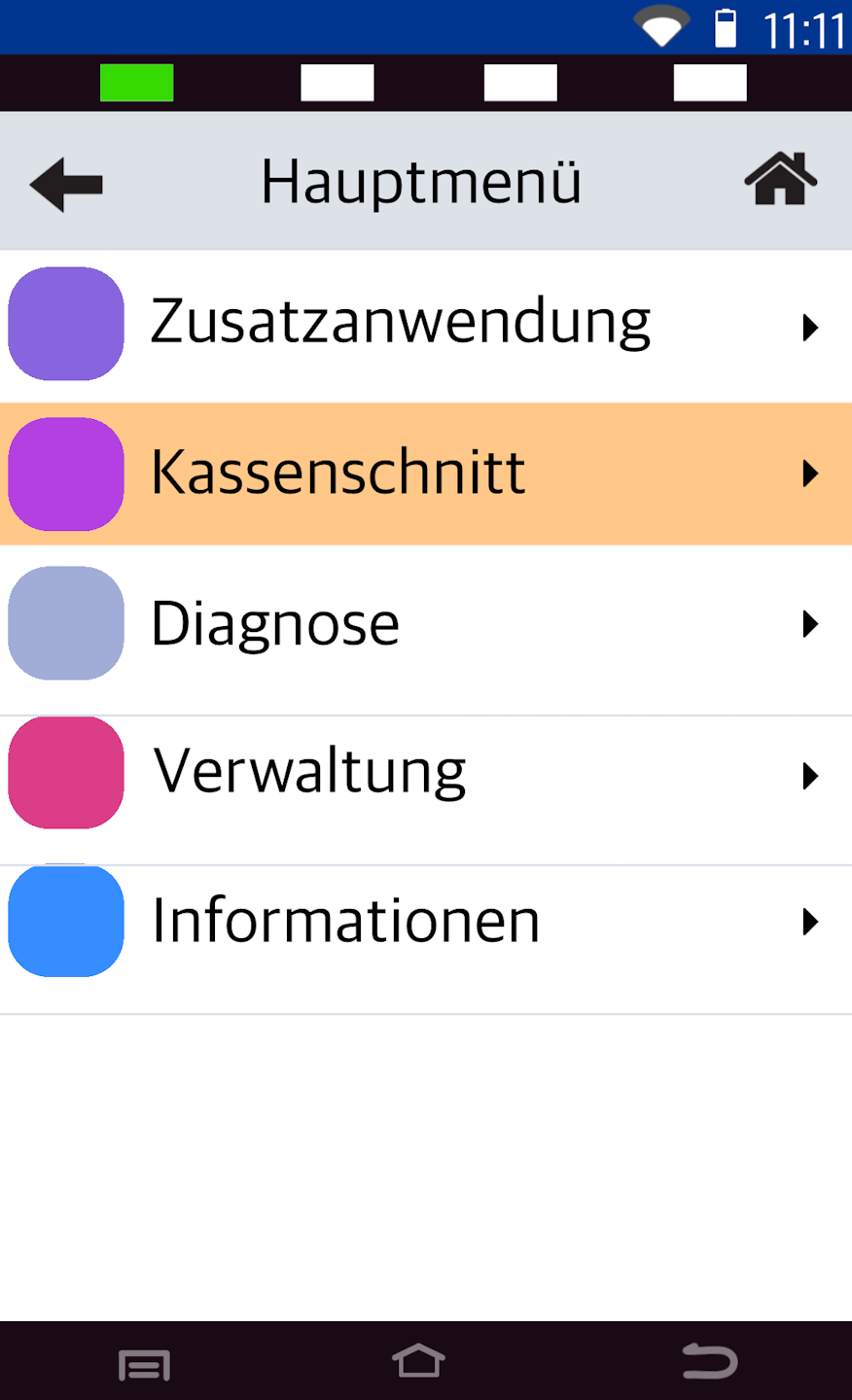
End-of-Day Closing
Please select the menu itemKassenscnitt
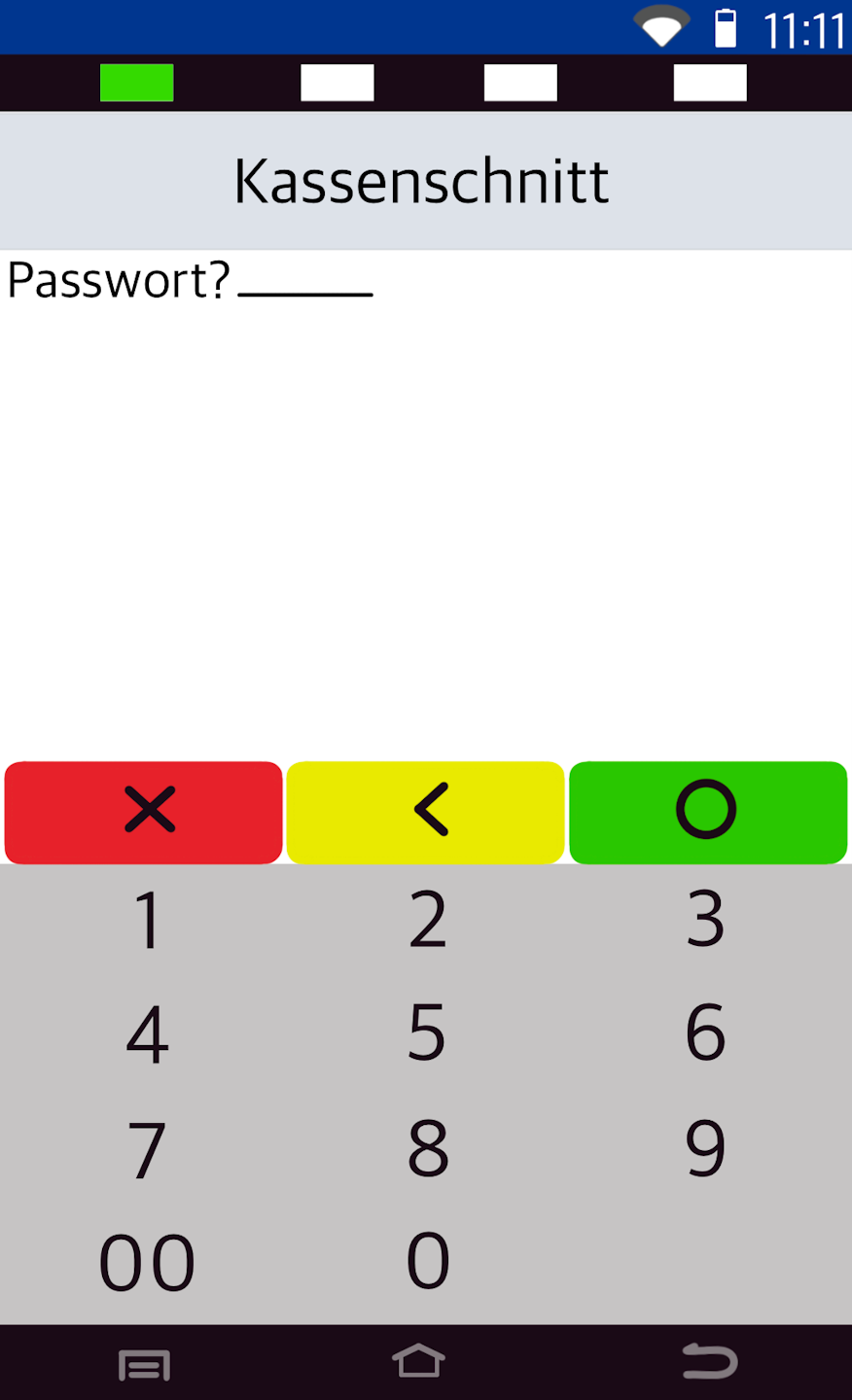
Password Entry
Please enter your 6-digit merchant password here and confirm the entry with the green OK button on the display.
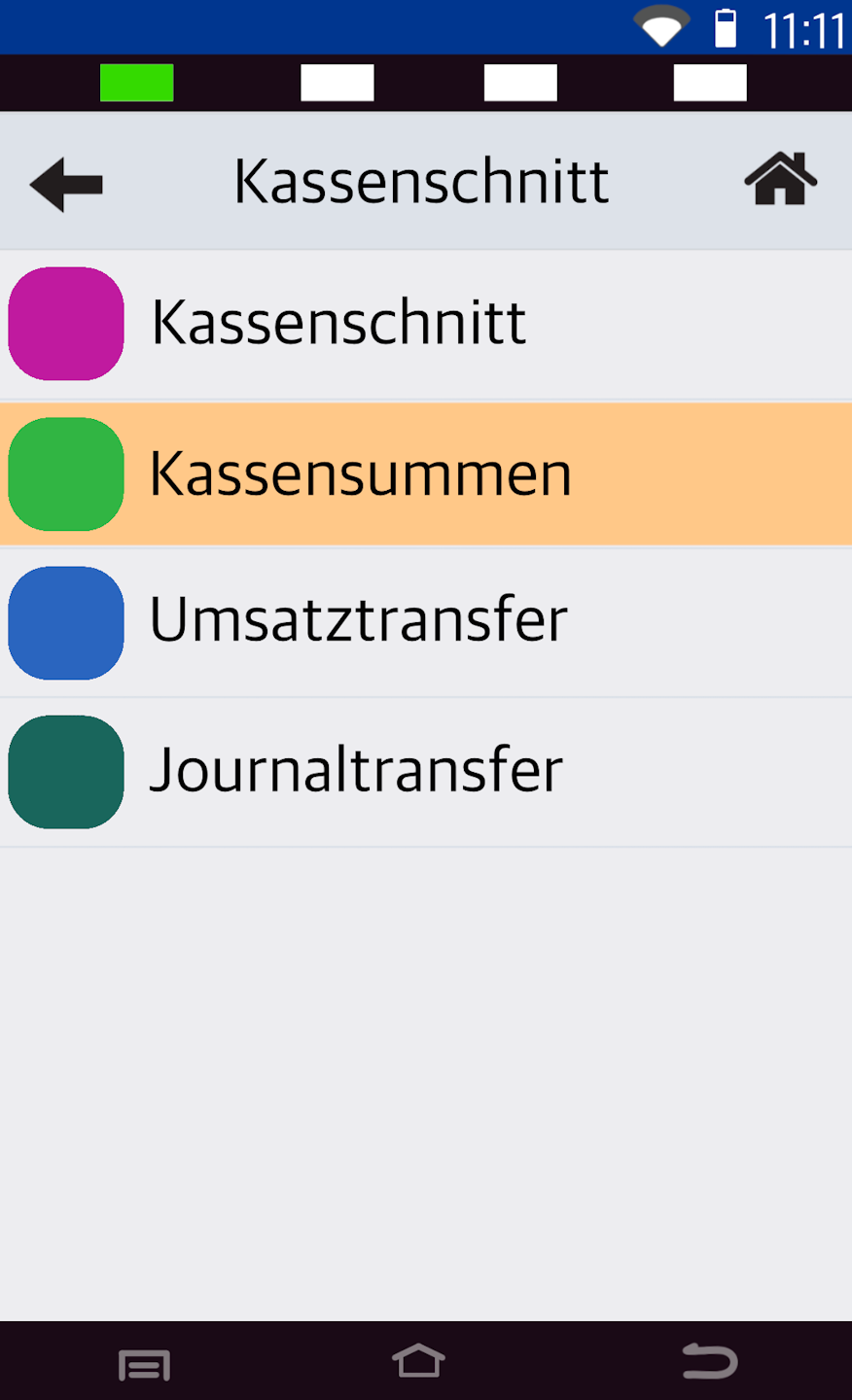
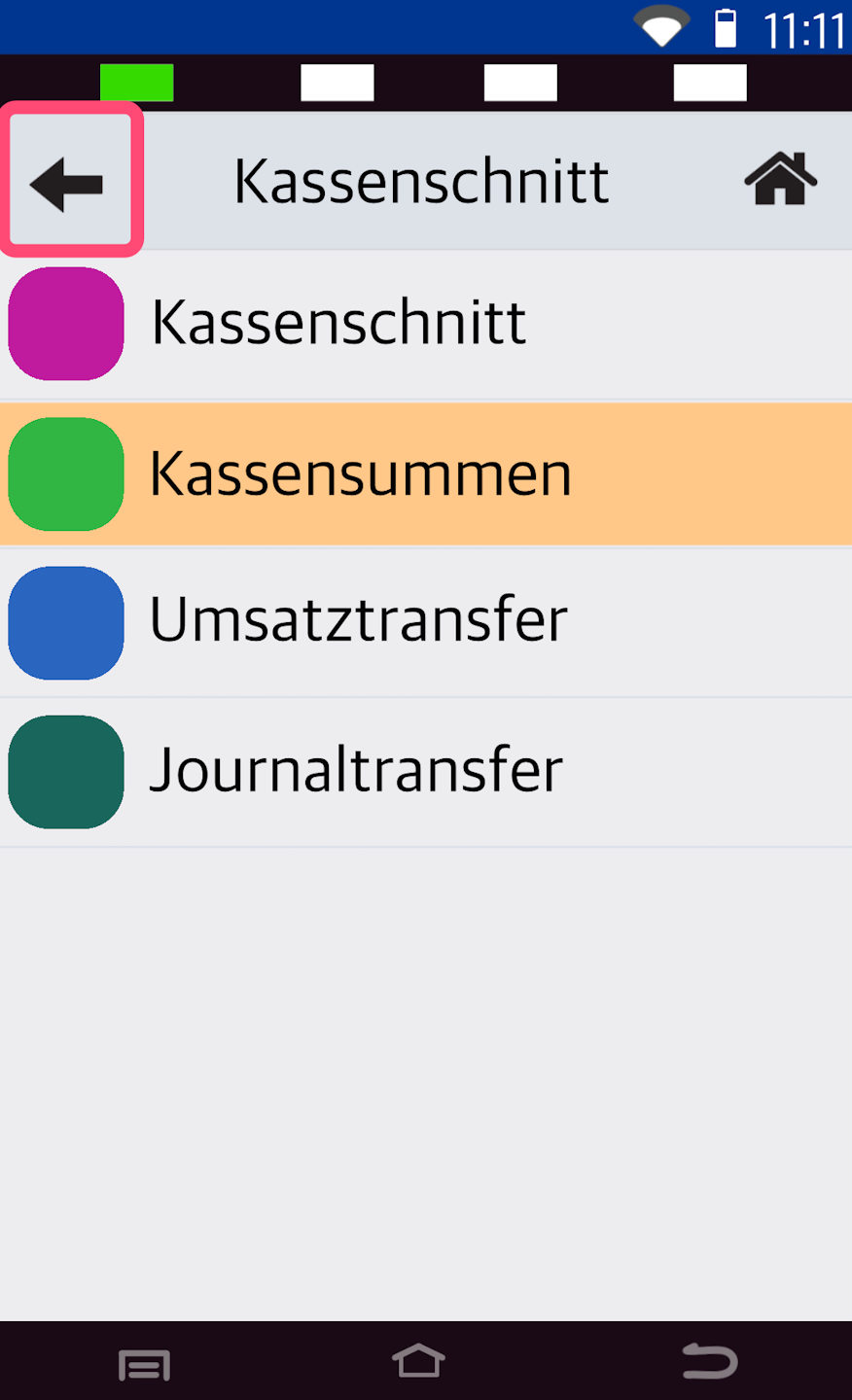
Sales Totals
Please select the menu item Kassensummen
The printout will start immediately.
Fig. 2: By pressing the arrow key in the top left multiple times, you will return to the starting display.
Was this article helpful?
That’s Great!
Thank you for your feedback
Sorry! We couldn't be helpful
Thank you for your feedback
Feedback sent
We appreciate your effort and will try to fix the article
