Inventory Movements
Modified on Mon, 16 Feb at 10:12 AM
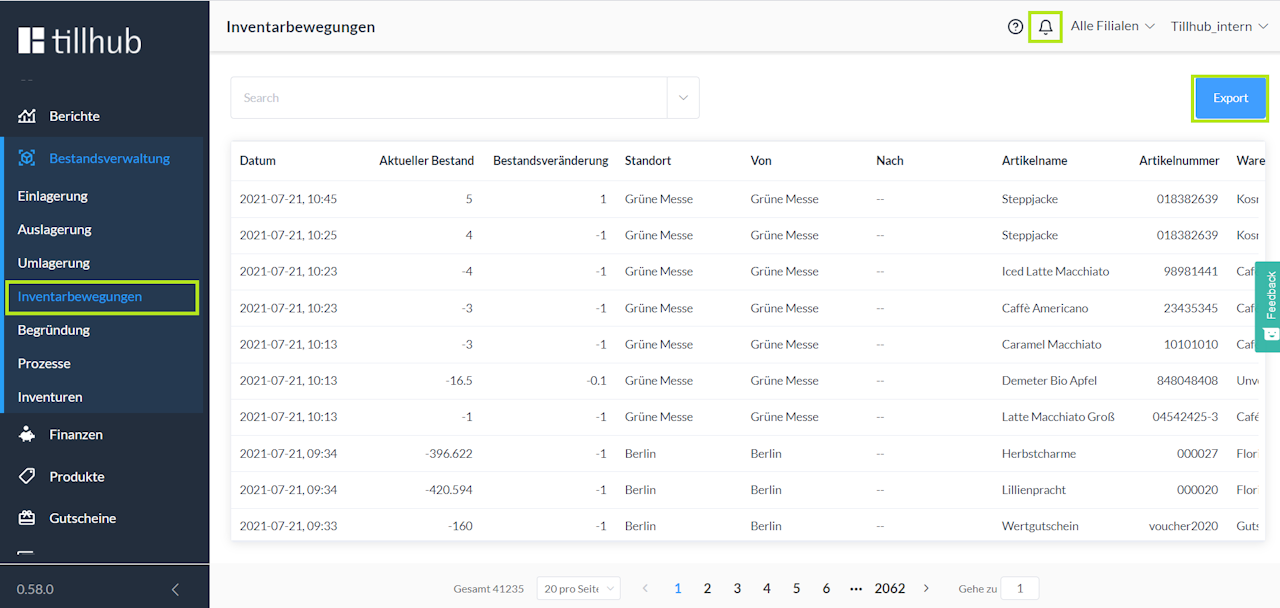
To view your inventory movements, navigate to the "Inventory Management" section and then "Inventory Movements" in the Dashboard. All inventory movements and related information are listed in the table.
You can download these by clicking the "Export" button. By clicking the "Bell Icon" at the top right of the screen, you access notifications where you can view the export of inventory movements.
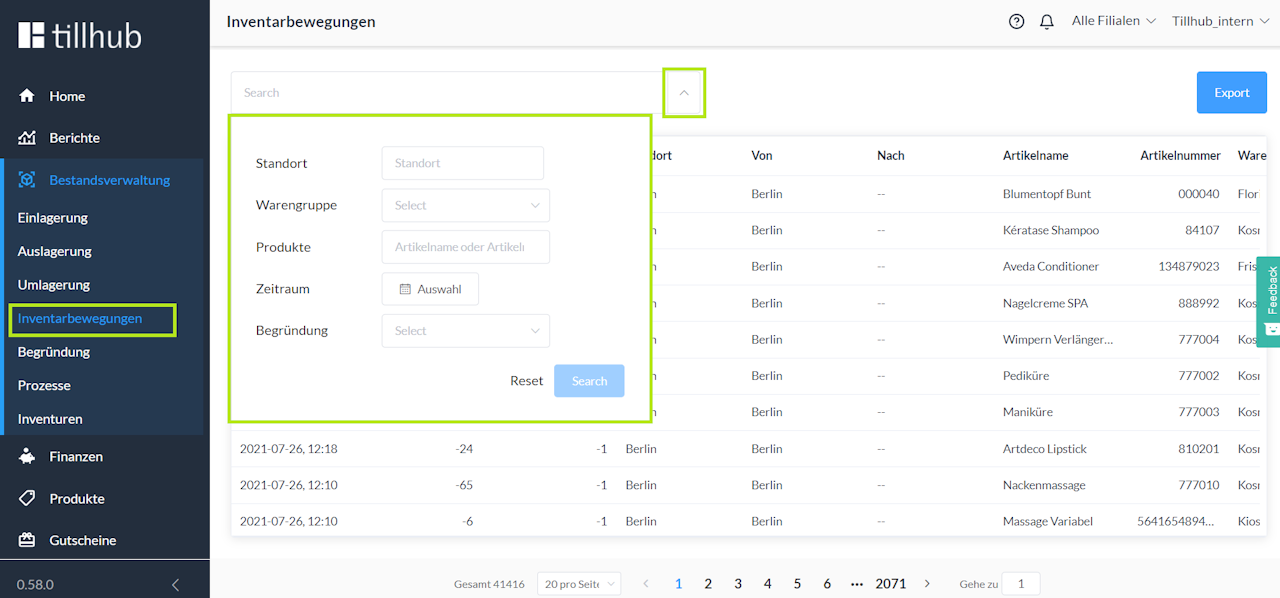
Additionally, you can set various filters via the drop-down menu in the search bar at the top left to capture specific products within certain periods.
Was this article helpful?
That’s Great!
Thank you for your feedback
Sorry! We couldn't be helpful
Thank you for your feedback
Feedback sent
We appreciate your effort and will try to fix the article
