Payment Methods
Modified on Mon, 16 Feb at 10:12 AM
Go to the Finances tab and click on Payment Methods.
Under the Payment Methods tab, you will find the different receivable accounts, which must be separated by payment method in accordance with GoBD requirements.
• Cash (Account no.: 1000)
This receivable account refers to all sales that were received as cash payments. The entered account number corresponds to SKR03. In the default settings, no posting account for a difference account is stored for this receivable account.
• Card Payment
This receivable account refers to all sales that were received via card payment. In our default settings, no account number is stored for this receivable account.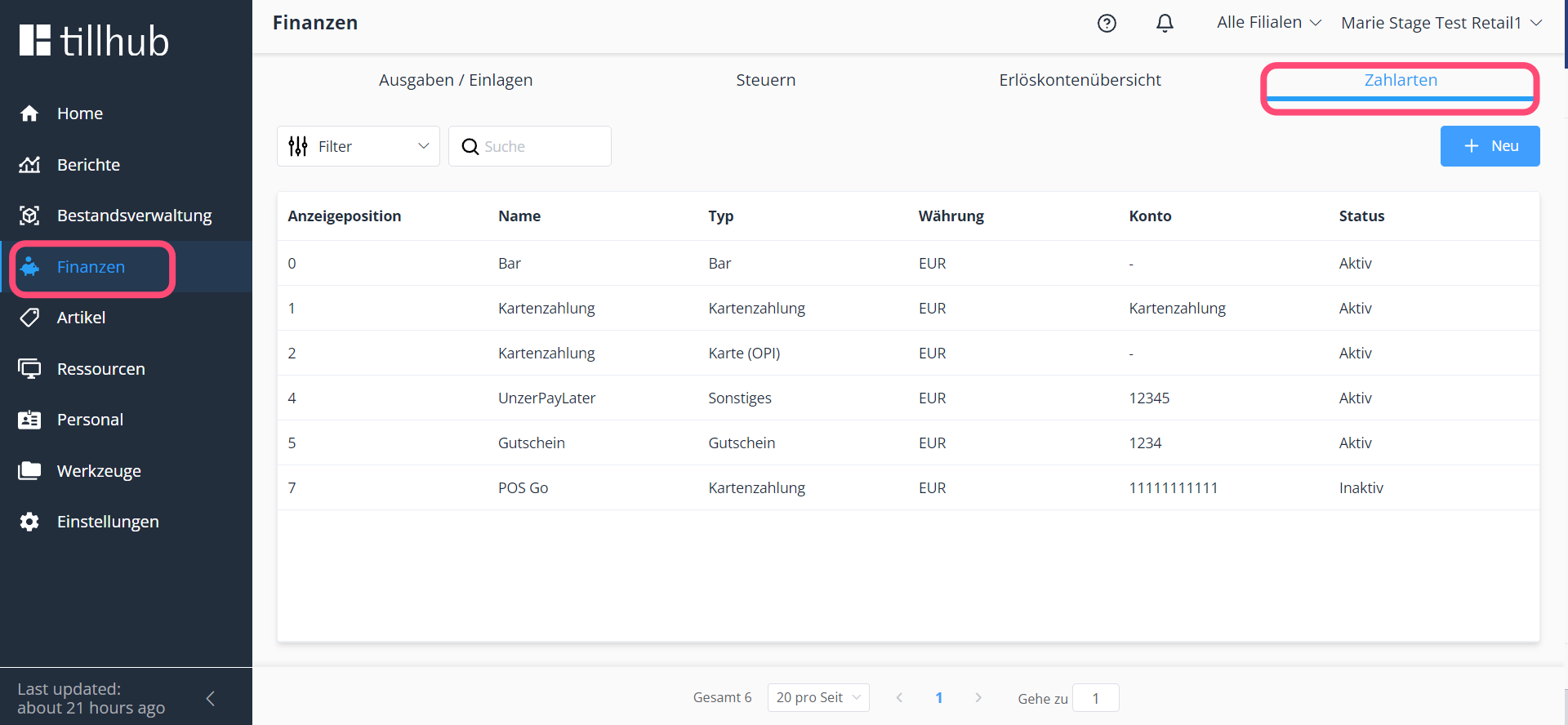
Posting a Difference Account
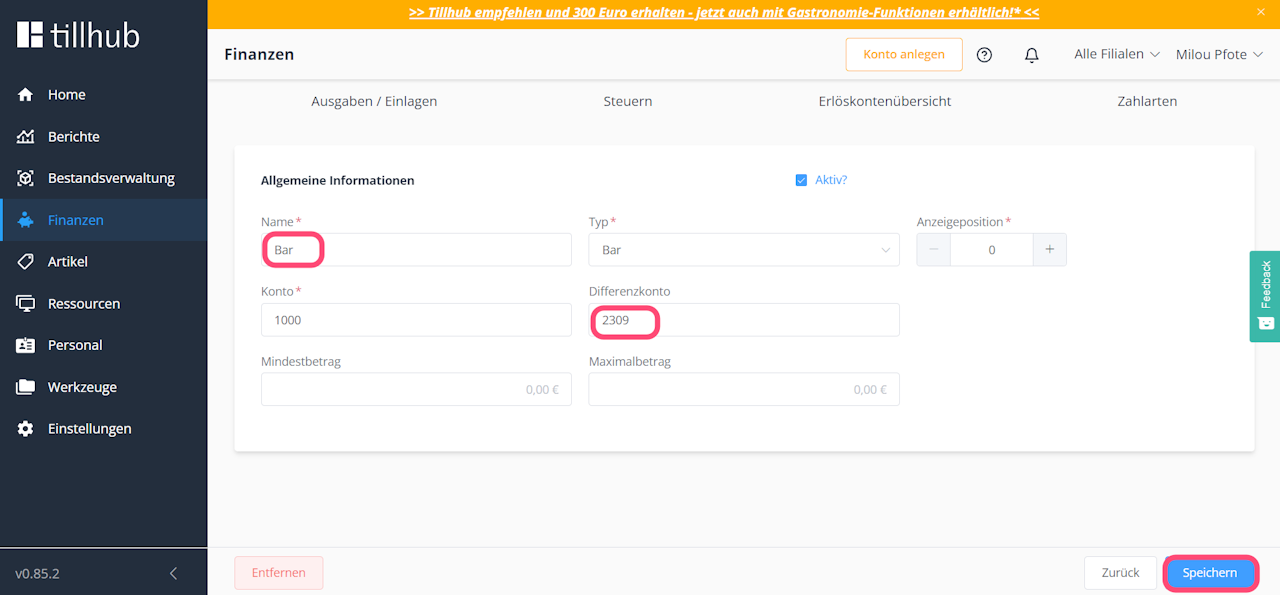
In this step, we show you how to assign a posting account for the difference account of your Cash receivable account. A difference account is required to post discrepancies that occur during cash closings.
• Click on the Cash account
• Click on the Difference Account field and enter the required posting account
• Click Save
Posting Card Payment (OPI)
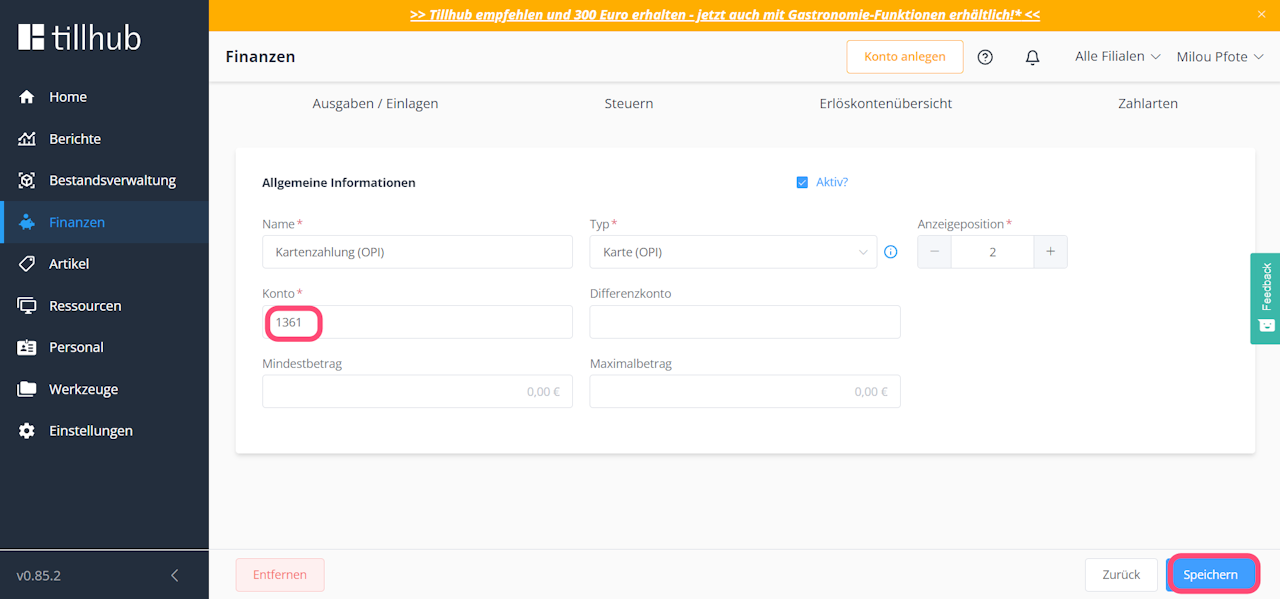
In this step, we explain how to enter a posting account for the Card Payment OPI receivable account.
• Click on Payment Methods
• Click on Card Payment OPI
• Click on the Account field and enter the posting account
• Click Save
• Click OK
Creating a New Receivable Account
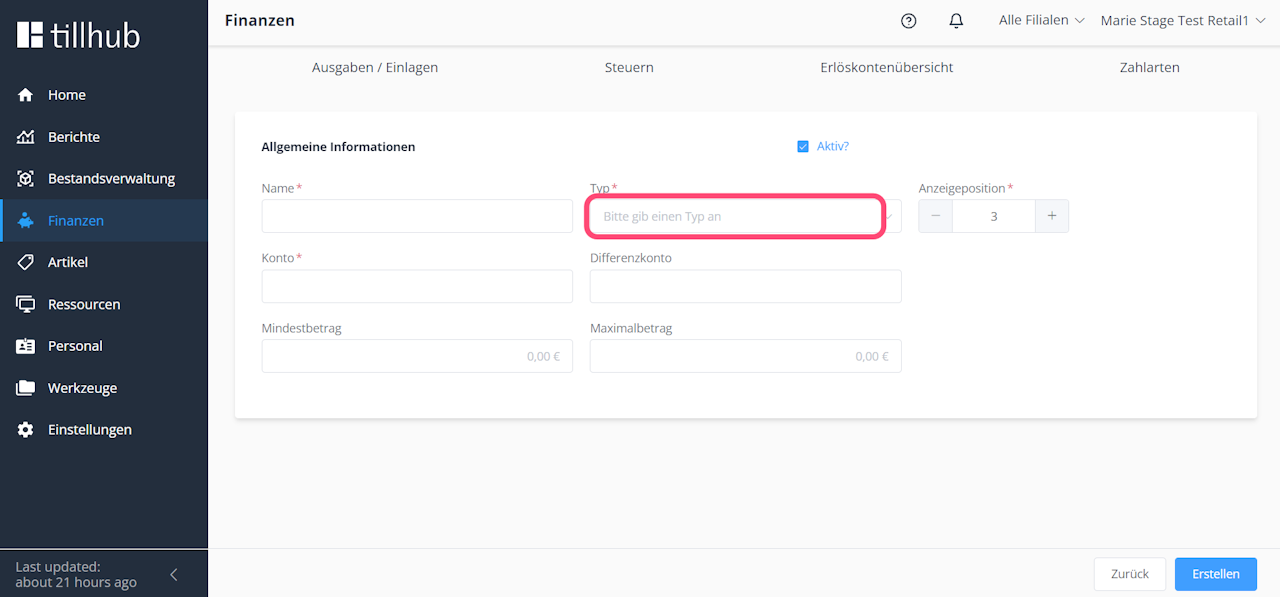
In this step, we explain how to create a new receivable account. For example, if you have booked our invoicing module, you can create a receivable account for invoices here.
• Click on Payment Methods
• Click on New
• Select the type Invoice
• Click on the Name field and enter the name for your account
• Click on the Account field and enter the posting account
• Click Create
Was this article helpful?
That’s Great!
Thank you for your feedback
Sorry! We couldn't be helpful
Thank you for your feedback
Feedback sent
We appreciate your effort and will try to fix the article
