Finance: Important basic settings
Modified on Mon, 16 Feb at 10:12 AM
TABLE OF CONTENTS
What is a Chart of Accounts (SKR)?
All business transactions within a company are recorded in accounting using general ledger accounts.
As a first step, you should therefore clarify with your tax advisor which standard chart of accounts (SKR) you should use for your bookkeeping. A standard chart of accounts consists of a specific set of general ledger accounts, which may vary depending on the type of business and its operational requirements.
SKR03 and SKR04 are the two most commonly used charts of accounts. In addition, there are many other industry-specific charts of accounts. Your tax advisor can assist you in selecting the correct one.
Our system is set to SKR03 by default.
How can I edit tax accounts and create new accounts?
Click on “Expenses / Deposits”.
• Cash Deposit Account
This account is used to post the amount of cash that you remove from the cash register before performing a cash closing and deposit at the bank (so-called “cash-to-bank transit account”).
• Income & Expense Account
These two accounts are used for extraordinary transactions and are therefore not linked to VAT accounts.
The income account is used, for example, to post the opening cash balance placed into the register at the beginning of the day.
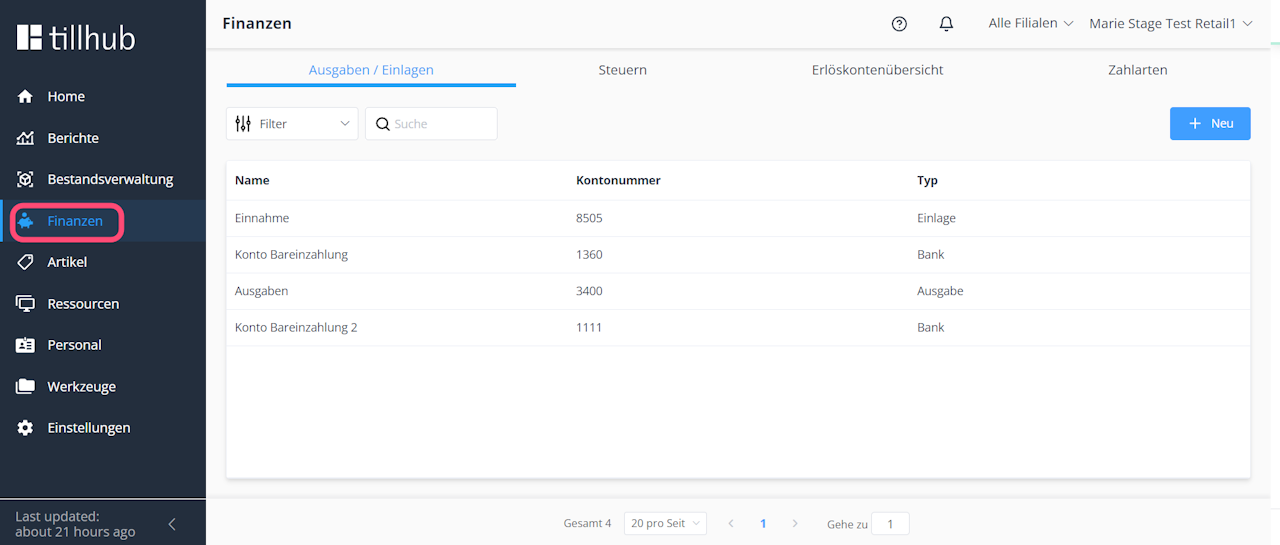
In the “Expenses / Deposits” section, you can create additional accounts at any time after consulting with your tax advisor.
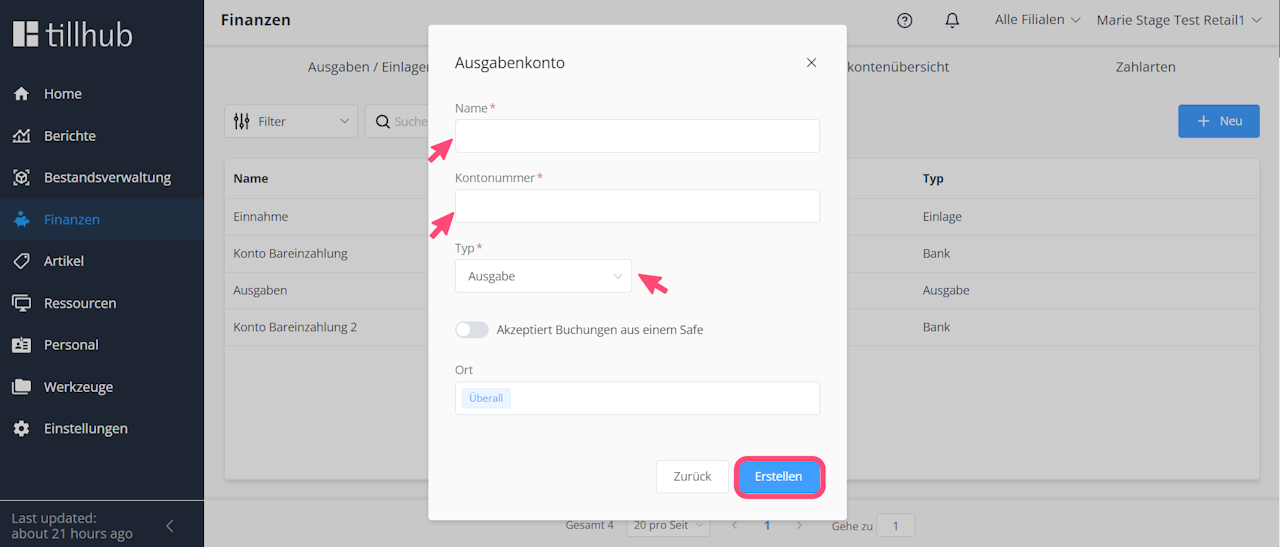
To create a new account:
• Click on “New”
• Enter the account name and account number
• Select the account type (Expense / Deposit / Bank / Tip)
• Click “Create”
How do I change the account number of an existing account?
• Click on the relevant account
• Make your changes under “Name” (optional) and “Account Number”
• Click “Save”
Managing tax and revenue accounts
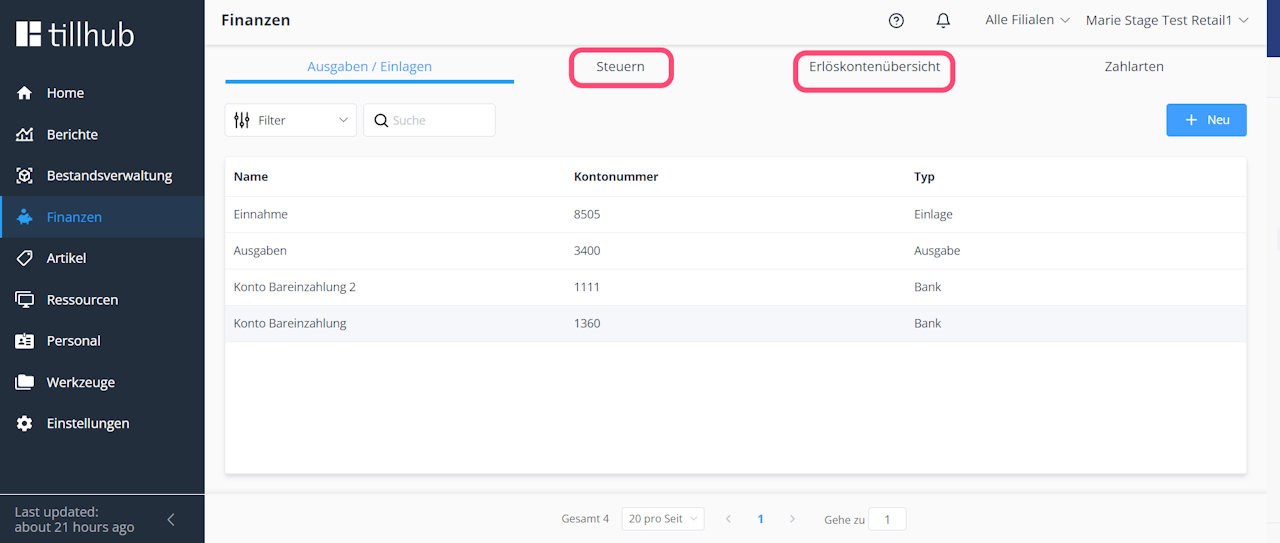
In the “Taxes” and “Revenue Account Overview” sections, you can manage your VAT and revenue accounts. As shown in the previous steps, accounts can be modified or added in the same way. Separate accounts are created for each VAT rate.
Note: When you sell goods, this results in revenue that must be posted to revenue accounts (profit and loss accounts). At the same time, VAT is incurred and posted to VAT accounts so that it can later be reported and paid to the tax authorities.
This is why product groups in our system are always linked to both a tax account and a revenue account.
Important note for SKR04 users:

If your tax advisor uses SKR04, please make sure to adjust all default account numbers in the following areas:
• Expenses / Deposits
• Taxes
• Revenue Accounts
• Payment Methods

In all sections, accounts can be added or modified in the same way.
How can I edit my account numbers?
In this step, we show you which settings you need to adjust in your DATEV header data to be able to edit general ledger account numbers:
- Go to Settings > General > Accounting
- Remove the checkmark next to “Mode: Strict”
- Click “Save”
Important:
If you are unable to edit your account numbers, try the following steps:
- Log out of the dashboard and log back in, then try again
- Check whether “Strict Mode” is disabled in your DATEV header data
- Contact our support team if none of the above solutions resolve the issue
Was this article helpful?
That’s Great!
Thank you for your feedback
Sorry! We couldn't be helpful
Thank you for your feedback
Feedback sent
We appreciate your effort and will try to fix the article
