Set up the Epson TM‑M30 receipt printer

Modified on Mon, 16 Feb at 10:11 AM

⚠️ Important:

This guide applies only to the older model. Steps, connections, or features may differ on the new model.

This article shows you how to set up the Epson TM‑M30. You can find the video at the end of the article.

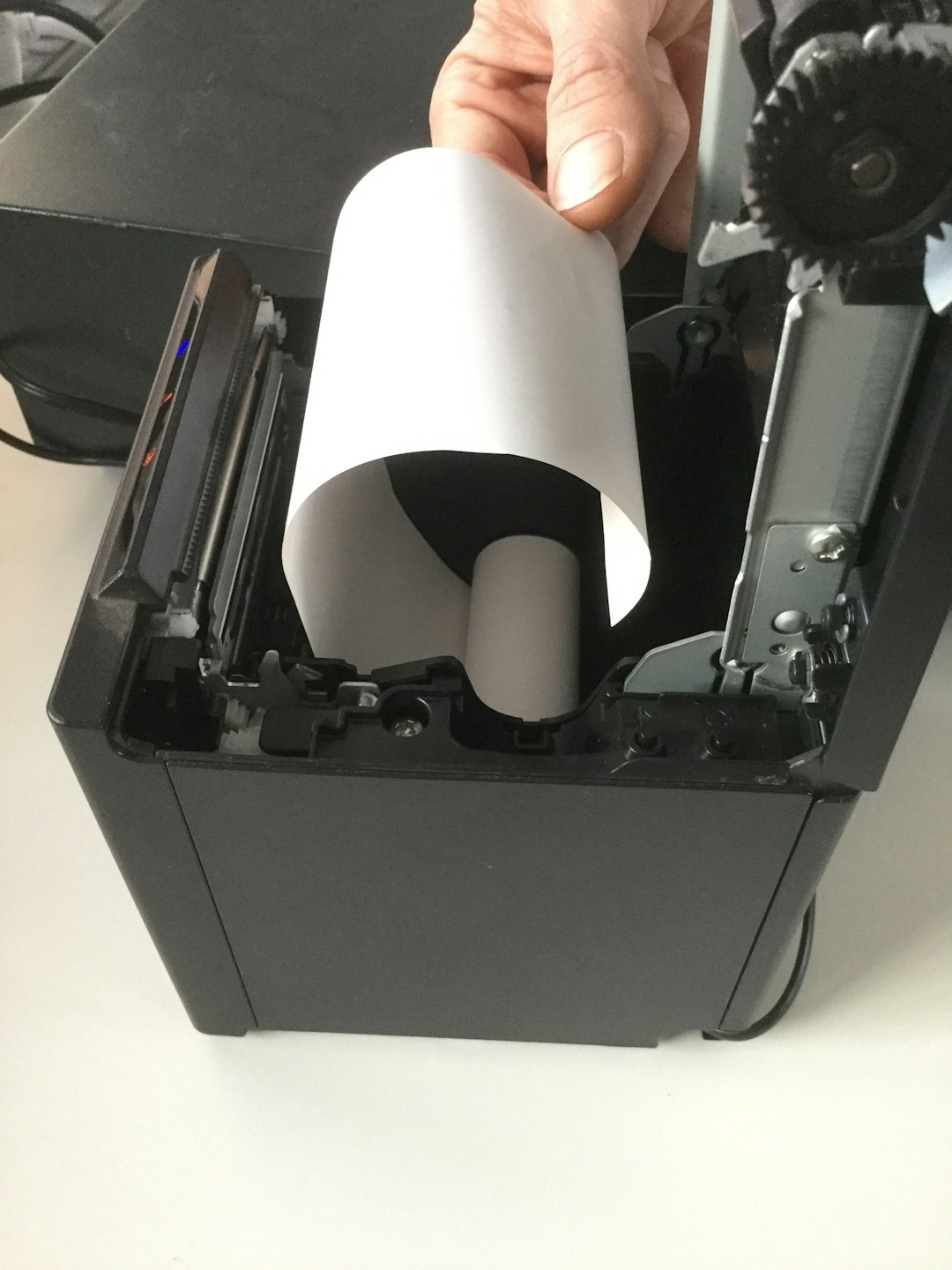
  1.  Open the top cover of the printer by pulling the gray lever.
  2.  Insert the receipt roll so that the coated (thermal) side faces forward.
  3.  Close the top cover, then open the cover on the underside of the printer.
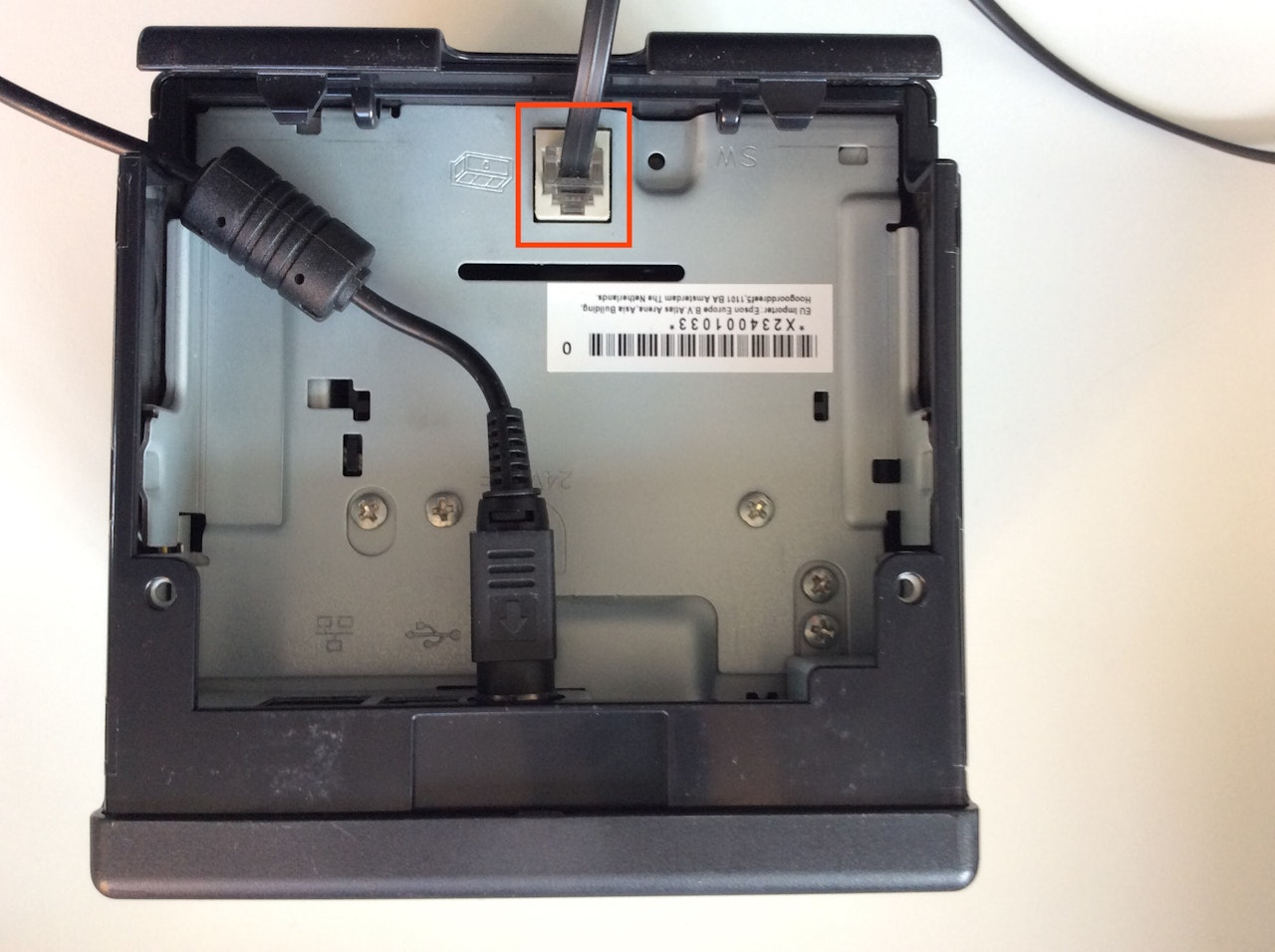
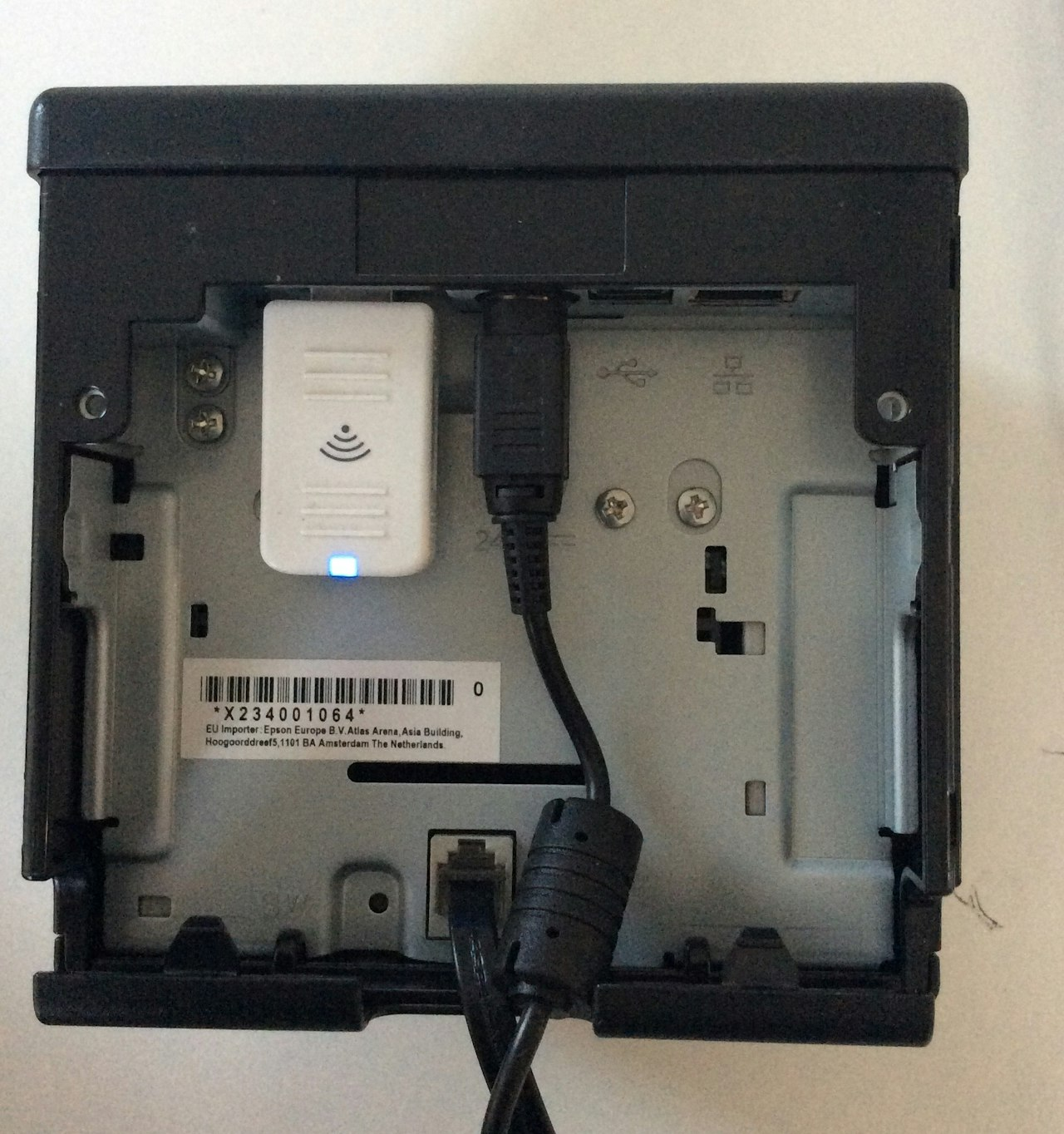
  4.  Connect the cable to the power adapter, then connect the power adapter to the printer and route the cable through one of the recesses.
  5.  Plug the cash drawer cable into the RJ45 port and close the cover.
  6.  Connect the printer to the power supply.


Note: If your printer is the Wi‑Fi model, plug the Wi‑Fi dongle (web stick) into the printer’s USB port.


Done! Your printer is set up.


Was this article helpful?

That’s Great!

Thank you for your feedback

Sorry! We couldn't be helpful

Thank you for your feedback

Let us know how can we improve this article!

Select at least one of the reasons
CAPTCHA verification is required.

Feedback sent

We appreciate your effort and will try to fix the article