4. Park shopping carts
Modified on Fri, 6 Mar at 1:17 PM
TABLE OF CONTENTS
- Saving the Cart
- Additional Cart
- Opening a Saved Cart
- Deleting a Saved Cart
- Continuing the Checkout Process
Saving the Cart
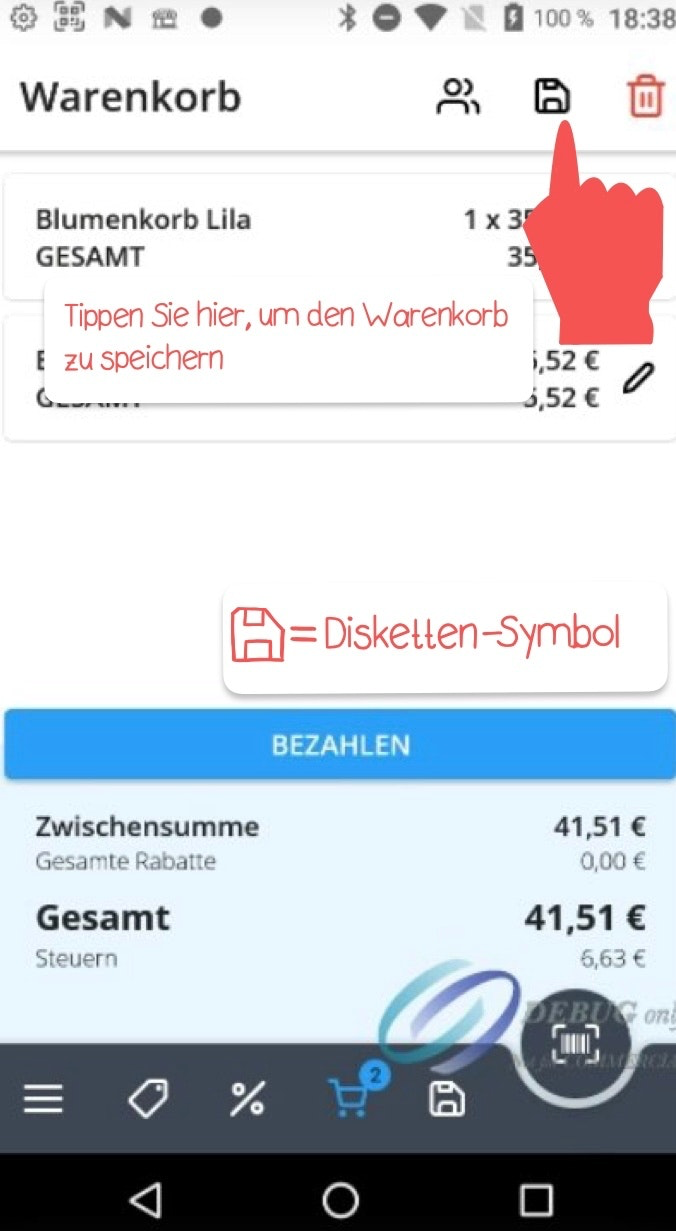
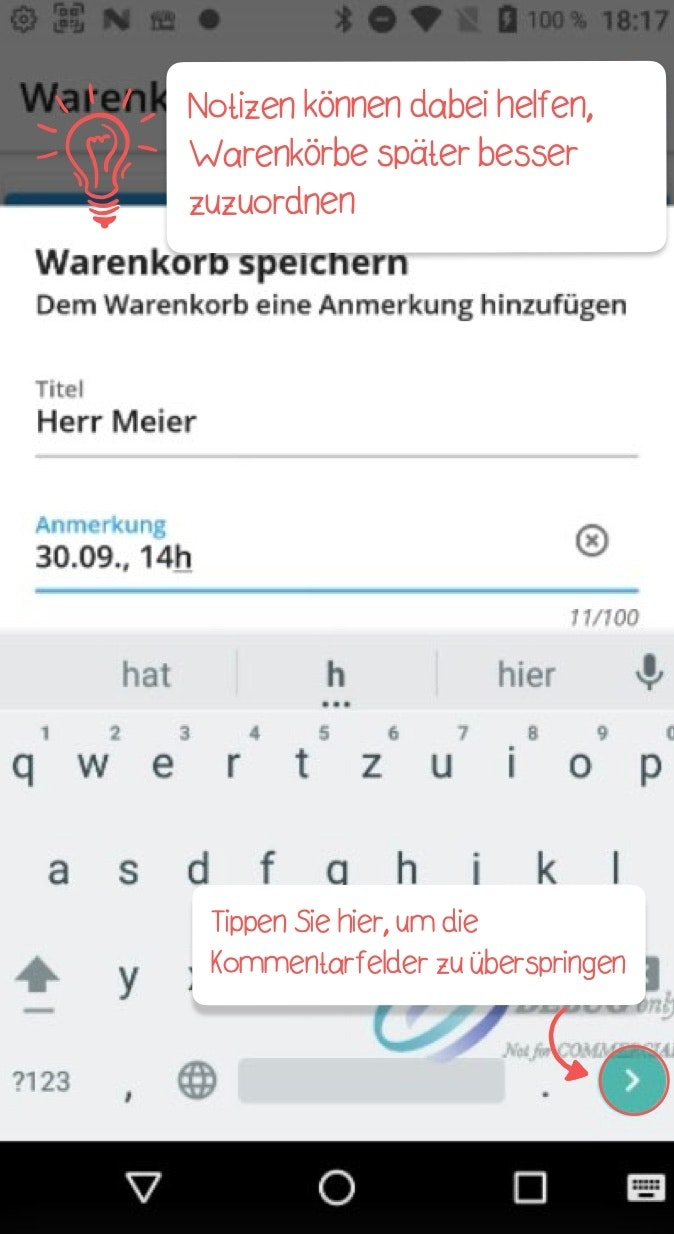
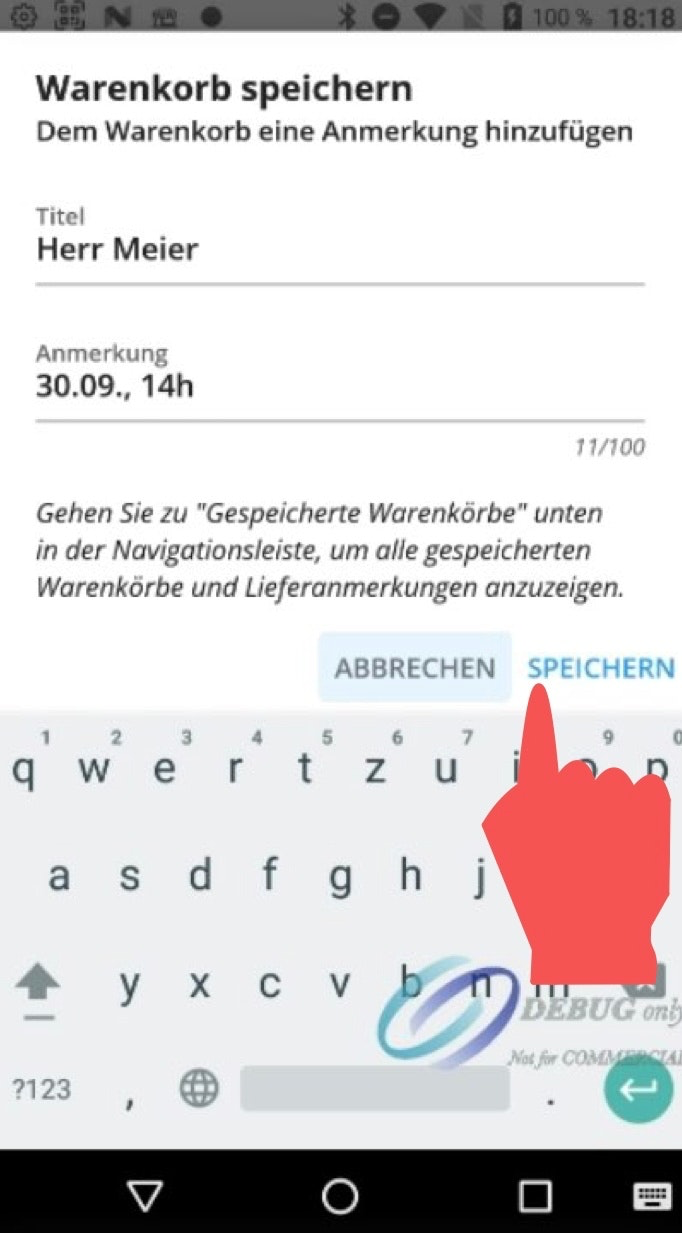
If you want to save or park the entire contents of a cart for later, tap the floppy disk icon in the top right corner. Add a note in the comment fields to make it easier to identify the cart later. Confirm your entry by tapping "Save" in the bottom right corner.
Additional Cart
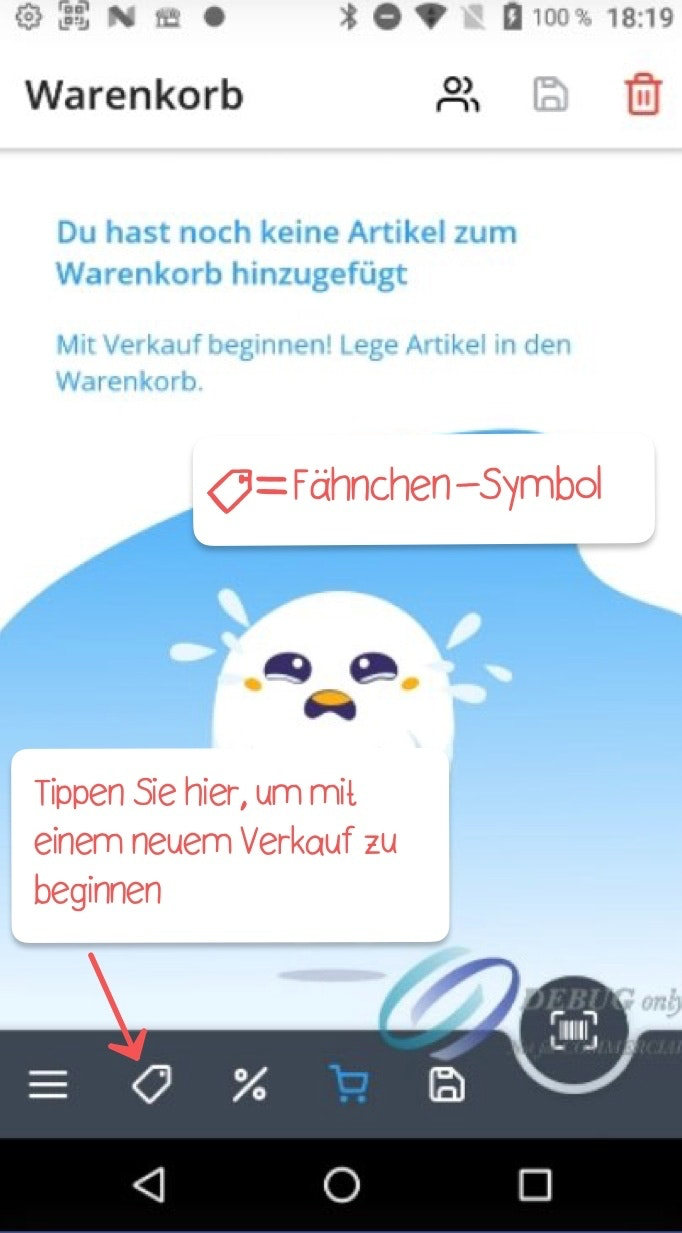
After saving the contents of a cart, you can start a new sale by tapping the flag icon in the bottom left corner and begin selecting items.
Opening a Saved Cart
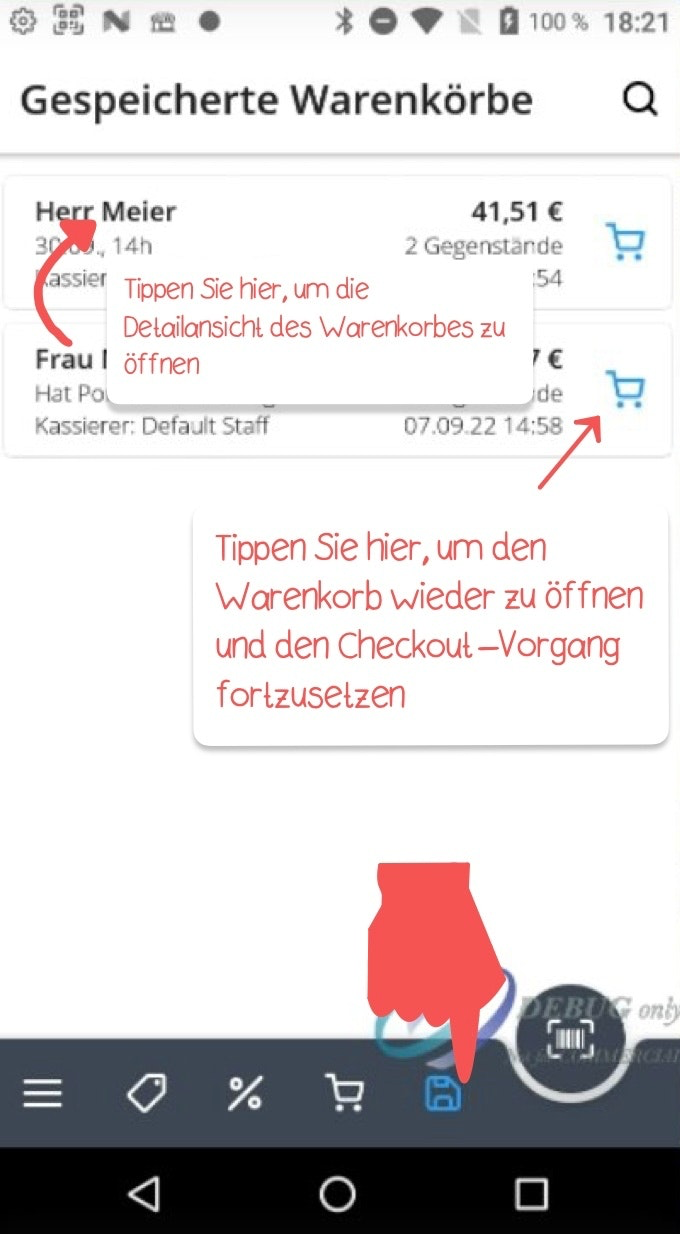
To reopen a saved cart at a later point, tap "Parked" at the top of the cart view. A list of all saved carts will then appear. To reopen a specific cart for checkout, simply tap the cart icon on the right side of the respective entry.
Deleting a Saved Cart
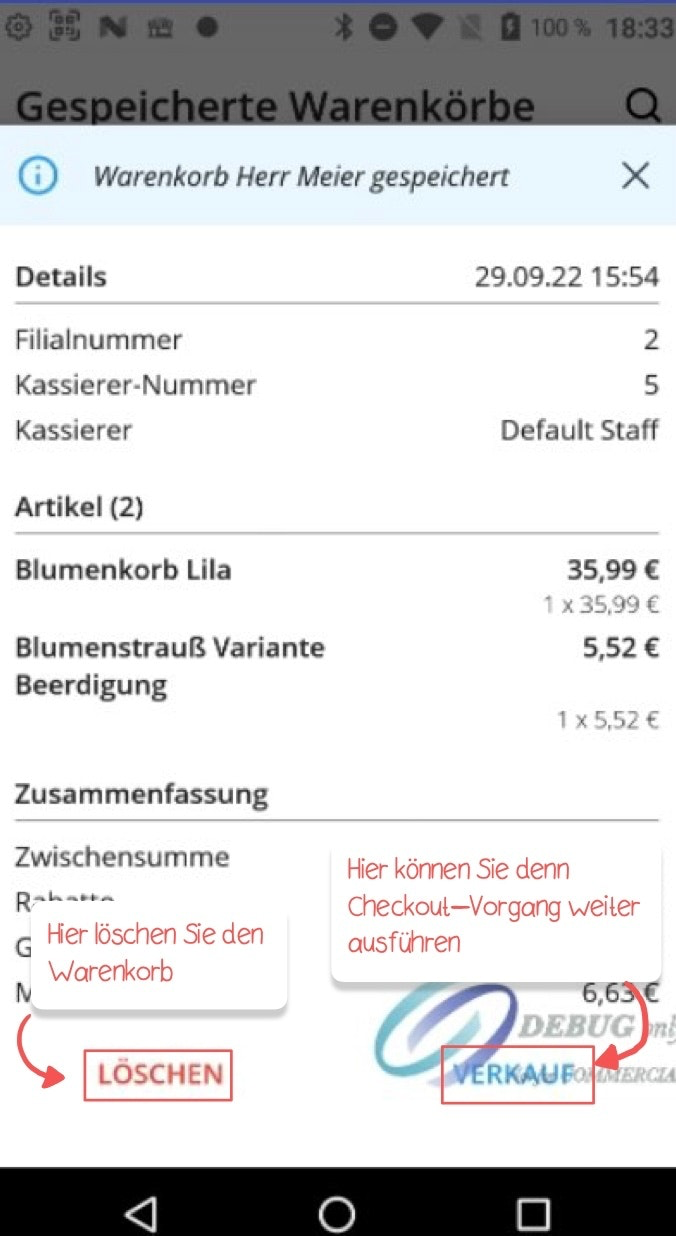
To delete a saved cart, tap the name on the left to open the detail view, then tap "Delete" in the bottom left corner.
Continuing the Checkout Process
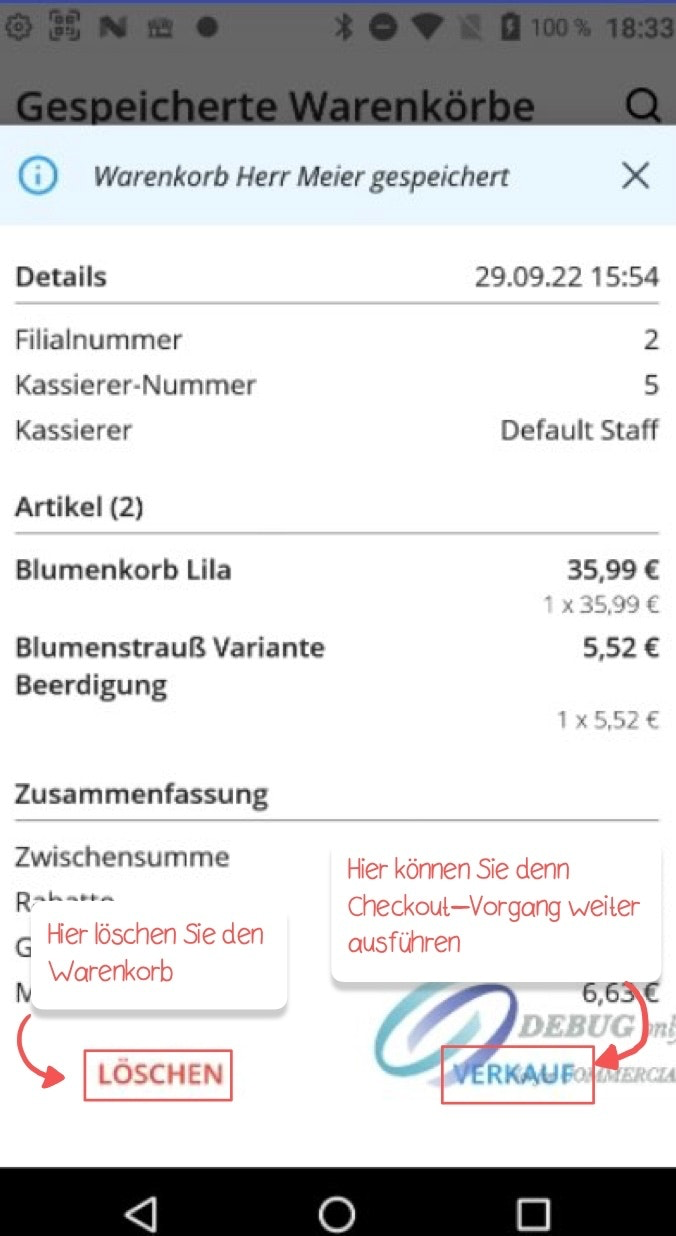
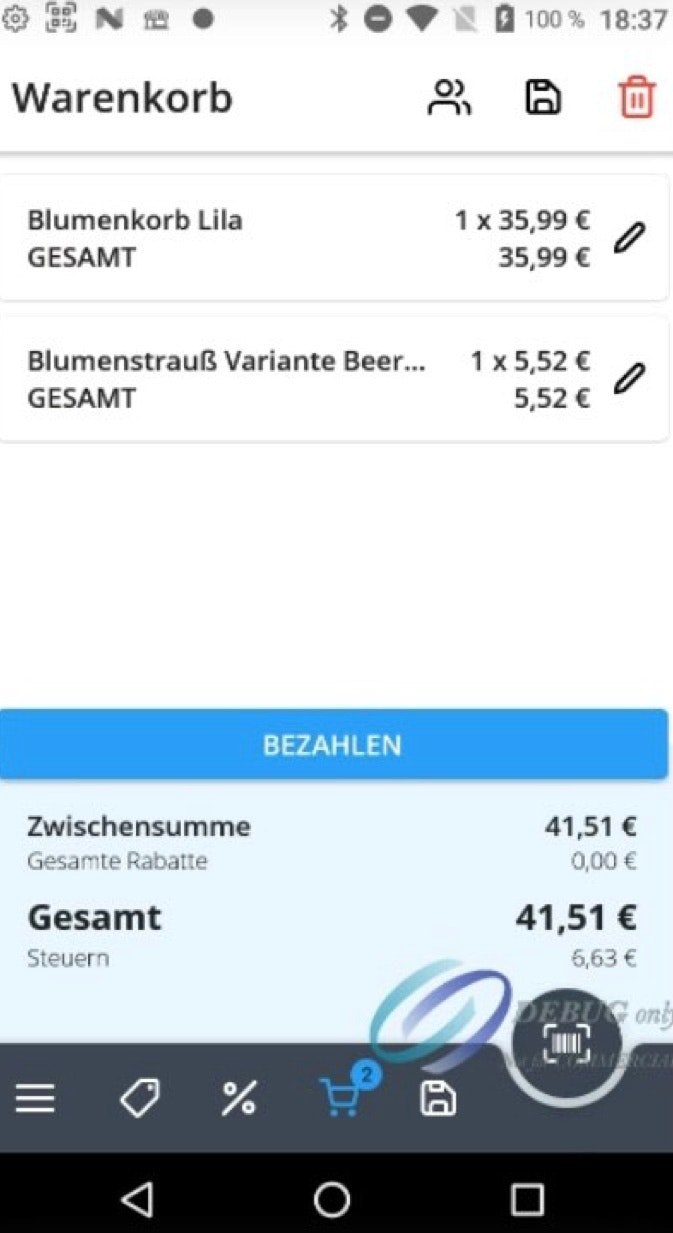
Tap "Sale" to continue the checkout process. You can then either proceed directly to "Pay", or continue editing the cart by adding further items if needed.
Was this article helpful?
That’s Great!
Thank you for your feedback
Sorry! We couldn't be helpful
Thank you for your feedback
Feedback sent
We appreciate your effort and will try to fix the article
