3. Removing Items from the Cart
Modified on Fri, 6 Mar at 1:17 PM
If you want to remove items from the cart, you have two options: you can either remove specific items individually or clear the entire cart at once.
Removing Individual Items
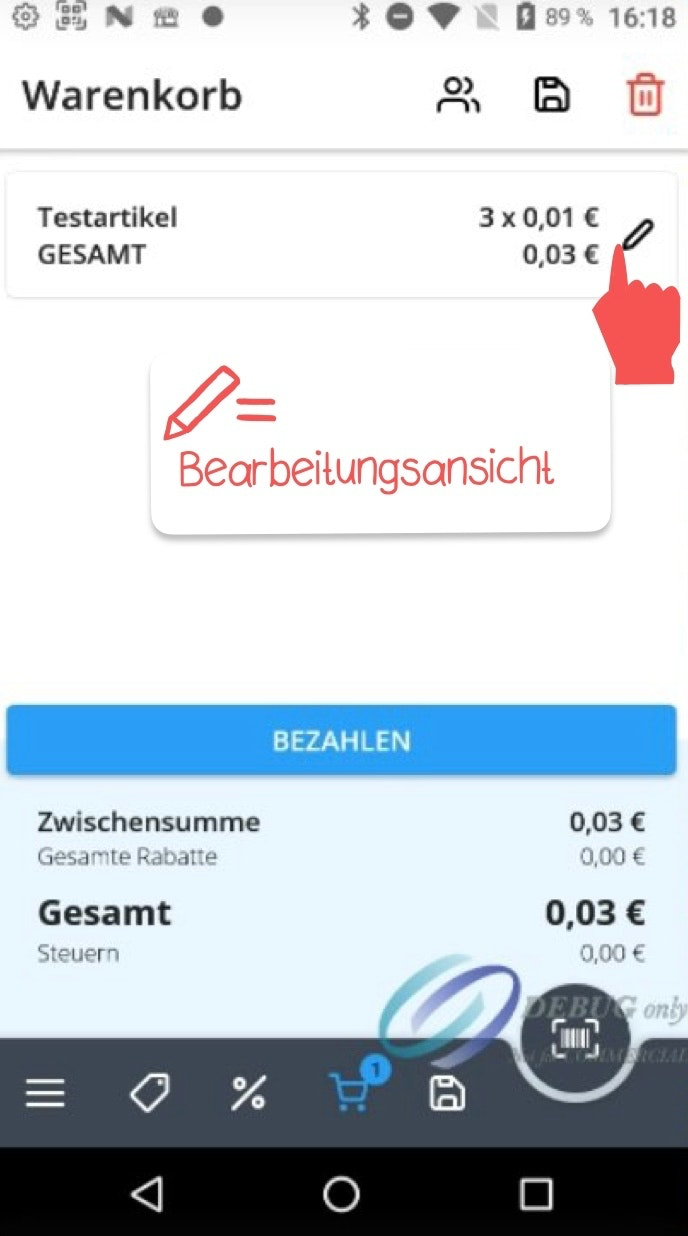
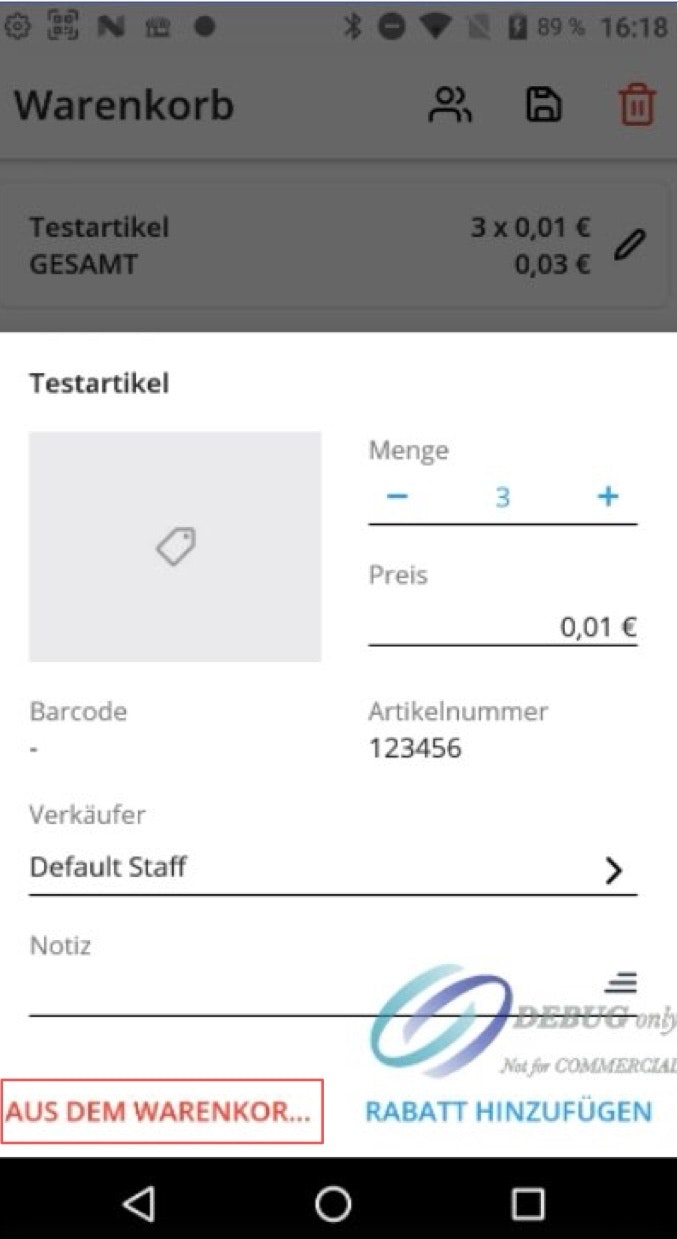
To remove a specific item from the cart, open the edit view for that item by tapping the pencil icon. To delete the item completely, tap the trash icon in the top right corner. The item will then be fully removed from the cart.
Clearing the Entire Cart
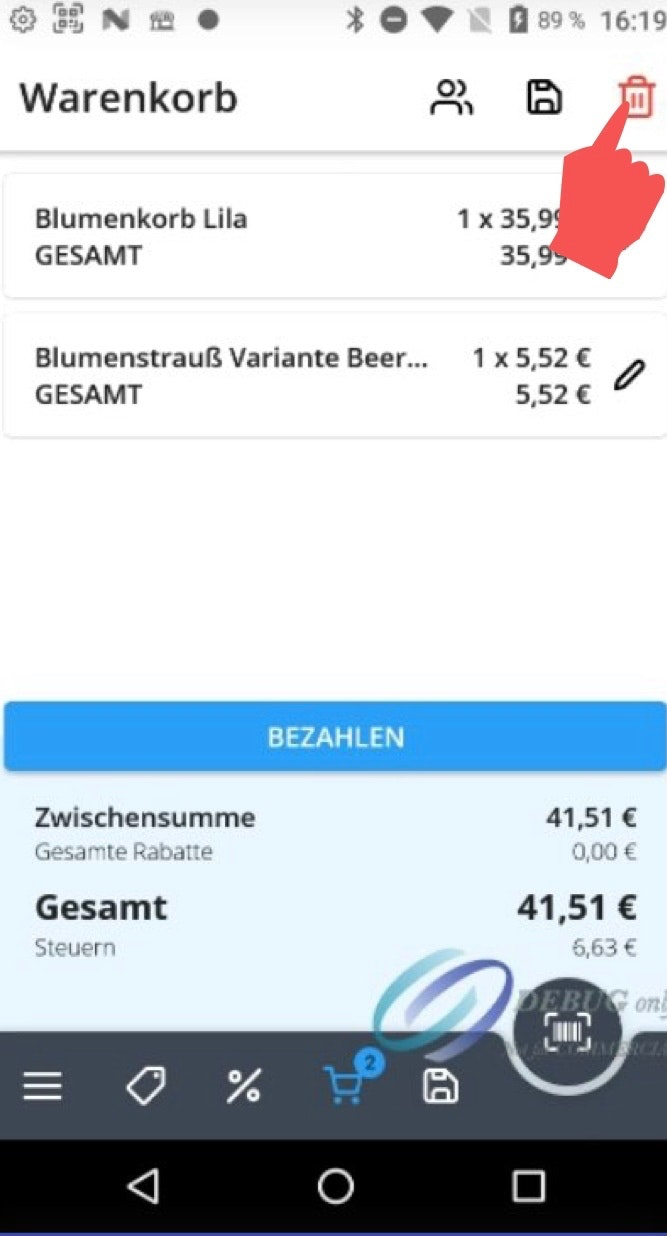
To remove all items at once, simply tap the trash icon in the top right corner of the cart view and confirm the prompt that appears.
Was this article helpful?
That’s Great!
Thank you for your feedback
Sorry! We couldn't be helpful
Thank you for your feedback
Feedback sent
We appreciate your effort and will try to fix the article
