Manage dashboard settings
Modified on Tue, 27 Jan at 11:49 AM
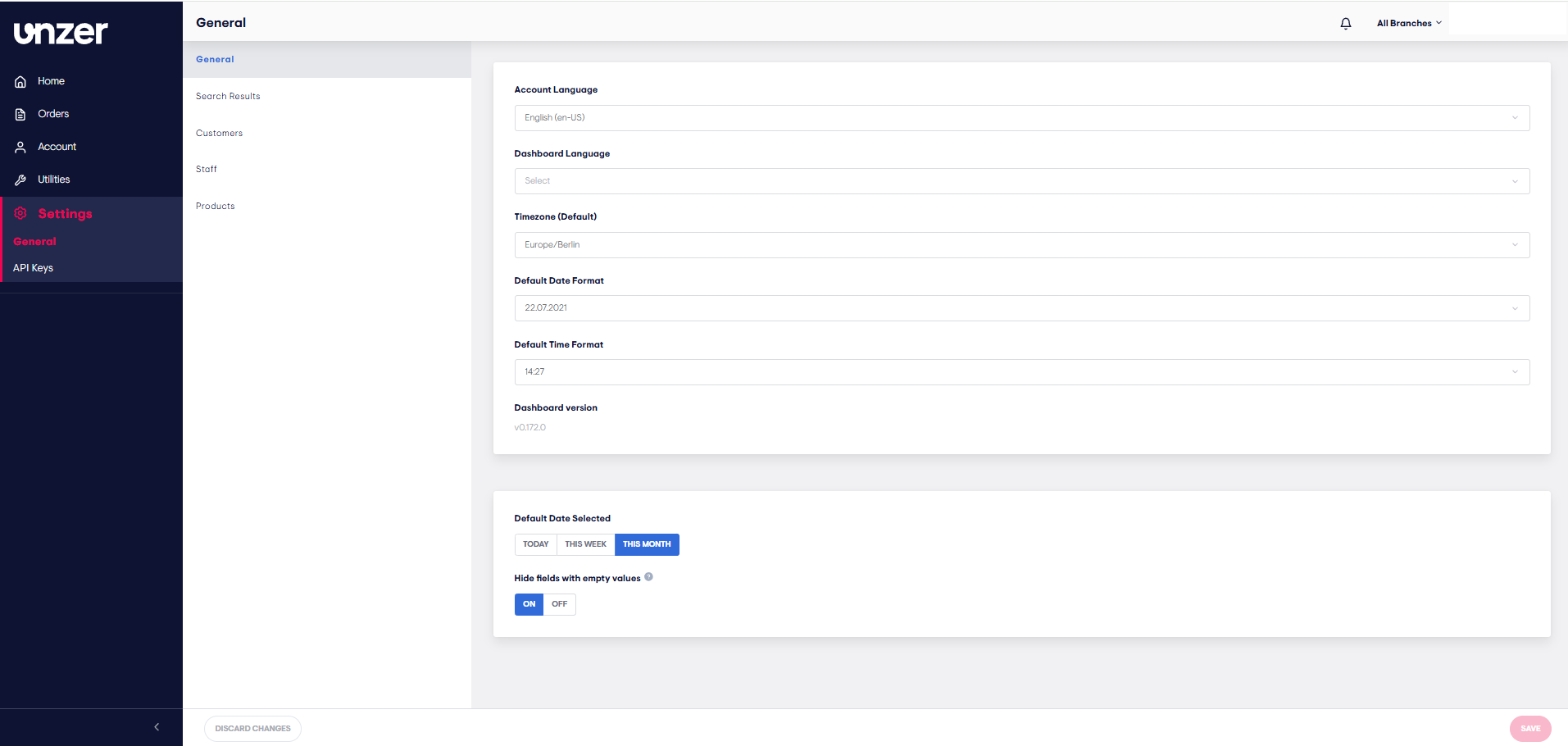
You can easily customize your UnzerOne dashboard to fit your needs by adjusting language, timezone, date, and time formats, as well as the default date range for viewing transactions.
Steps to customize your dashboard:
- Go to Settings > General.
- Adjust your preferences:
- Account & Dashboard Language
- Timezone
- Date & Time Format
- Choose the default date range for transactions:
- Today, This week, or This month
- Click Save to apply changes.
Was this article helpful?
That’s Great!
Thank you for your feedback
Sorry! We couldn't be helpful
Thank you for your feedback
Feedback sent
We appreciate your effort and will try to fix the article
