CCV PAX A920 – Setting up automatic end-of-day report
Modified on Wed, 4 Feb at 9:09 AM
Would you like the daily closing/cash register cut to be performed automatically? We’re happy to show you in this step-by-step guide for your card reader CCV PAX A920 how to set it up.
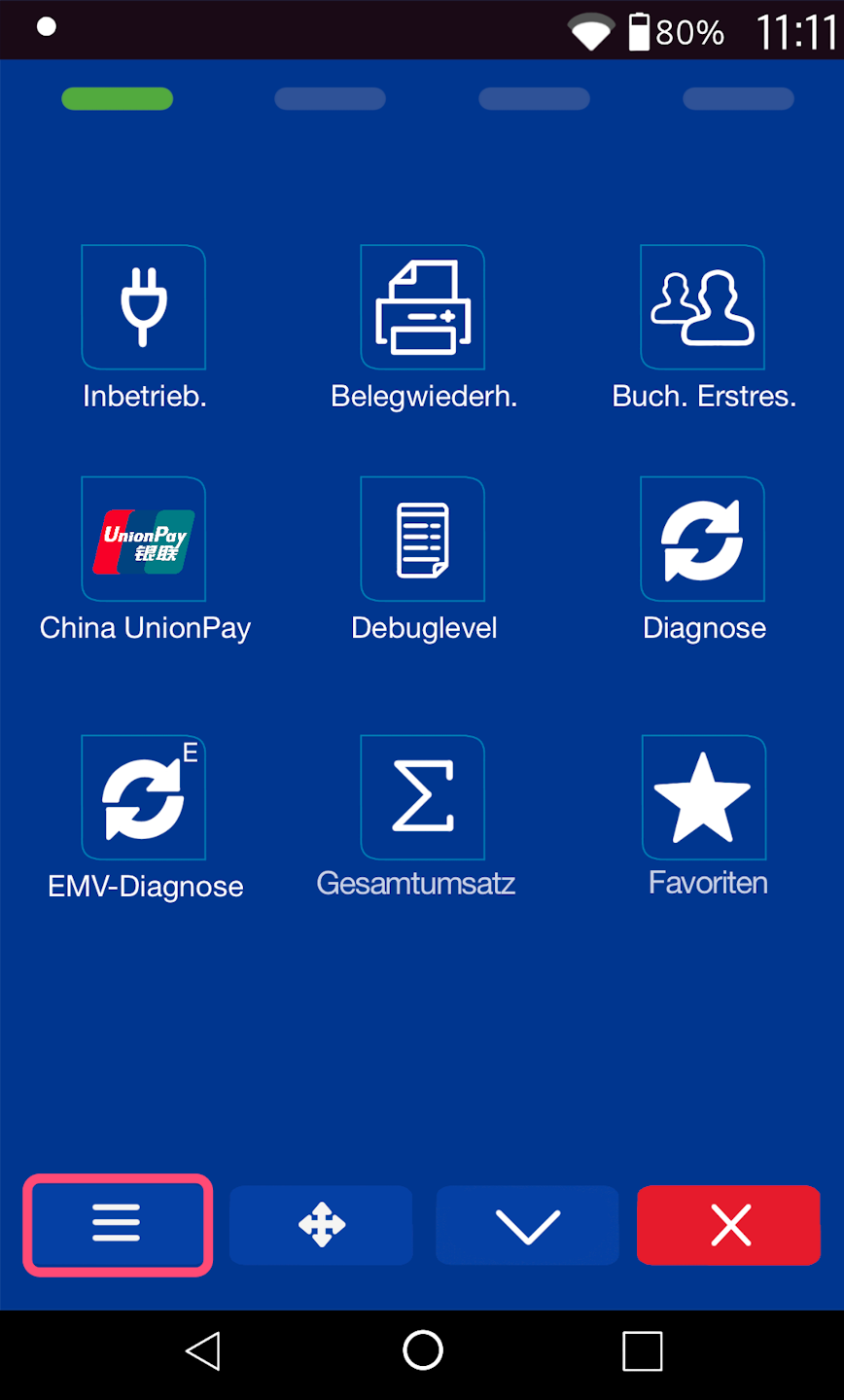
Startingdisplay
1) 2)
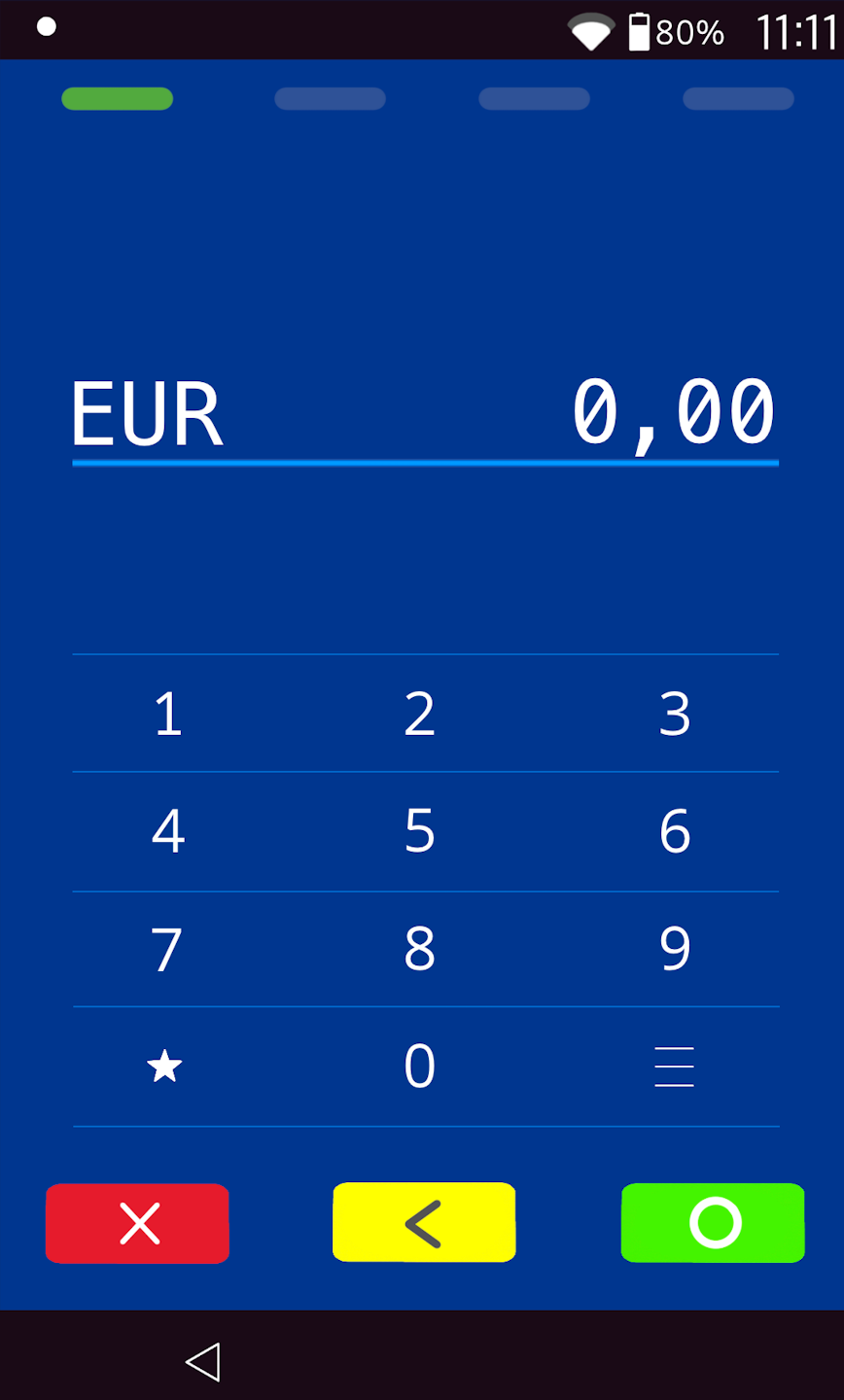
Screen 1)
Menu button: please select the three horizontal stripes at the bottom right to access the main menu.
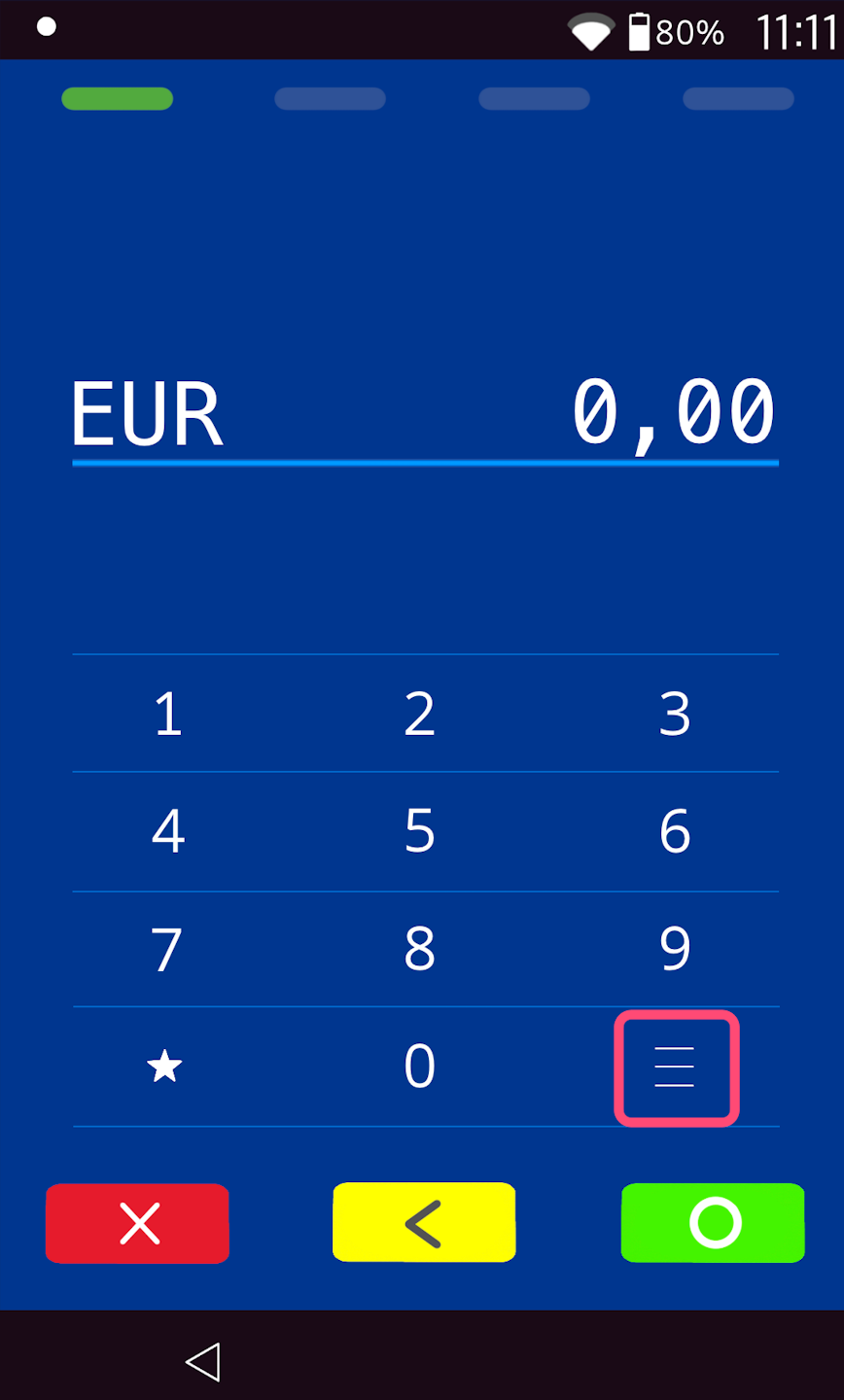
Screen 2)
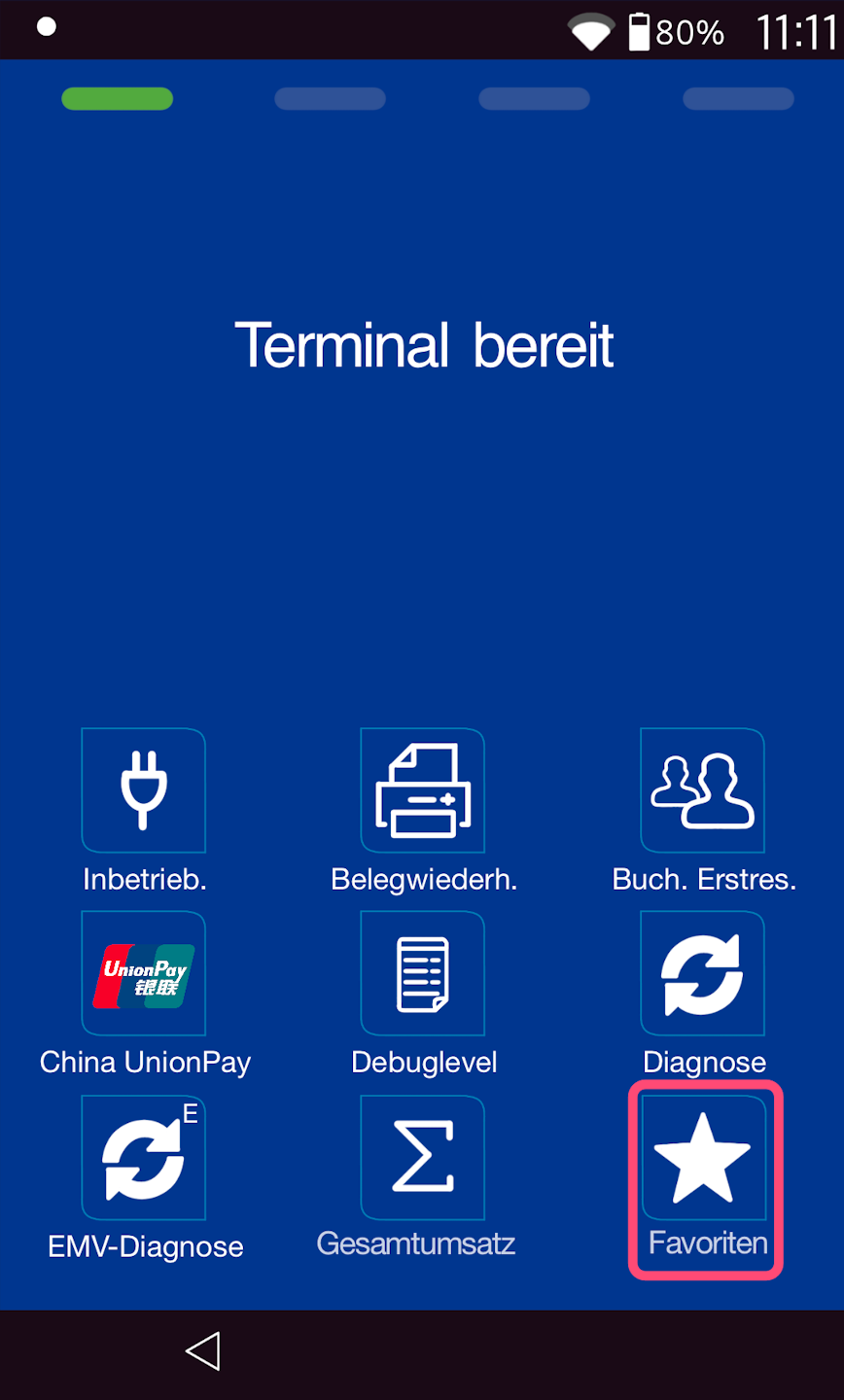
Favorite button
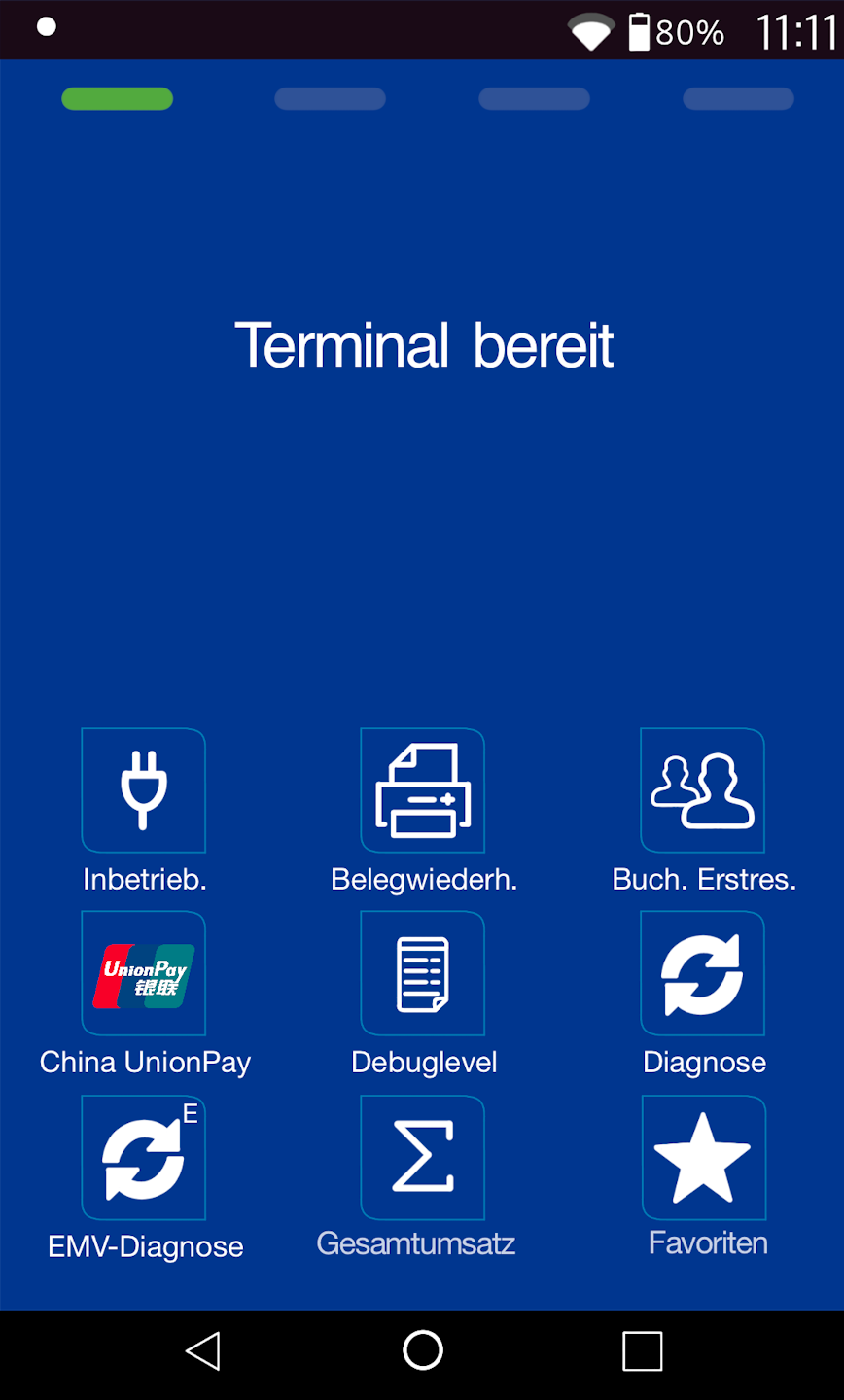
In Fig. 1 you see your starting display.
Please select the Favorites menu item.
Please select the main menu button as shown in Fig. 2.
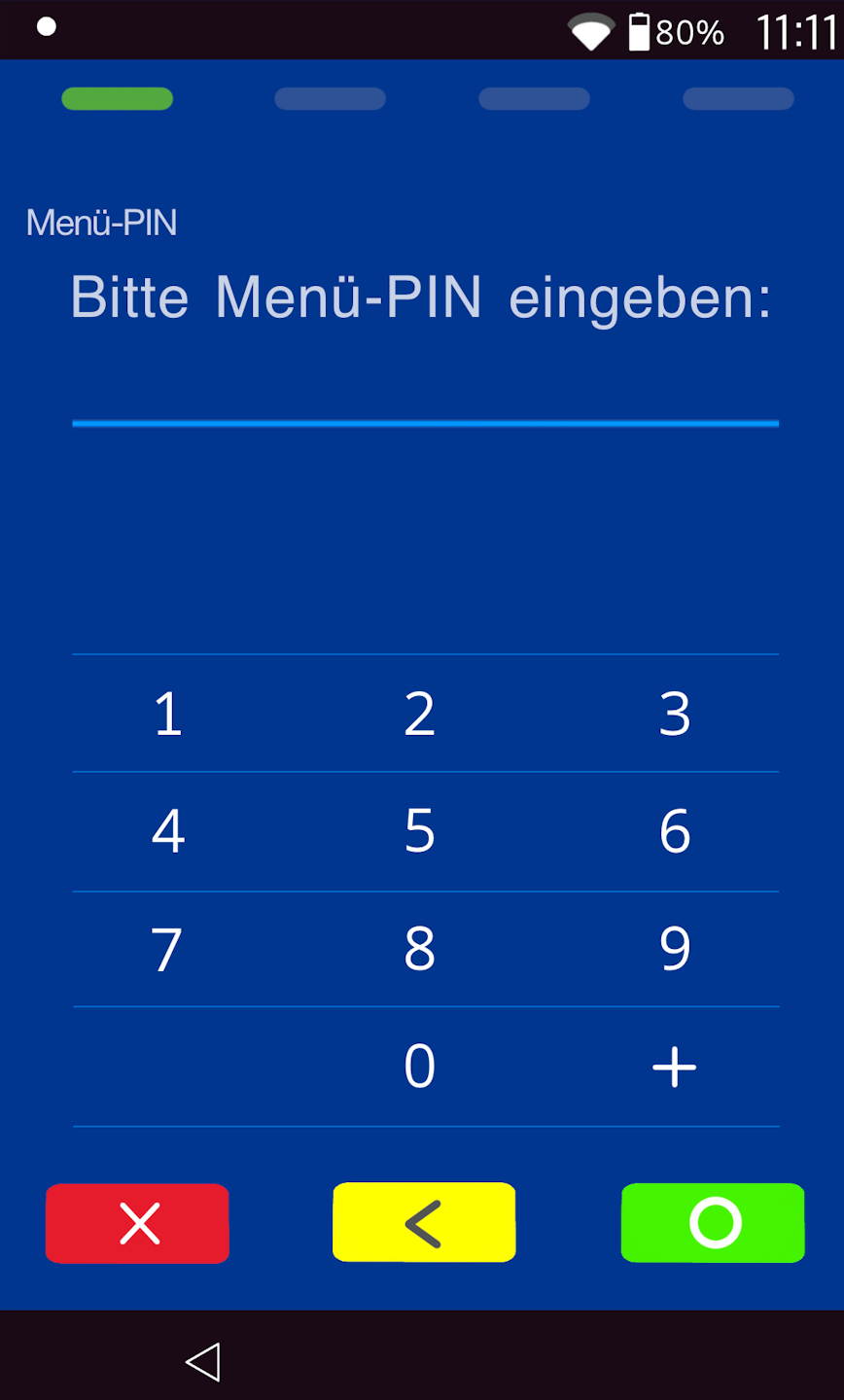
PIN
Please enter your merchant PIN now.
You can find the terminal ID on your merchant receipts or on the receipt tape.
Terminal IDs starting with 68xxxxxx: 111111
Terminal IDs starting with 526xxxxx: 0123
Please confirm the entry with the green OK button.
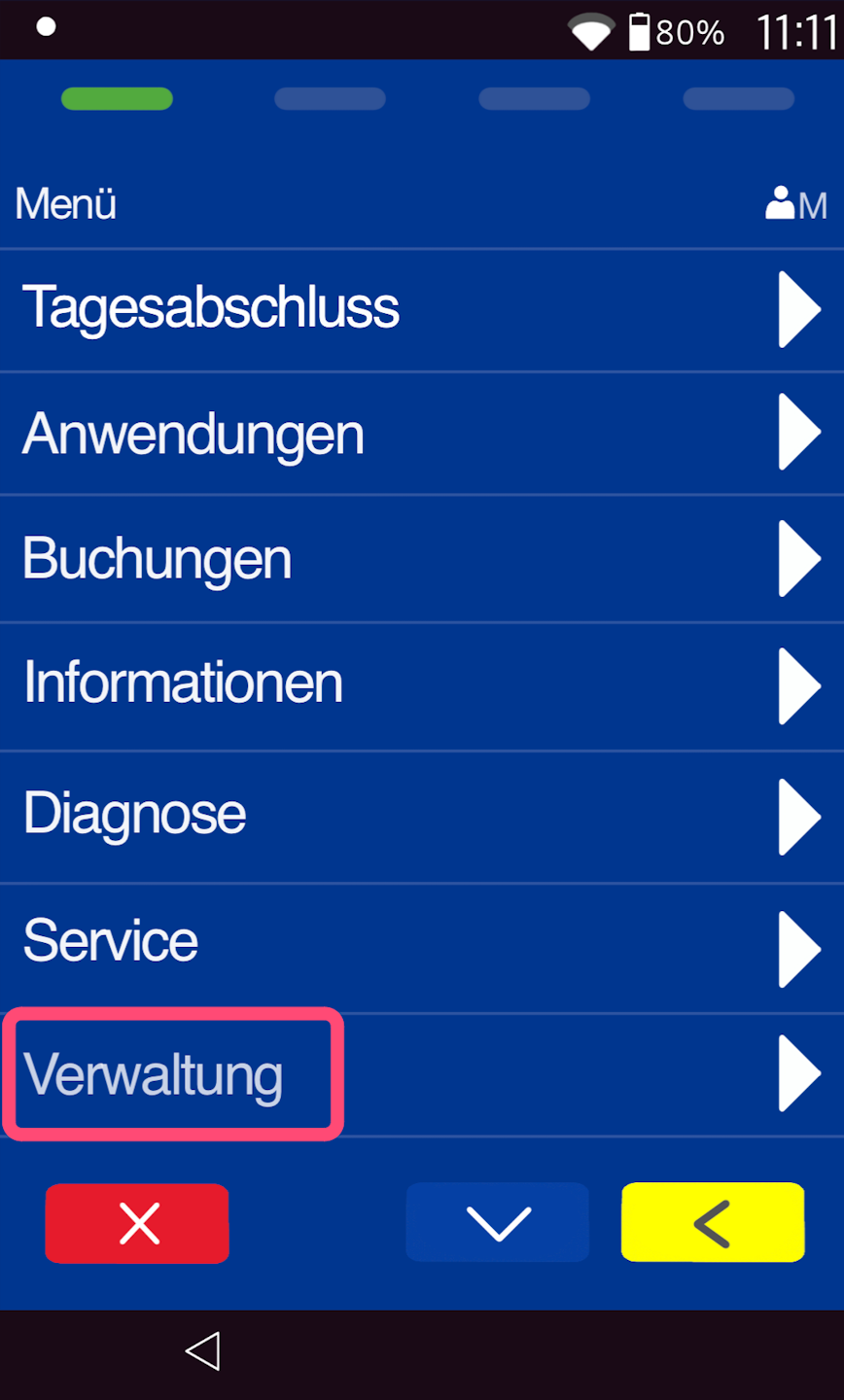
Mainmenu
Please tap on "Verwaltung".
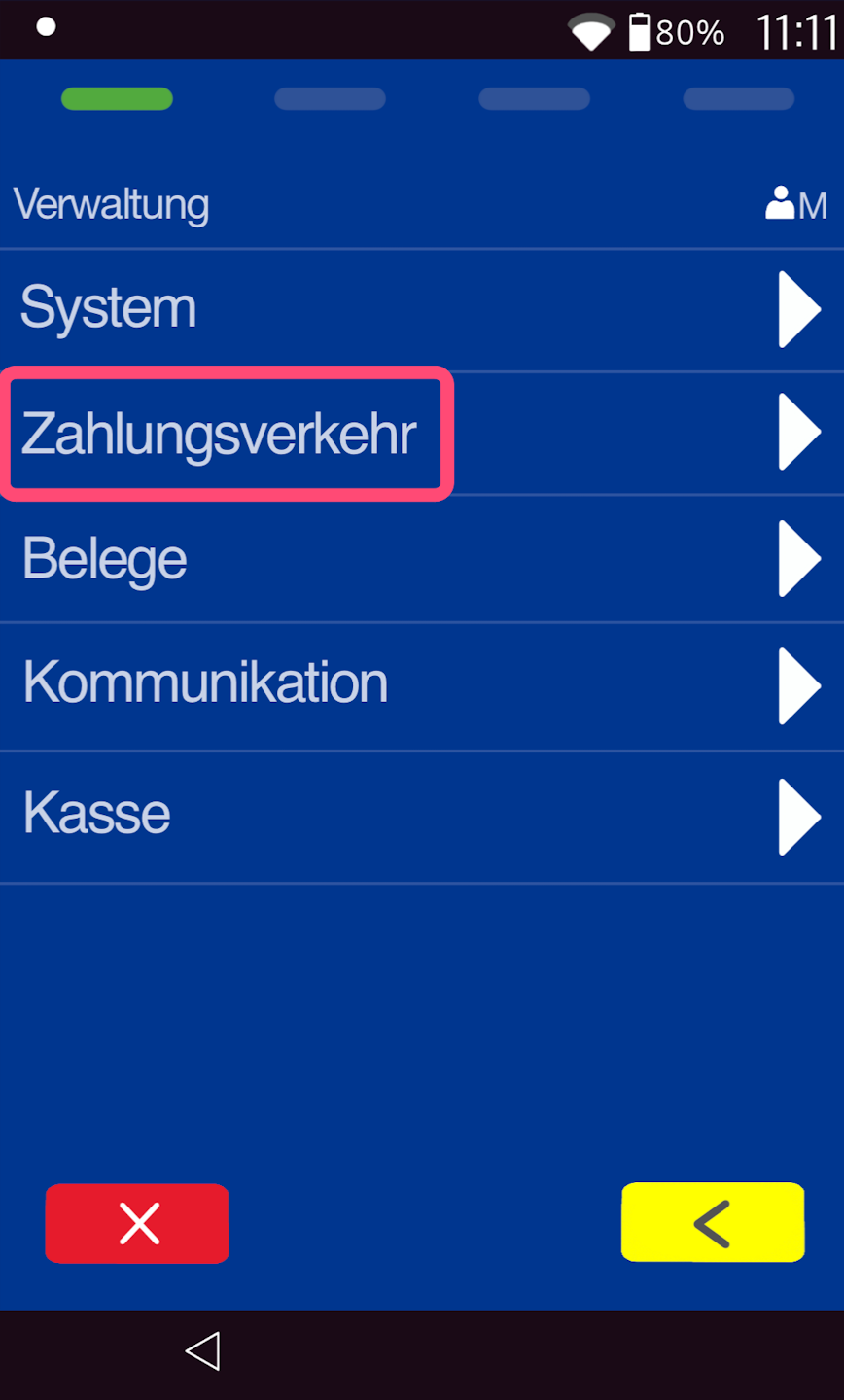
Verwaltung
Please tap on "Zahlungsverkehr".
Zahlungsverkehr
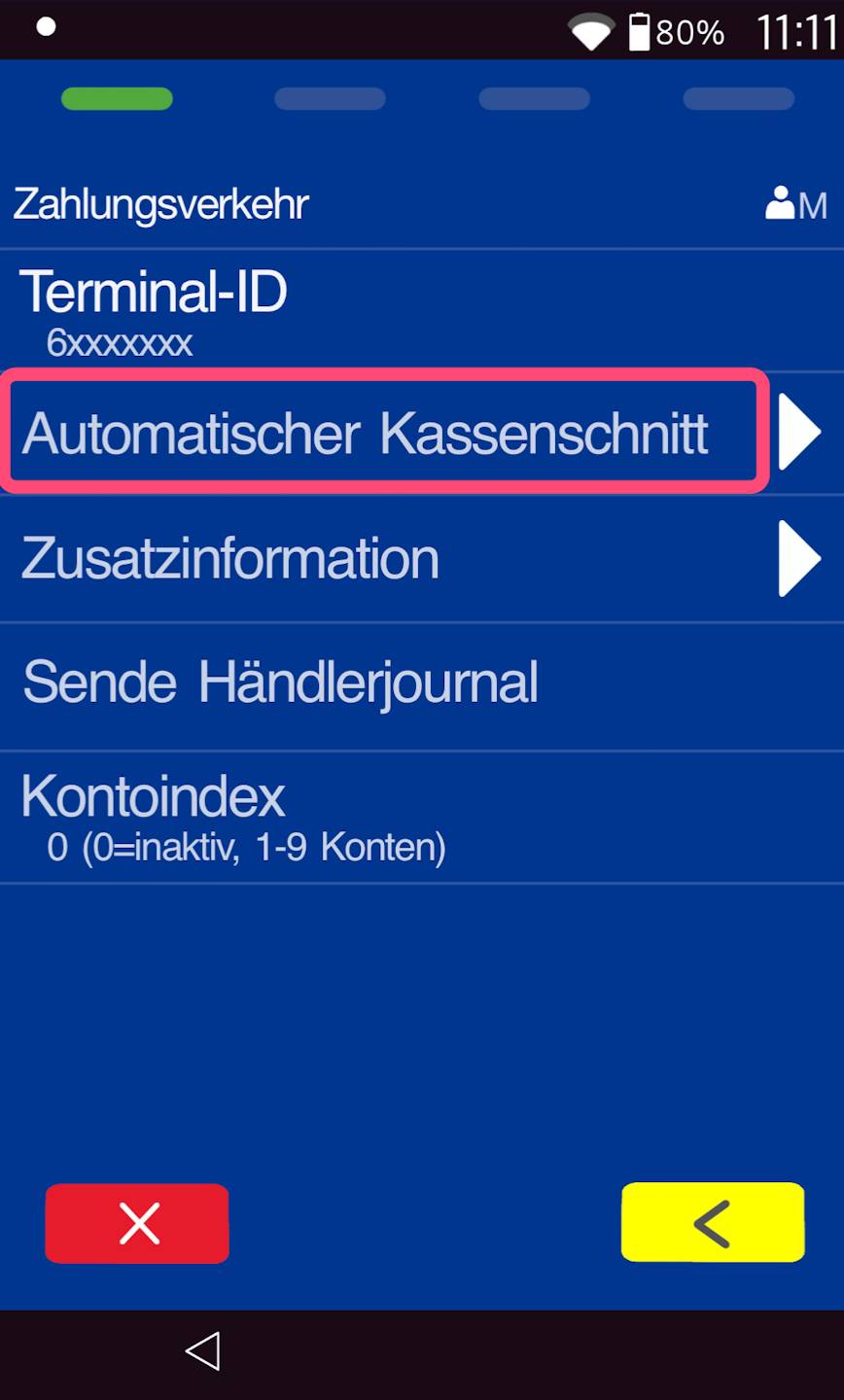
Please tap on "Automatischer Kassenschnitt".
Automatischer Kassenschnitt
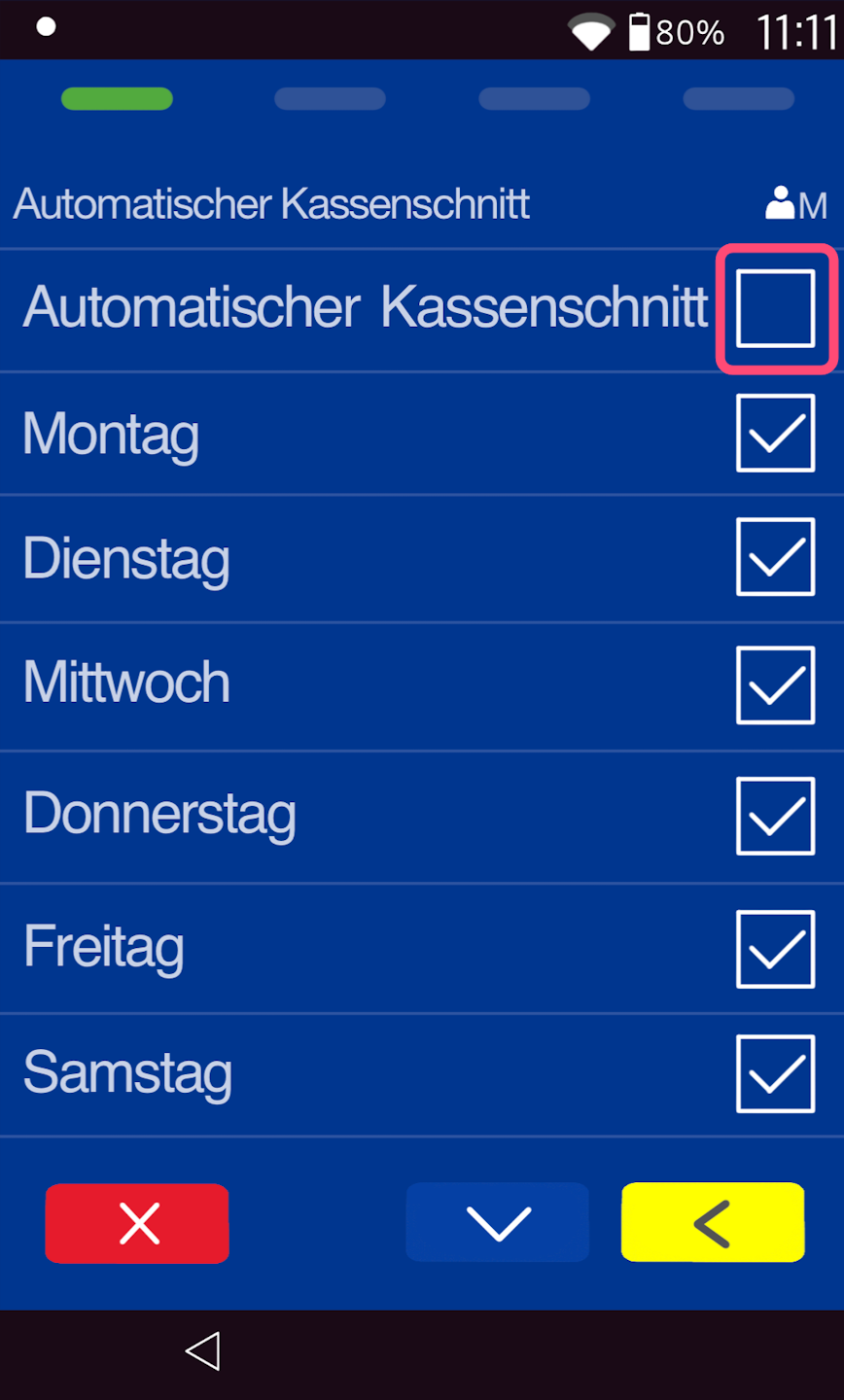
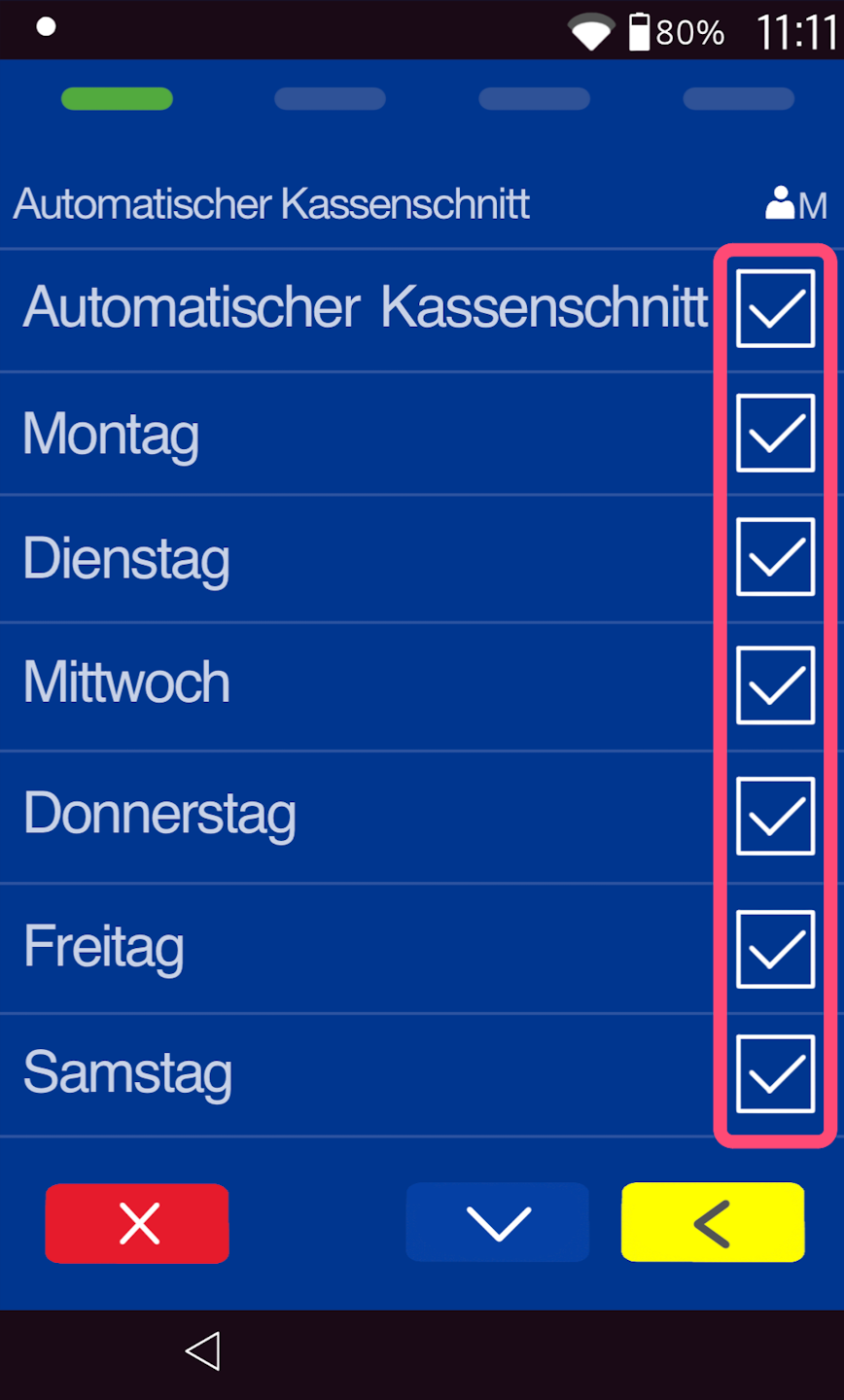
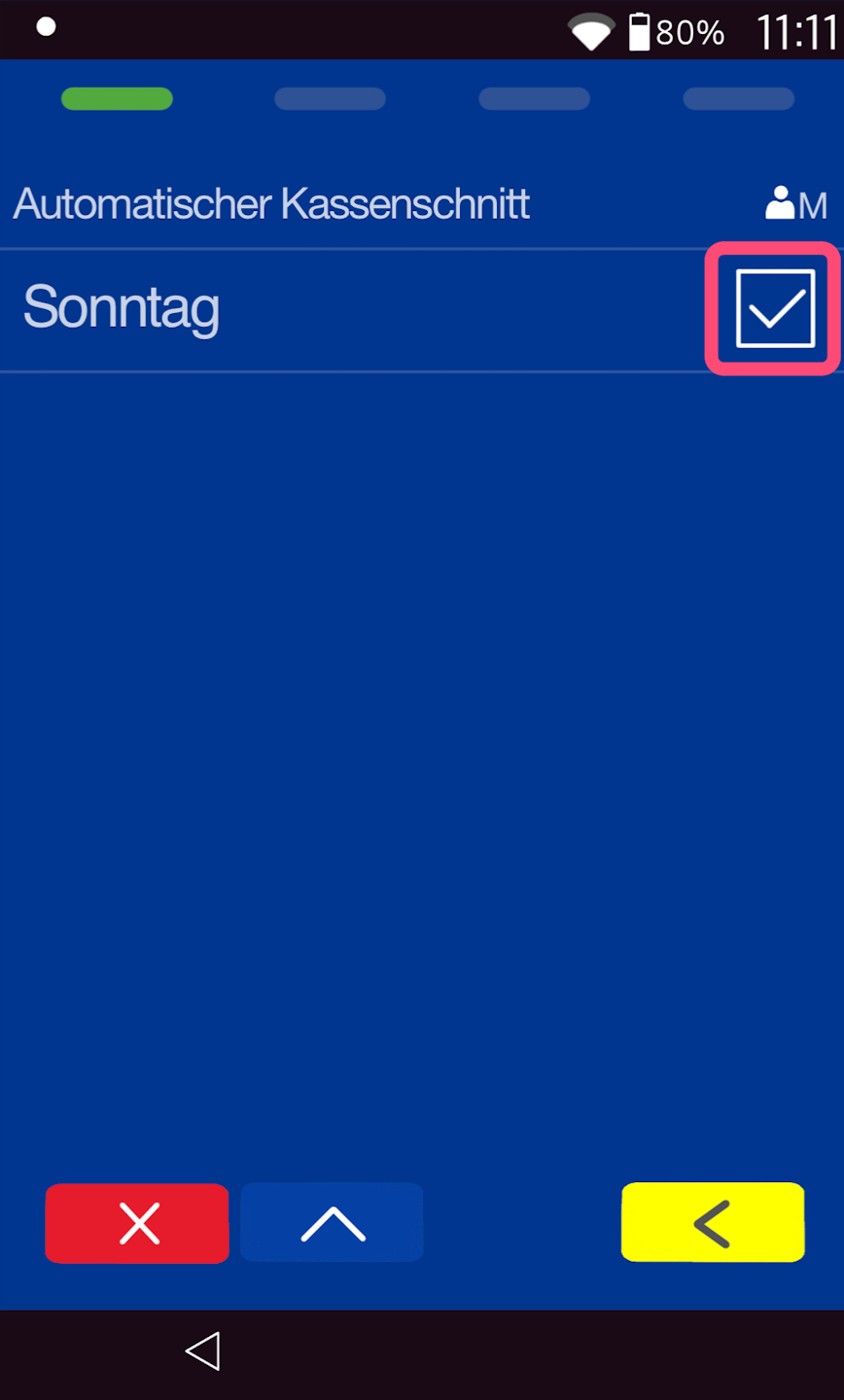
Please check the box for Automatic Cash Register Cutoff.
To deactivate, please tap the field again.
Here you can select the days on which you want the automatic cash cutoff. In the default configuration, all days of the week are enabled.
Start and end of the time window
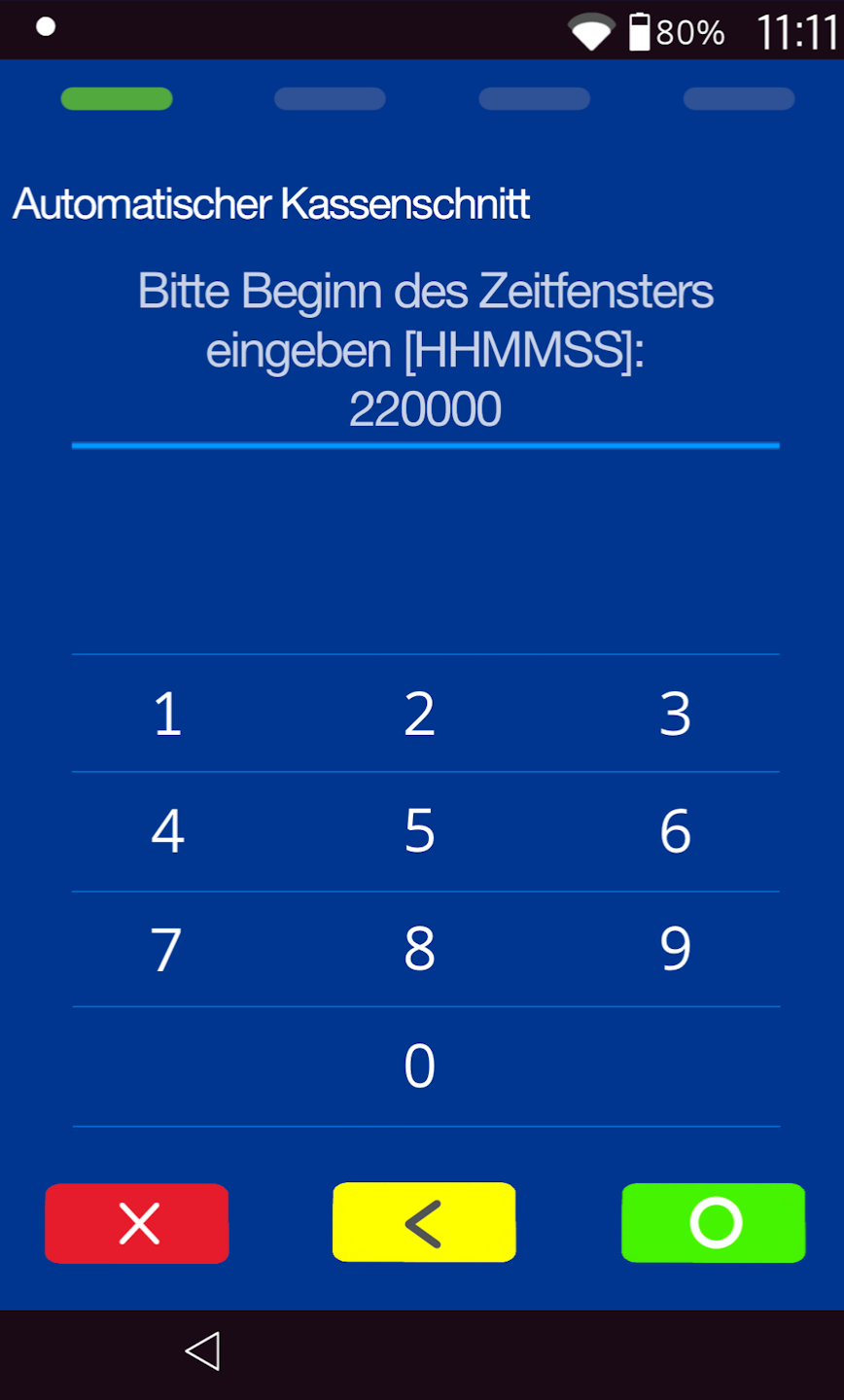
The automatic cash cutoff is performed within a time window.
Please select a start time for the automatic cash cutoff (Figure 1) and the end time (Figure 2). Please confirm your input with the green OK button.
e.g. 223000 for 22:30.
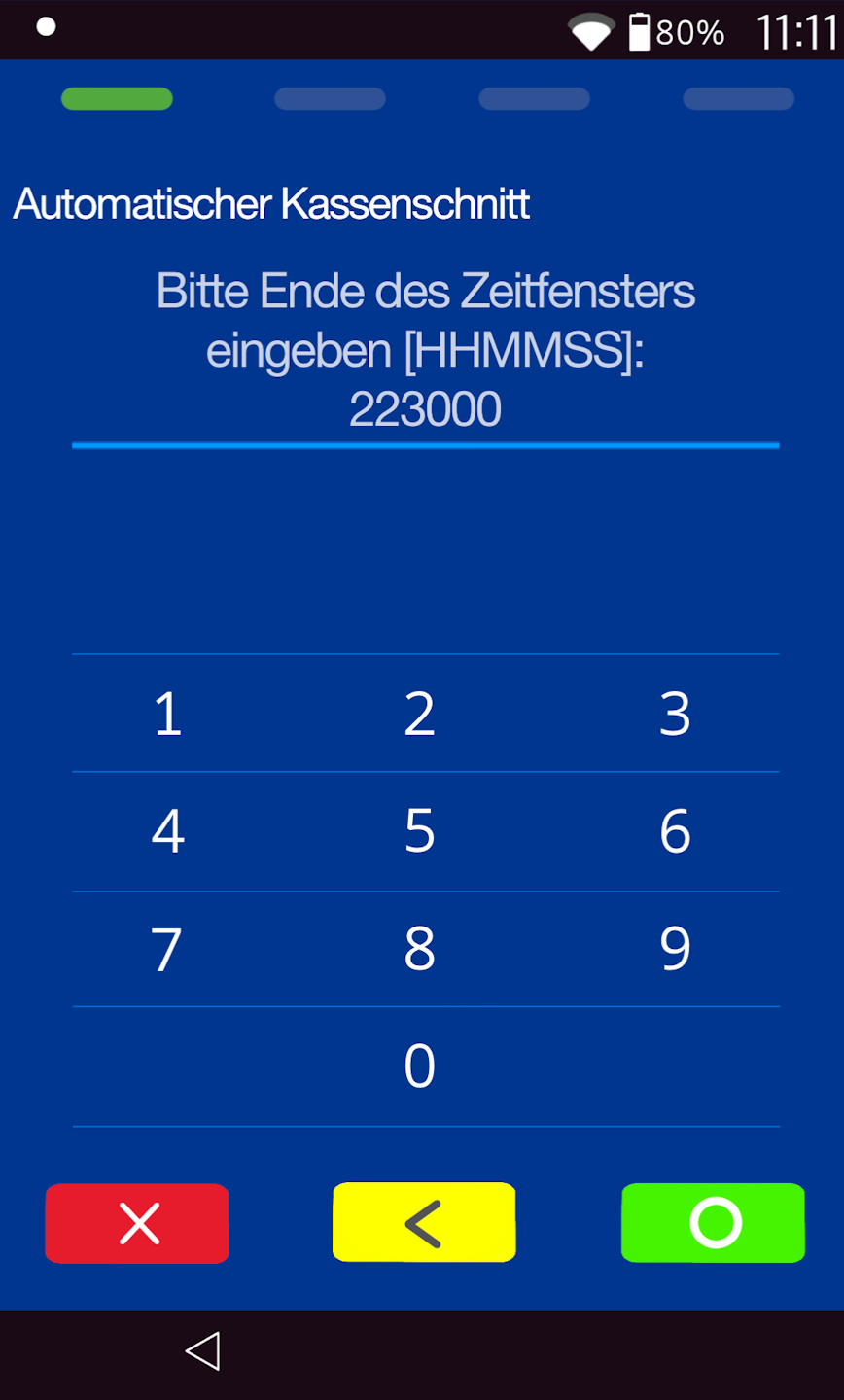
The automatic cash cut-off / end-of-day closing has now been set and will be carried out at the desired time with an existing Internet connection.
Was this article helpful?
That’s Great!
Thank you for your feedback
Sorry! We couldn't be helpful
Thank you for your feedback
Feedback sent
We appreciate your effort and will try to fix the article
