CCV PAX A920 - Credit Note
Modified on Wed, 4 Feb at 9:09 AM
If you would like to issue a credit note on your CCV PAX A920 card terminal, we will guide you through it with this step-by-step instruction.
Note!
A main charge must have previously been made on this exact card terminal.
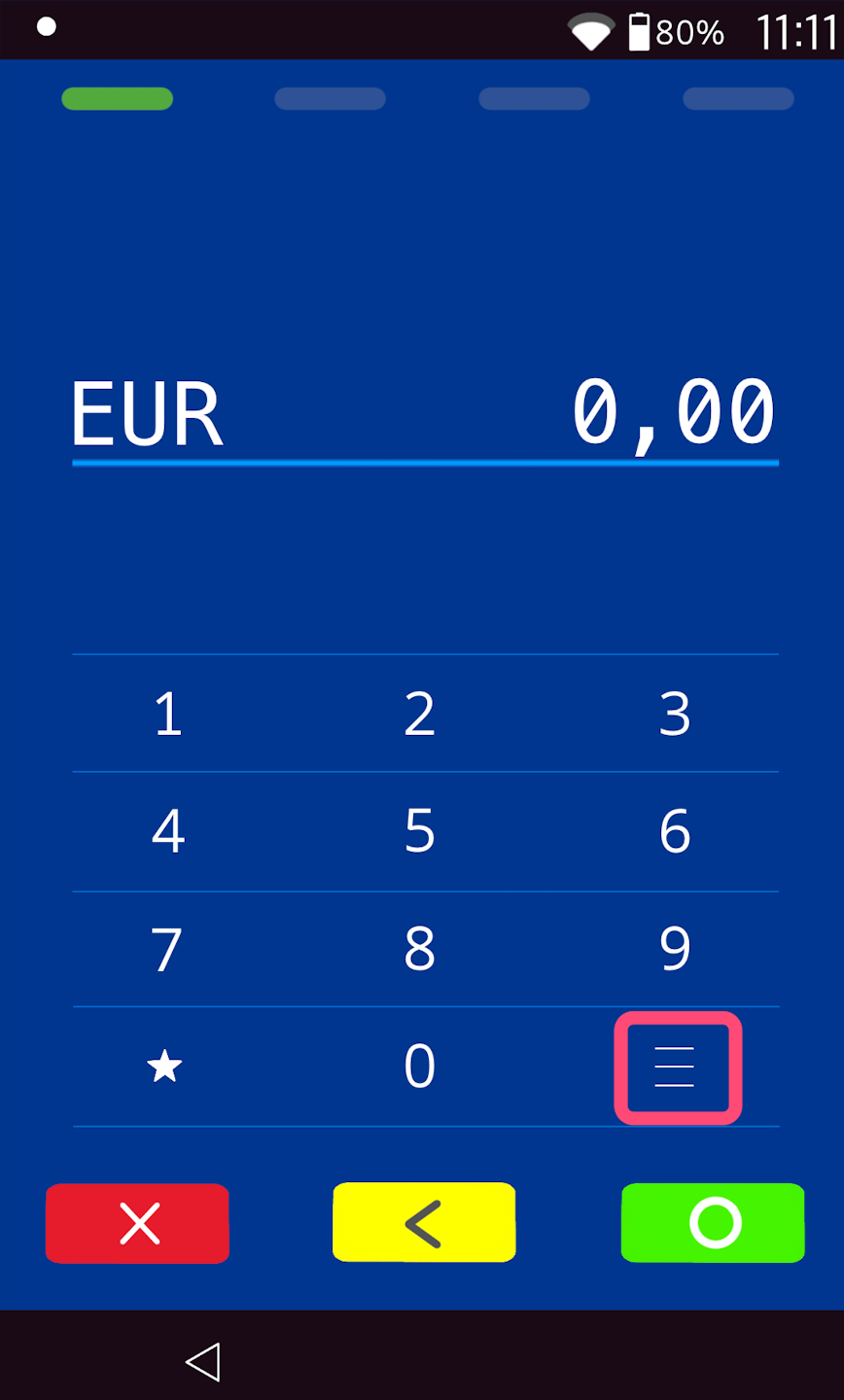
Menu button
Please tap the button with the 3 horizontal lines at the bottom right.
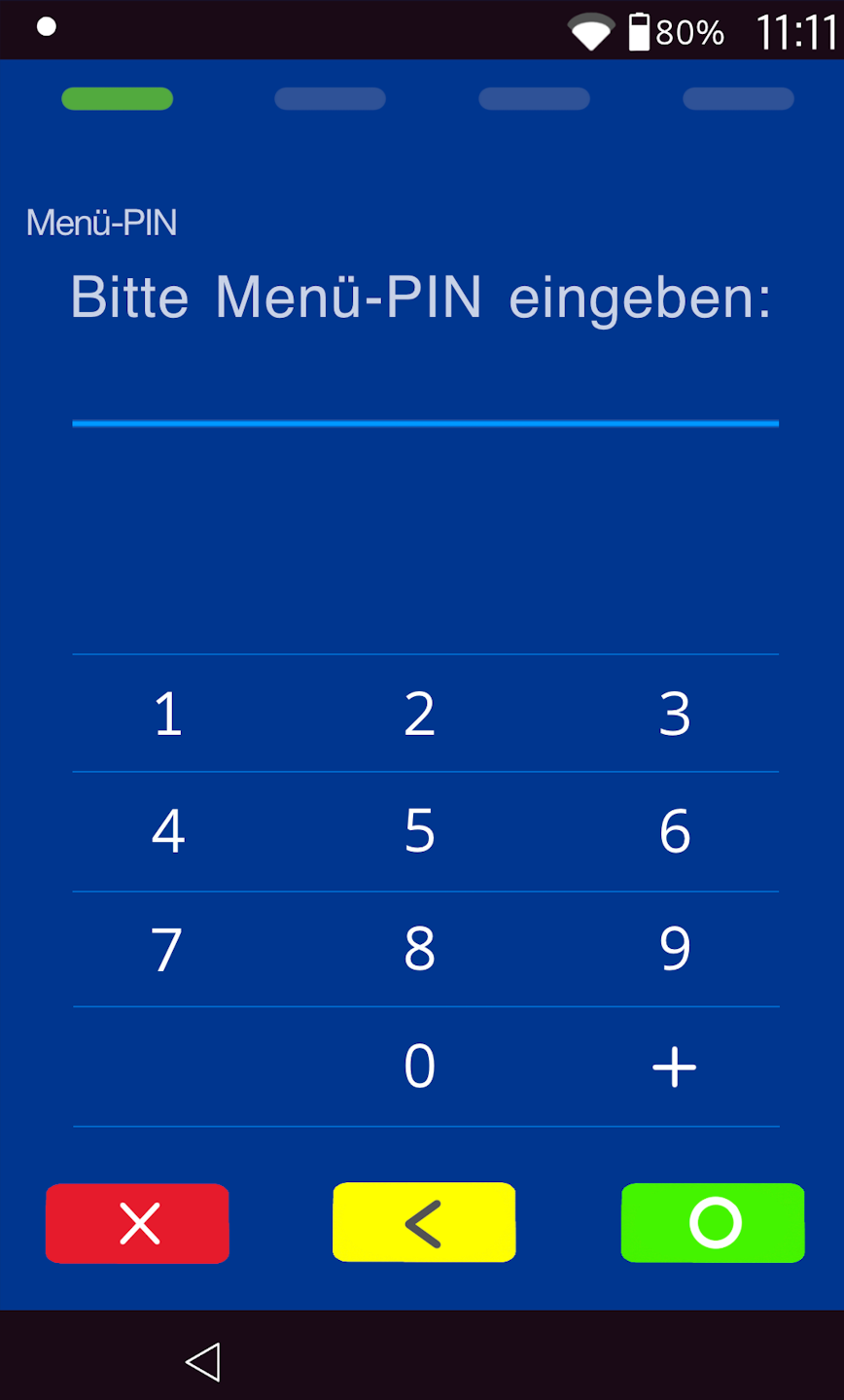
PIN entry
Please now enter your merchant PIN.
You can find the terminal ID on your merchant receipts or on the POS interface.
    Terminal IDs starting with 68xxxxxx: 111111
    Terminal IDs starting with 526xxxxx: 0123
Please confirm the entry by pressing the green OK button.
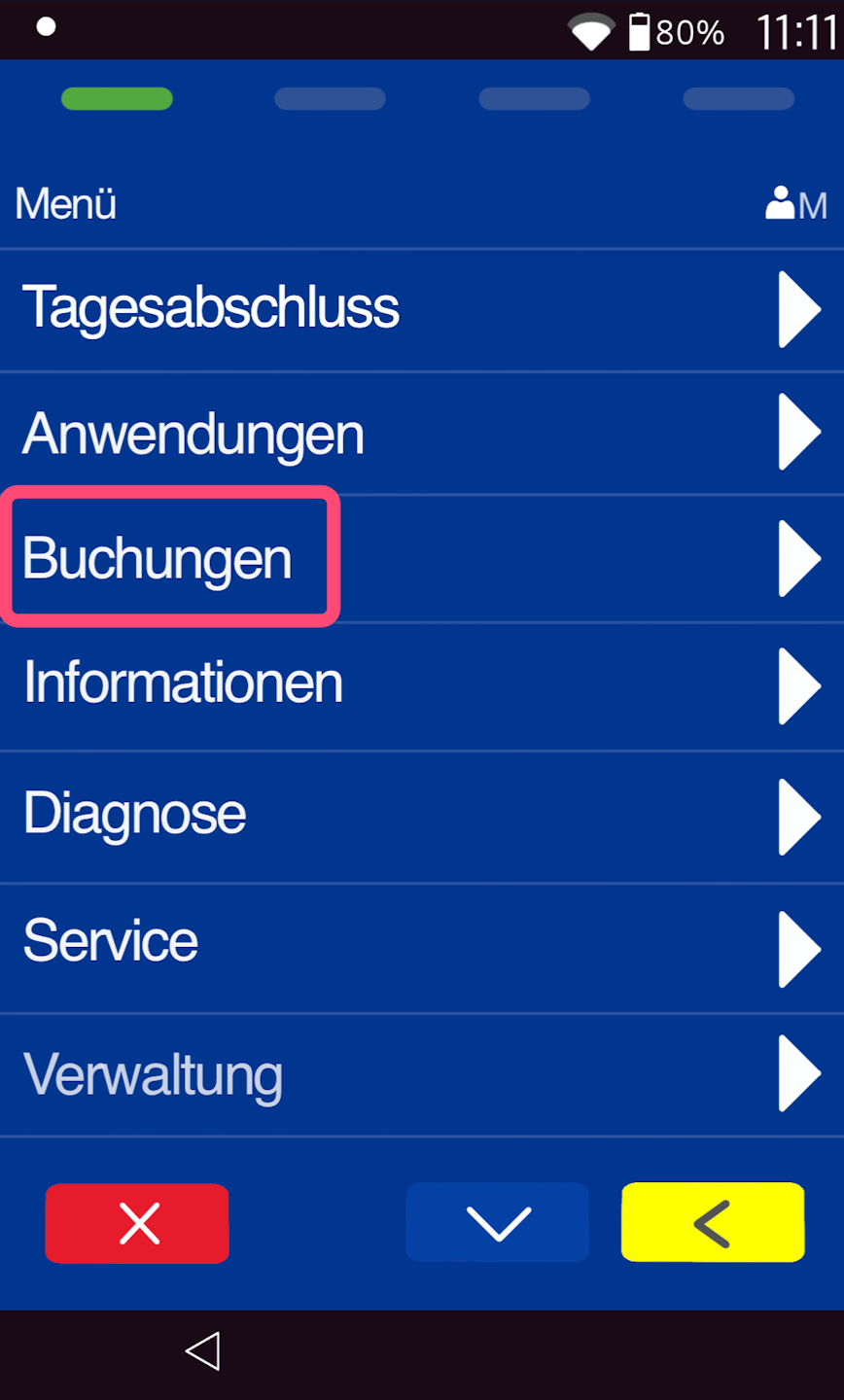
Transactions
Please select the menu item "Transactions".
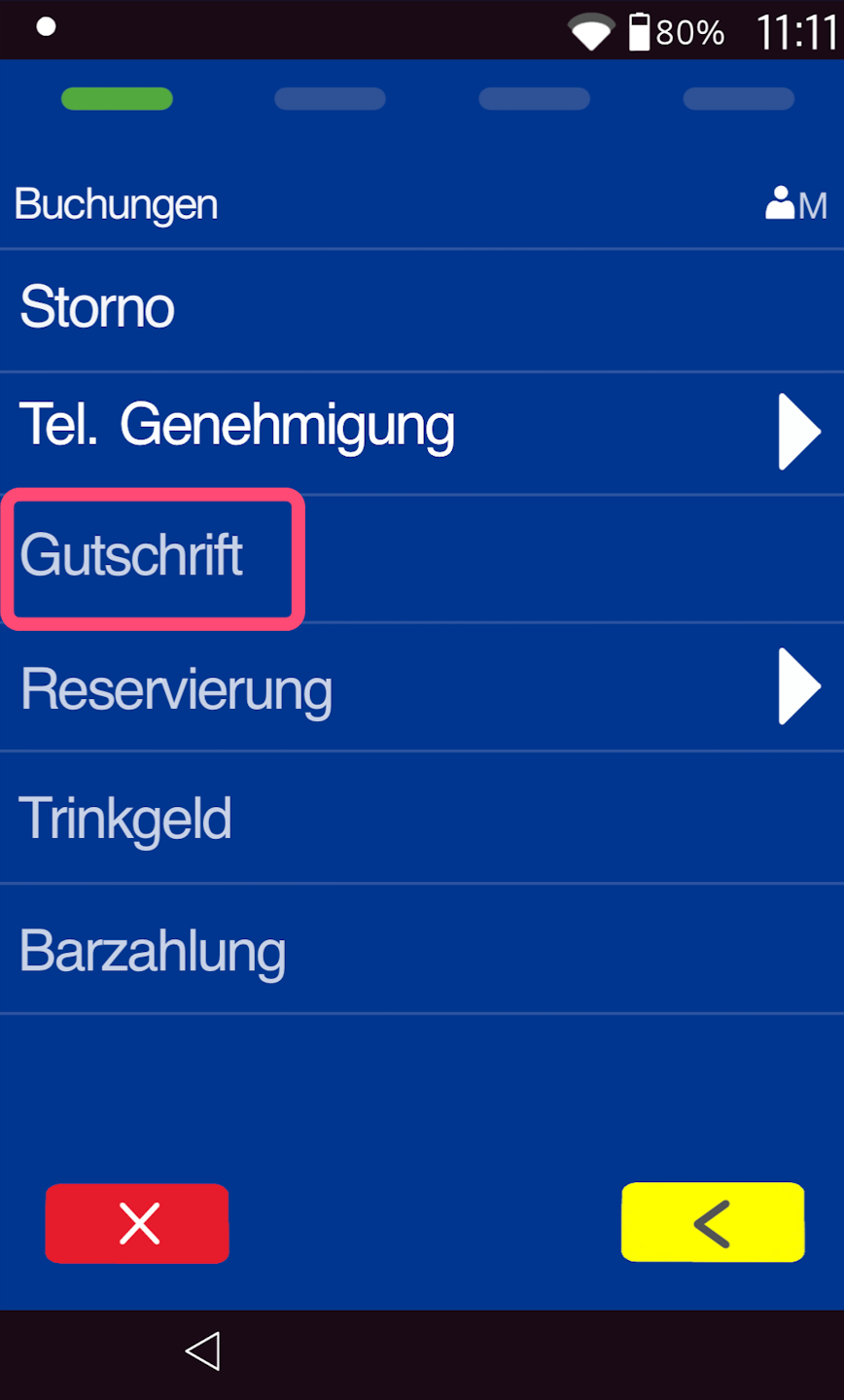
Credit Note
Here, select "Credit Note".
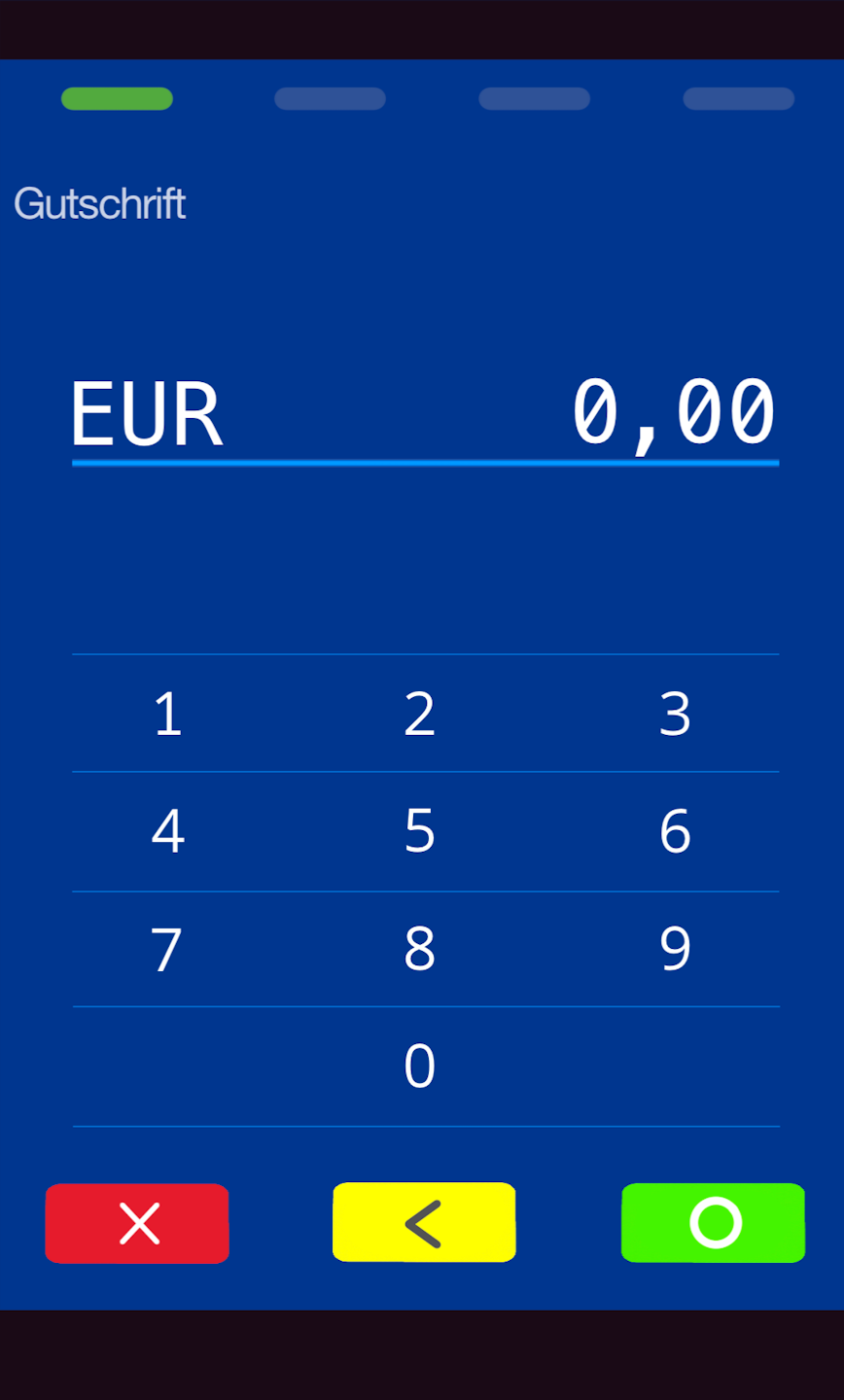
Entering the Amount for the Credit Note
Please enter the amount to be credited and confirm the entry.
Attention!
The credit amount must not exceed the main payment.
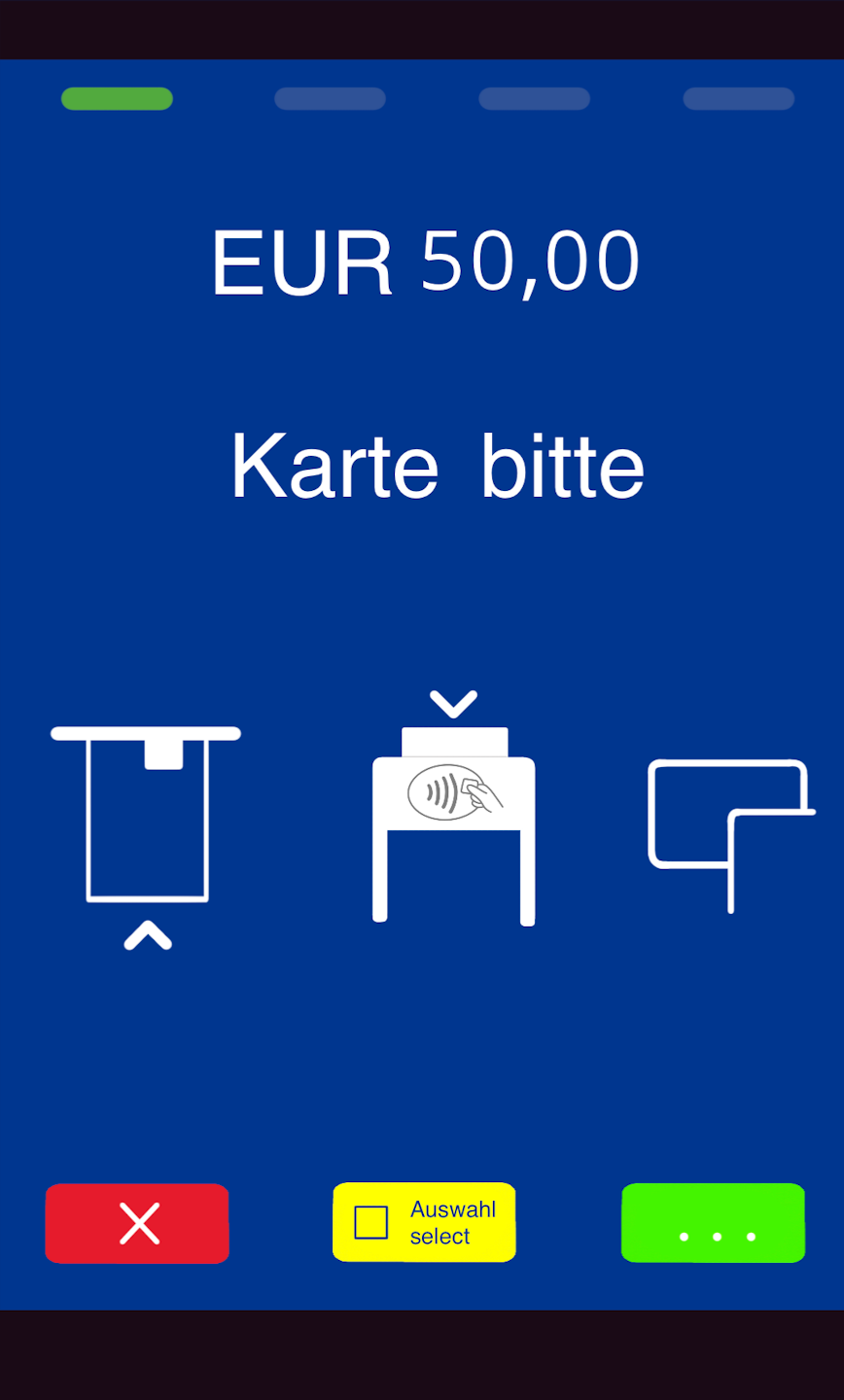
Present the Card
The credit note can only be processed using the end customer's card.
The card can be used contactlessly or inserted.
Was this article helpful?
That’s Great!
Thank you for your feedback
Sorry! We couldn't be helpful
Thank you for your feedback
Feedback sent
We appreciate your effort and will try to fix the article
