CCV PAX A920 - Receipts Are Printed Twice
Modified on Wed, 4 Feb at 9:10 AM
In this tutorial, we would like to show you what settings you should adjust on your CCV PAX A920 if both the merchant and customer receipts are being printed twice by your card reader.
This double printing often occurs with POS system integrations (e.g. Tillhub).
Favorite Key
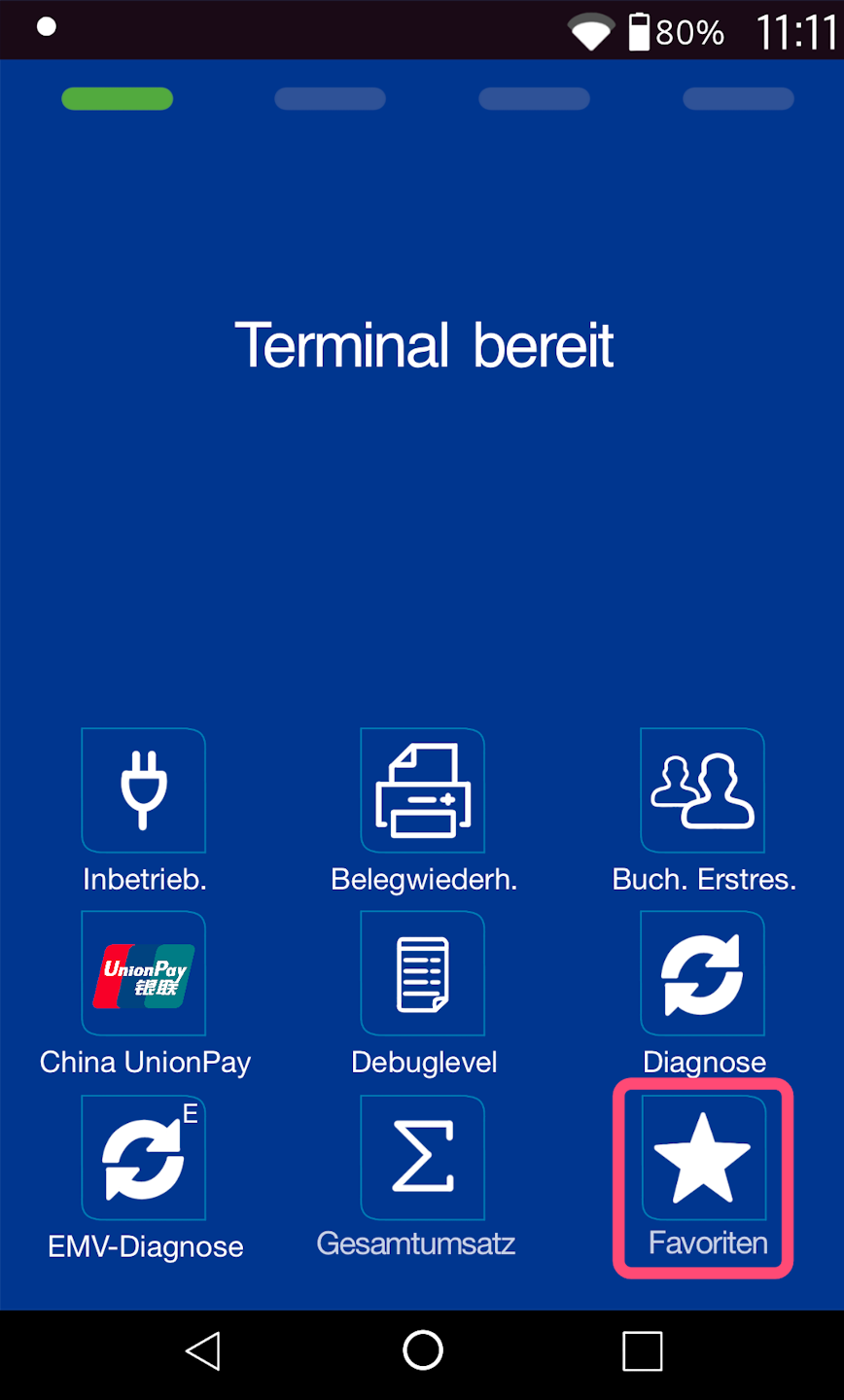
In Fig. 1, you can see your home screen.
Please select the menu item “Favorites.”
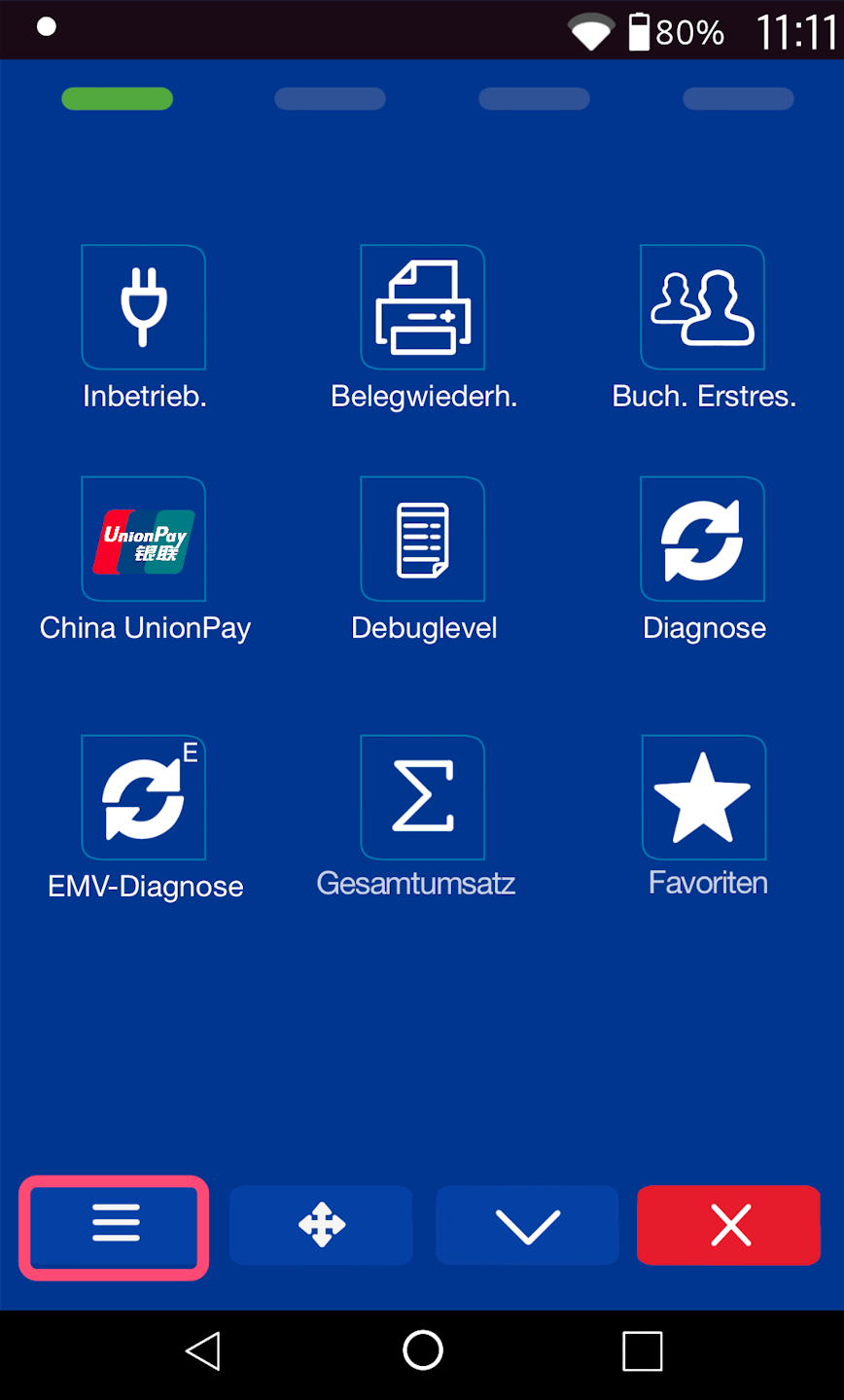
As shown in Fig. 2, please select the main menu key.
PIN Entry
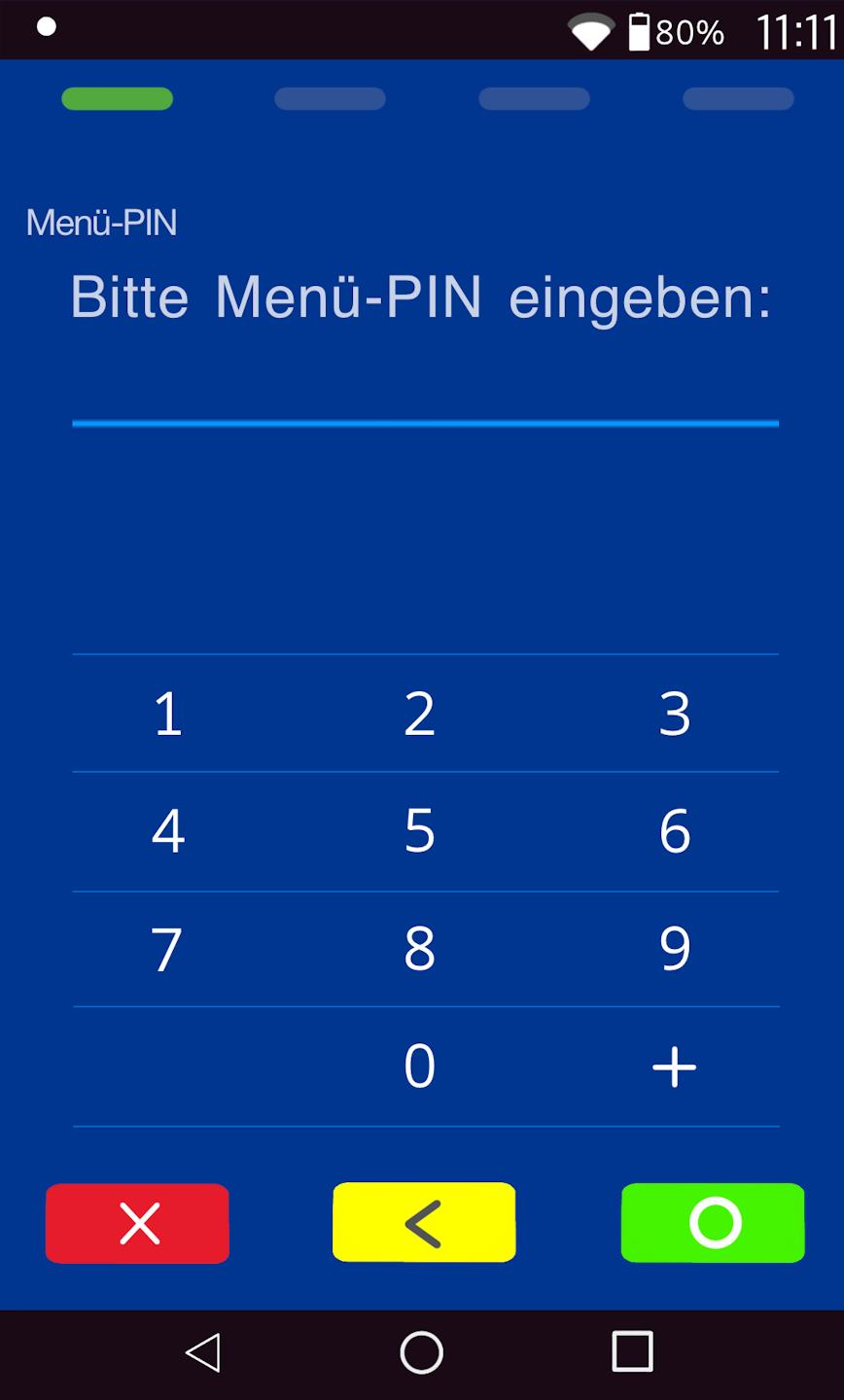
Please now enter your merchant PIN.
You can find the terminal ID on your merchant receipts or on the end-of-day report.
Terminal IDs starting with 68xxxxxx: 111111
Terminal IDs starting with 526xxxxx: 0123
Please confirm your entry with the green OK button.
Menu
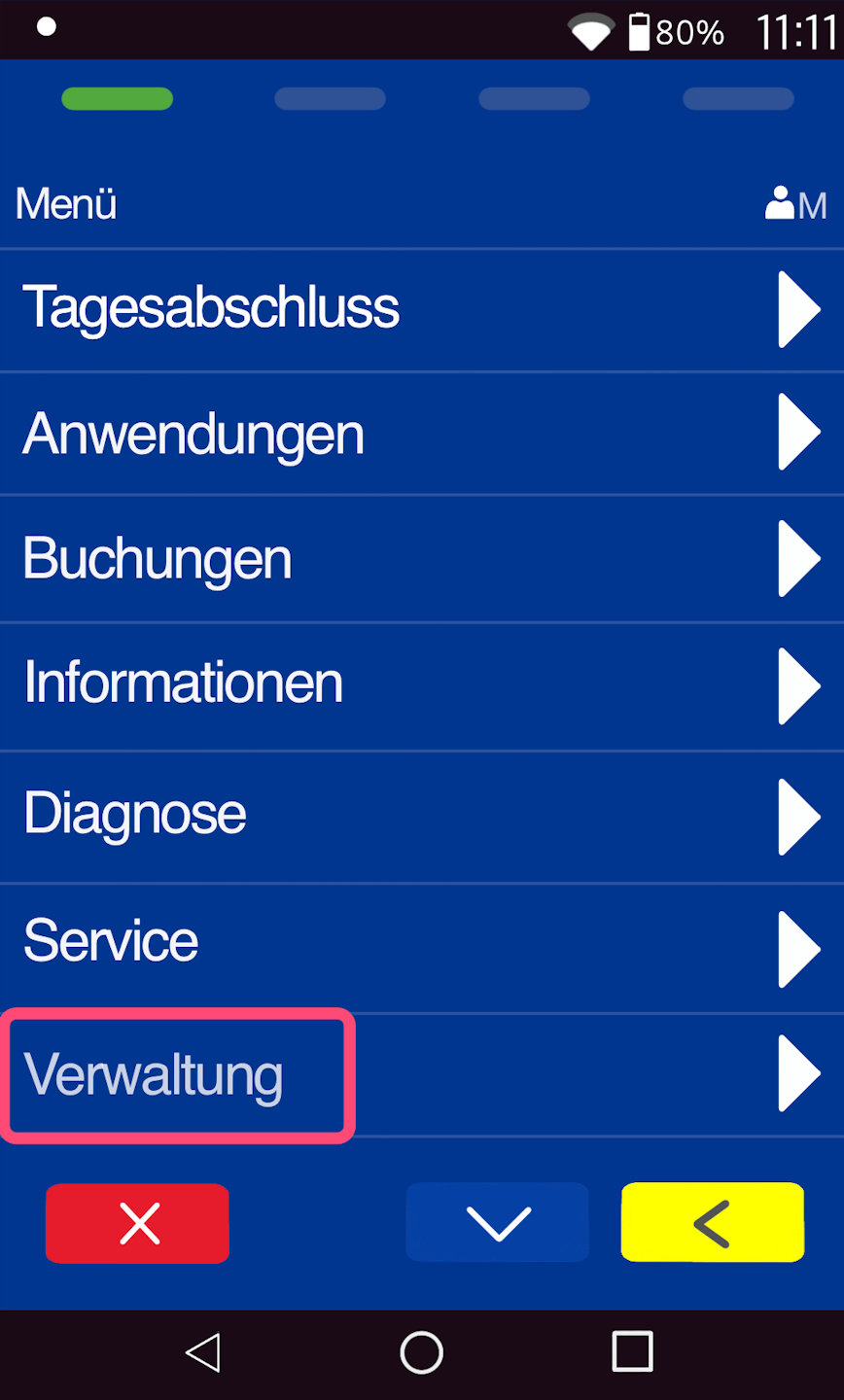
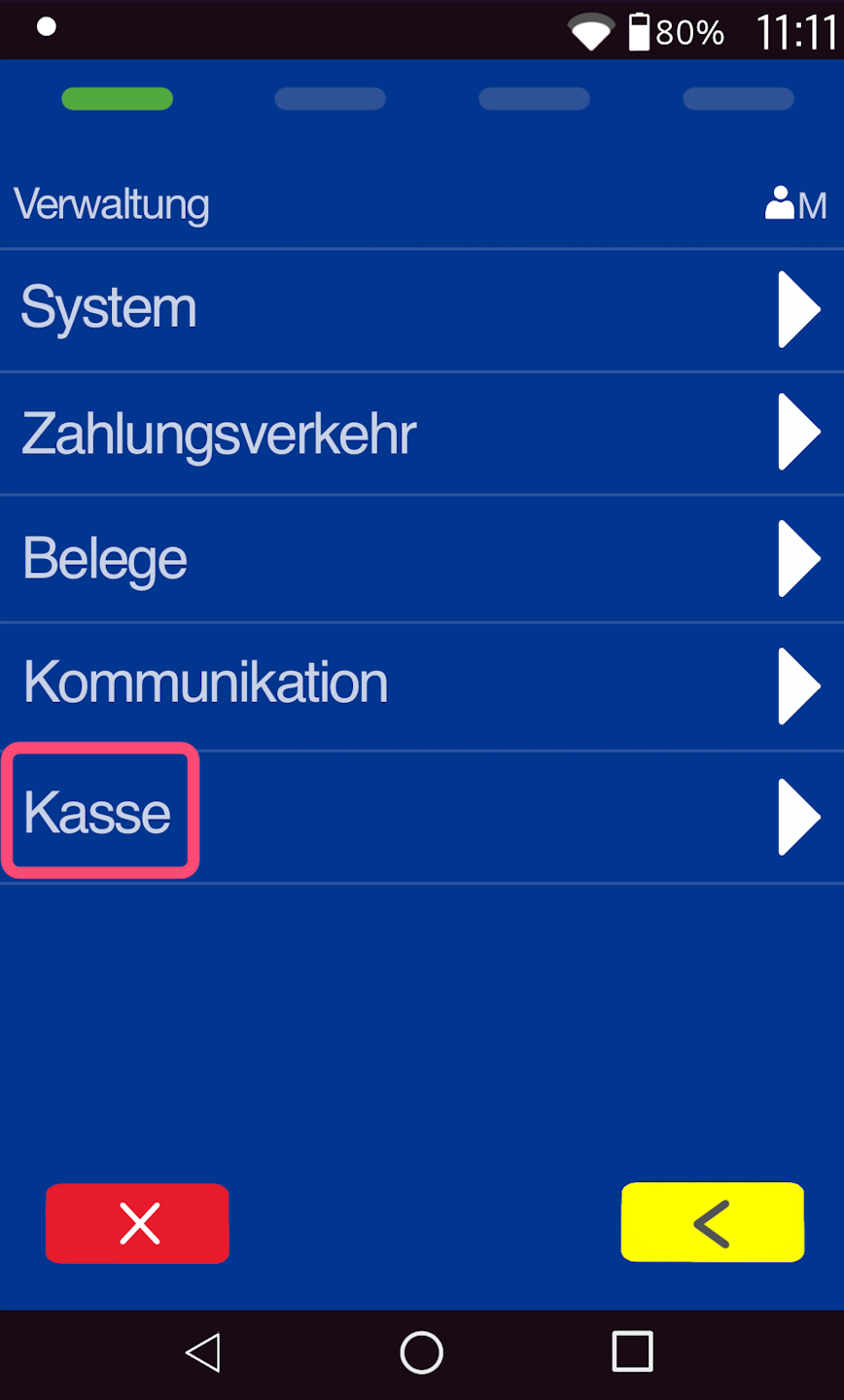
As shown in Fig. 1, please navigate to the menu item “Administration” and then to the menu item “POS” (Fig. 2).
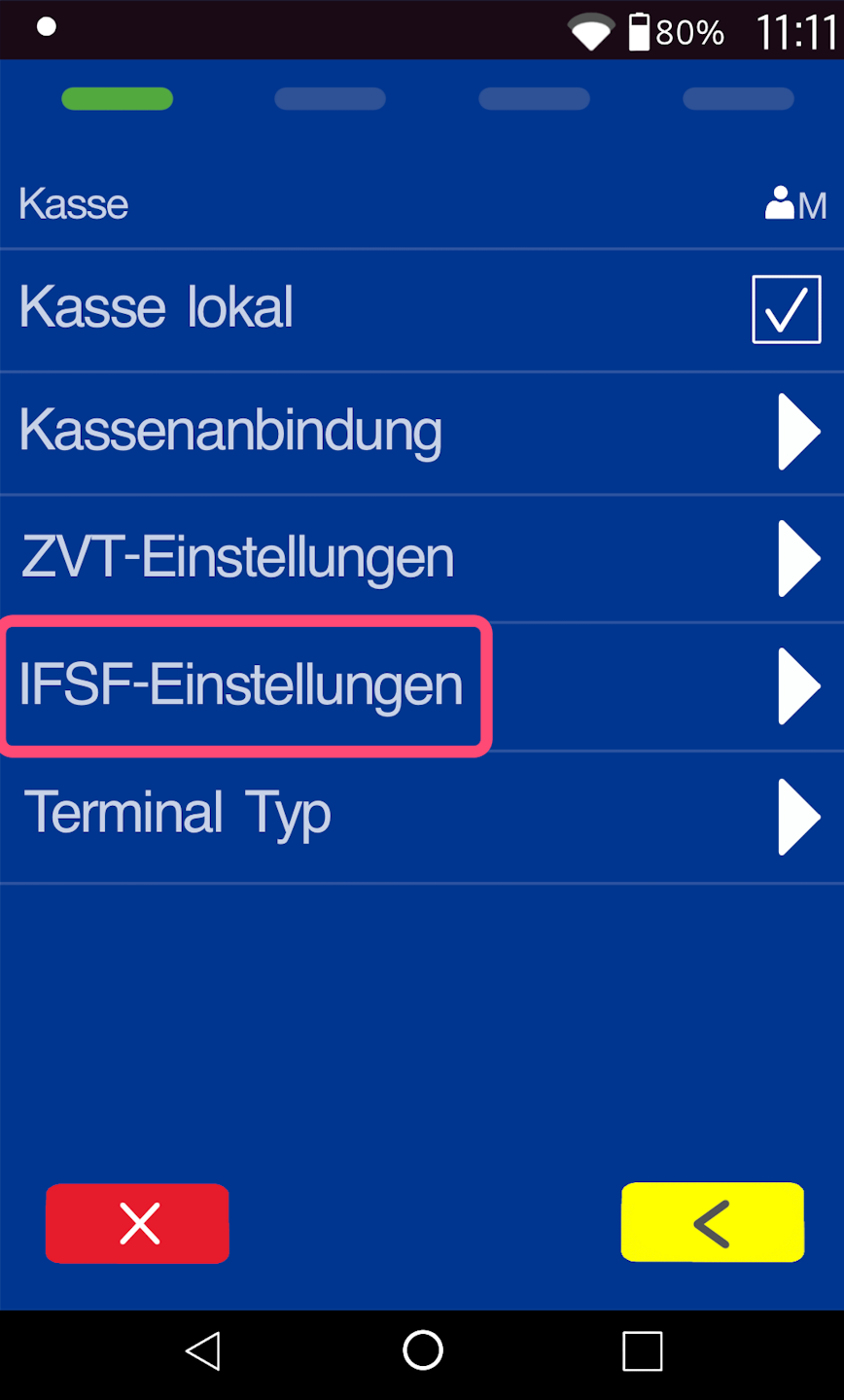
In Fig. 3, please select the IFSF settings.
IFSF Settings
Please deactivate the checkbox for "Term. prints IFSF transact."
This setting is responsible for the duplicate printout.
To return to your main screen, please press the red stop button.
The deactivation is now complete.
Was this article helpful?
That’s Great!
Thank you for your feedback
Sorry! We couldn't be helpful
Thank you for your feedback
Feedback sent
We appreciate your effort and will try to fix the article
