CCV - Receipt Print Waiting Time
Modified on Wed, 4 Feb at 9:51 AM
In the standard configuration of your CCV Mobile Premium or Base Next card reader, the merchant receipt is printed as a mandatory receipt after each transaction, and the customer receipt is also printed.
If the waiting time for the customer receipt seems too long or too short, this guide will show you how to adjust the waiting time for the receipt printout.
- The merchant receipt is mandatory and cannot be deactivated.
- The customer receipt can be skipped or is printed automatically if the prompt is not confirmed – this prompt also cannot be deactivated.
Are you using digital receipt management? In that case, the merchant receipt is archived for you, and you will only be prompted about the customer receipt printout.
Home Screen
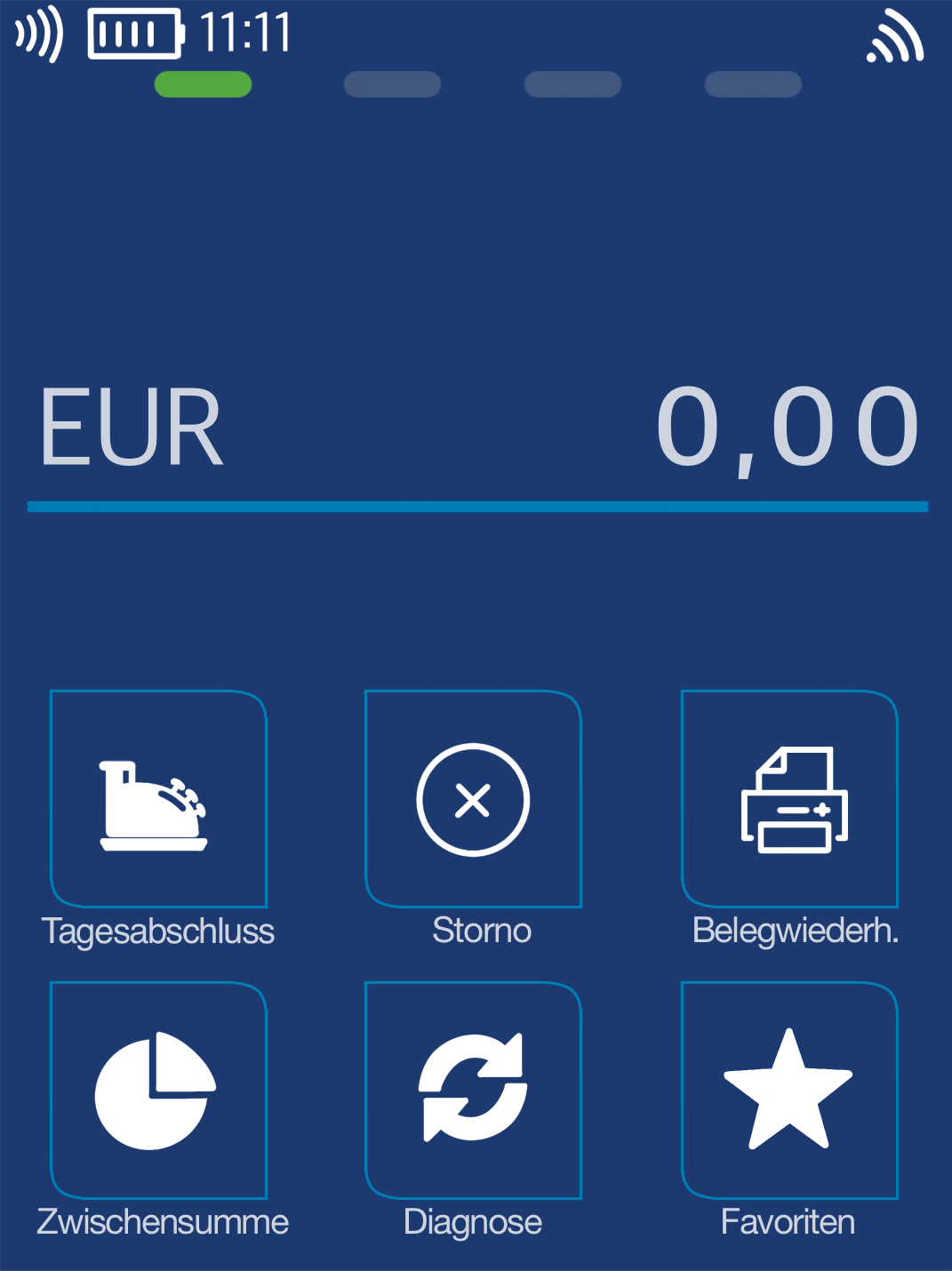
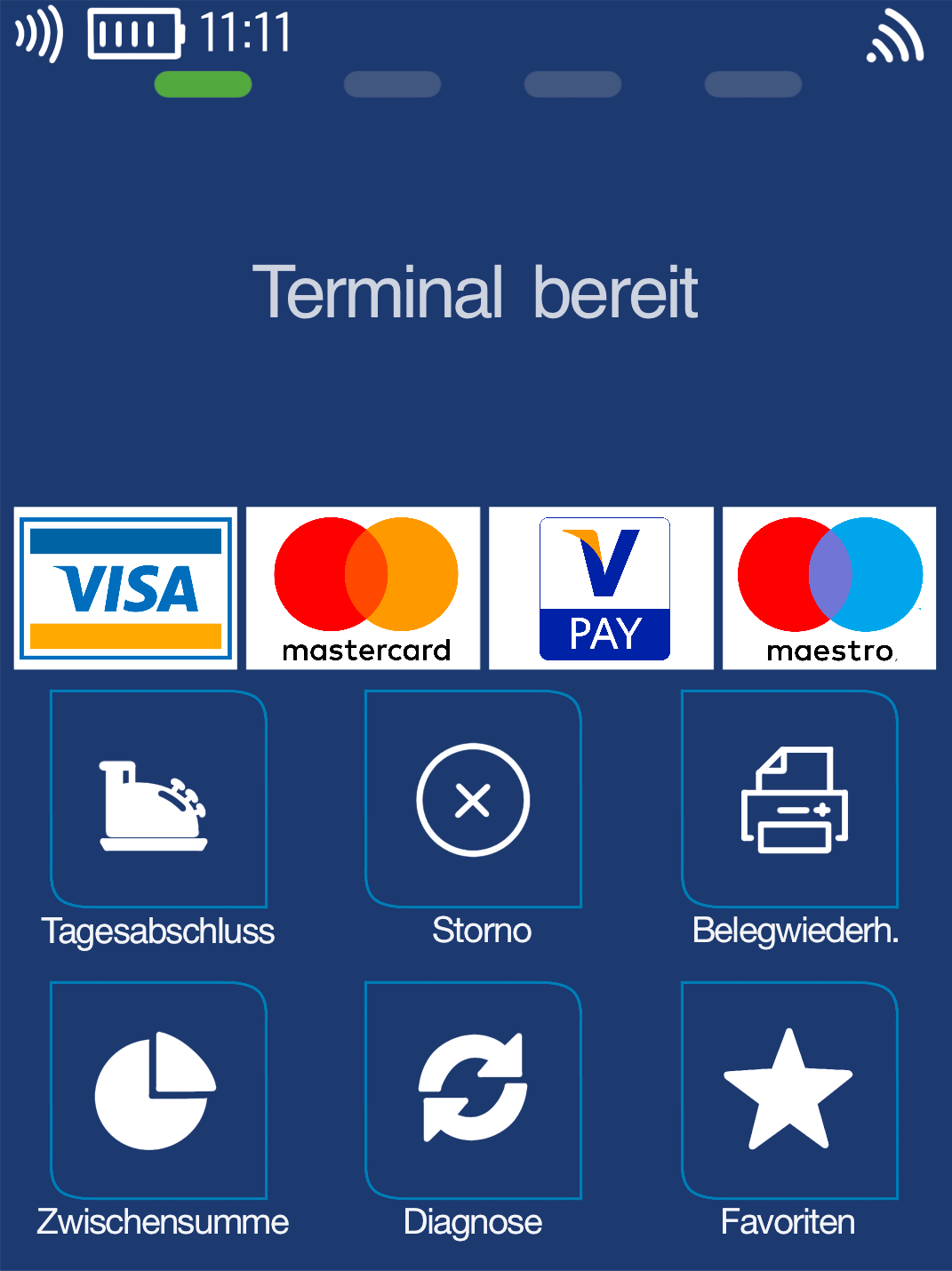
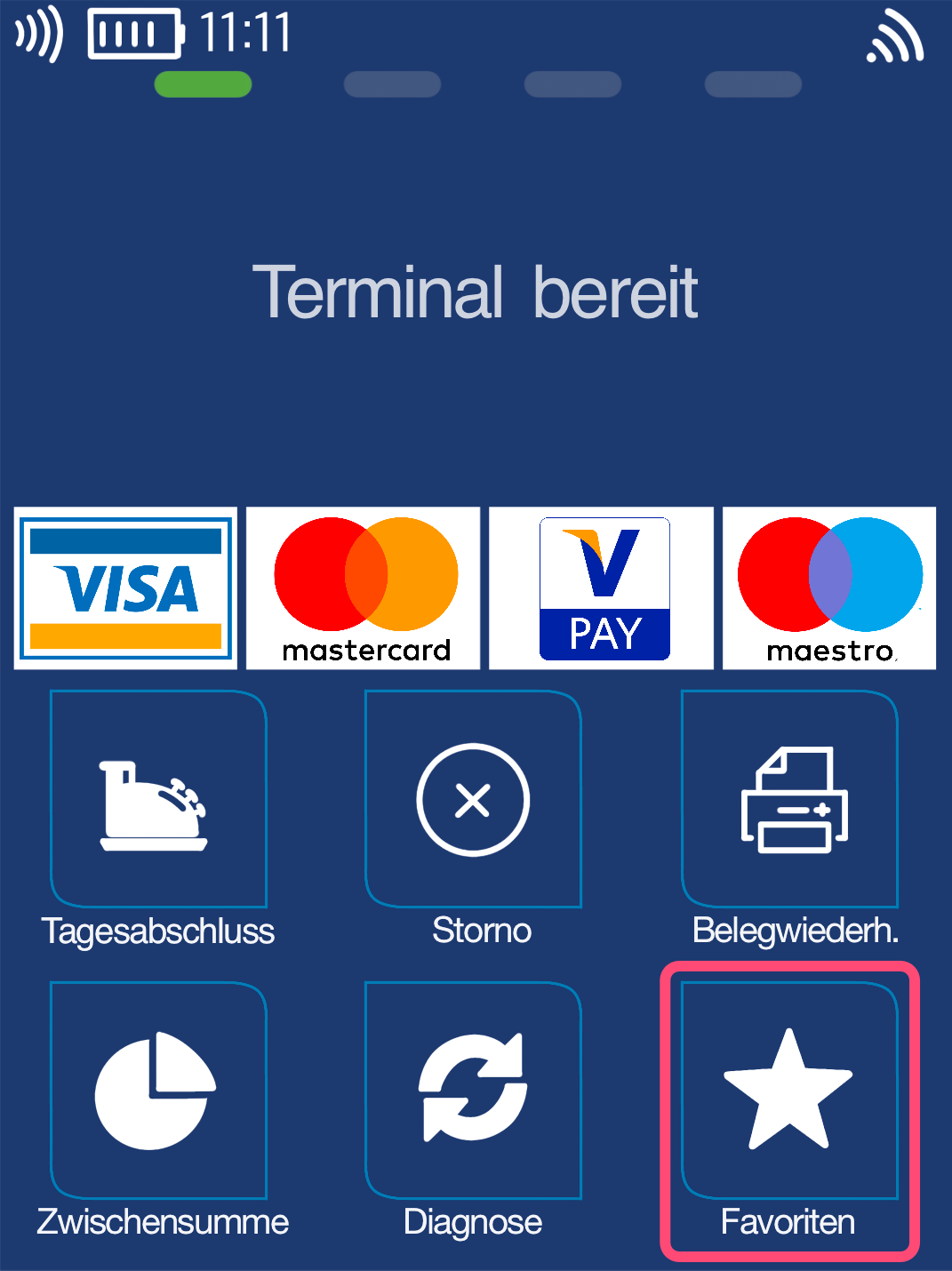
I see Fig. 1.
Favorites
In Fig. 1 you can see your home screen.
Please select the Favorites menu item.
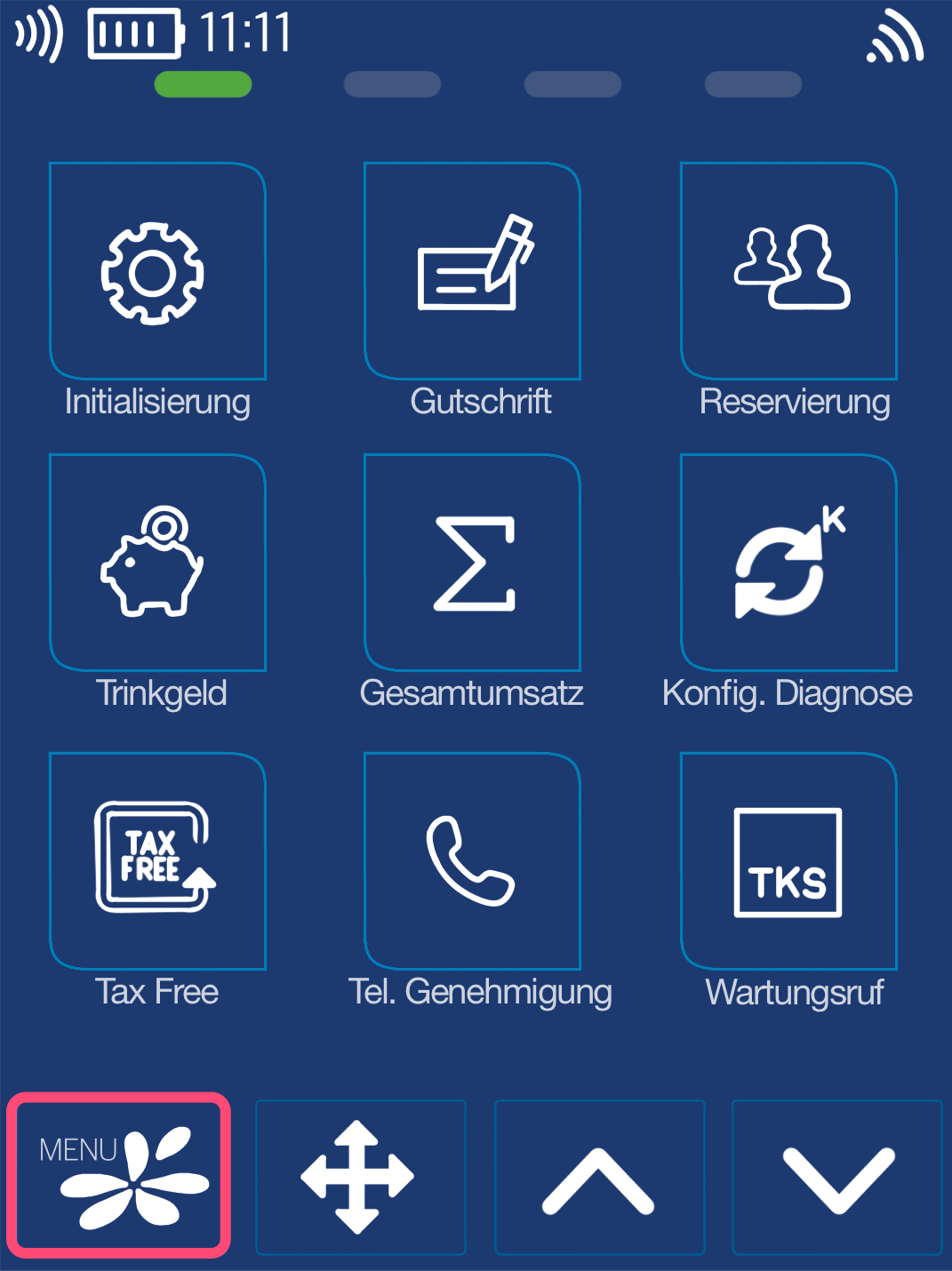
As shown in Fig. 2, please select the Main Menu key.
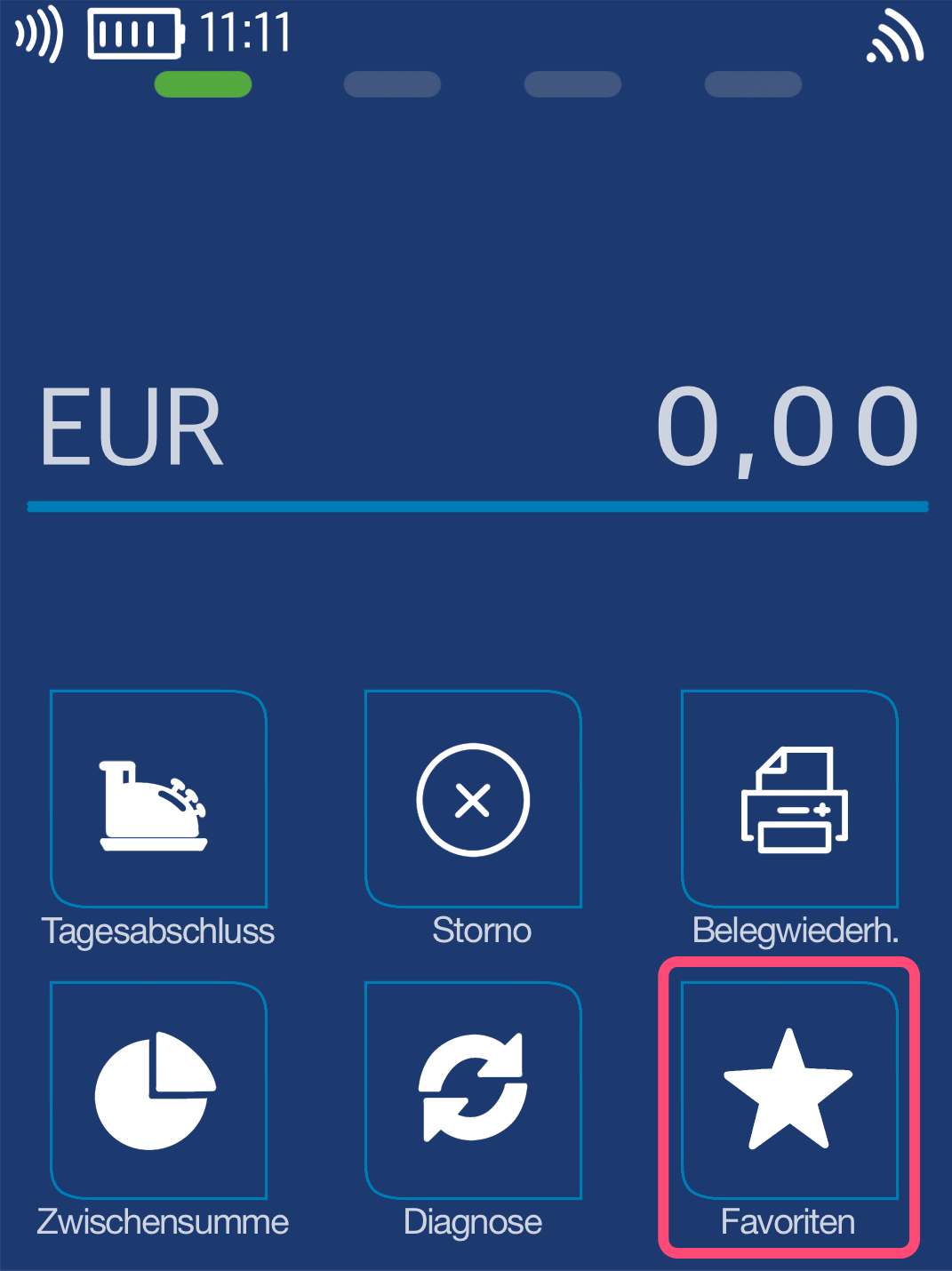
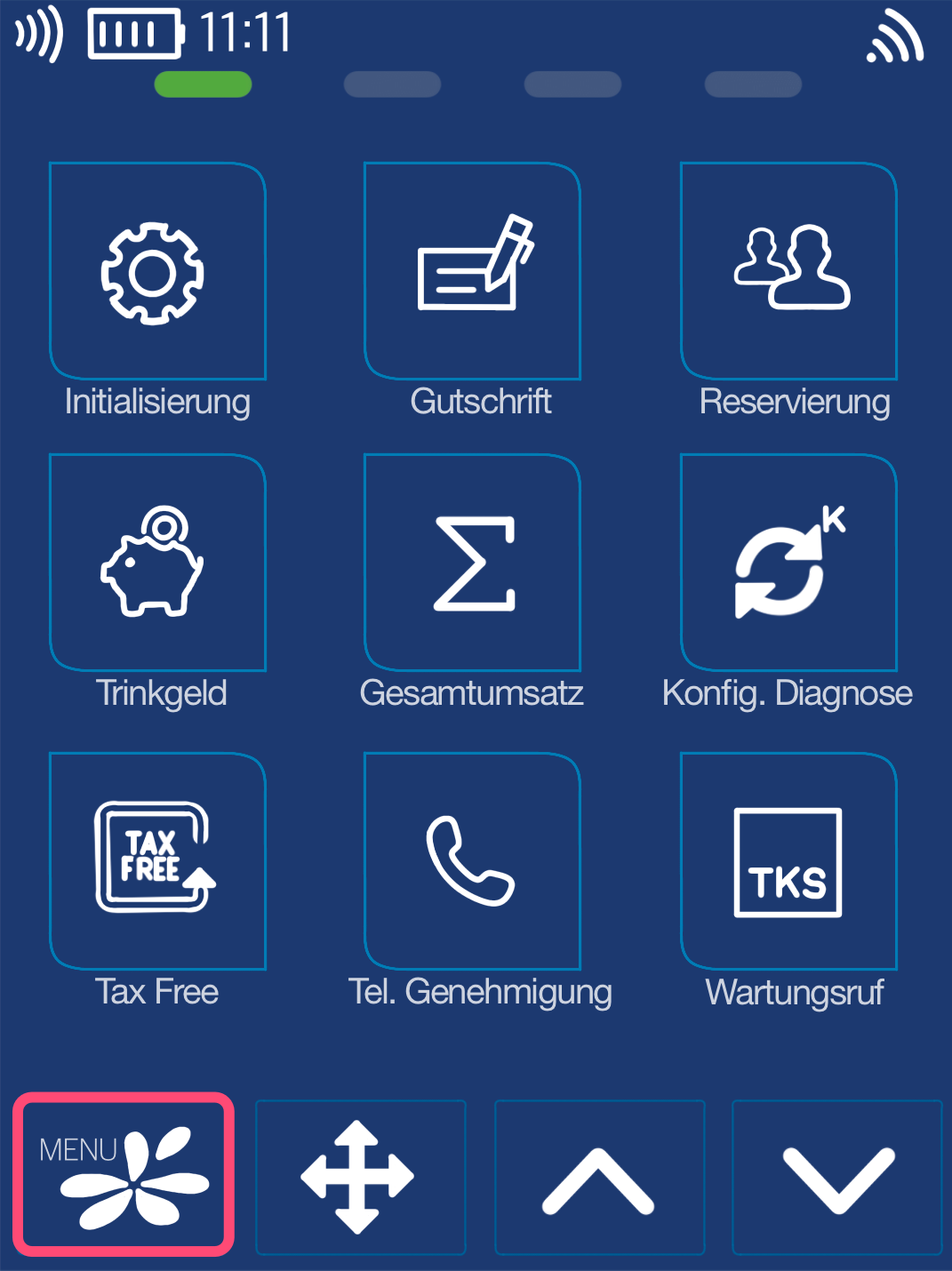
I see Fig. 2.
Favorites
PIN Entry
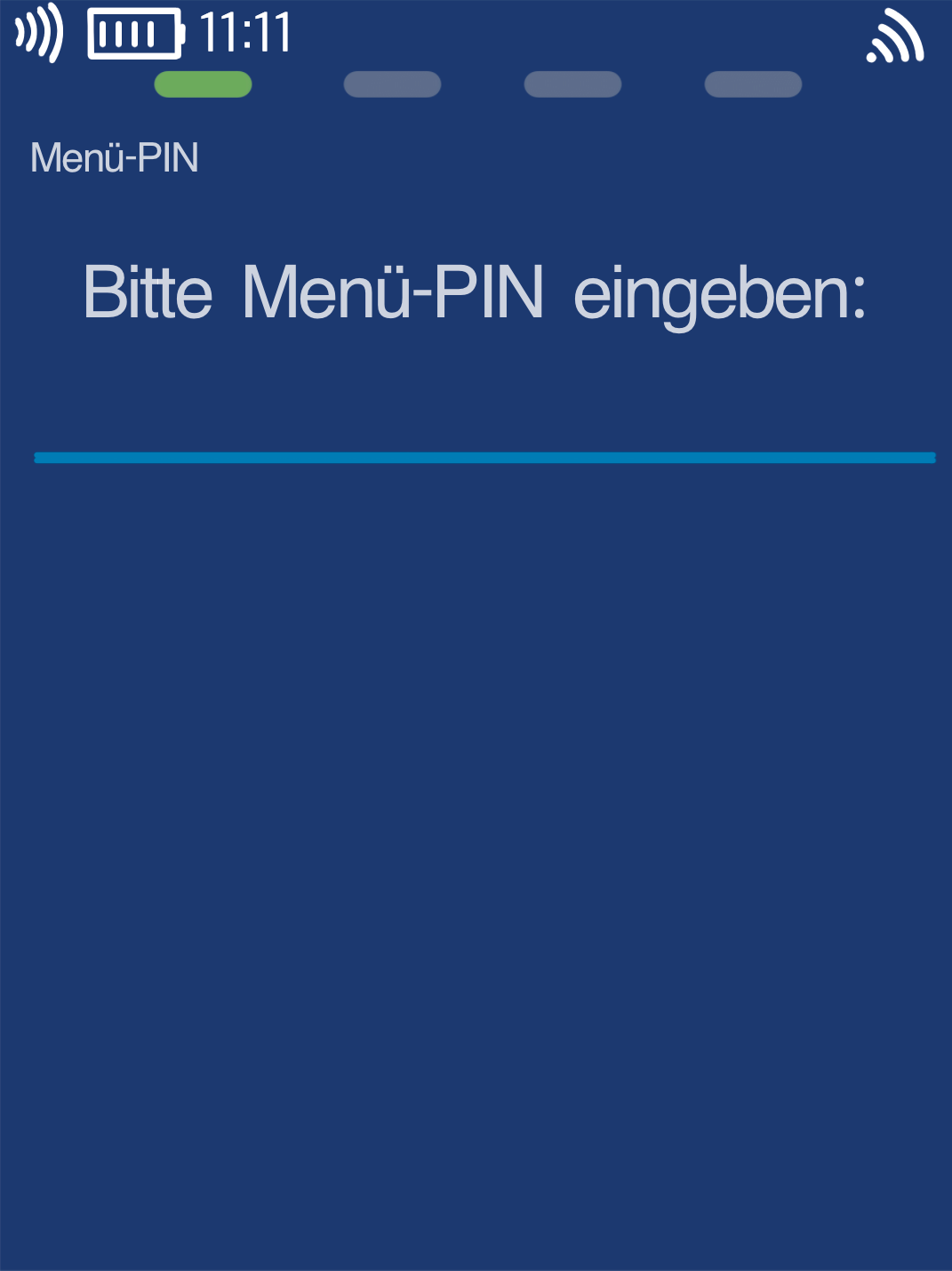
Please now enter your merchant PIN.
You can find the terminal ID on your merchant receipts or on the end-of-day report.
Terminal IDs beginning with 61xxxxxx: 111111
Terminal IDs beginning with 68xxxxxx: 111111
Terminal IDs beginning with 526xxxxx: 0123
Please confirm your entry with the green OK key.
Menu Structure
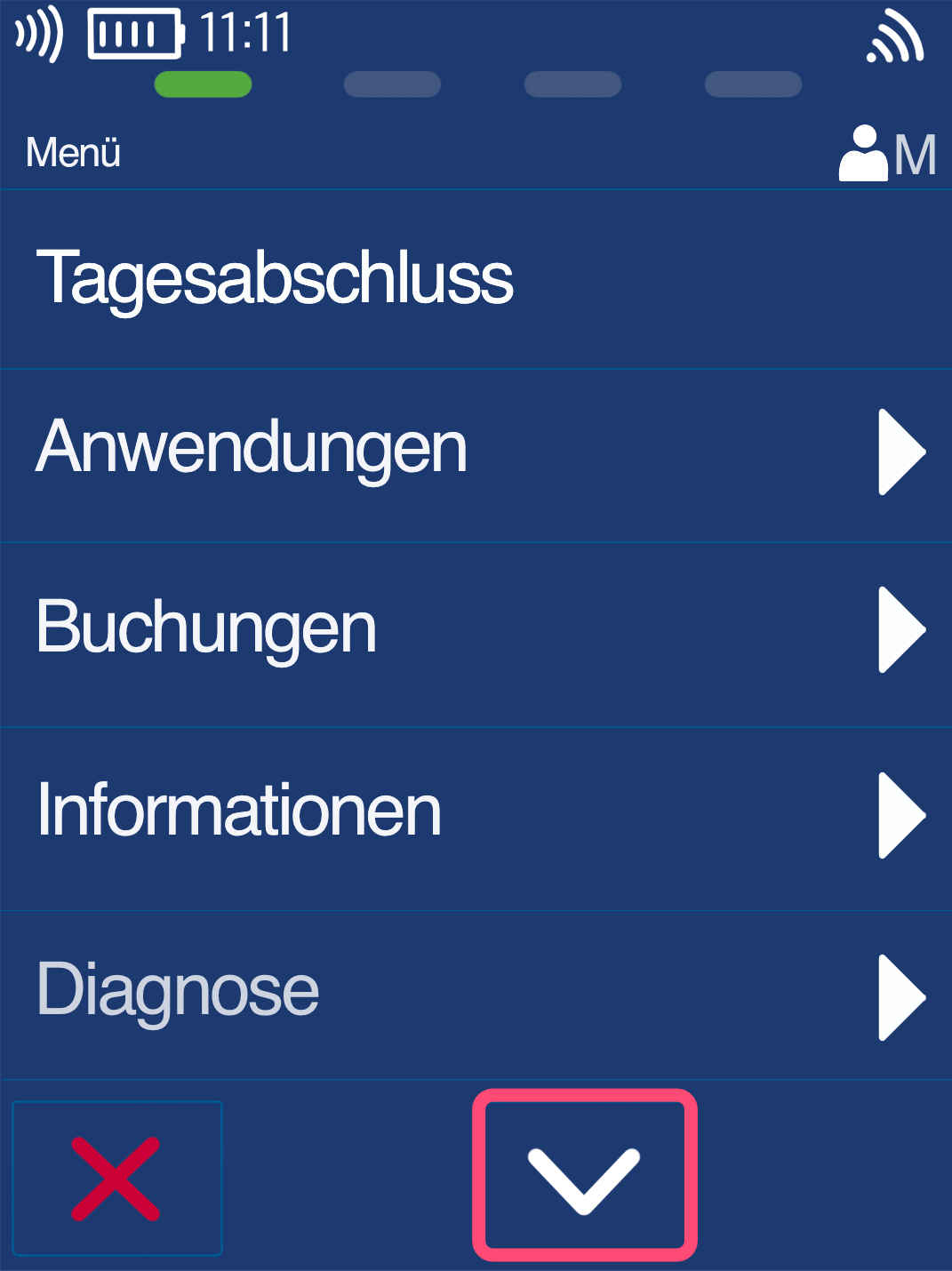
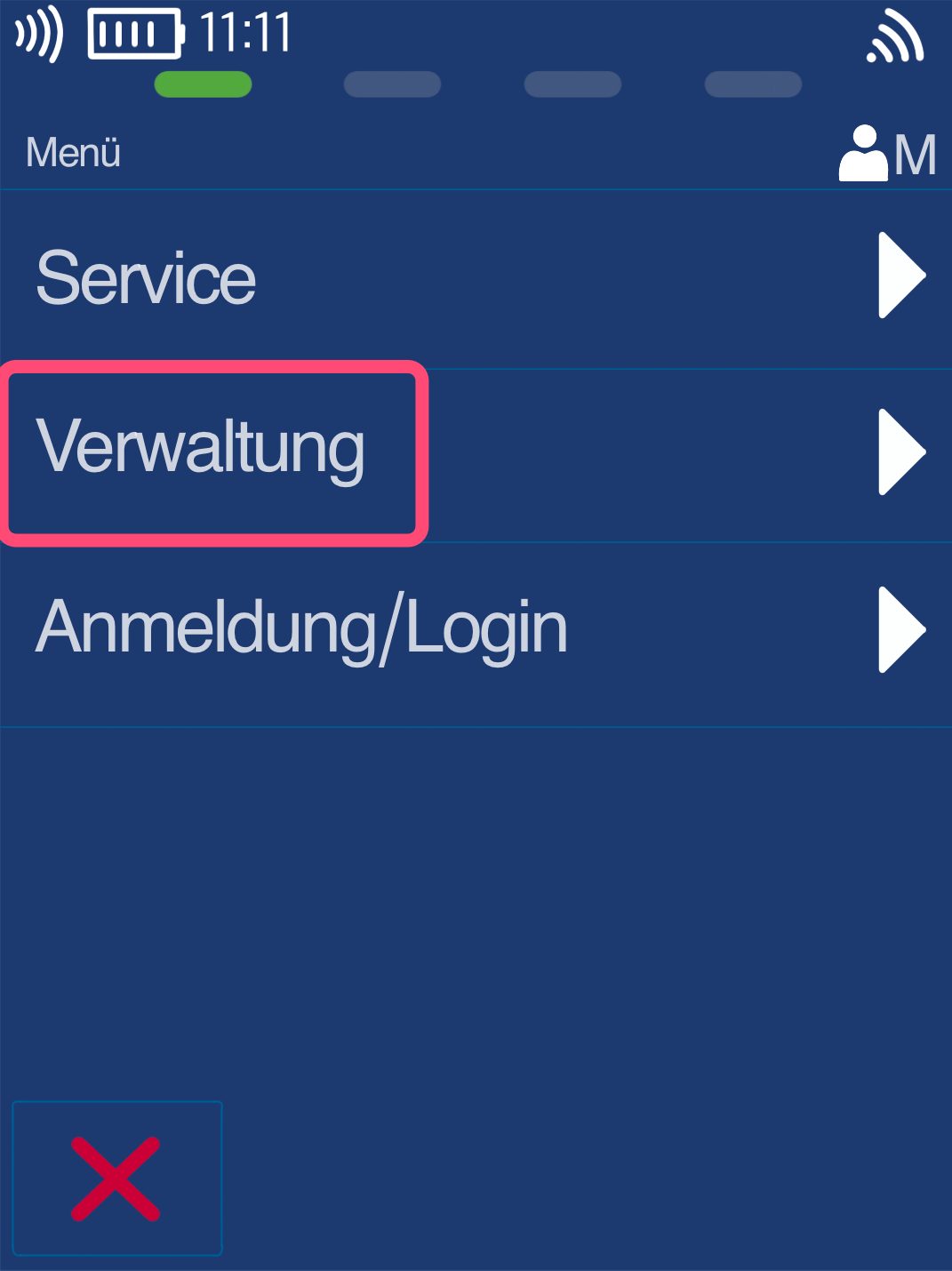
Please use the down arrow key to navigate to the menu item Management (Fig. 2).
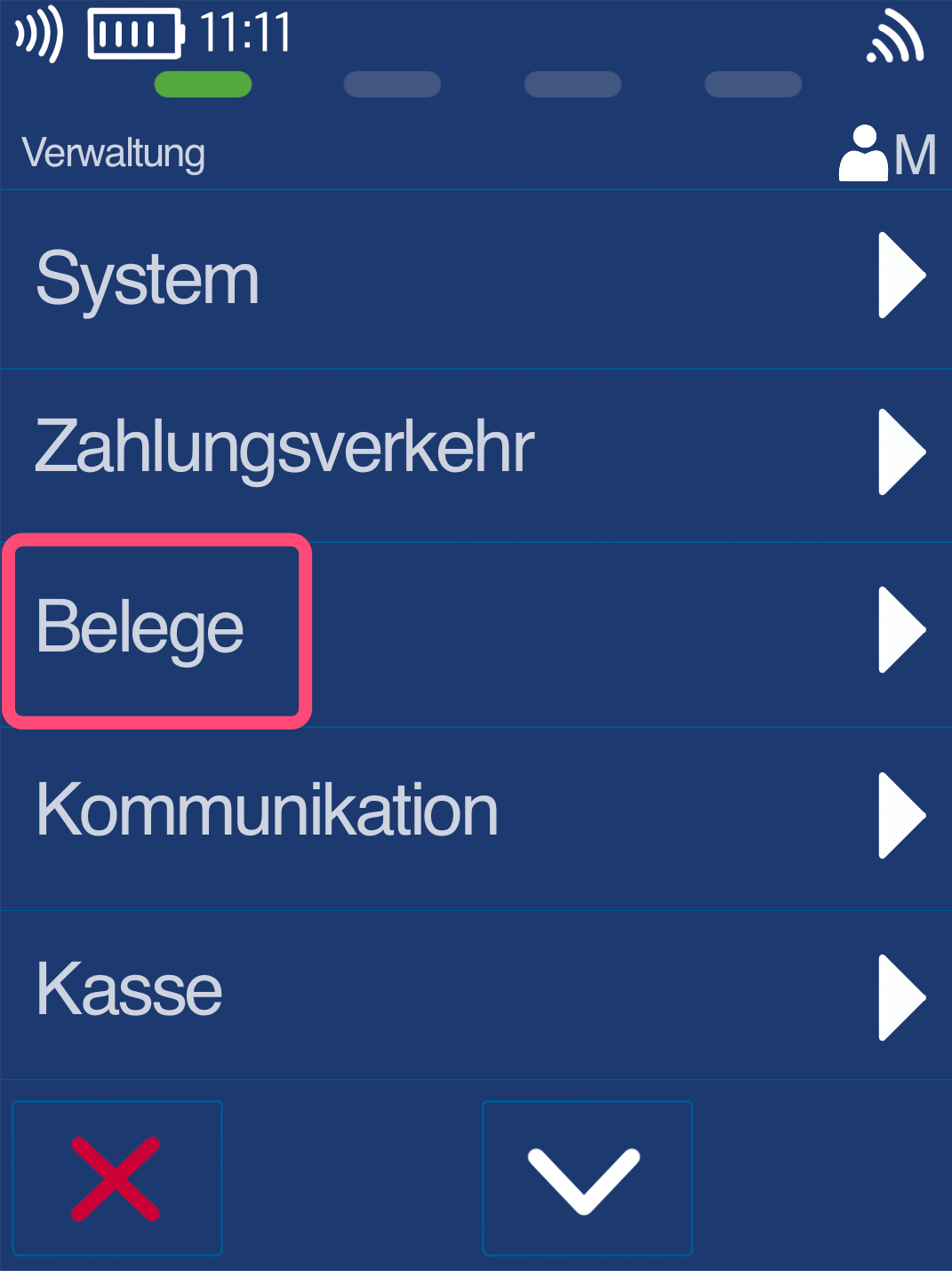
Fig. 3 – Here, please select the menu item Receipts.
Set Time & Finish
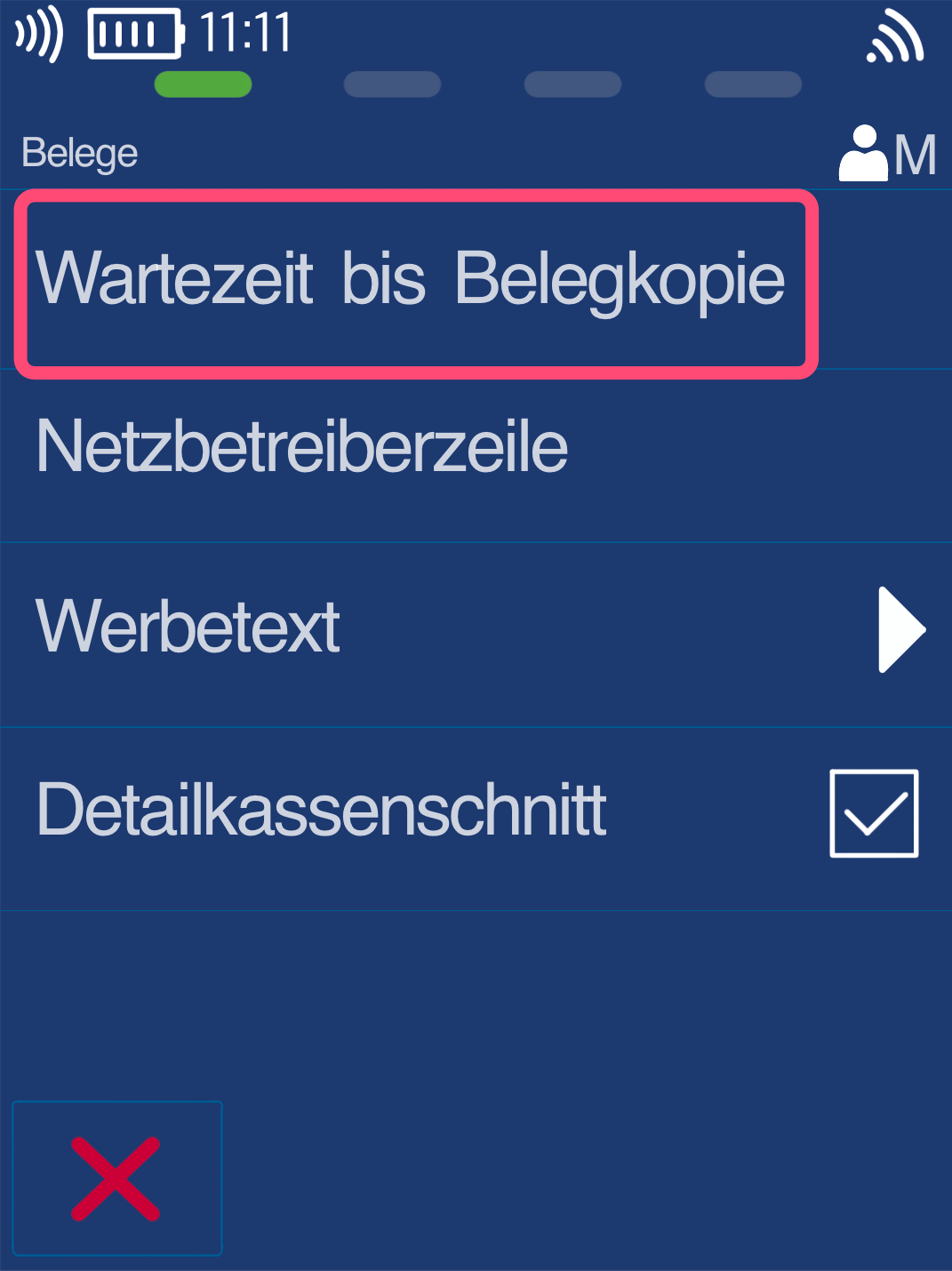
Please now select the menu item Waiting Time Until Receipt Copy.
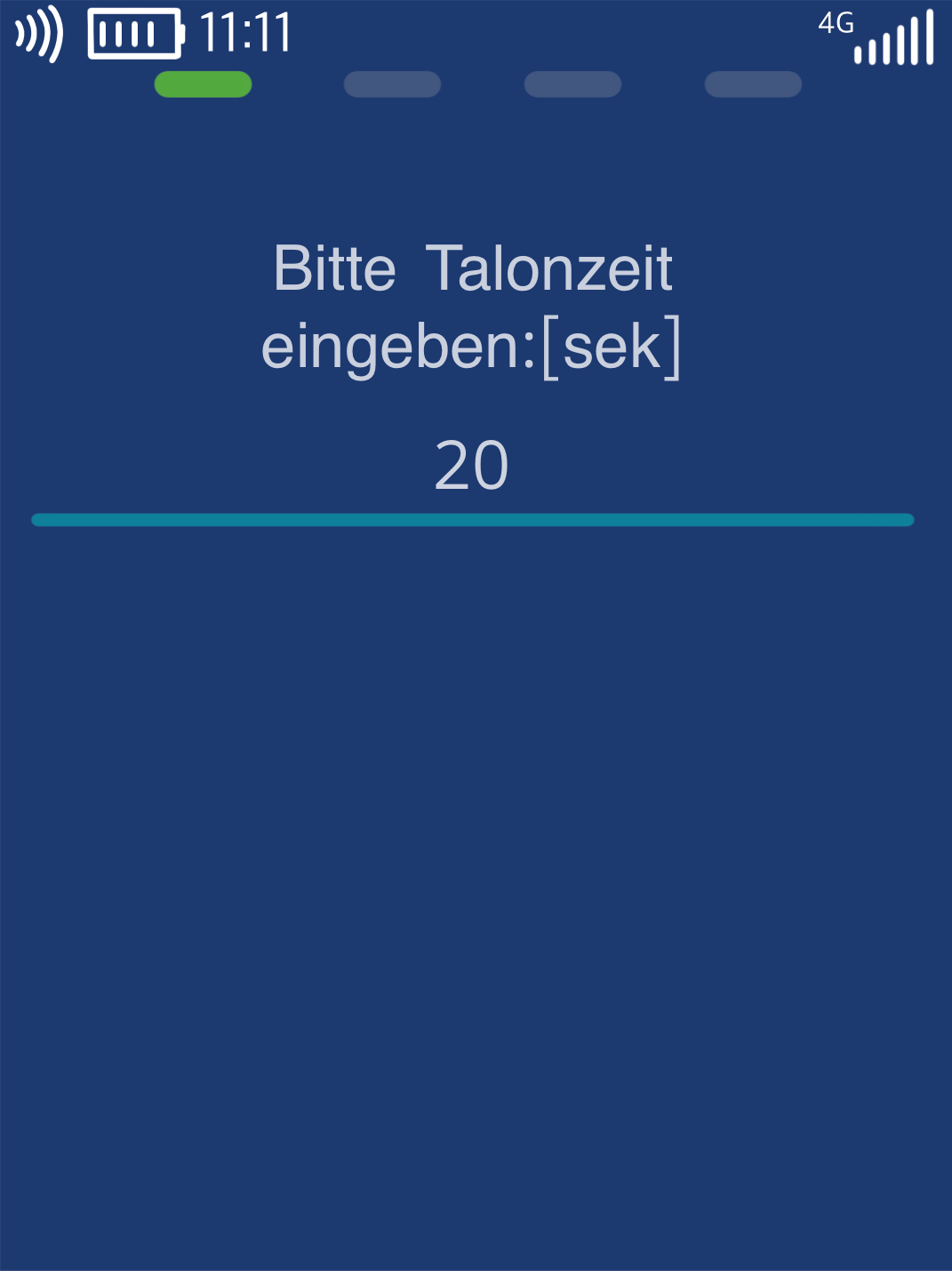
As shown in Fig. 2, you can now individually set the waiting time for the customer receipt printout in seconds.
Default: 20 seconds
Max: 99 seconds
To return to your home screen, please press the red Stop key.
The setup is now complete.
Was this article helpful?
That’s Great!
Thank you for your feedback
Sorry! We couldn't be helpful
Thank you for your feedback
Feedback sent
We appreciate your effort and will try to fix the article
