T650p - Receipt Print Delay
Modified on Tue, 10 Feb at 4:04 PM
Customer Receipt Print Delay
In the standard configuration of your Verifone Trinity T650p card reader, the merchant receipt is printed as a mandatory receipt, along with the customer receipt after a transaction.
If the waiting time for the customer receipt seems too long or too short, this guide will show you how to adjust the delay for printing.
The merchant receipt is mandatory and cannot be deactivated.
The customer receipt can be deselected or will be printed automatically if the prompt is not confirmed. This prompt cannot be disabled.
Are you using digital receipt management? In that case, the merchant receipt will be archived for you, and you will only be asked about printing the customer receipt.
Main Menu
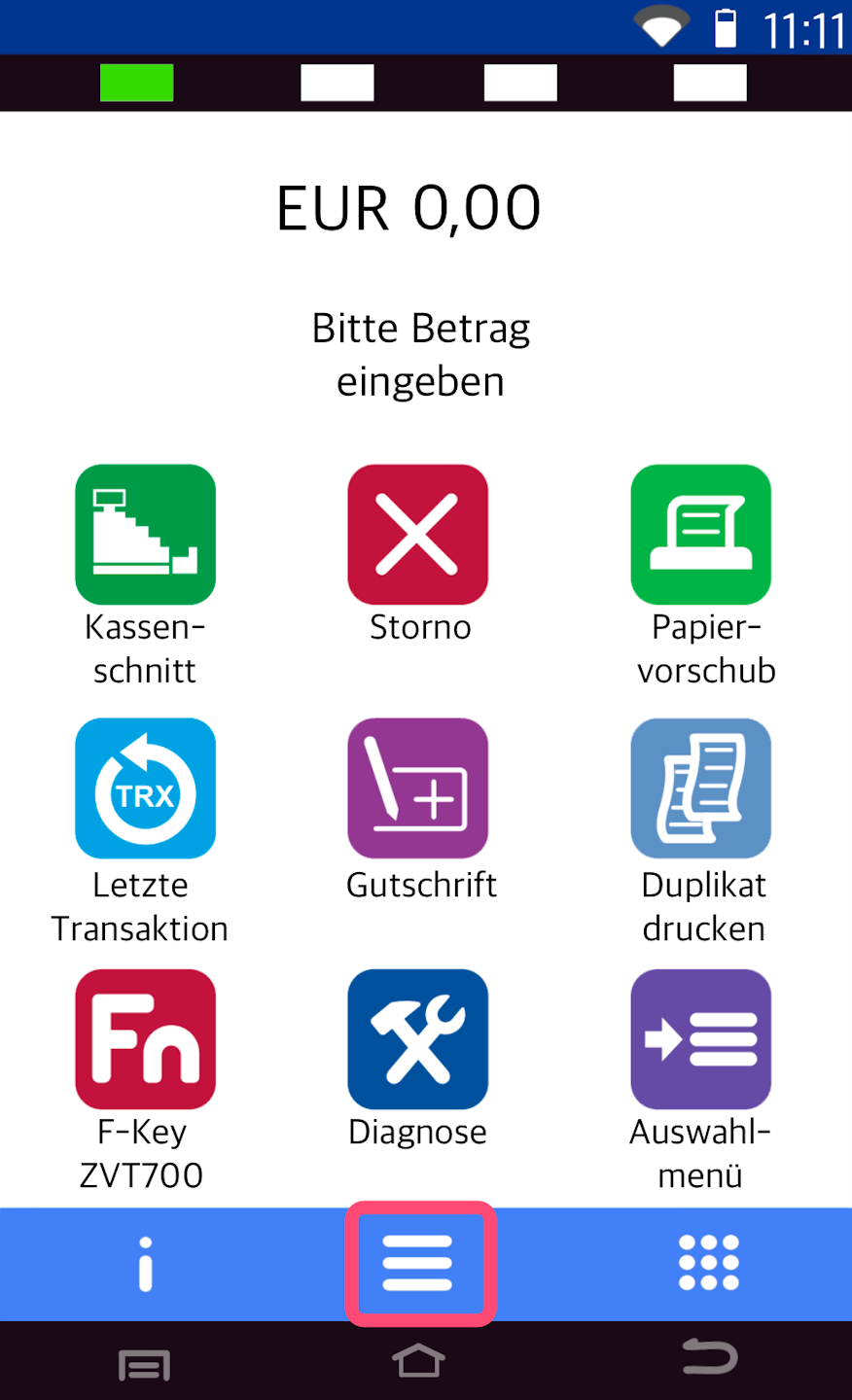
Here you see your starting display.
Please tap the button with the three horizontal lines to access the main menu.
Menu Structure
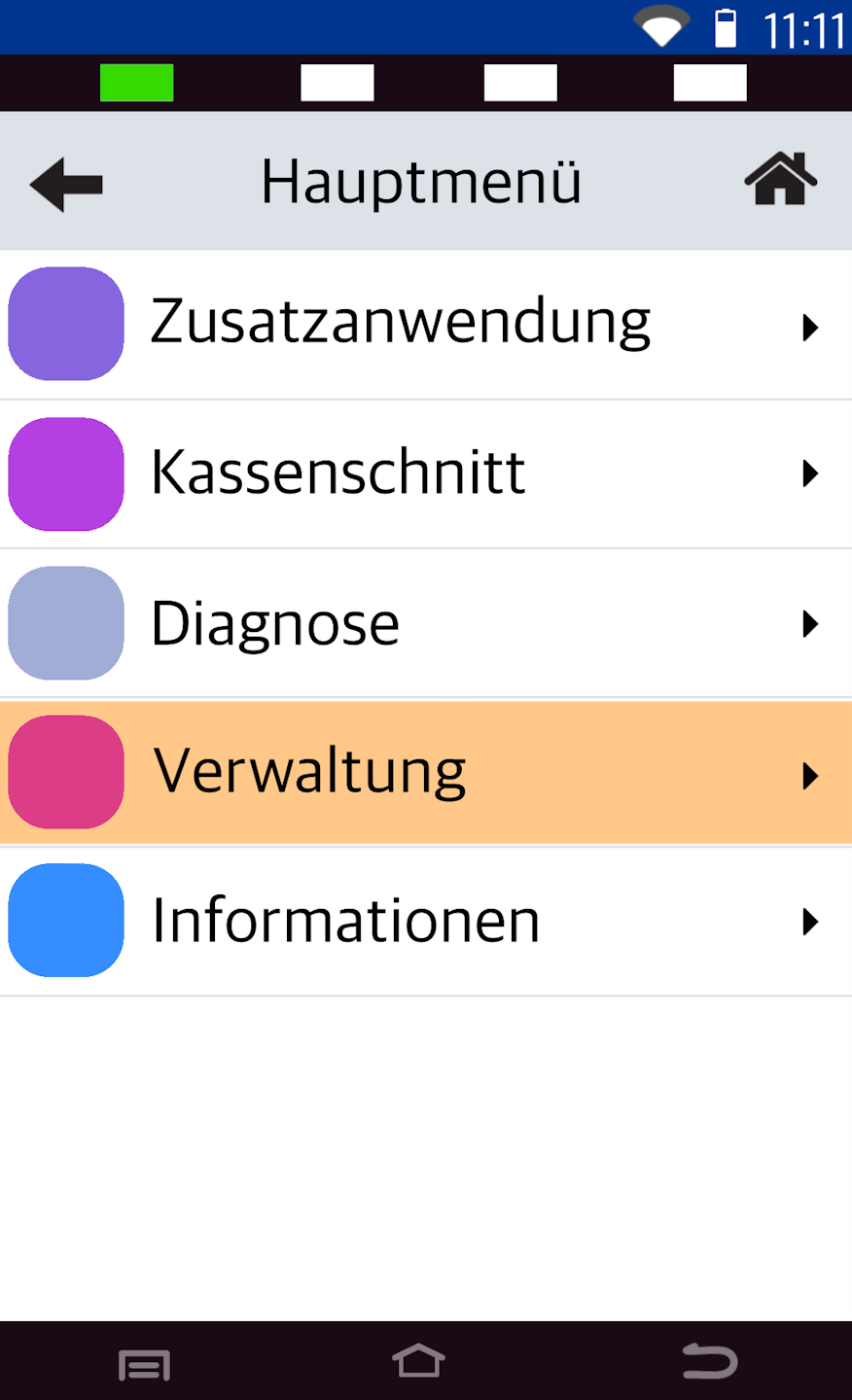
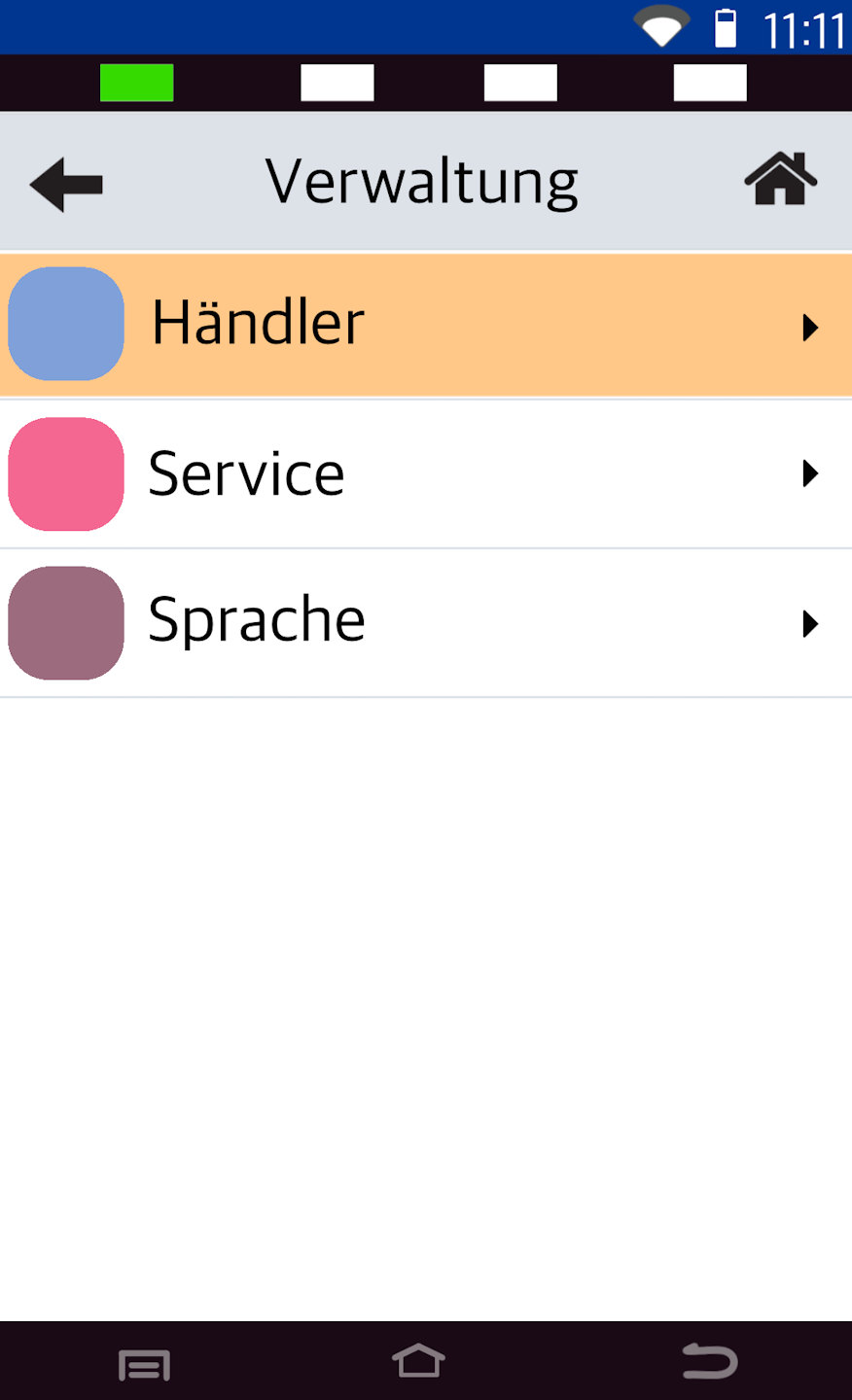
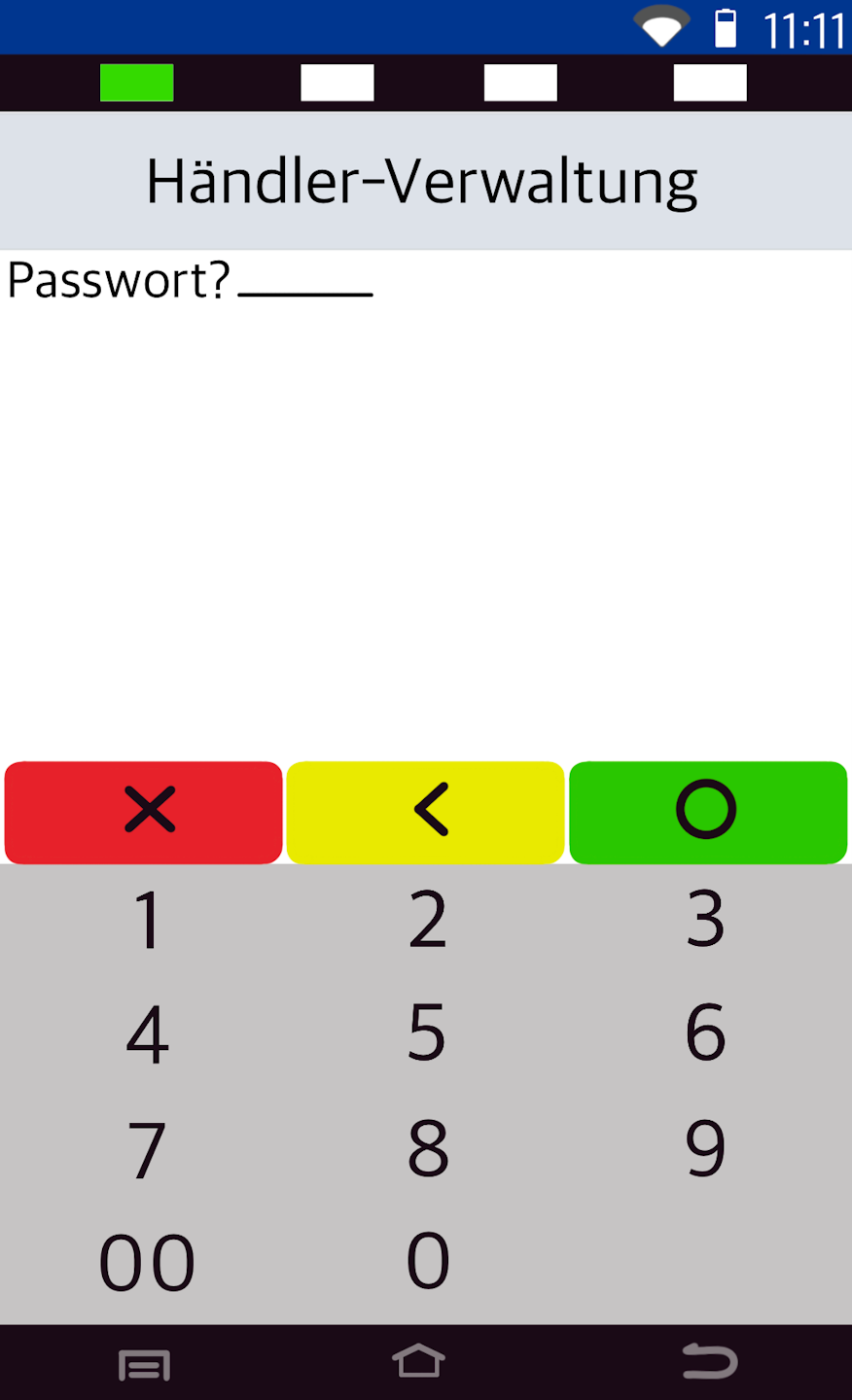
Please select the following menu items as shown in Figures 1–3.
Fig. 1 – Menu item Verwaltung
Fig. 2 – Operator Händler
Fig. 3 – Enter your merchant password
The default is: 00 00 00.
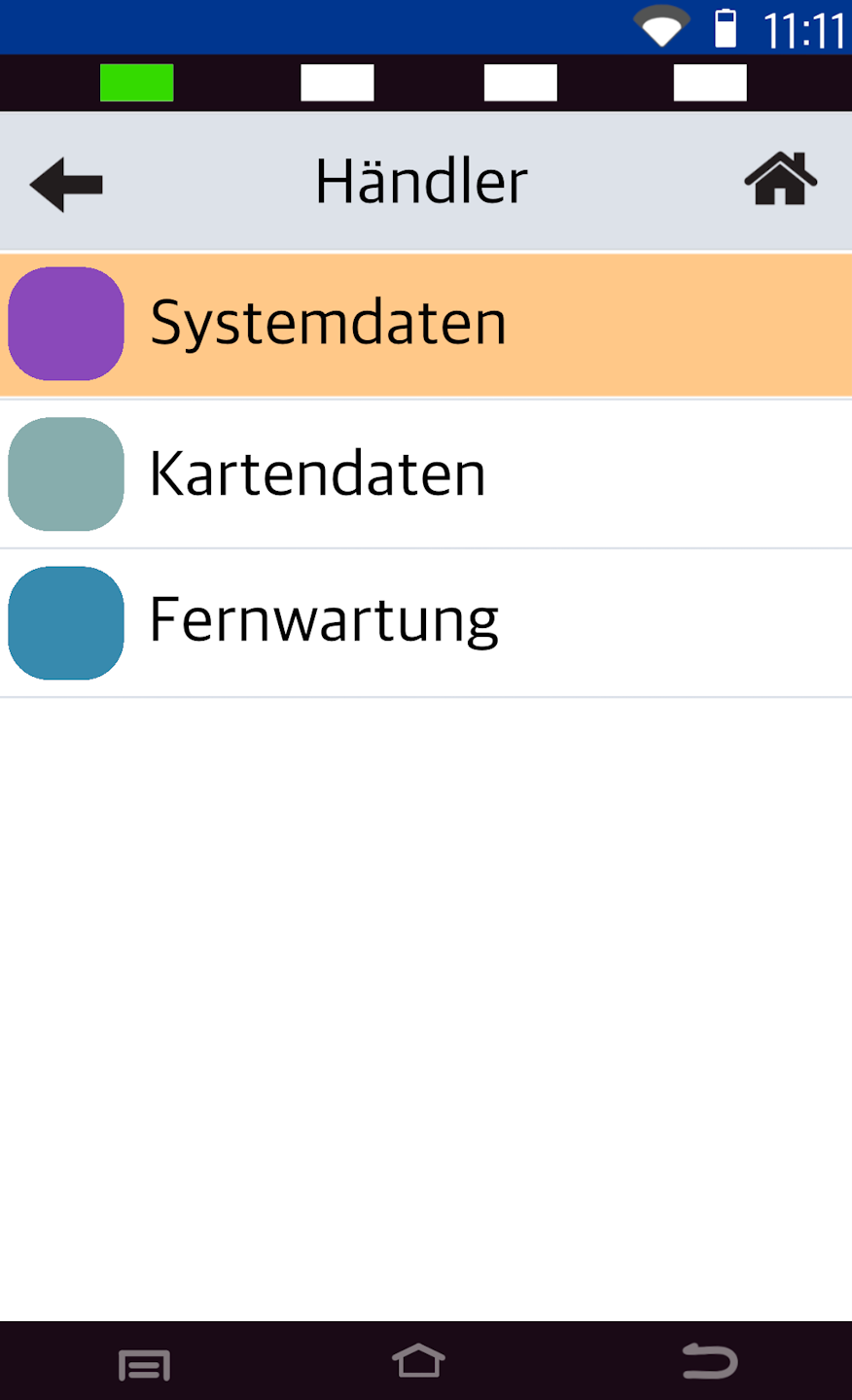
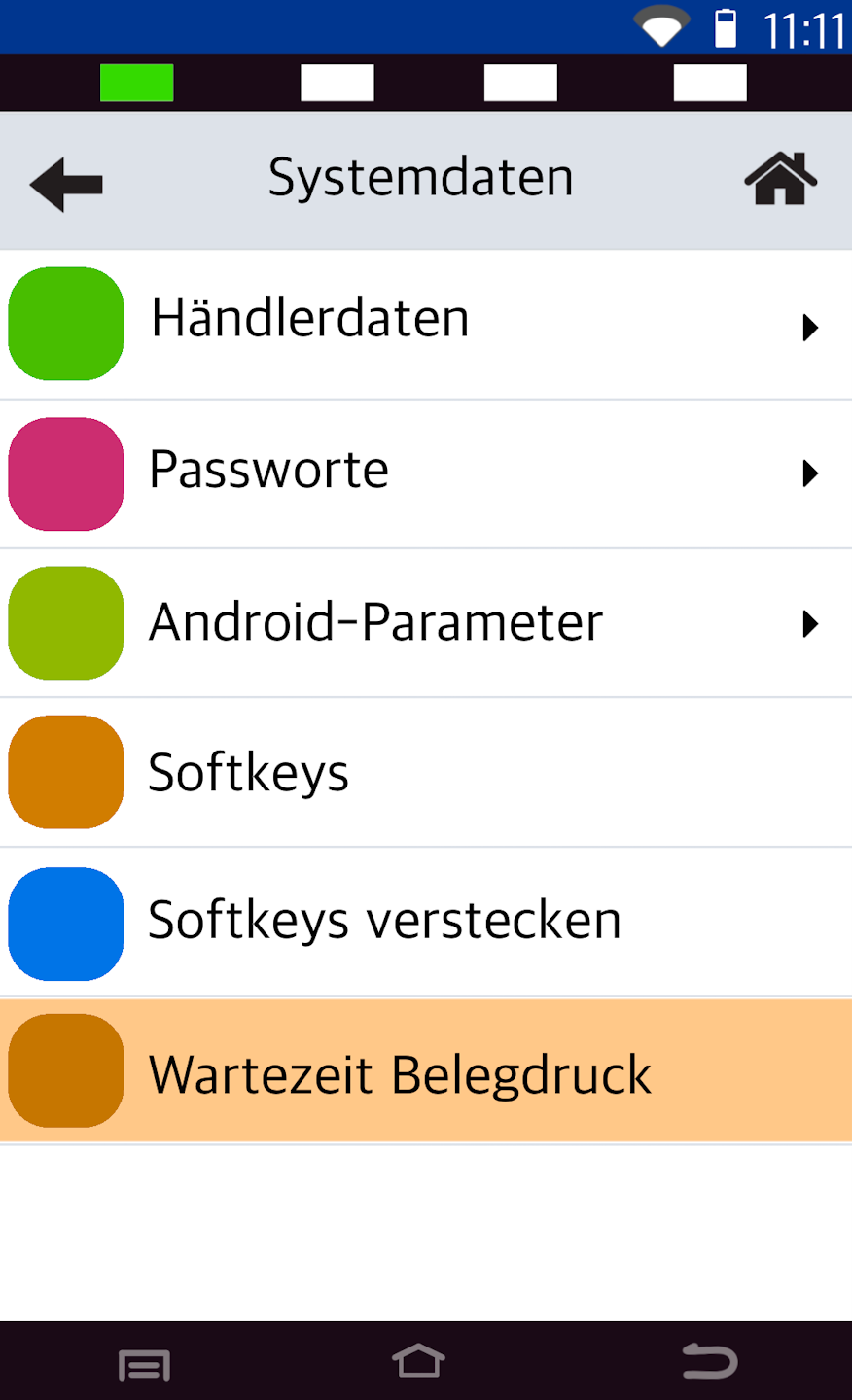
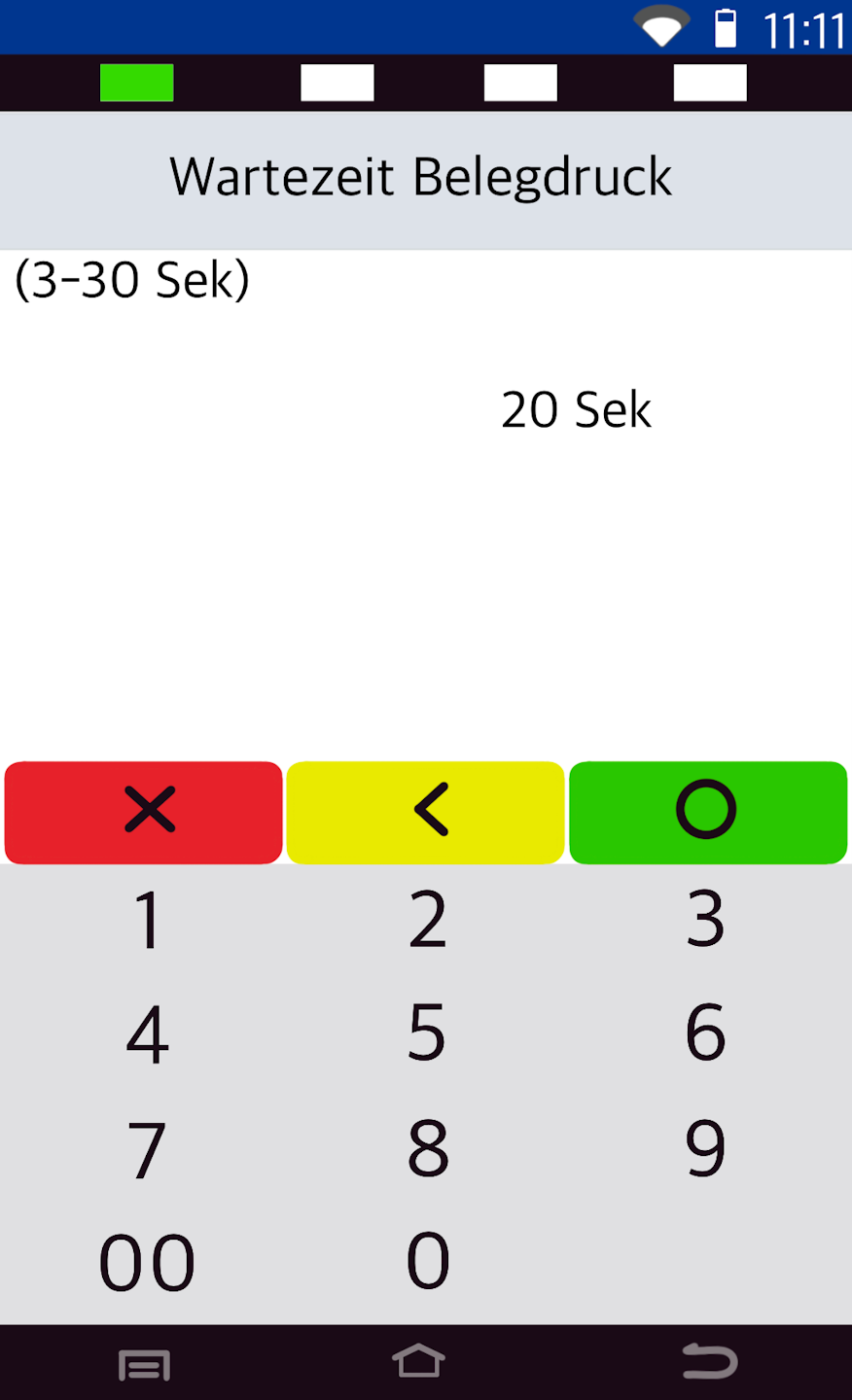
Wait Time and Completion
Please follow Figures 1–3 here.
Fig. 1 – Menu item Systemdaten
Fig. 2 – Wartezeit Belegdruck
Fig. 3 – Enter the desired wait time in seconds
The wait time refers to the printing of the customer receipt.
By confirming the number of seconds, you return to the menu structure. Please tap the house icon in the top right corner to return to your starting display. The adjustment is now complete.
Was this article helpful?
That’s Great!
Thank you for your feedback
Sorry! We couldn't be helpful
Thank you for your feedback
Feedback sent
We appreciate your effort and will try to fix the article
