Verifone - Setting Up Automatic Cash Register Closing (AKS)
Modified on Fri, 6 Feb at 5:29 PM
Would you like the cash register closing to be performed automatically? In this step-by-step guide, we will show you how to set it up.
When automatic cash register closing is activated, it applies to all days of the week. The manufacturer does not support selecting specific weekdays.
Menu Button
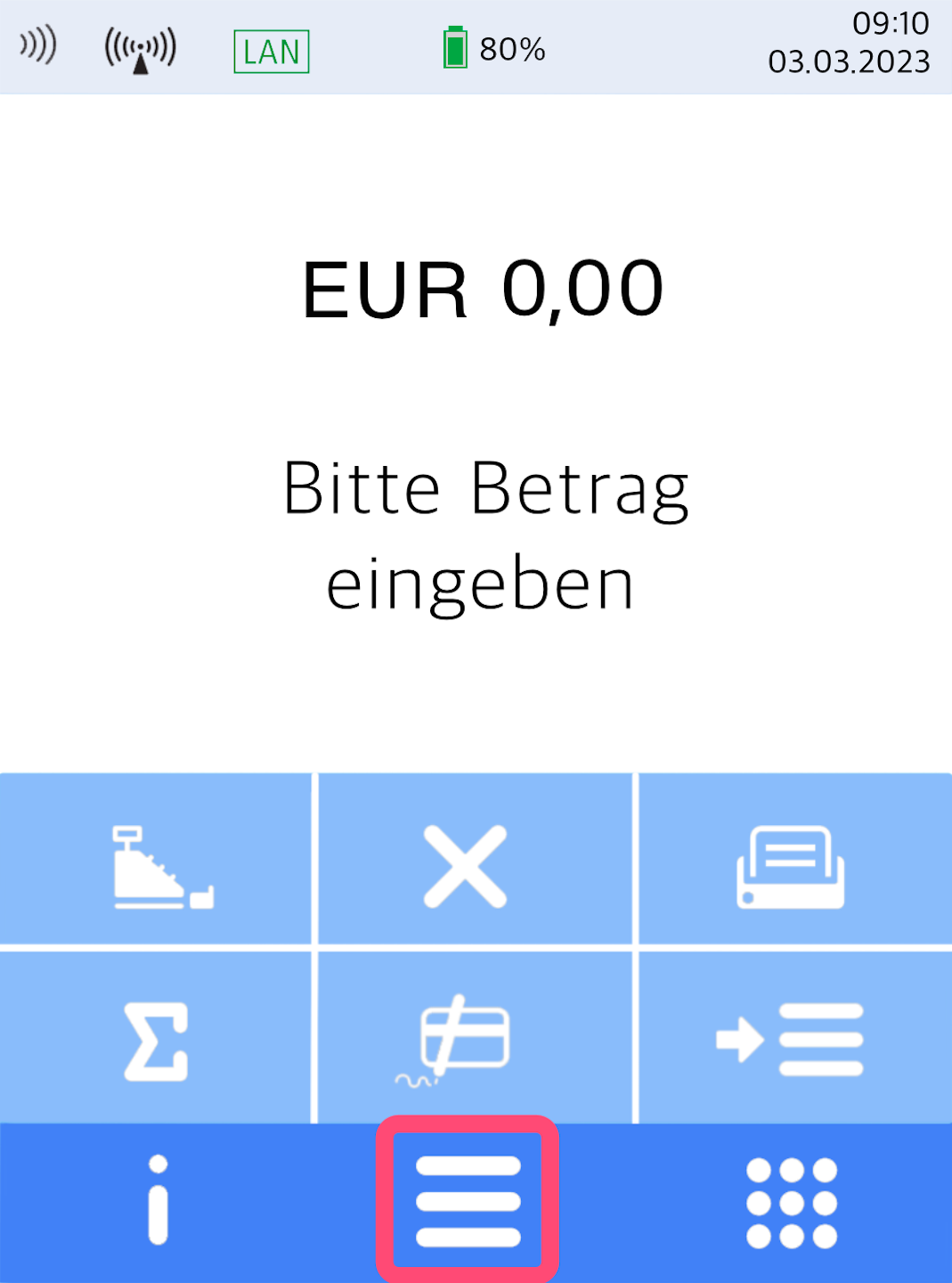
Here you see your home display.
Please press the button with the 3 horizontal bars to access the main menu.
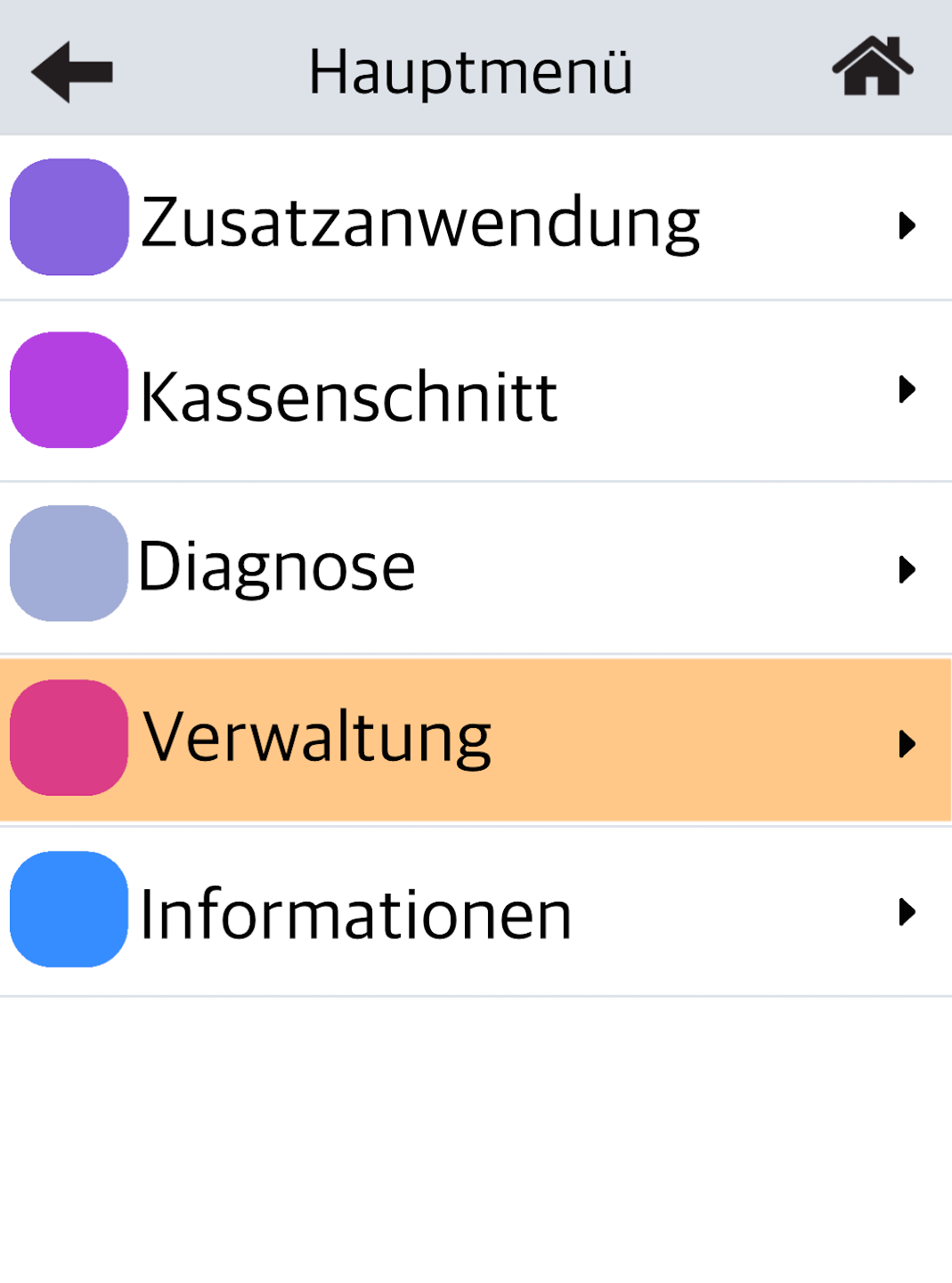
Management
Please select the menu item Verwaltung.
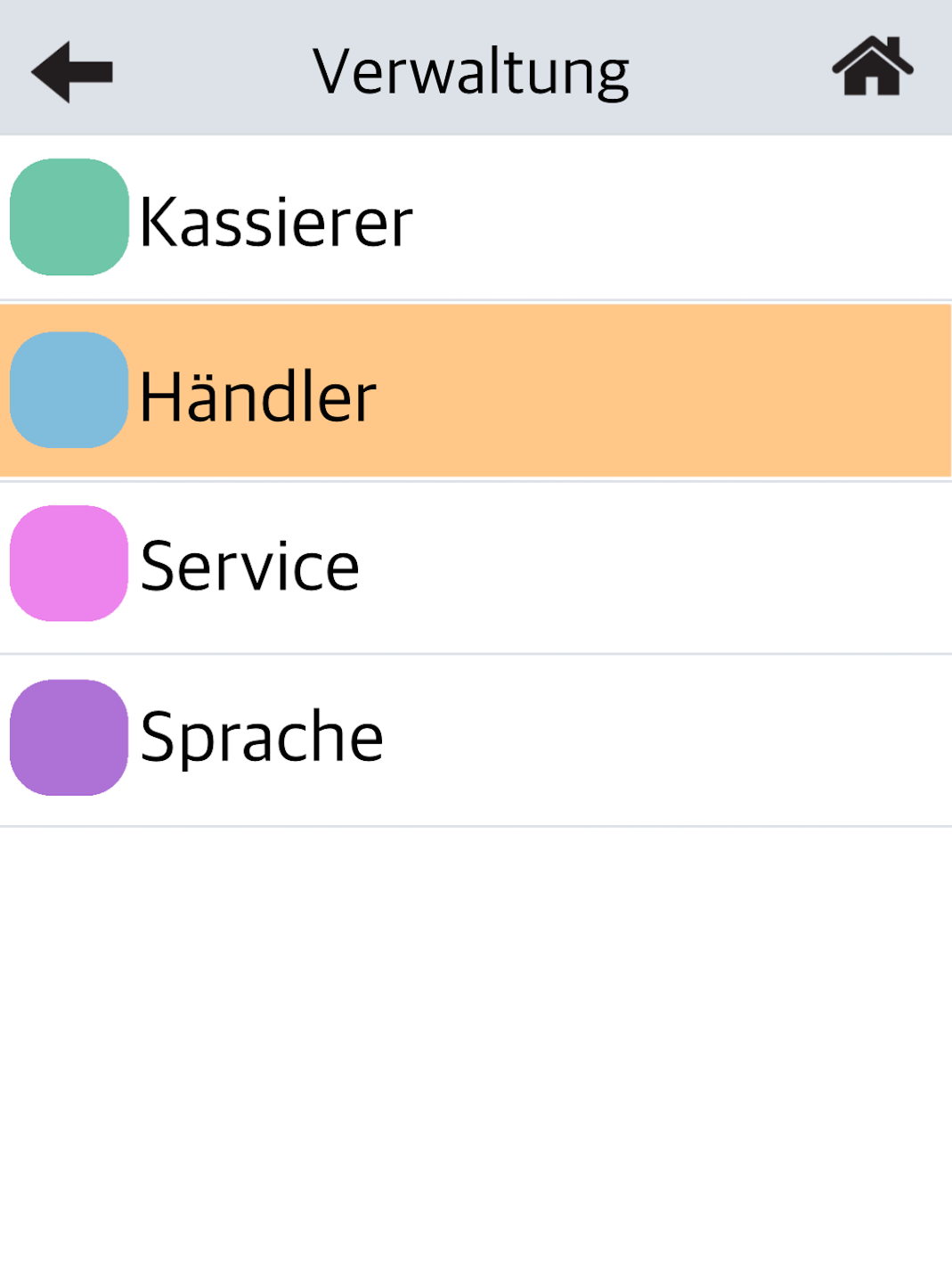
Merchant
Please select Händler.
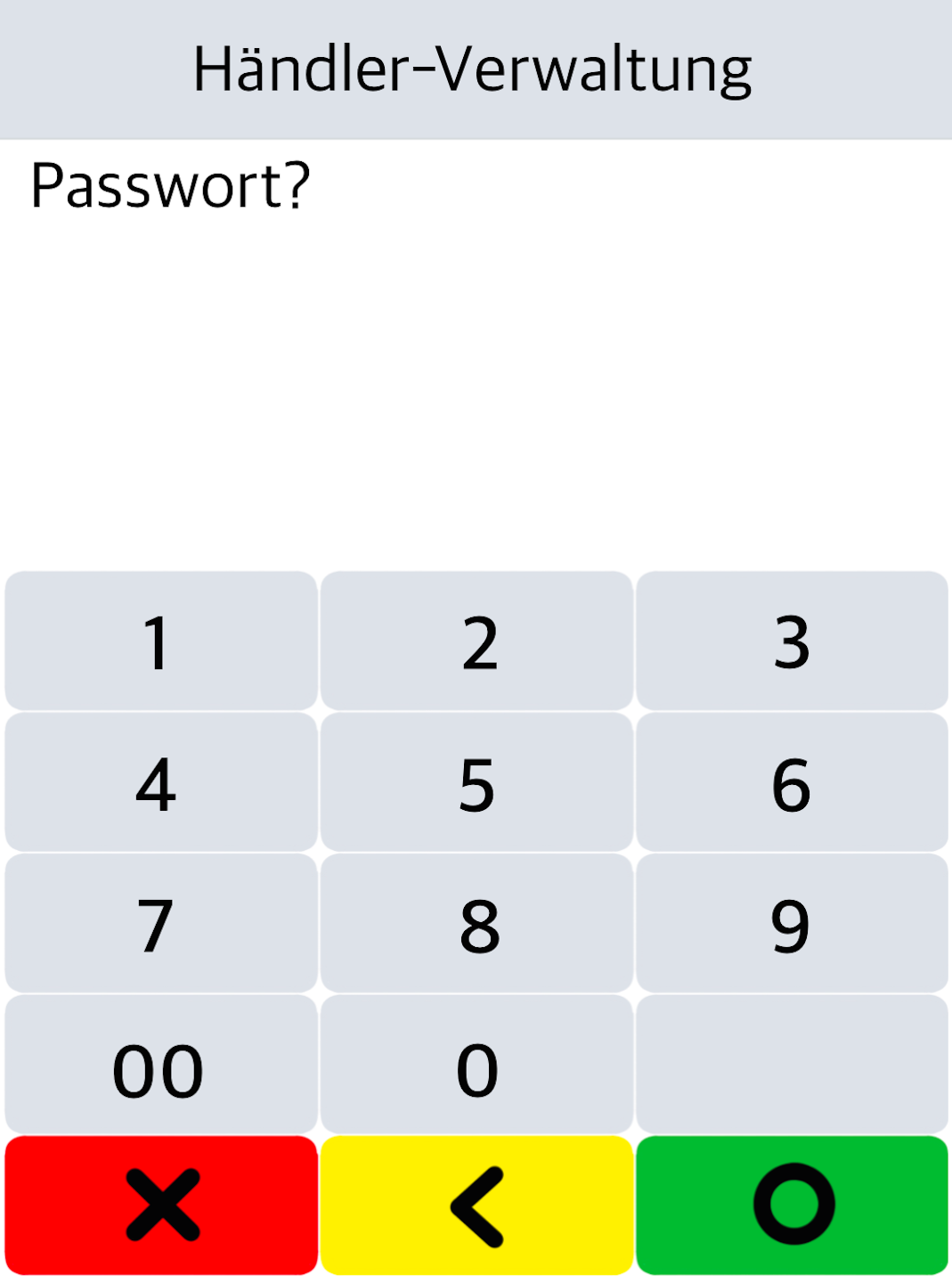
Password Entry
Please enter the 6-digit merchant password and confirm it with the green OK button on the display.
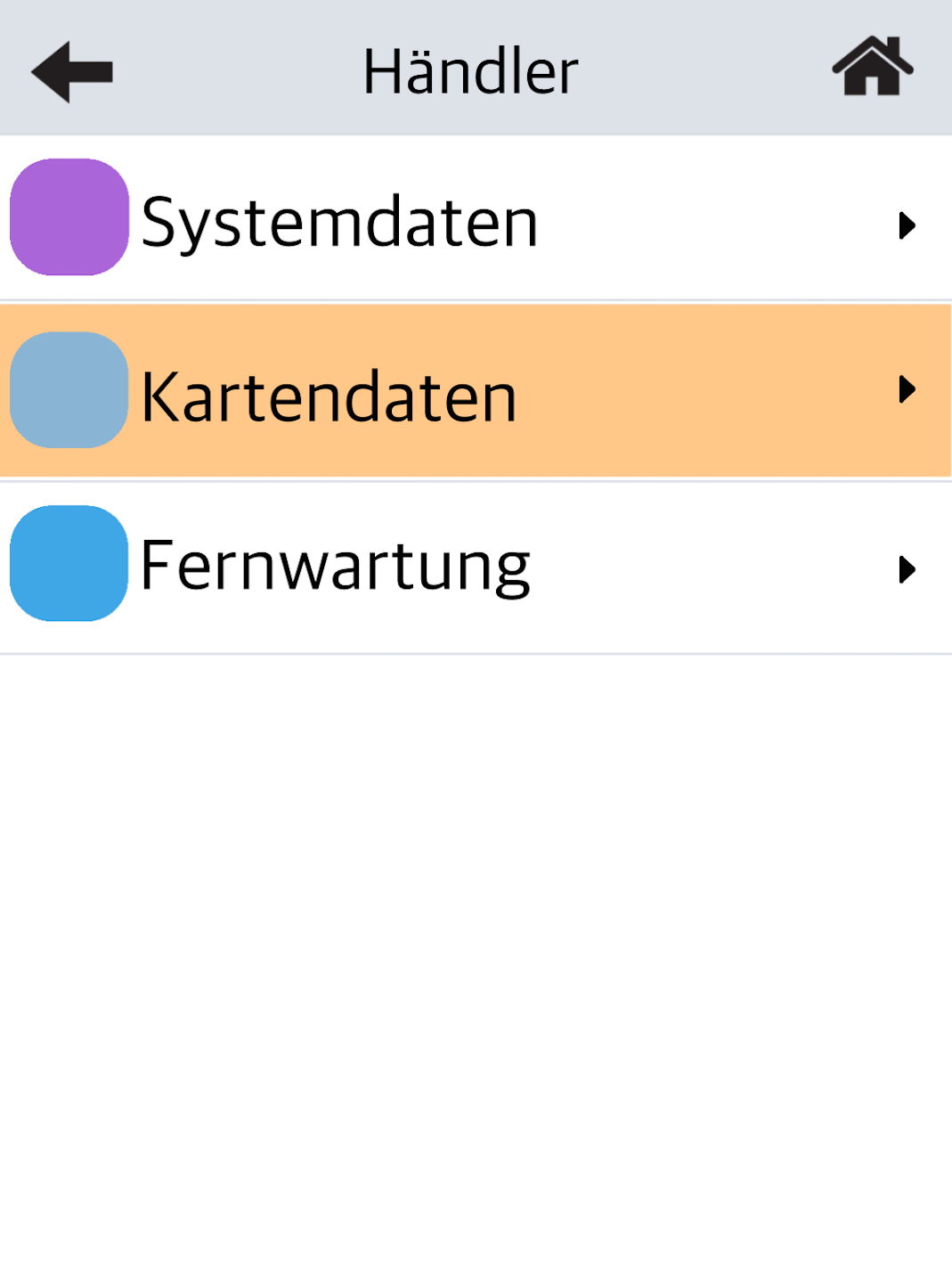
Card Data
Select the menu item Kartendaten.
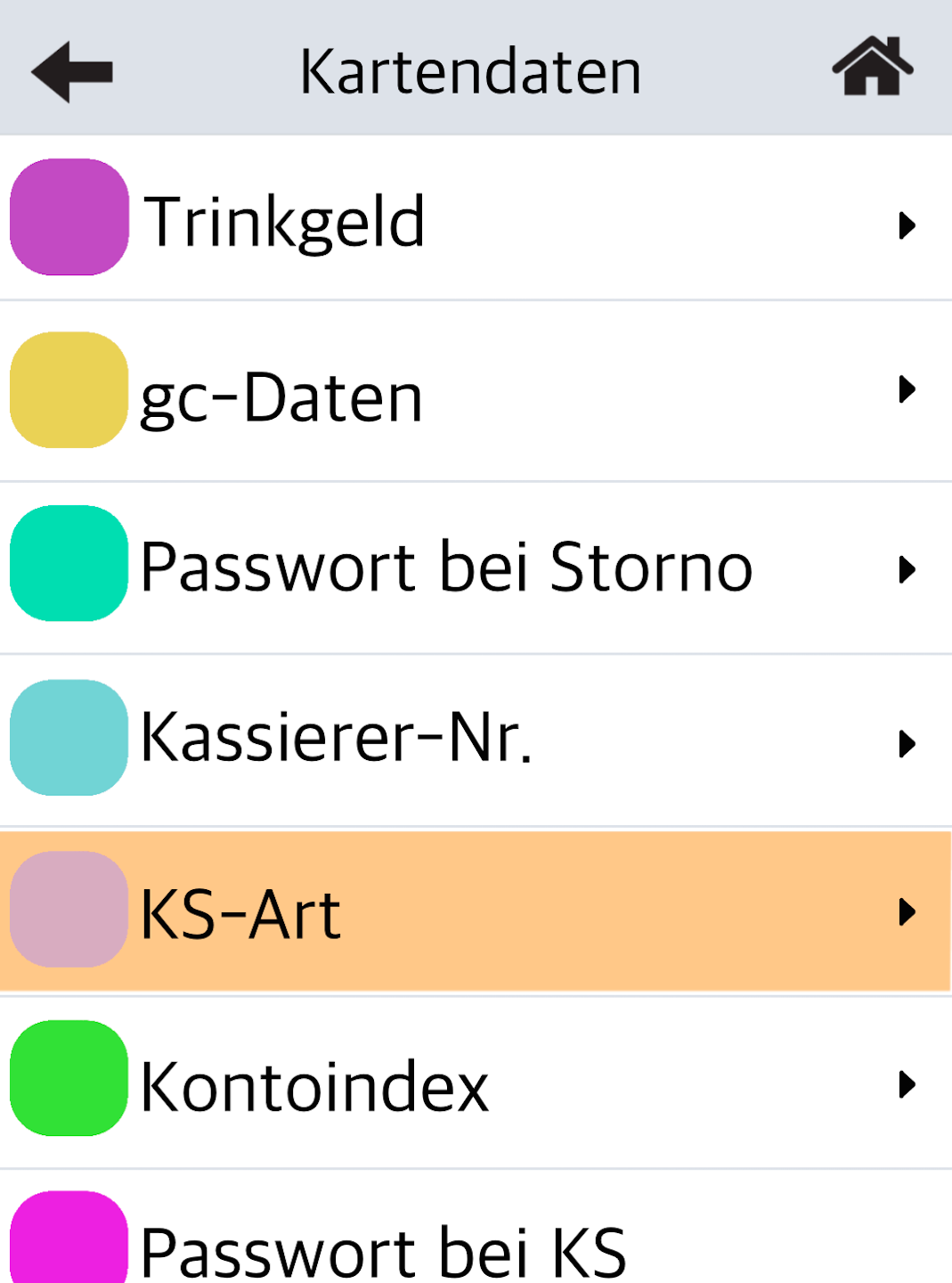
Closing Type (KS-Art)
Please select the menu item KS-Art.
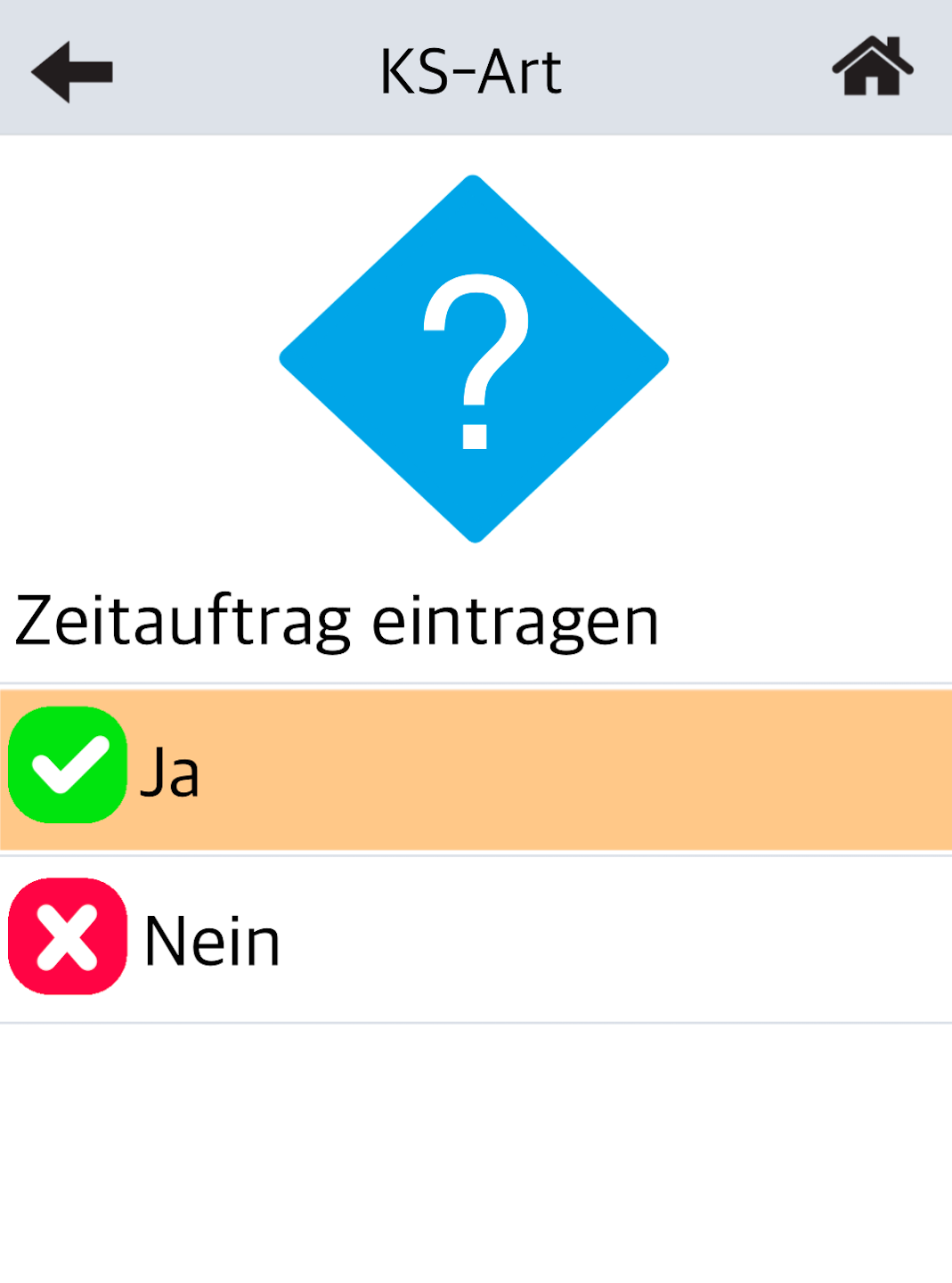
Activate Scheduled Task
At this point, you can activate the automatic cash register closing.
Select YES.
The scheduled task will apply to all 7 days of the week. The manufacturer does not provide an option to configure individual weekdays.
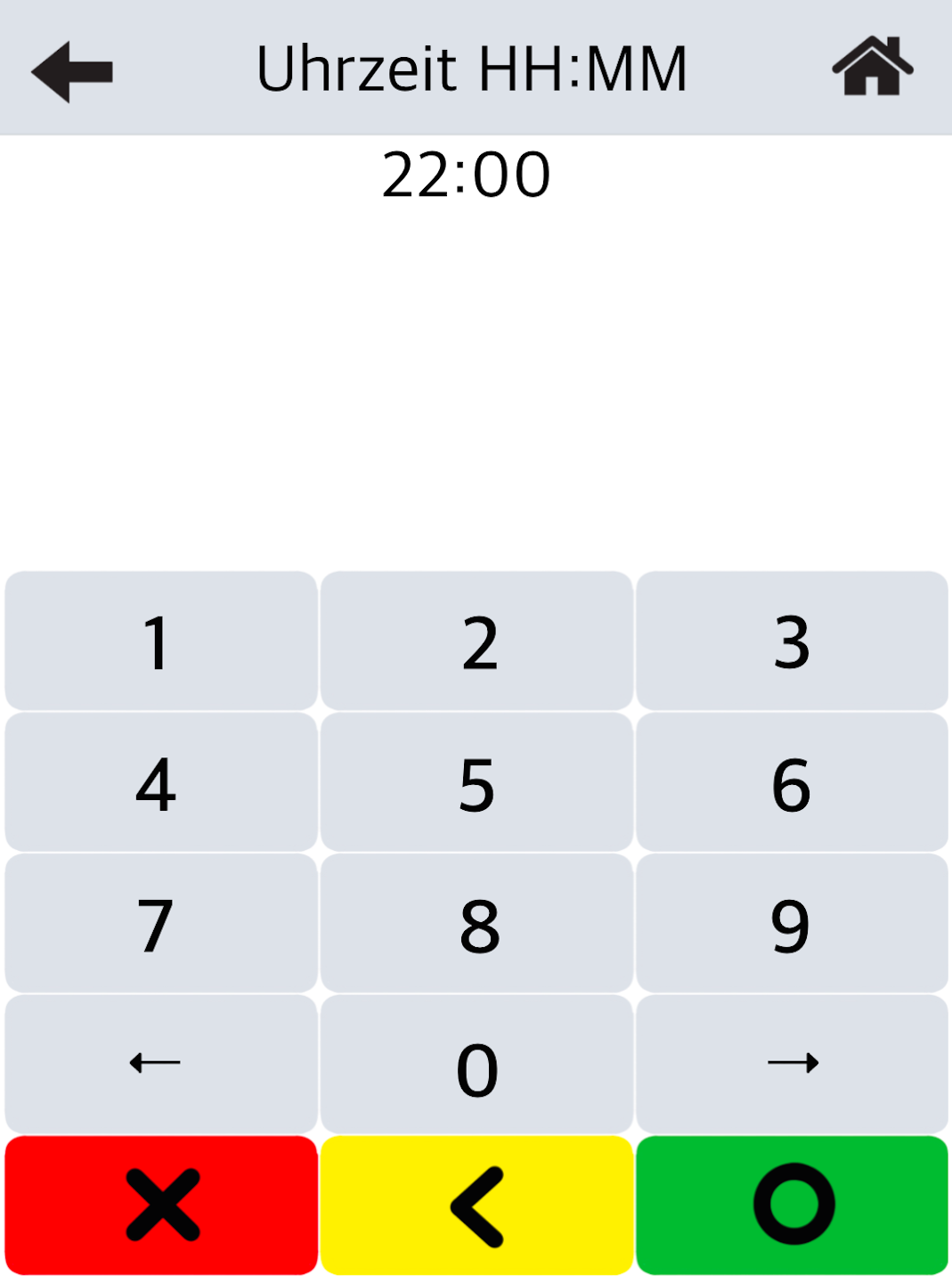
Enter the Time
You can select and enter any desired time for the automatic cash register closing.
Use the yellow correction key to enter a time.
Please confirm with the green button on the display.
Note!
A cash register closing will be triggered immediately.
By pressing the arrow key in the top left corner multiple times, you can return to the home display.
Was this article helpful?
That’s Great!
Thank you for your feedback
Sorry! We couldn't be helpful
Thank you for your feedback
Feedback sent
We appreciate your effort and will try to fix the article
