Verifone - Activate Account Index
Modified on Tue, 10 Feb at 2:35 PM
Activation of Account Index / Account Splitting
With the account index function, you can assign a payment amount to a specific account.
Book a payment amount to a desired account
Shared use of a card reader in multiple shops or practices
In this step-by-step guide, we will show you how to activate the account index function (account splitting) on your card reader.
The account index function must be contractually agreed in advance to be used.
Main Menu
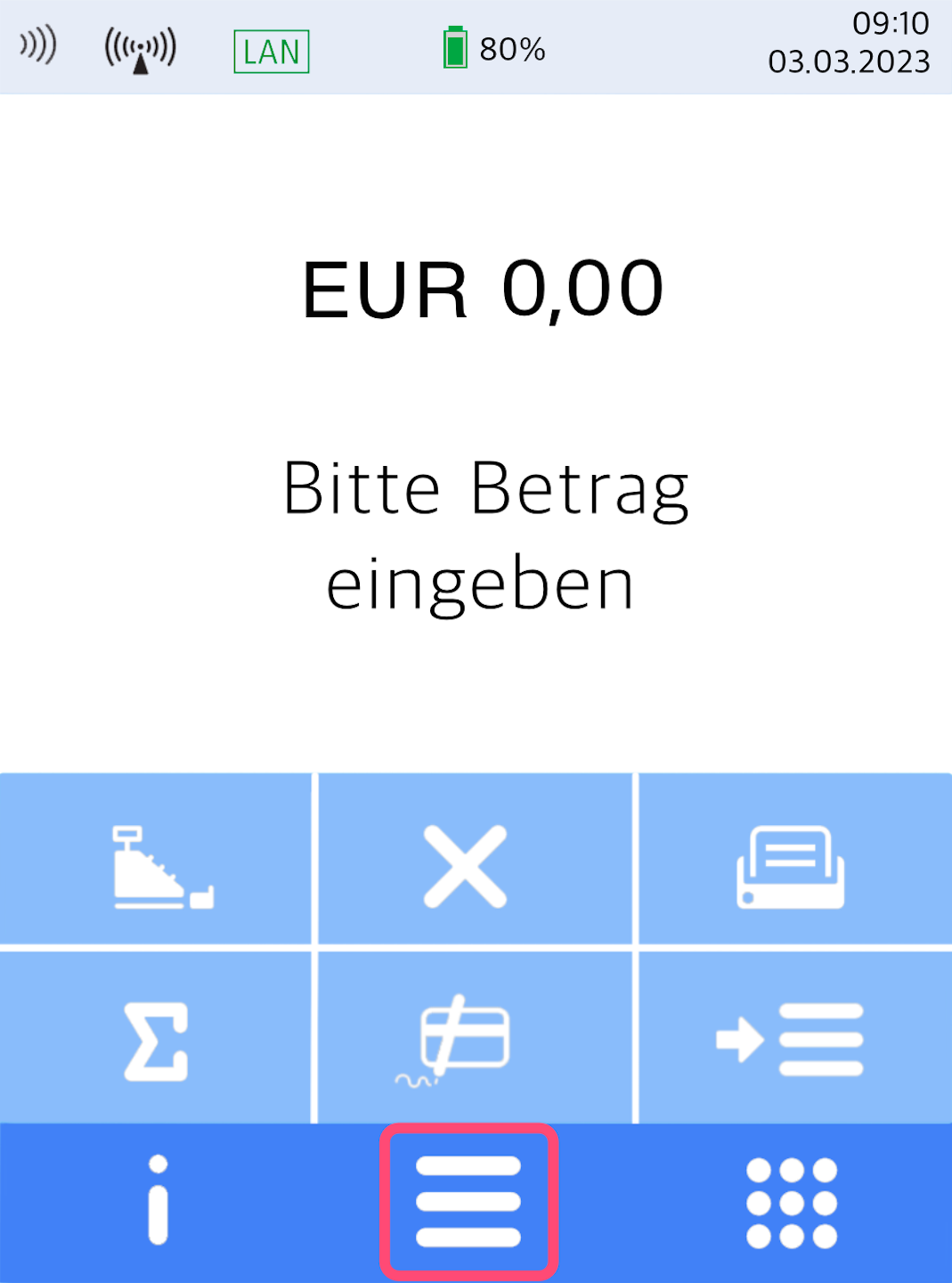
Here you see your home display.
Please press the button with the three horizontal bars to access the main menu.
Menu Structure
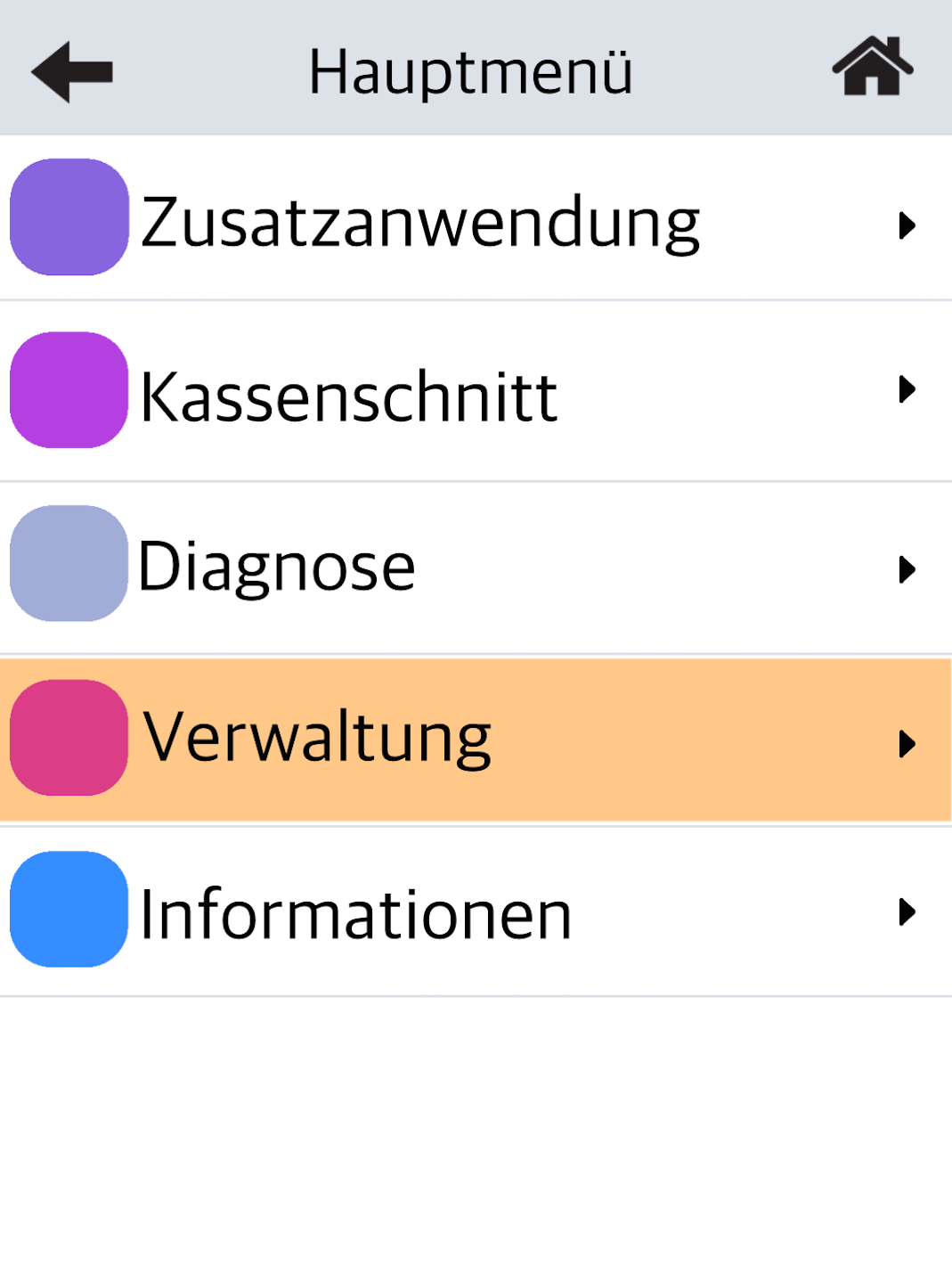
Fig. 1 – Please select the menu item Verwaltung.
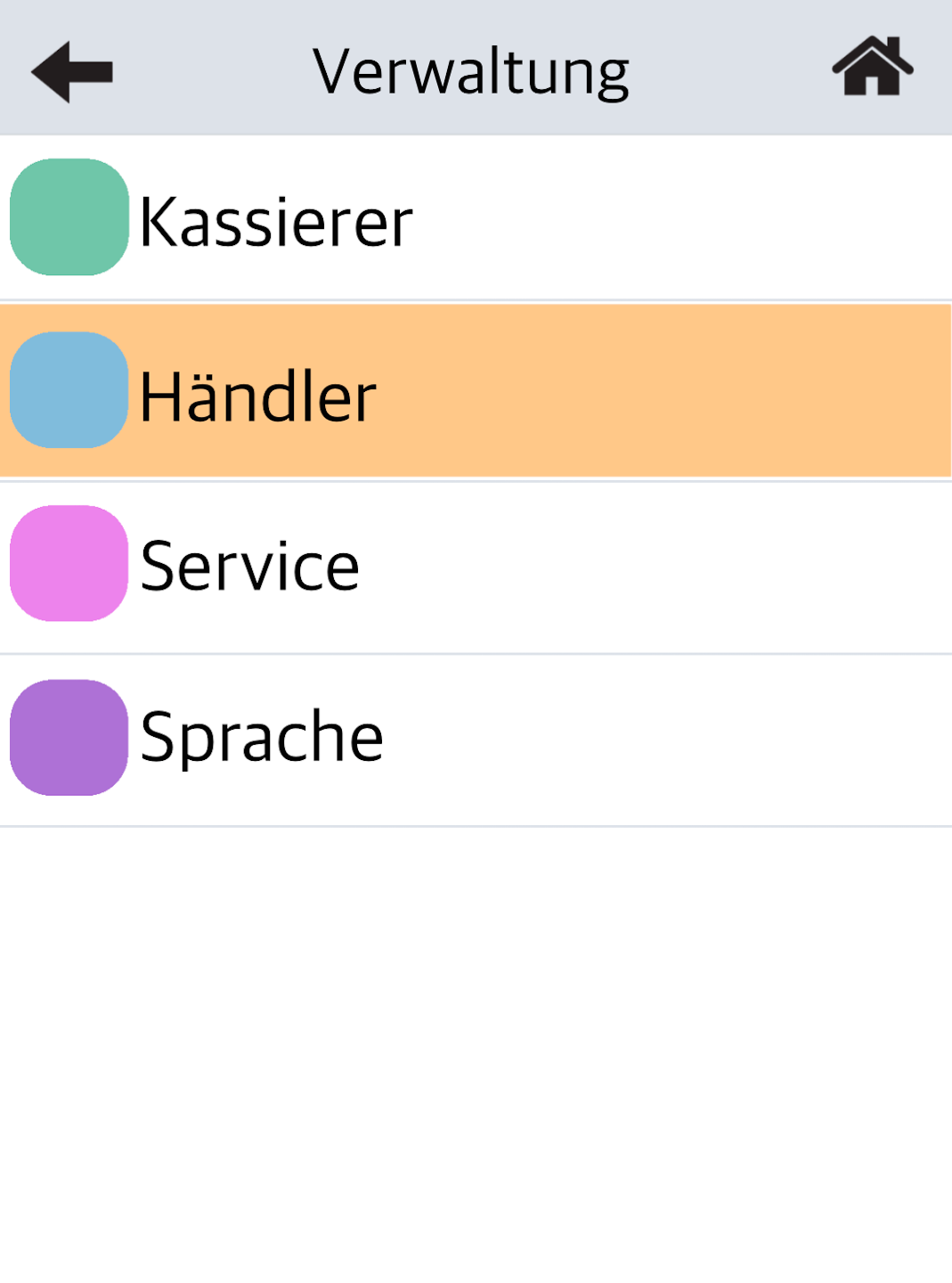
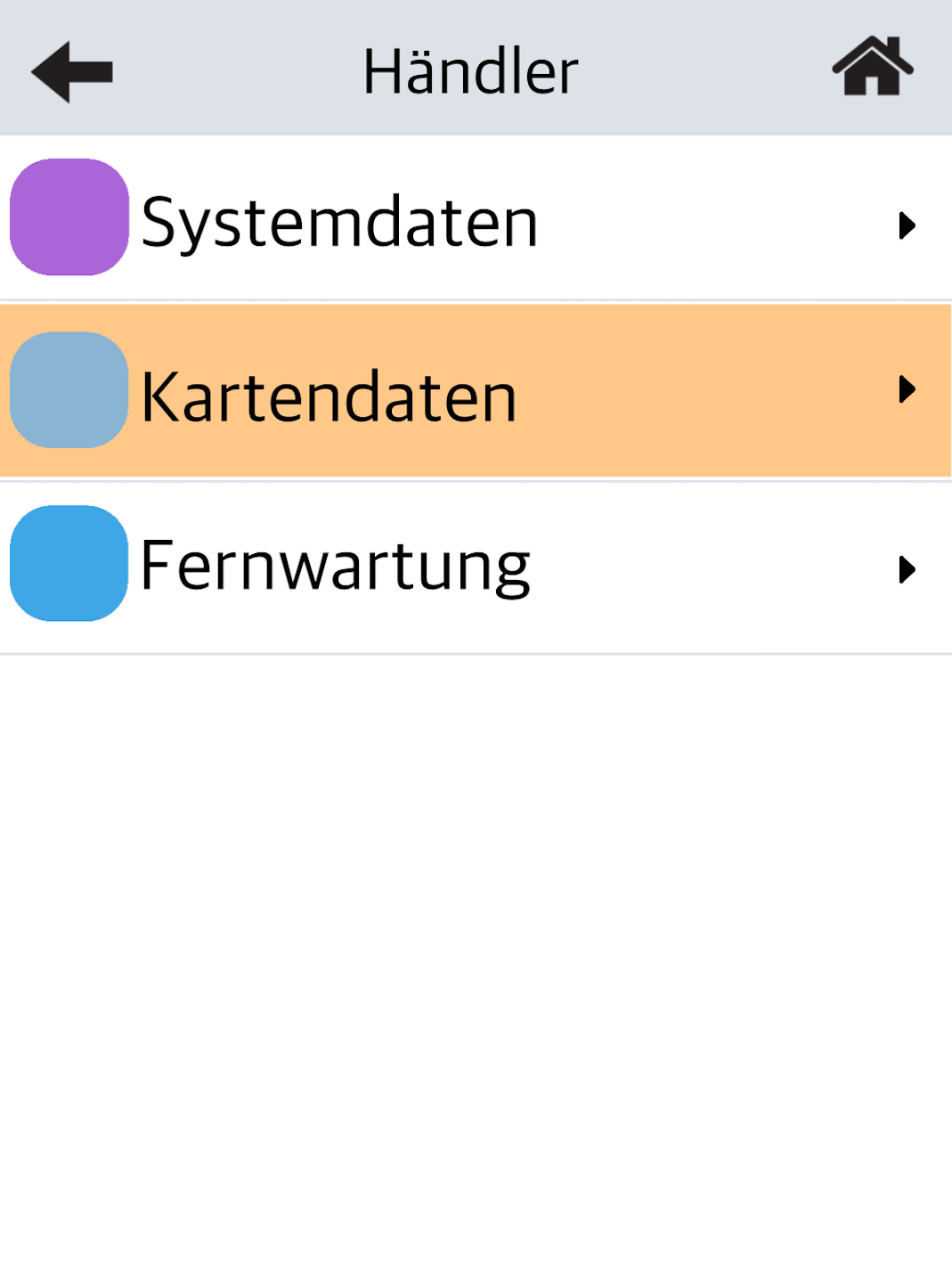
Fig. 2 – Select Händler.
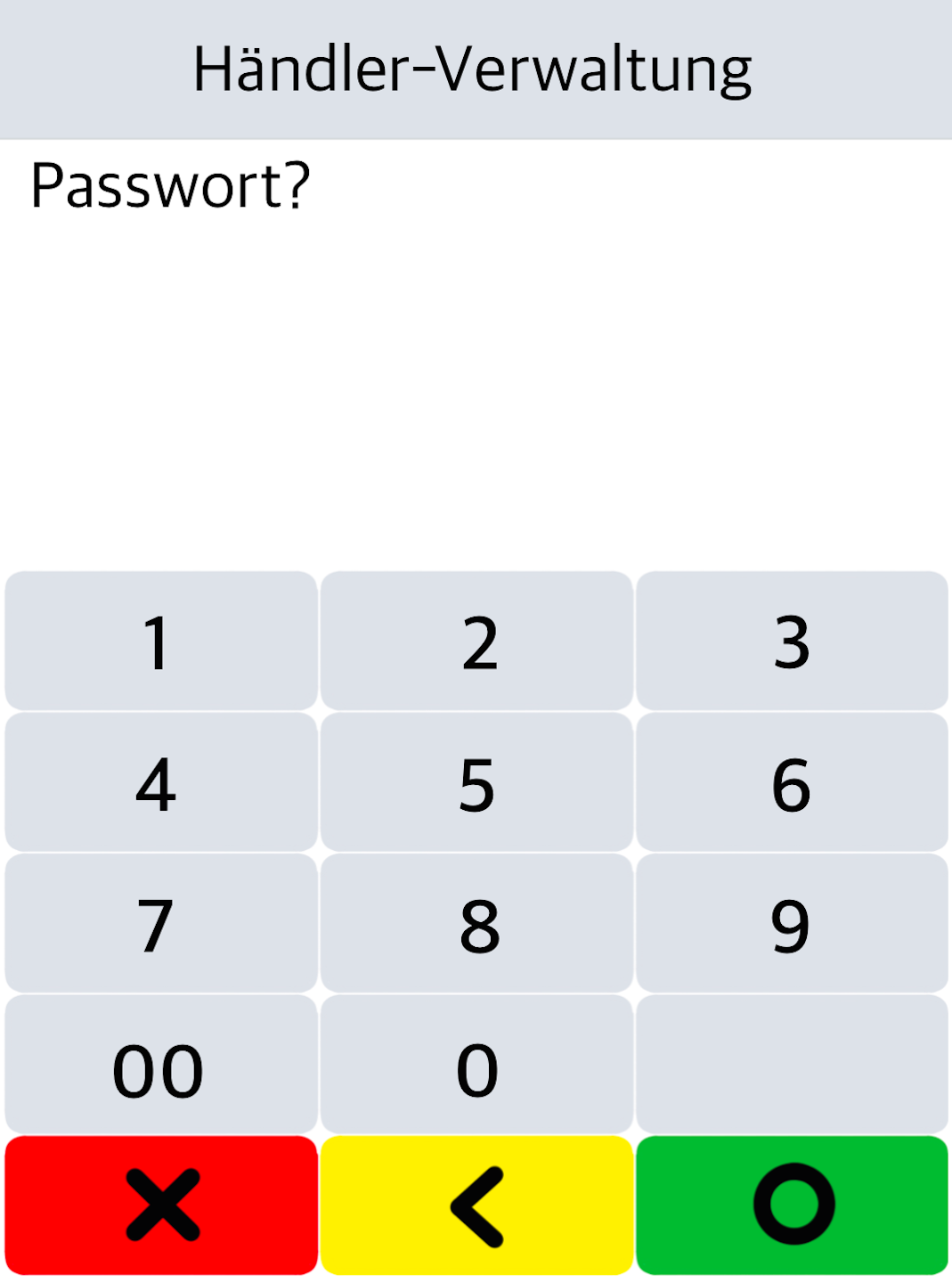
Fig. 3 – Please enter your 6-digit merchant password.
The default password is: 000000.
Activation and Completion
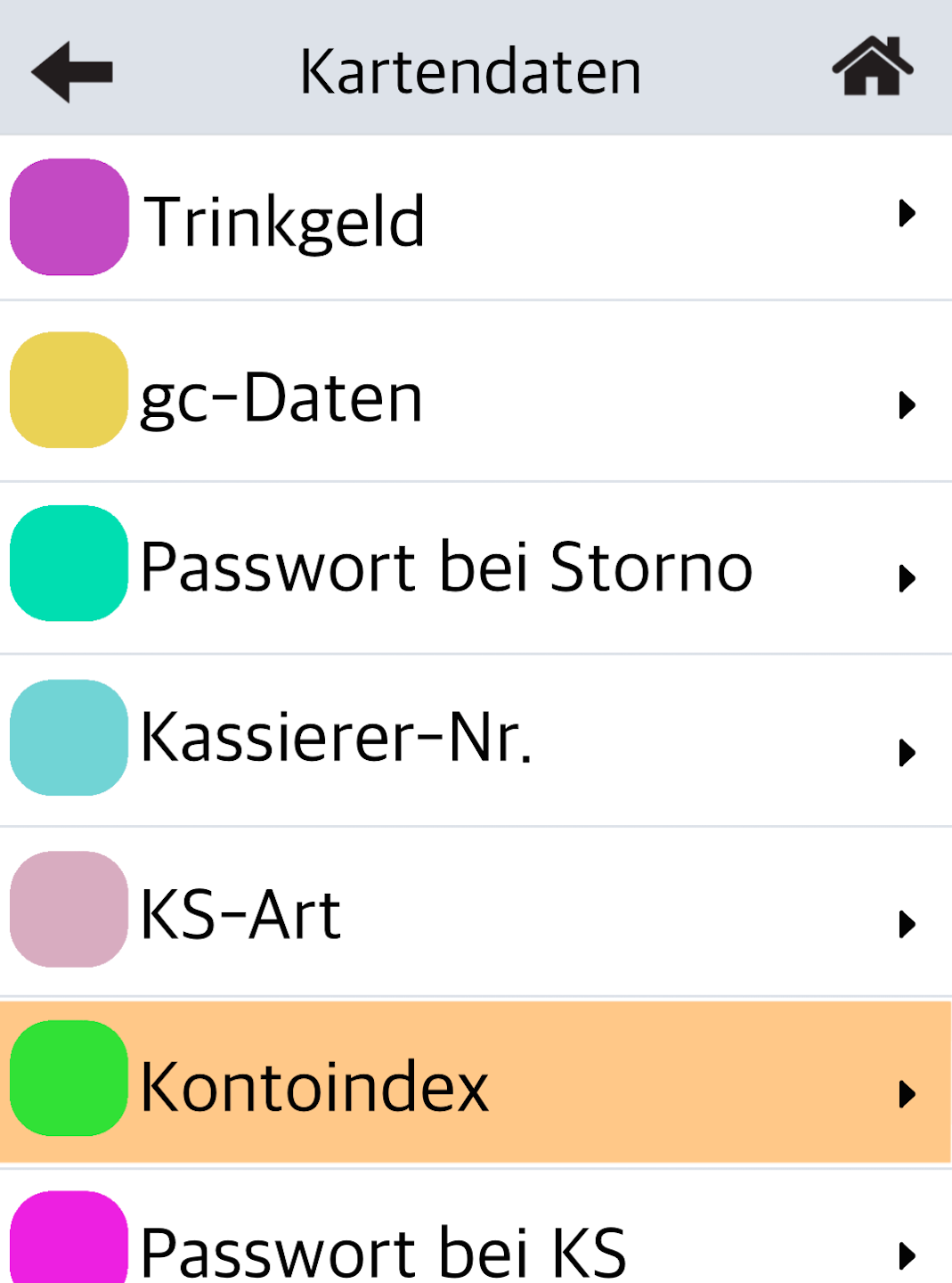
Please proceed through the menu as shown in Fig. 1–2.
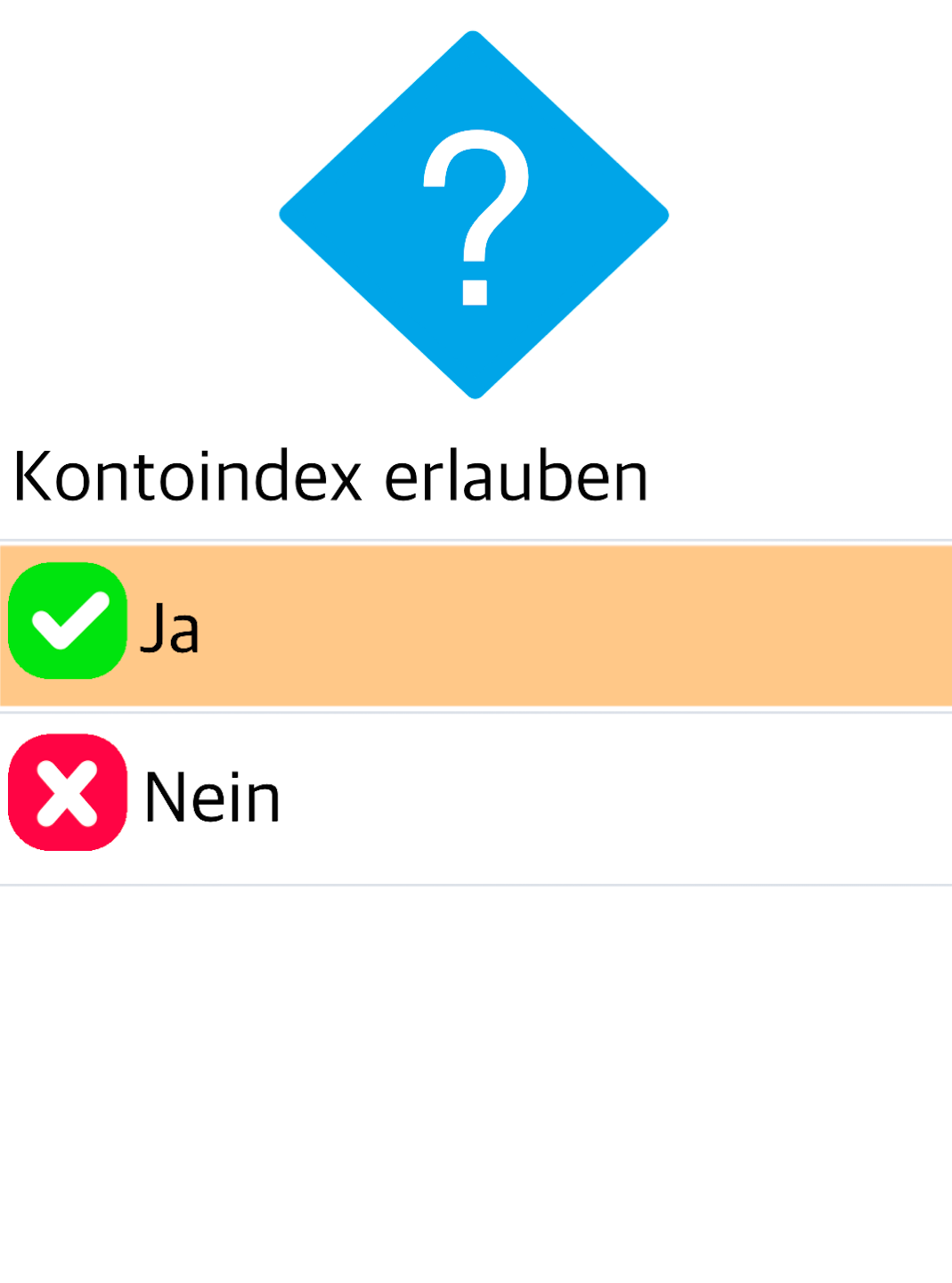
In Fig. 3, activate Account Index.
To return to your home display, please tap the house icon in the top right corner.
The activation is now complete.
Was this article helpful?
That’s Great!
Thank you for your feedback
Sorry! We couldn't be helpful
Thank you for your feedback
Feedback sent
We appreciate your effort and will try to fix the article
