Verifone - Cash Register Closing
Modified on Tue, 10 Feb at 2:35 PM
Performing the Cash Register Closing
In this guide, we show you how to perform the cash register closing.
Note! The payout of completed transactions only takes place after a successful cash register closing.
It should be performed regularly, but at least once a week.
Option 1
You can use two methods to perform the cash register closing.
Option 1:
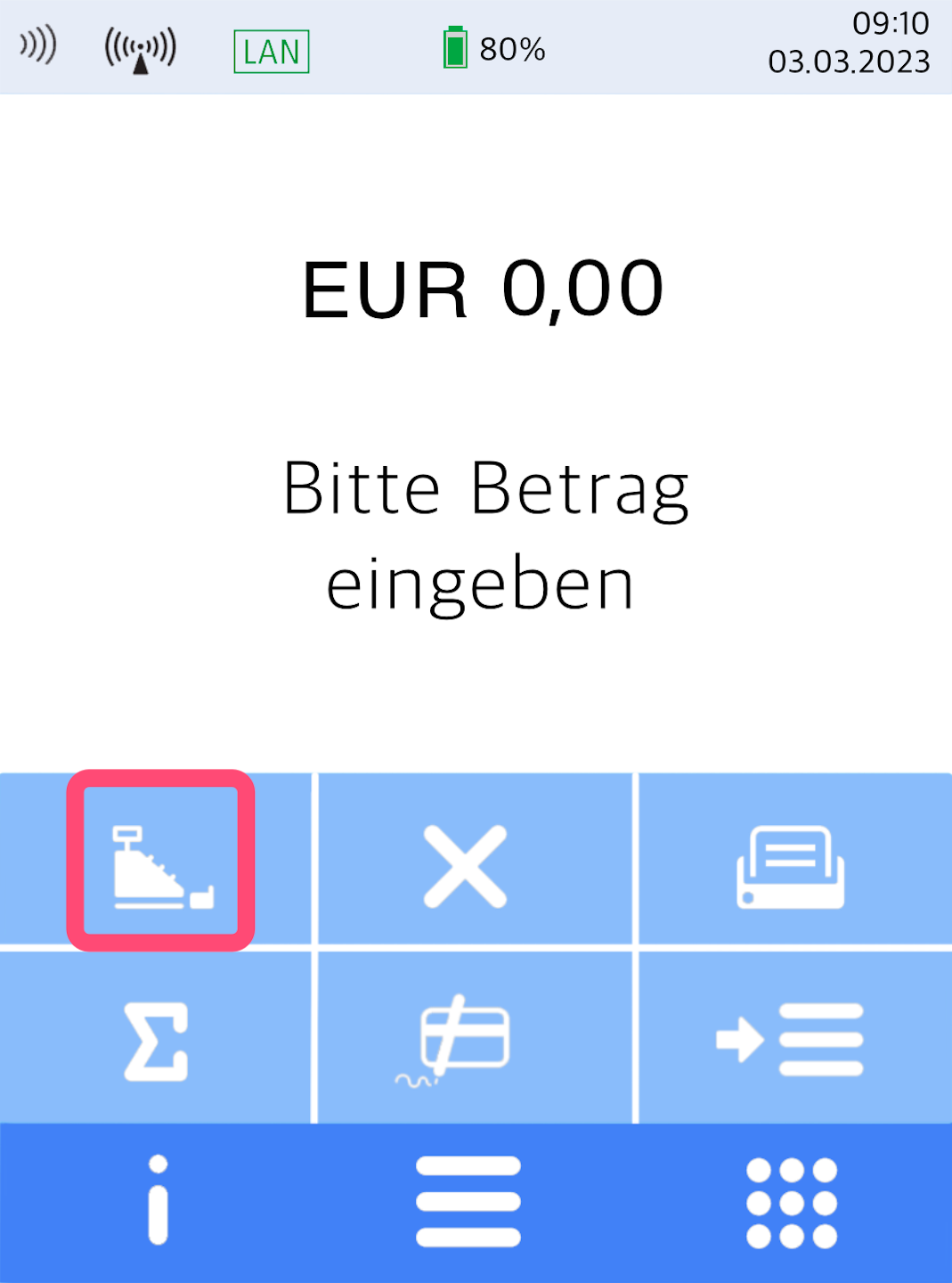
Select the cash register icon on the home display.
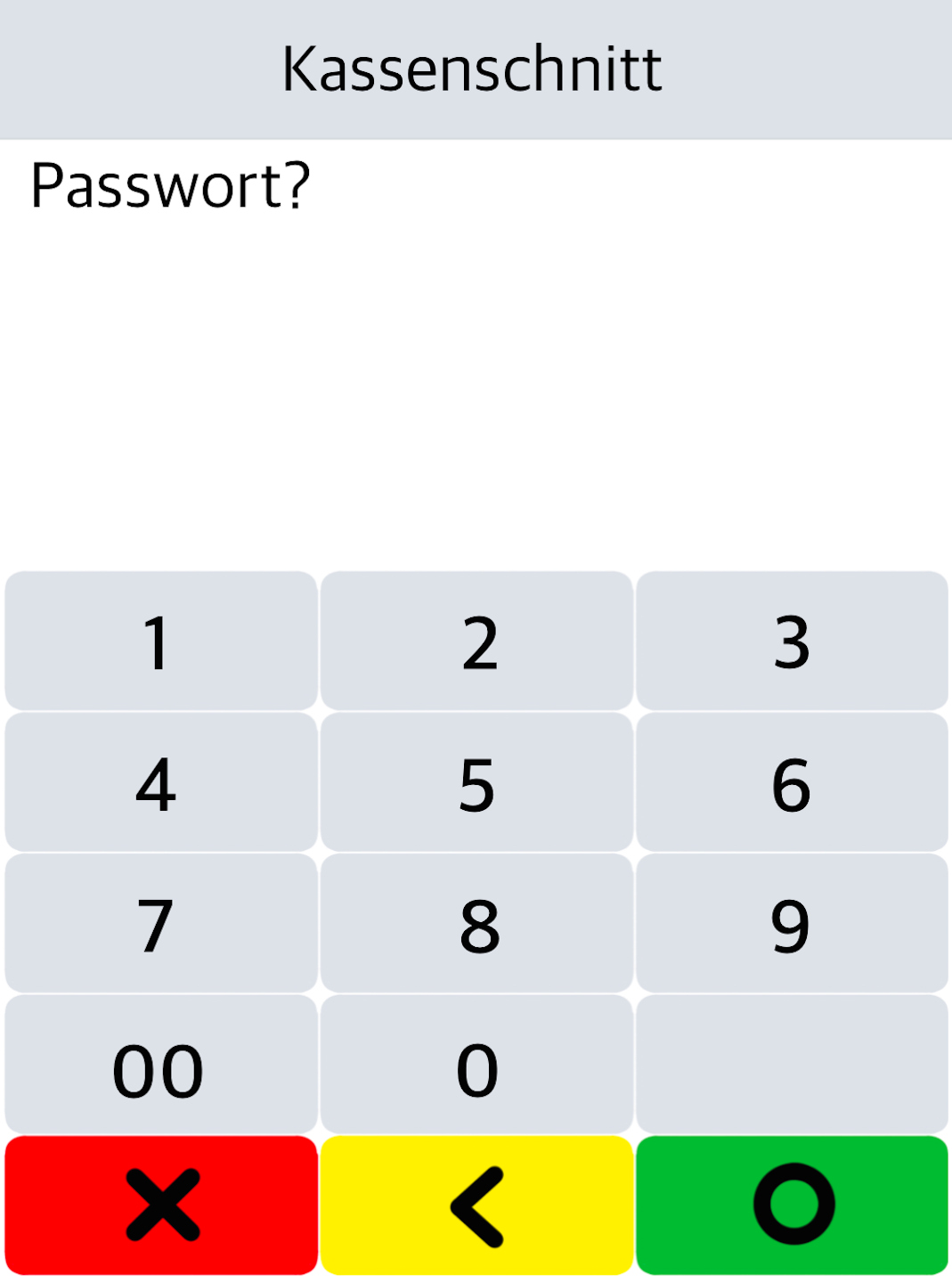
In Fig. 2, the 6-digit merchant password is requested.
After entering and confirming it, the cash register closing is performed immediately and printed out.
Option 2
Option 2:
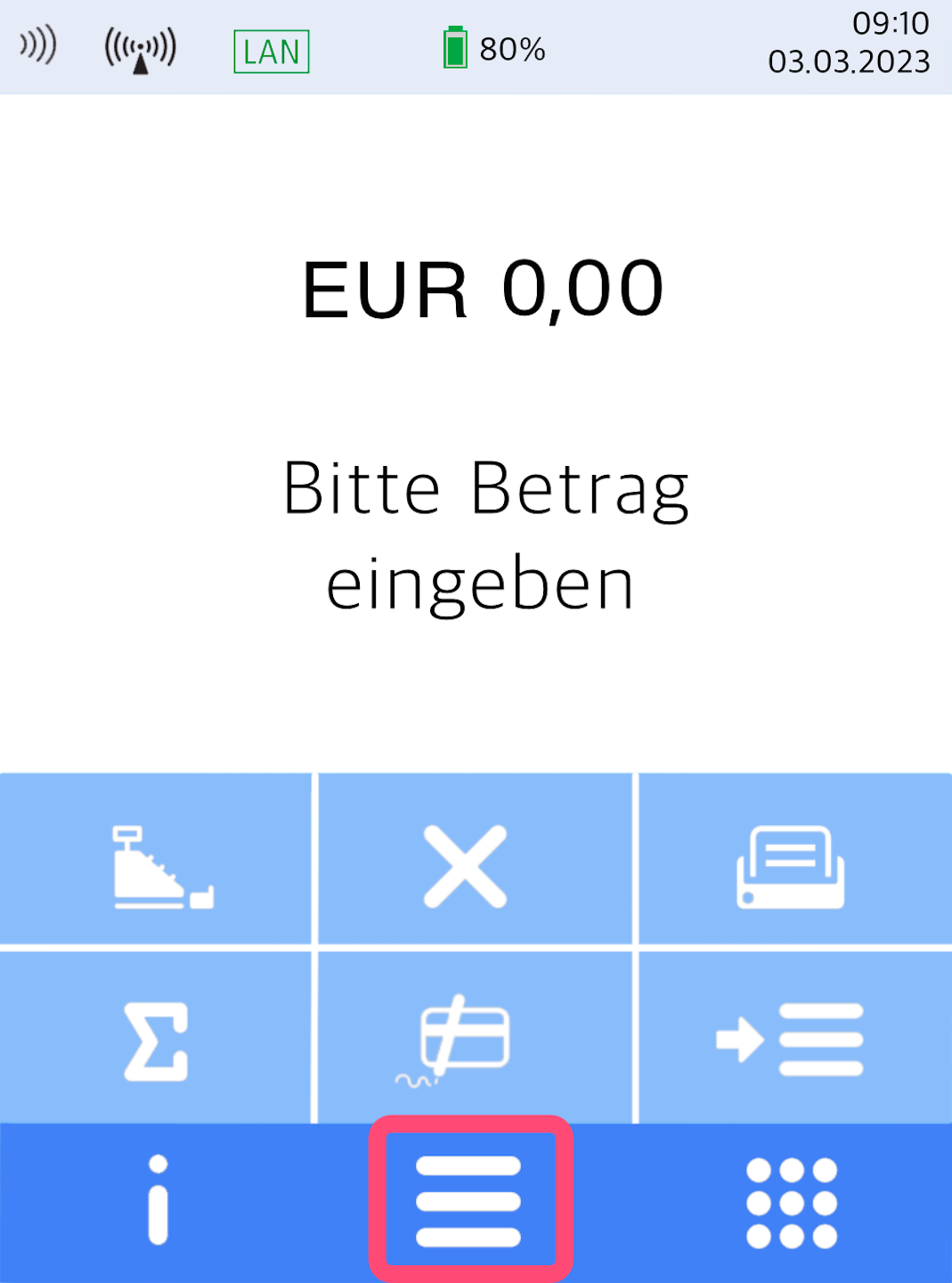
Open the main menu via the three horizontal bars.
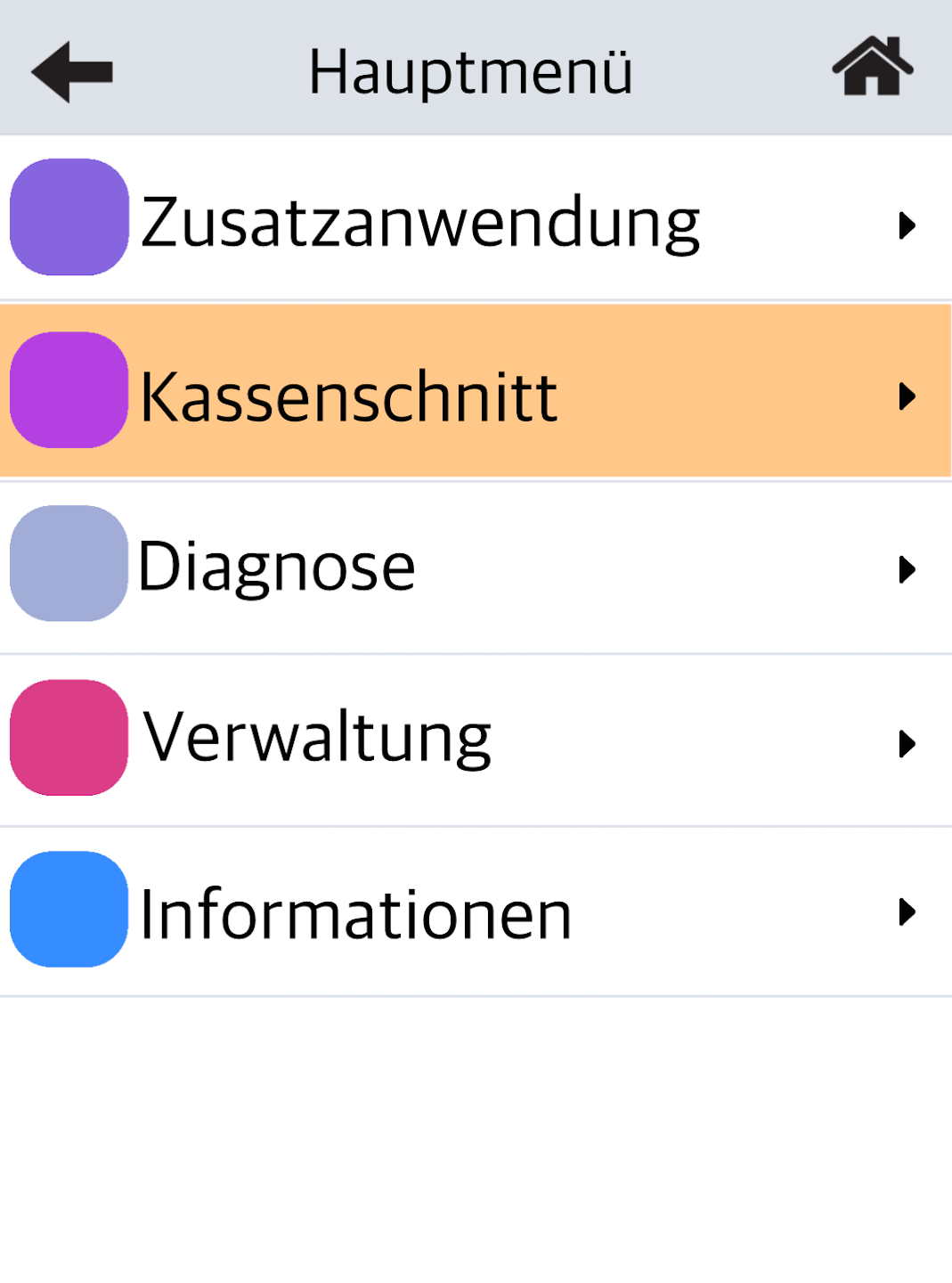
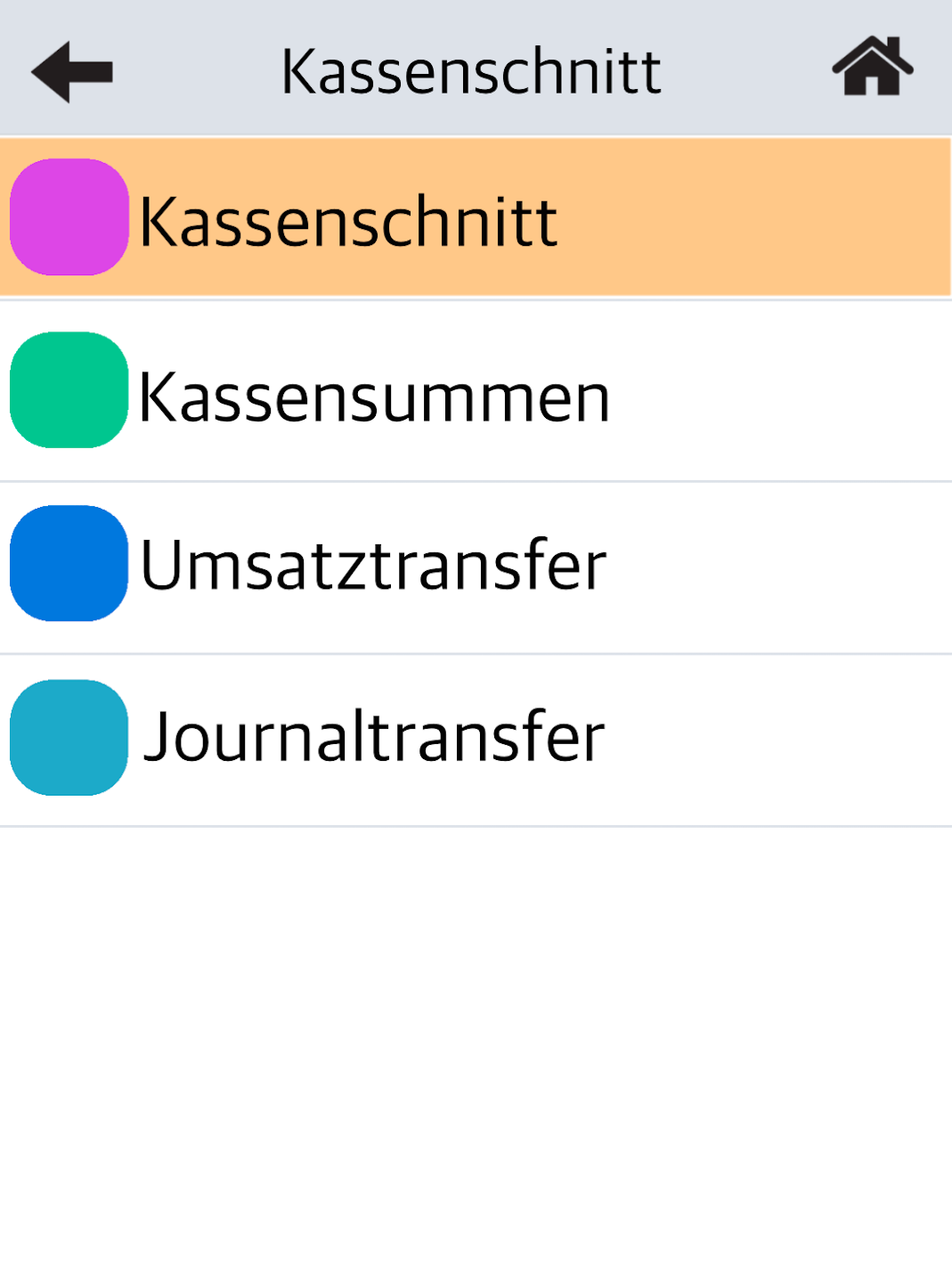
Then select the menu item Kassenschnitt (Fig. 2).
Please enter the 6-digit merchant password and confirm the entry.
Now you can select the menu item Kassenschnitt (Fig. 3).
The cash register closing is performed immediately and printed out.
Was this article helpful?
That’s Great!
Thank you for your feedback
Sorry! We couldn't be helpful
Thank you for your feedback
Feedback sent
We appreciate your effort and will try to fix the article
