Verifone – Power Saving Mode
Modified on Fri, 6 Feb at 5:29 PM
Setting the Power Saving Mode
On your Verifone V400m card reader, you can adjust the power management settings to conserve battery life according to your needs.
This tutorial shows you where to find and change these settings.
Note: These settings can only be adjusted on the Verifone V400m.
Main Display
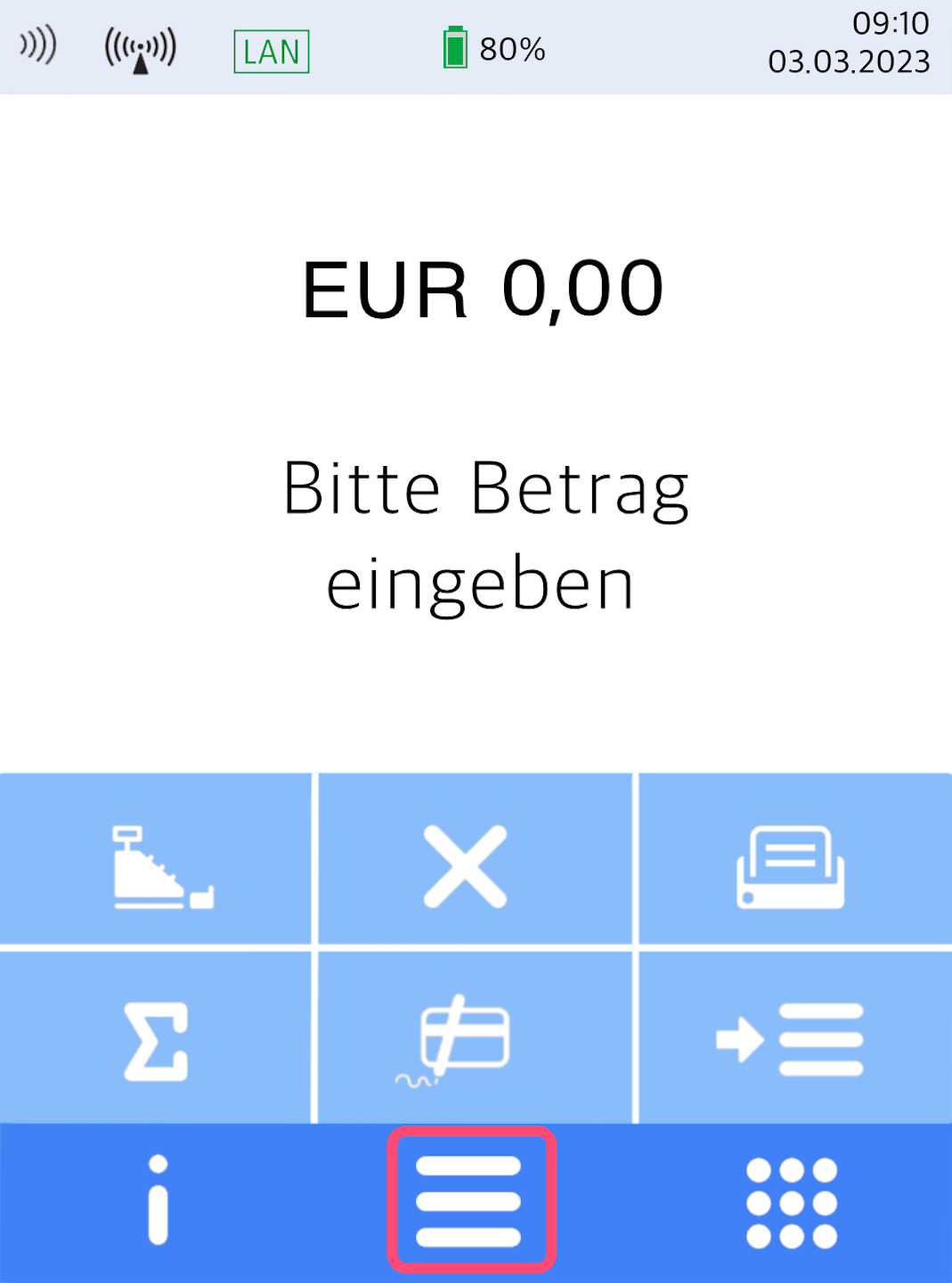
You will see your home display.
Please press the button with the three horizontal bars to access the main menu.
Main Menu and Operator Selection
Fig. 1–3
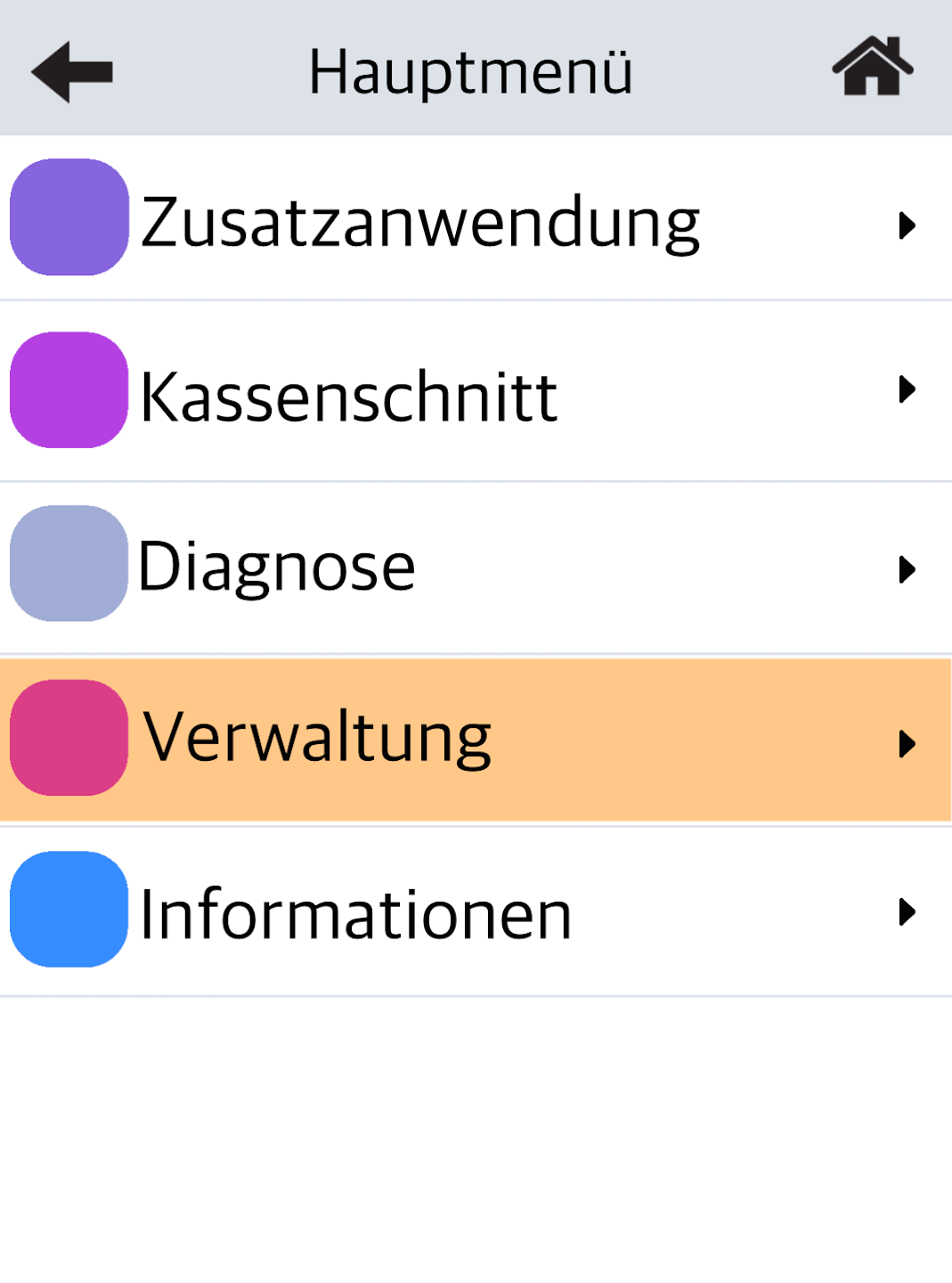
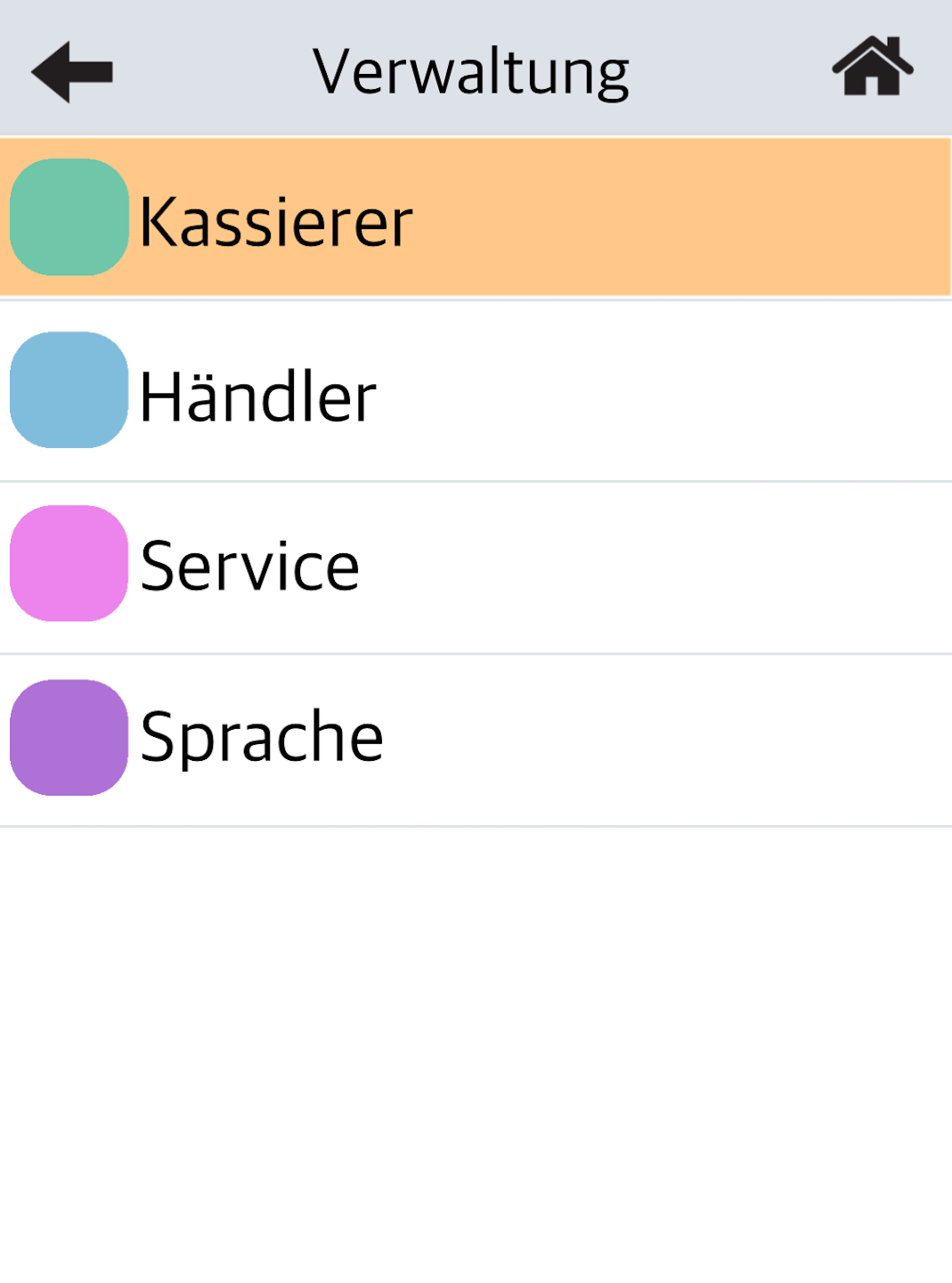
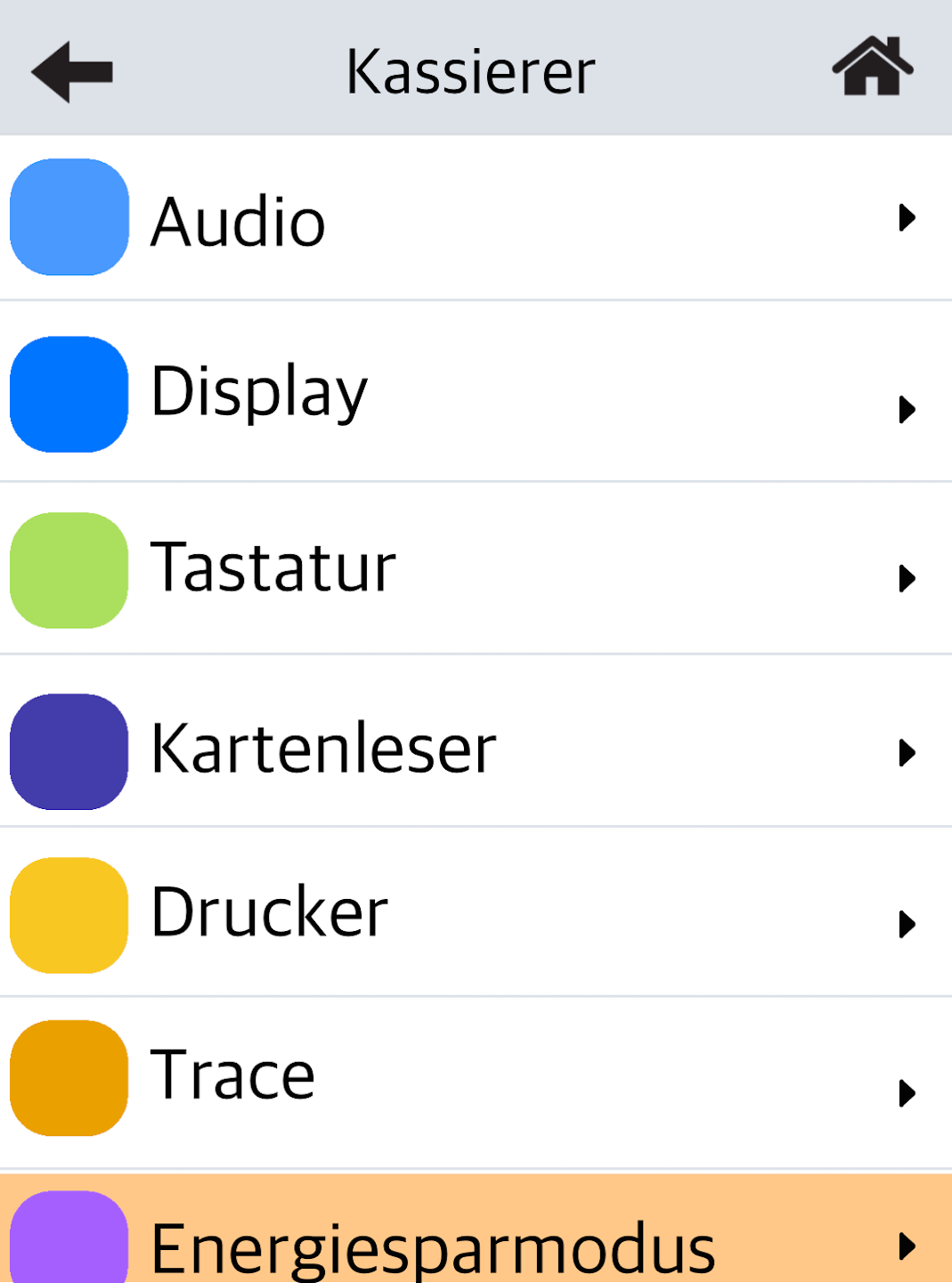
Navigate through the menu as shown in the figures:
Fig. 1: Select Verwaltung
Fig. 2: Select Kassierer
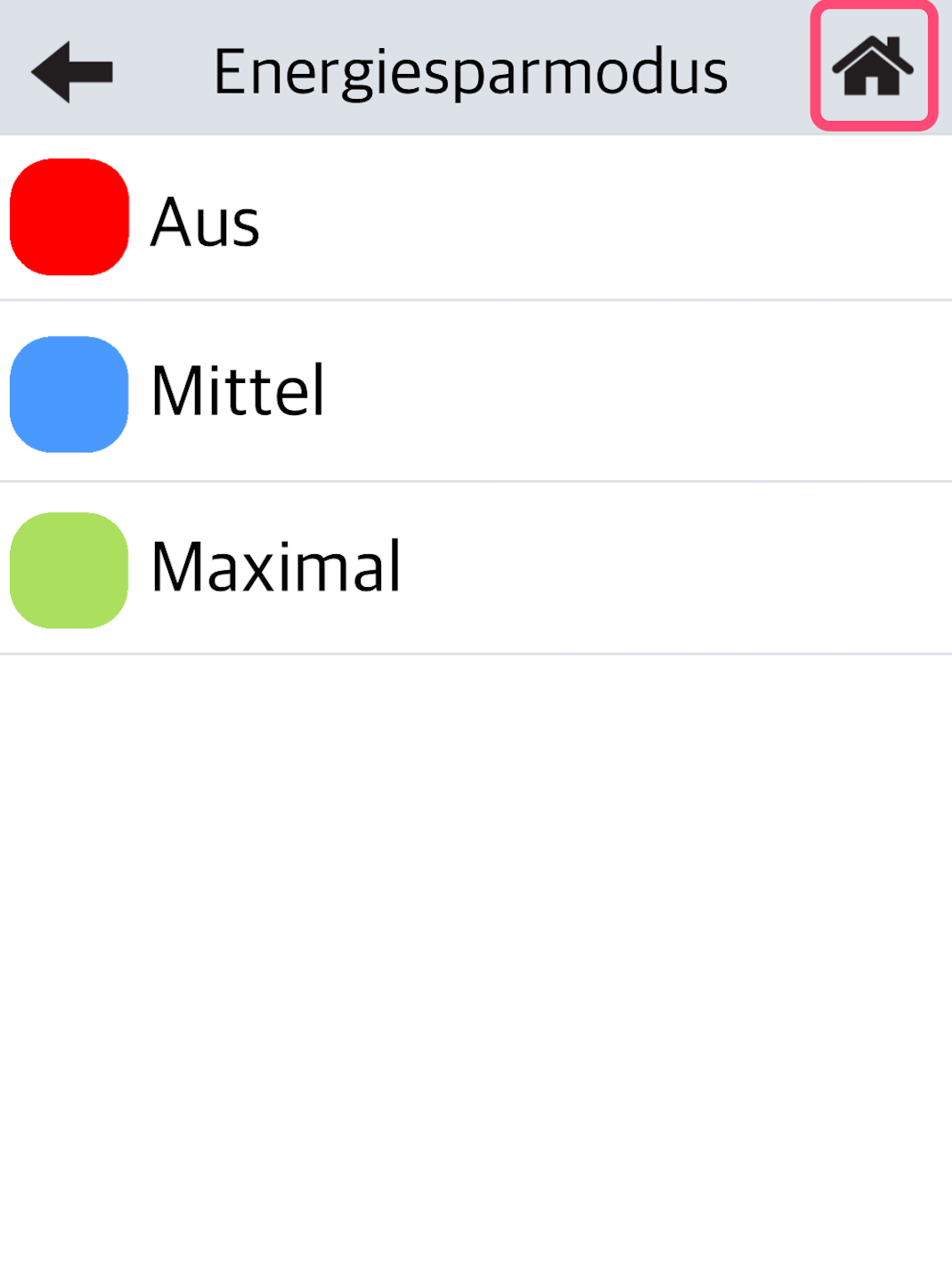
Fig. 3: Select Energiesparmodus
Setting the Power Saving Mode
You can now choose from three modes:
Mode Off: The settings for the display can be made manually. Here is the guide for display settings.
Mode Medium: The display brightness is regulated to 70%. After 30 seconds it is reduced to another 40% and after another 30 seconds the display turns off. The processor of the card reader enters sleep mode.
Mode Maximum: The display brightness is regulated to 40%. After 15 seconds it is reduced to another 10% and after another 15 seconds the display turns off. The processor of the card reader enters sleep mode. After 60 minutes the card reader turns off.
Please select the house icon at the top right to return to your home display. The adjustment is now complete.
Was this article helpful?
That’s Great!
Thank you for your feedback
Sorry! We couldn't be helpful
Thank you for your feedback
Feedback sent
We appreciate your effort and will try to fix the article
