Verifone - Check Connection
Modified on Tue, 10 Feb at 4:04 PM
In this tutorial, we will show you how to check the connection from your Verifone card reader to our authorization systems.
Have you already set up your connection?
Are the connection symbols active?
Here we offer you the tutorials:
Setting up your connection
Explanation of the connection symbols
Menu Button
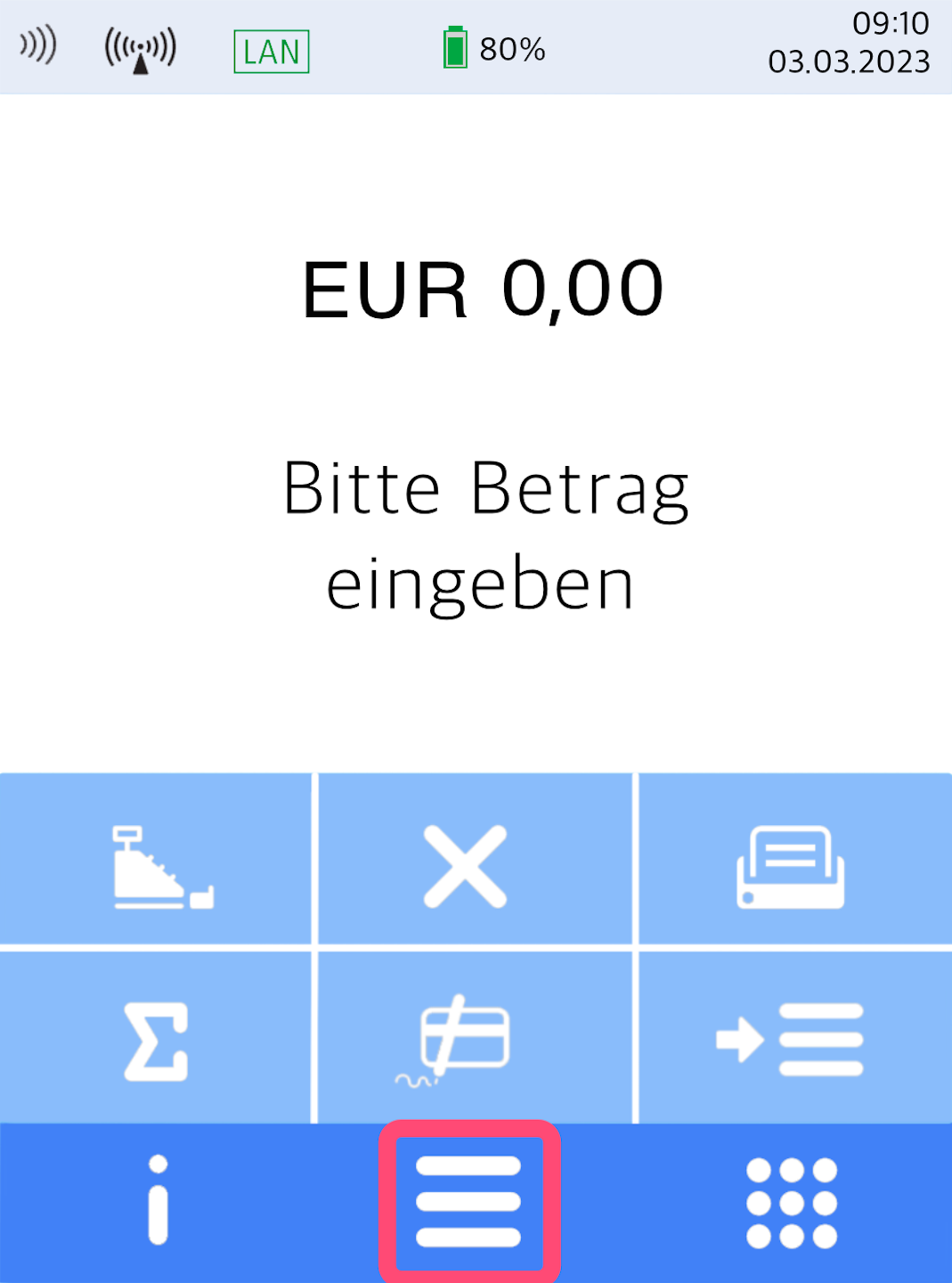
Here you see your home display.
Please tap the button with the three horizontal bars to access the main menu.
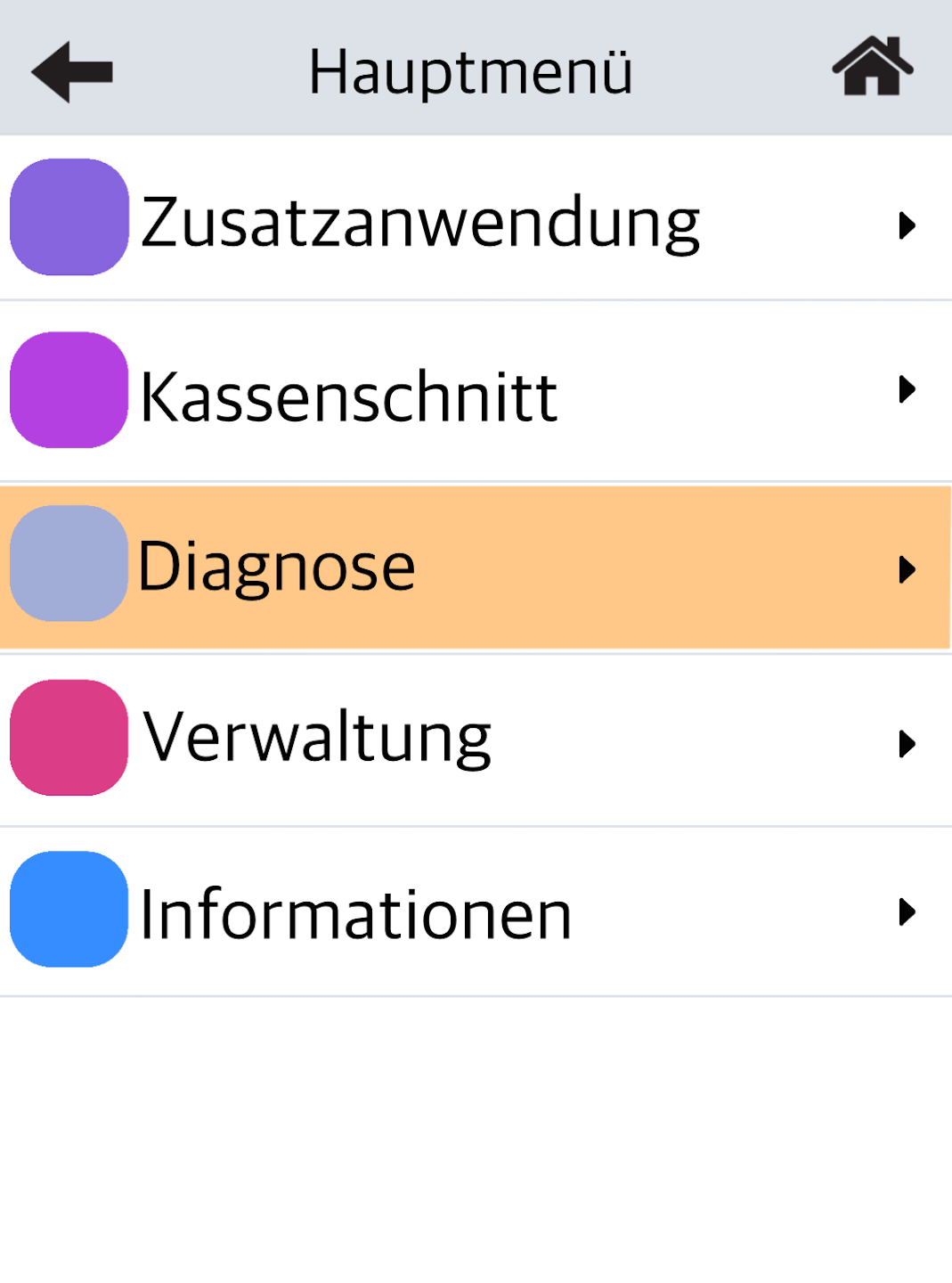
Diagnosis
Please select the menu item Diagnose.
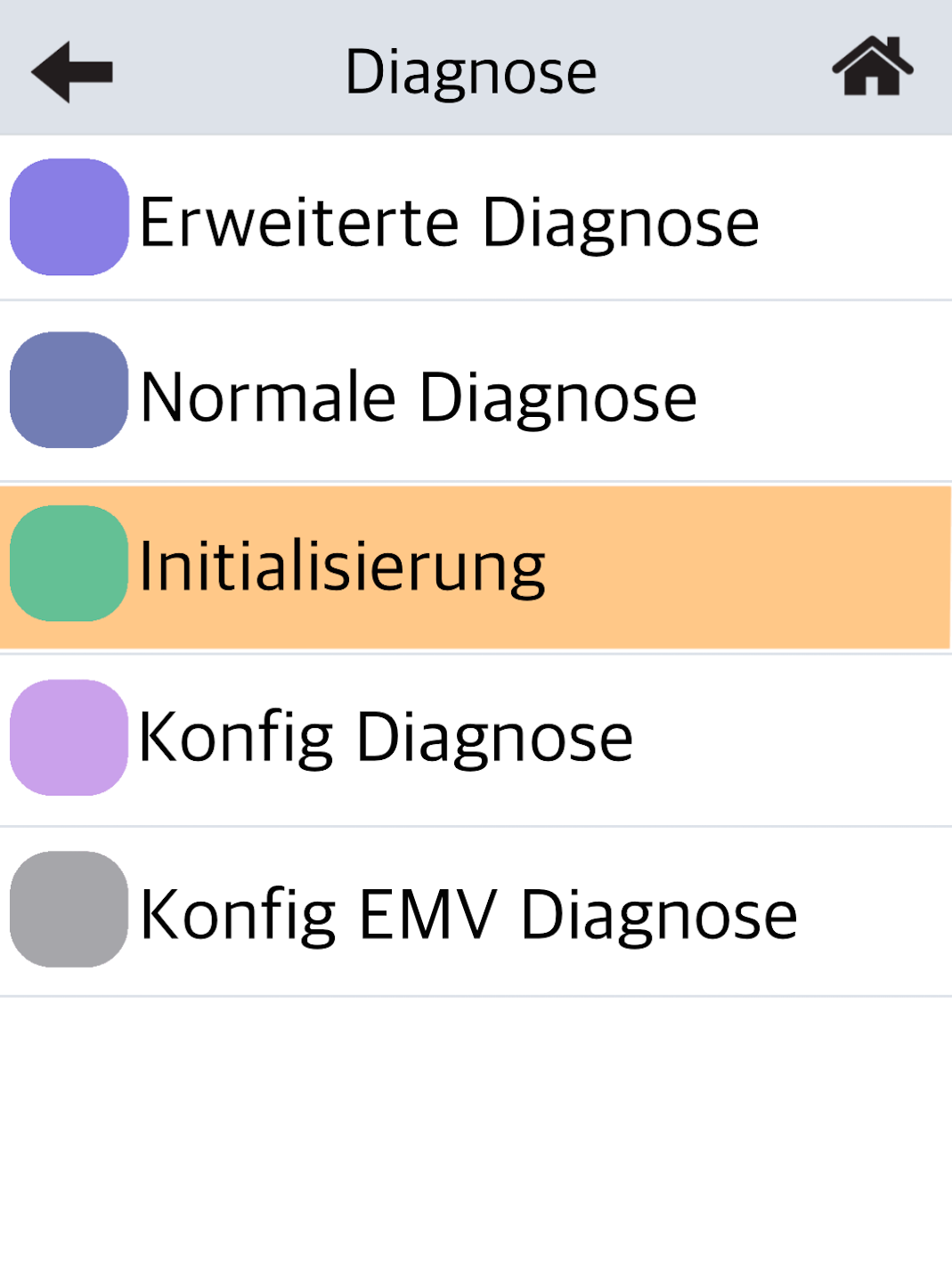
Initialization
The initialization checks whether a connection to our authorizer exists. Additionally, the terminal ID is checked for consistency.
Please select Initialisierung by tapping it.
Success will be confirmed with the printout: Network ready for operation.
If you receive an error message (e.g., FEP 82), please contact our technical service hotline or use our contact form.
To return to your home display, please select the house icon at the top right.
Was this article helpful?
That’s Great!
Thank you for your feedback
Sorry! We couldn't be helpful
Thank you for your feedback
Feedback sent
We appreciate your effort and will try to fix the article
