Verifone - Explanation of the Connection Symbols
Modified on Fri, 6 Feb at 5:29 PM
There are various symbols on the card readers from the manufacturer Verifone that indicate the status of their connection.
Please select which type of connection you need more information about:
LAN
Models: Verifone V400c / P400 (both wired)
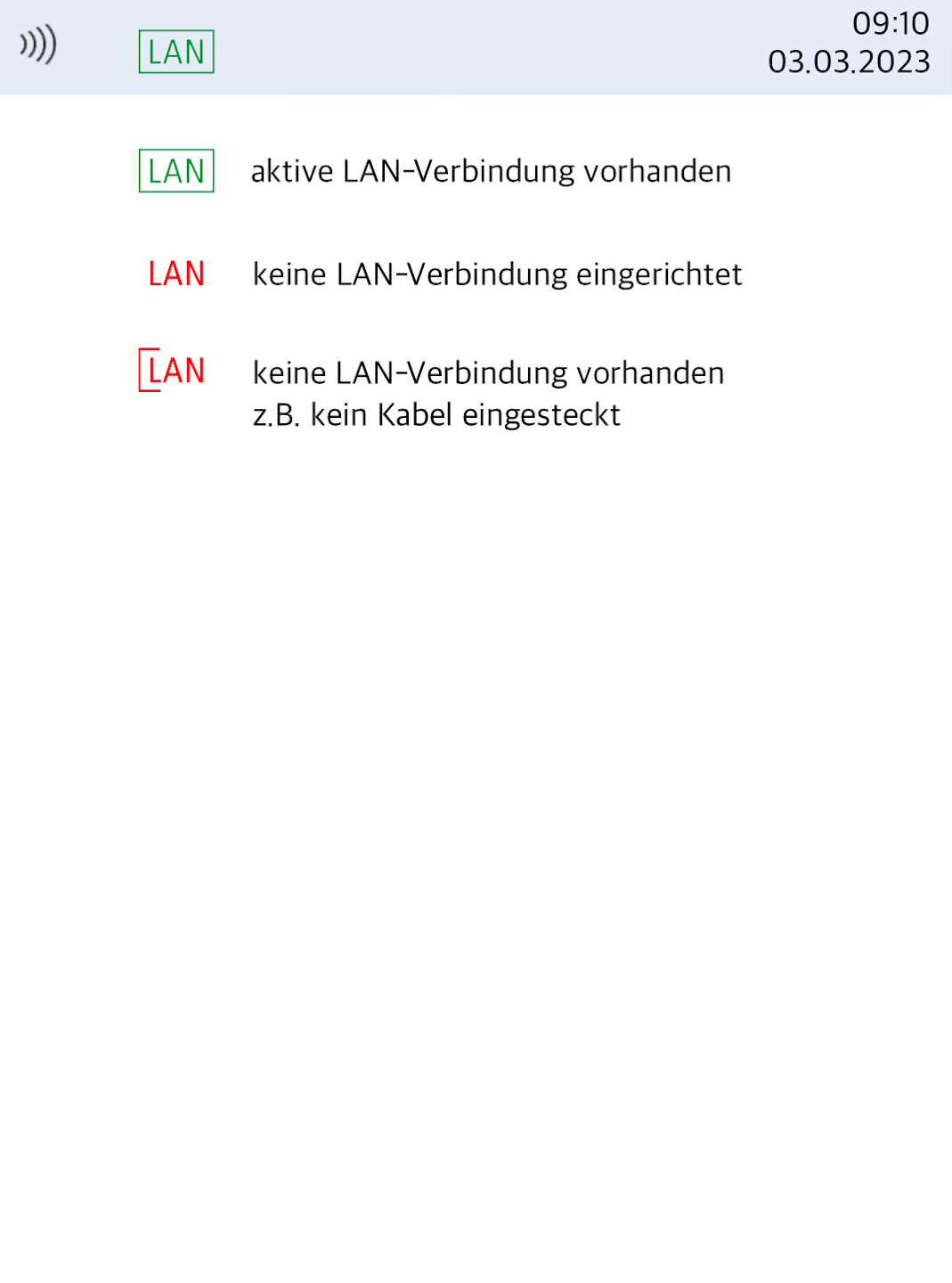
green LAN symbol – The LAN cable is correctly plugged in and there is an active physical connection to the internet router.
red LAN symbol – No LAN connection is set up.
Please set up the LAN connection. We are happy to assist you with our step-by-step instructions.
red LAN symbol with bracket – There is no physical connection to the internet router.
Please check the LAN cabling on the card reader and on your internet router.
Feel free to perform a connection test using our instructions.
LAN + WLAN
Models: Verifone V400c / P400 (both wired)
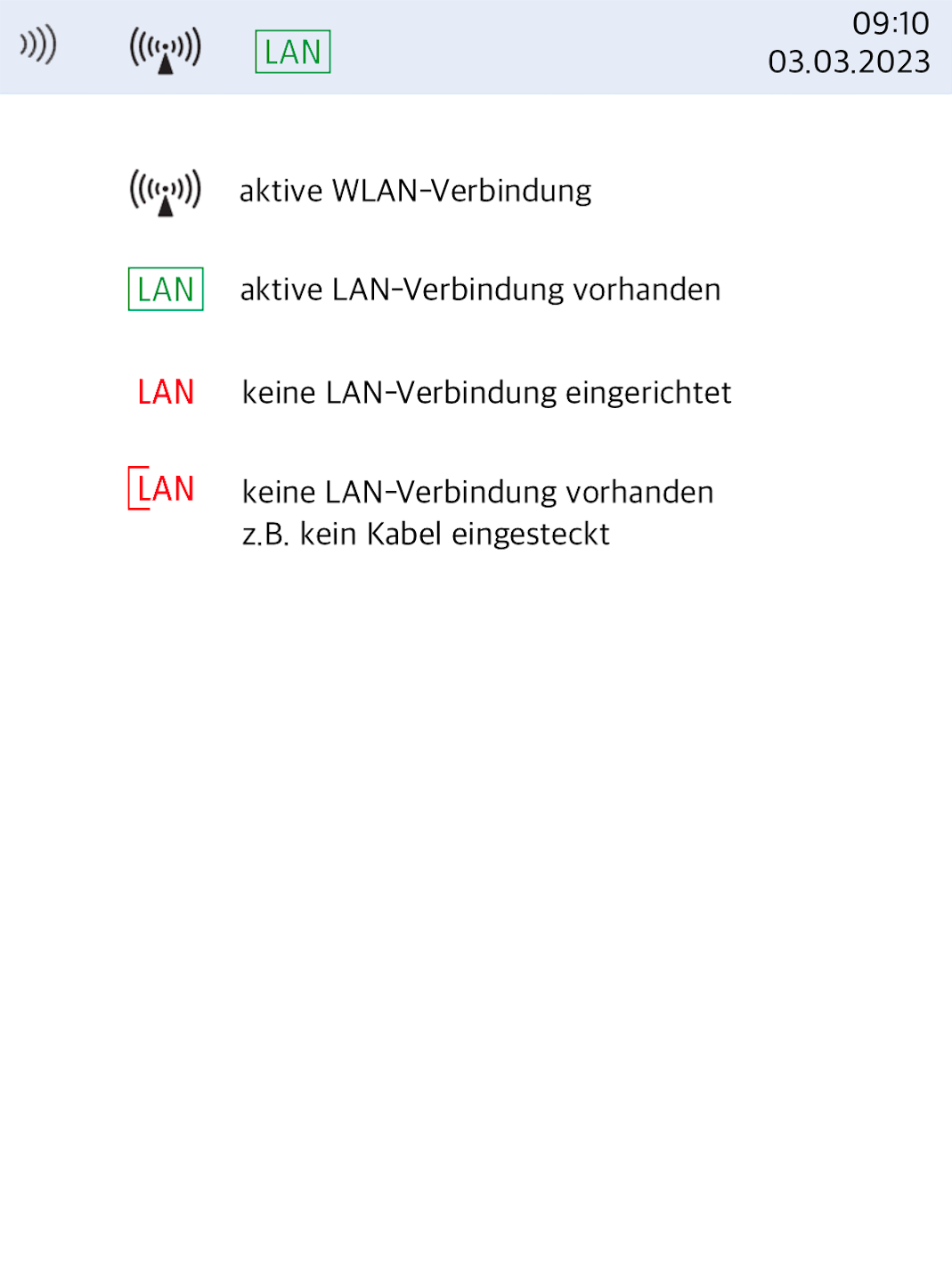
A visible WLAN symbol indicates that a WLAN connection has been set up and is active.
green LAN symbol – The LAN cable is correctly plugged in and there is an active physical connection to the internet router.
red LAN symbol – No LAN connection is set up.
Please set up the LAN connection. We are happy to assist you with our step-by-step instructions.
red LAN symbol with bracket – There is no physical connection to the internet router.
Please check the LAN cabling on the card reader and on your internet router.
Feel free to perform a connection test using our instructions.
WLAN
Models: Verifone V400c (wired) / V400m (mobile)
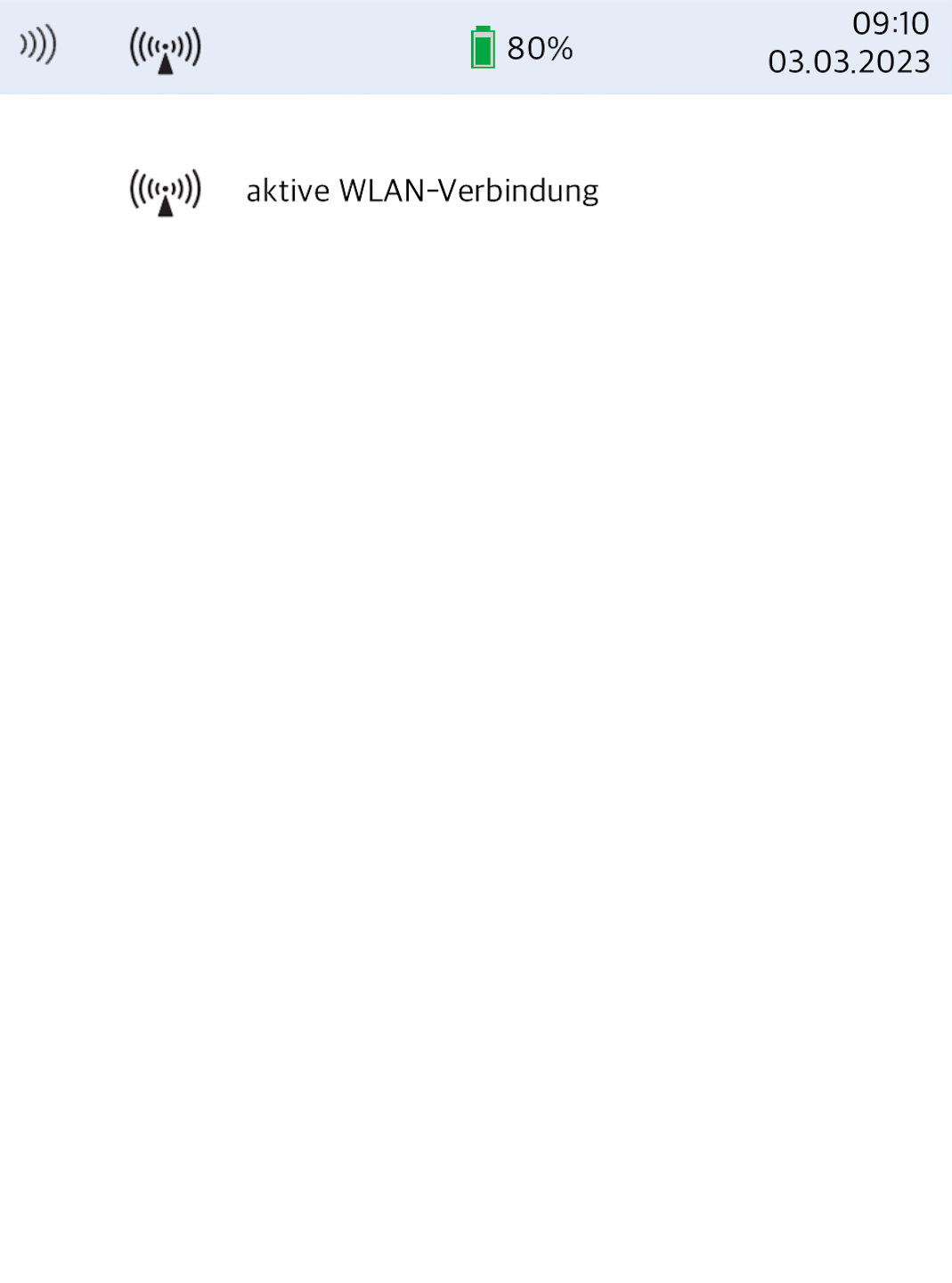
Only the WLAN symbol is shown on your card reader?
This indicates that a WLAN connection has been set up and is active.
Feel free to perform a connection test using our instructions.
Mobile Network (SIM card)
Models: Verifone V400m (mobile)
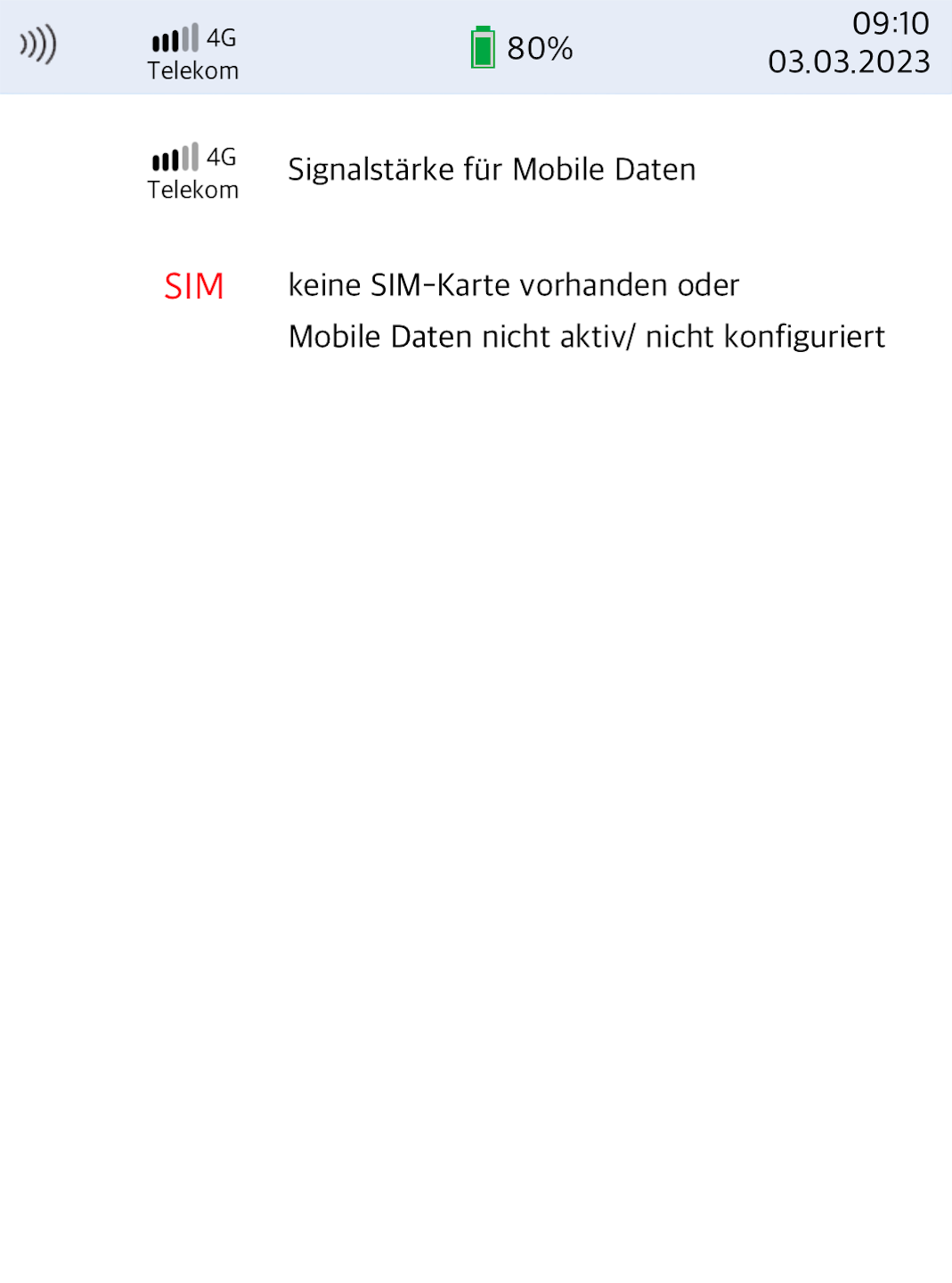
At the top of the display, you can see whether your SIM card has logged into the mobile Telekom network.
The signal strength is visible.
If you see a red SIM symbol, it is possible that no SIM card is inserted or the mobile connection is not configured.
Please check whether the SIM card is correctly inserted and making contact.
Please set up the mobile data connection using our setup guide.
Feel free to perform a connection test using our instructions.
WLAN + Mobile Network
Models: Verifone V400m (mobile)
Only the WLAN symbol is shown on your card reader?
This indicates that a WLAN connection has been set up and is active.
Feel free to perform a connection test using our instructions.
At the top of the display, you can see whether your SIM card has logged into the mobile Telekom network.
The signal strength is visible.
If you see a red SIM symbol, it is possible that no SIM card is inserted or the mobile connection is not configured.
Please check whether the SIM card is correctly inserted and making contact.
Please set up the mobile data connection using our setup guide.
Afterwards, feel free to perform a connection test using our instructions.
Was this article helpful?
That’s Great!
Thank you for your feedback
Sorry! We couldn't be helpful
Thank you for your feedback
Feedback sent
We appreciate your effort and will try to fix the article
