T650p - Reading Out IP Address Data
Modified on Mon, 9 Feb at 4:48 PM
Displaying the Current IP Address
In this tutorial, we show you how to display the currently assigned IP address on your Verifone Trinity T650p card reader.
Menu Selection
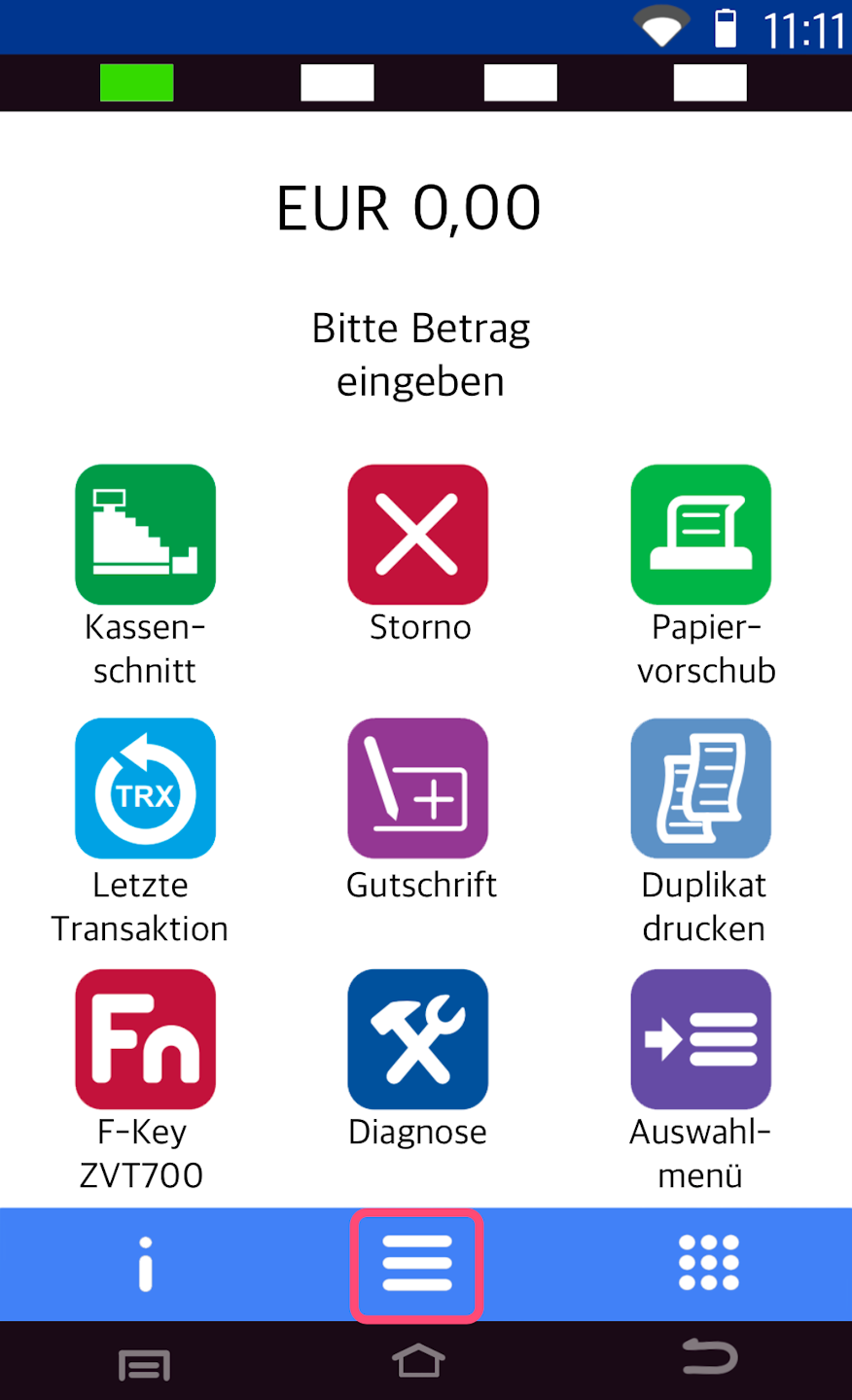
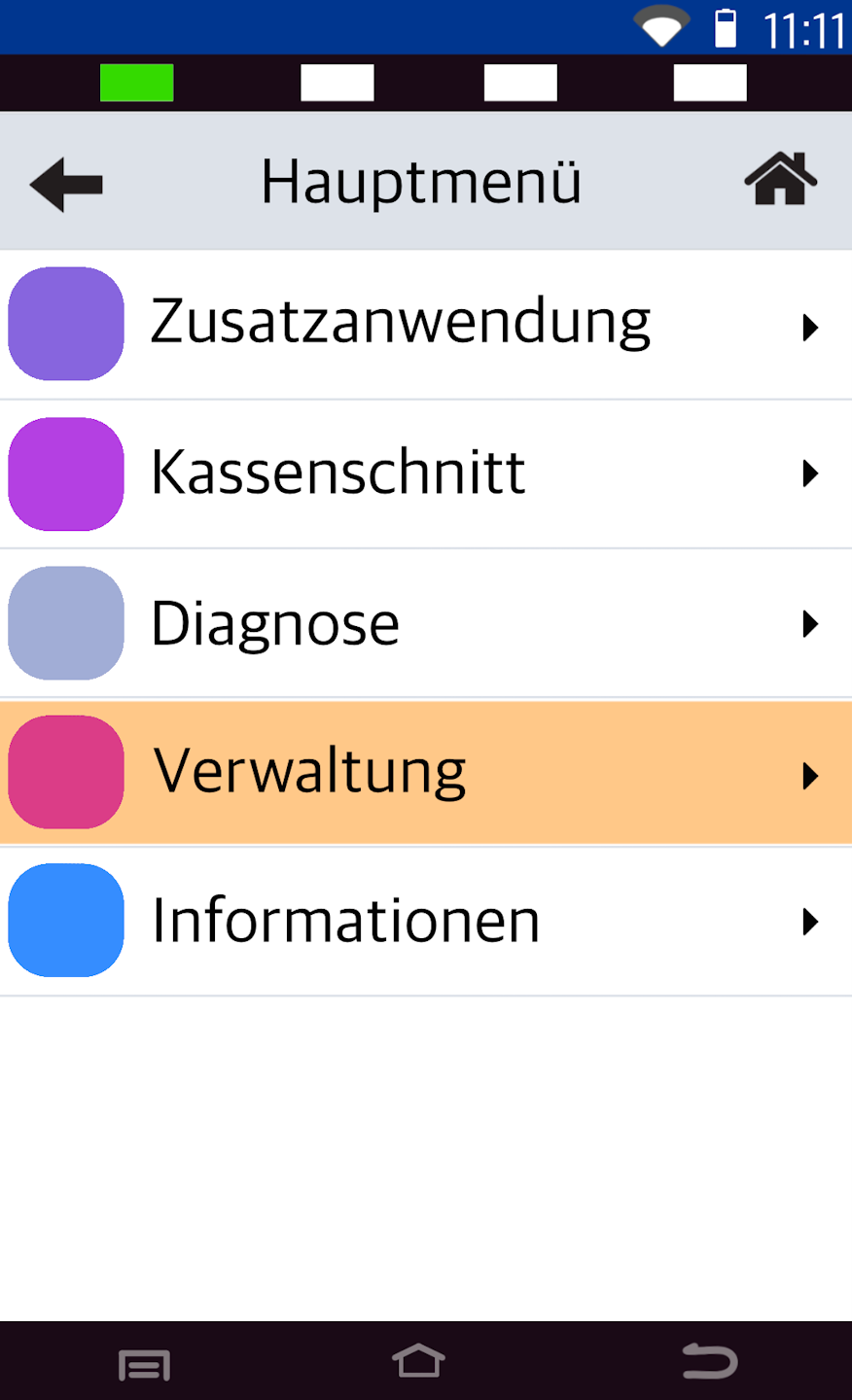
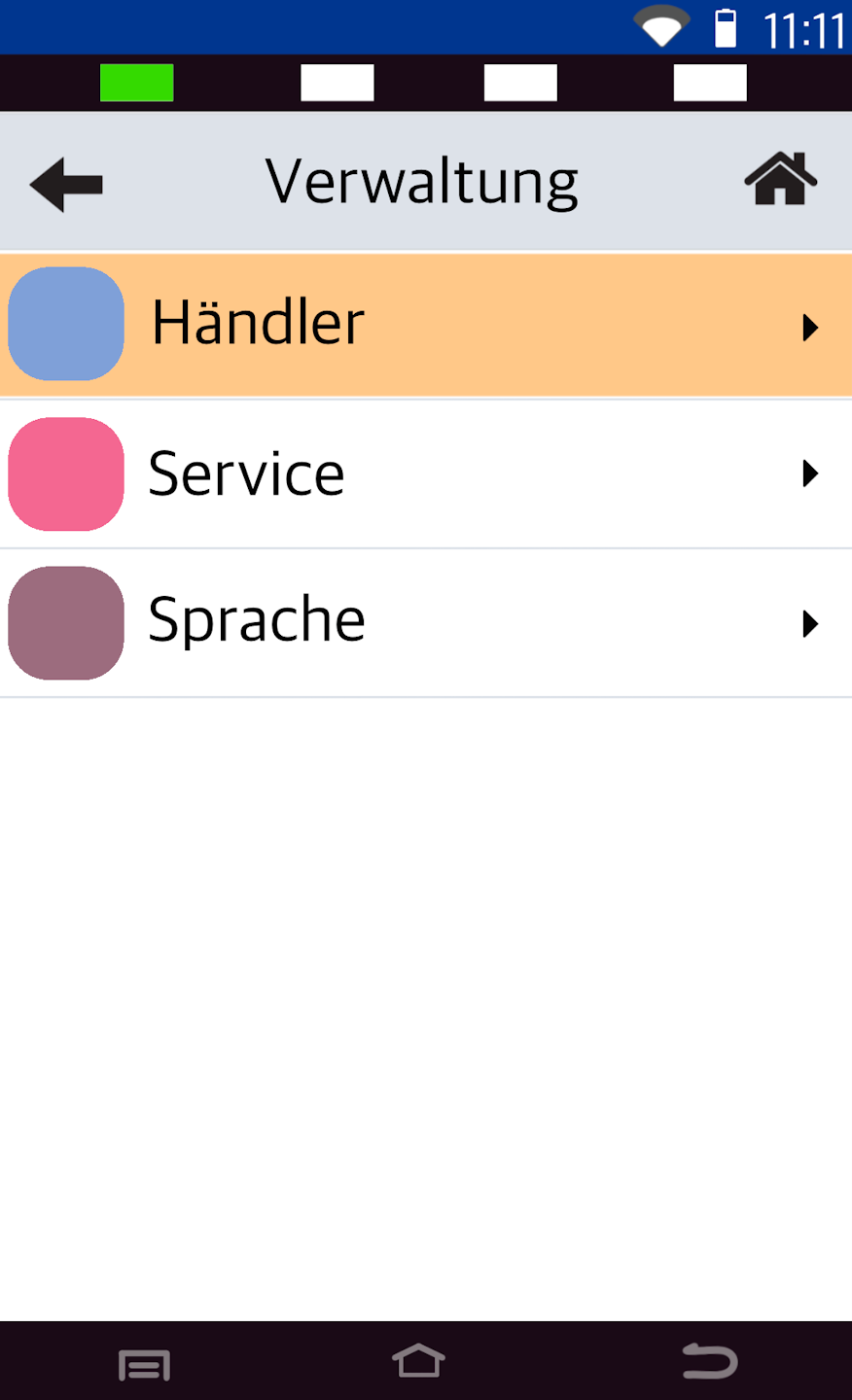
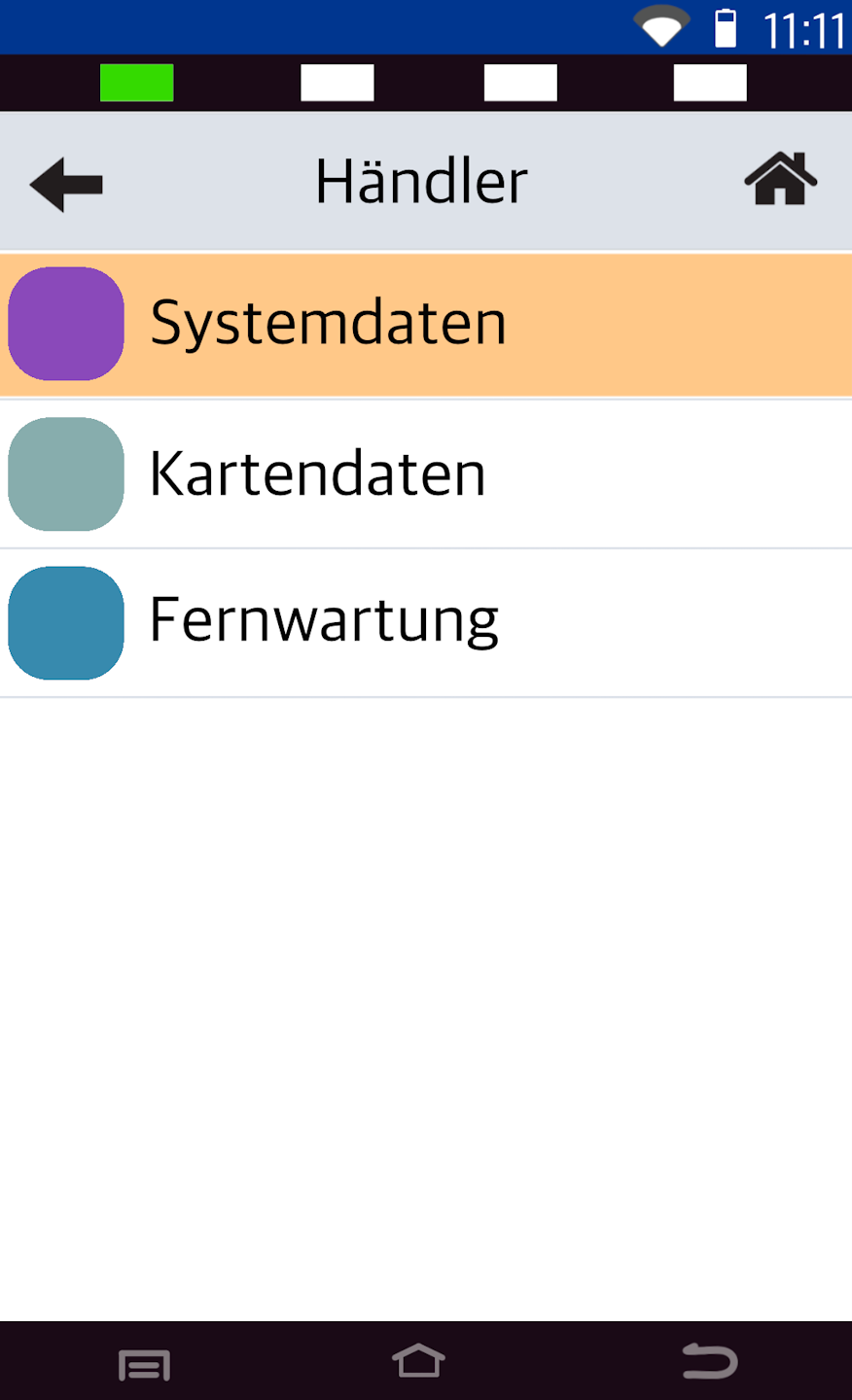
In step 1, we need to navigate to the Android Parameters. Please refer to figures 1–3.
Fig. 1 - Please select the middle button with the three horizontal lines.
Fig. 2 - Please tap Verwaltung.
Fig. 3 - Here, select Händler.
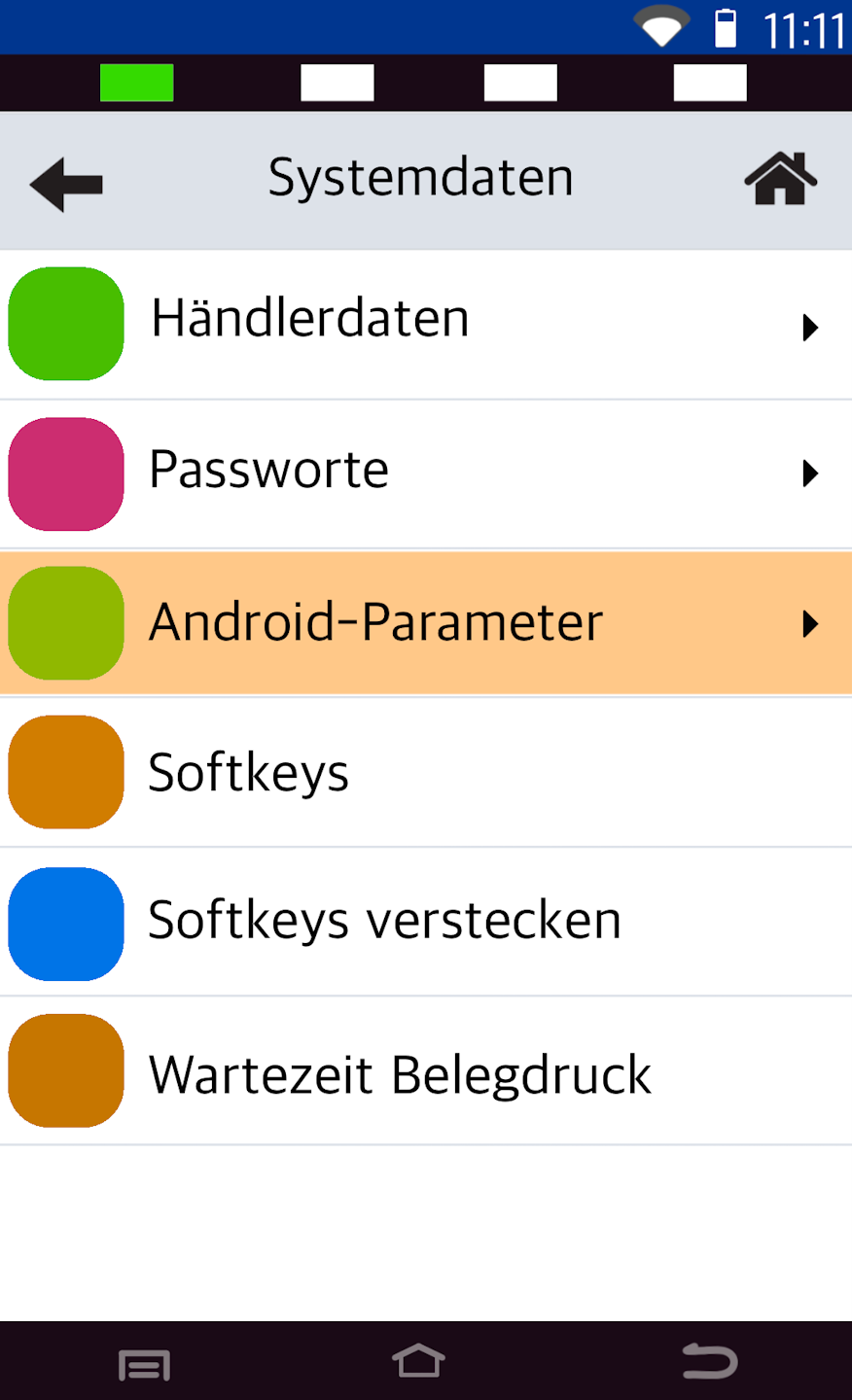
Password Entry and Android Parameters
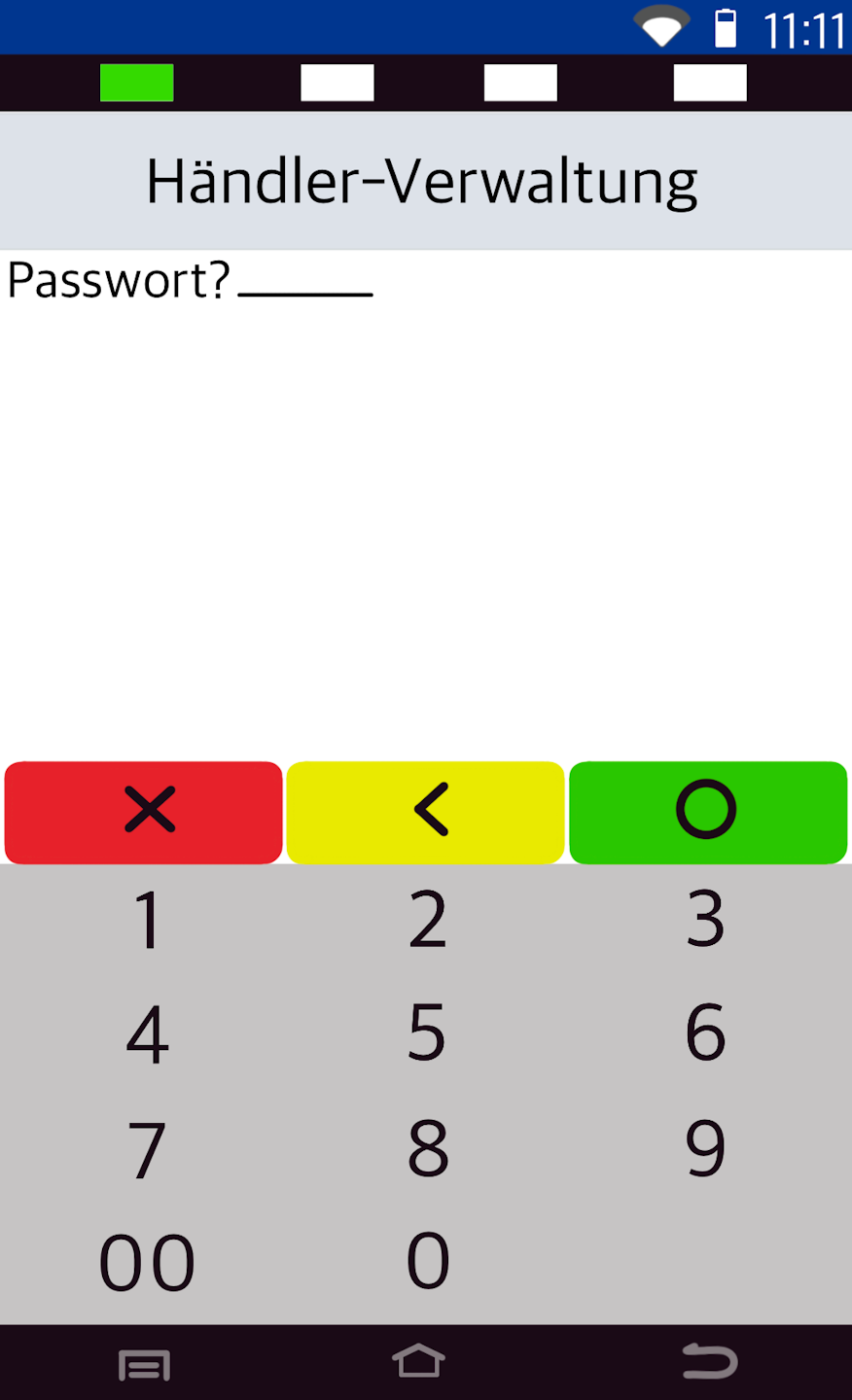
Fig. 1 - Please enter your 6-digit merchant password.
The default is 00 00 00.
Fig. 2 - Select the menu item Systemdaten.
Fig. 3 - Here, please select Android-Parameter.
Android Menu
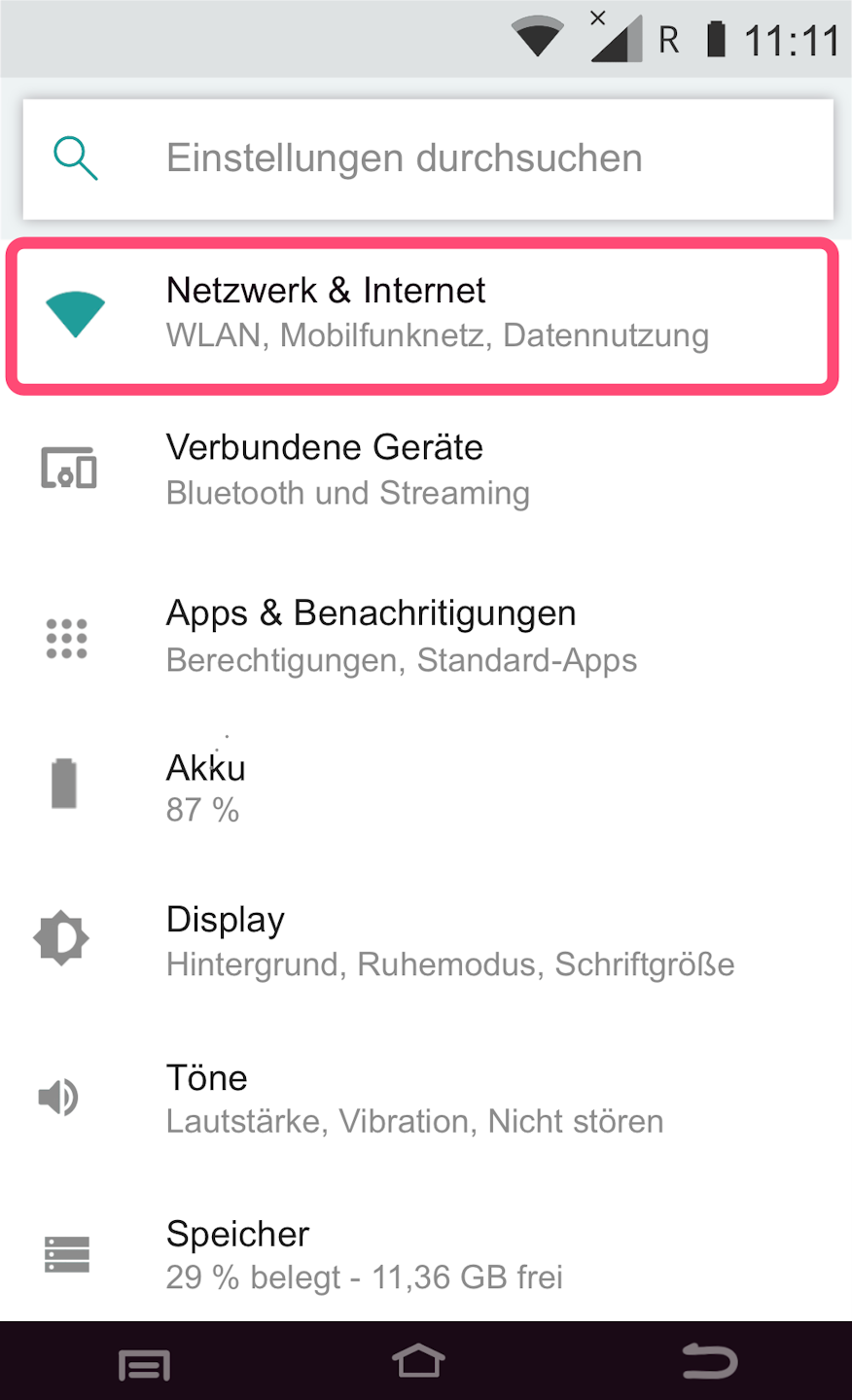
We are now in the Android system settings.
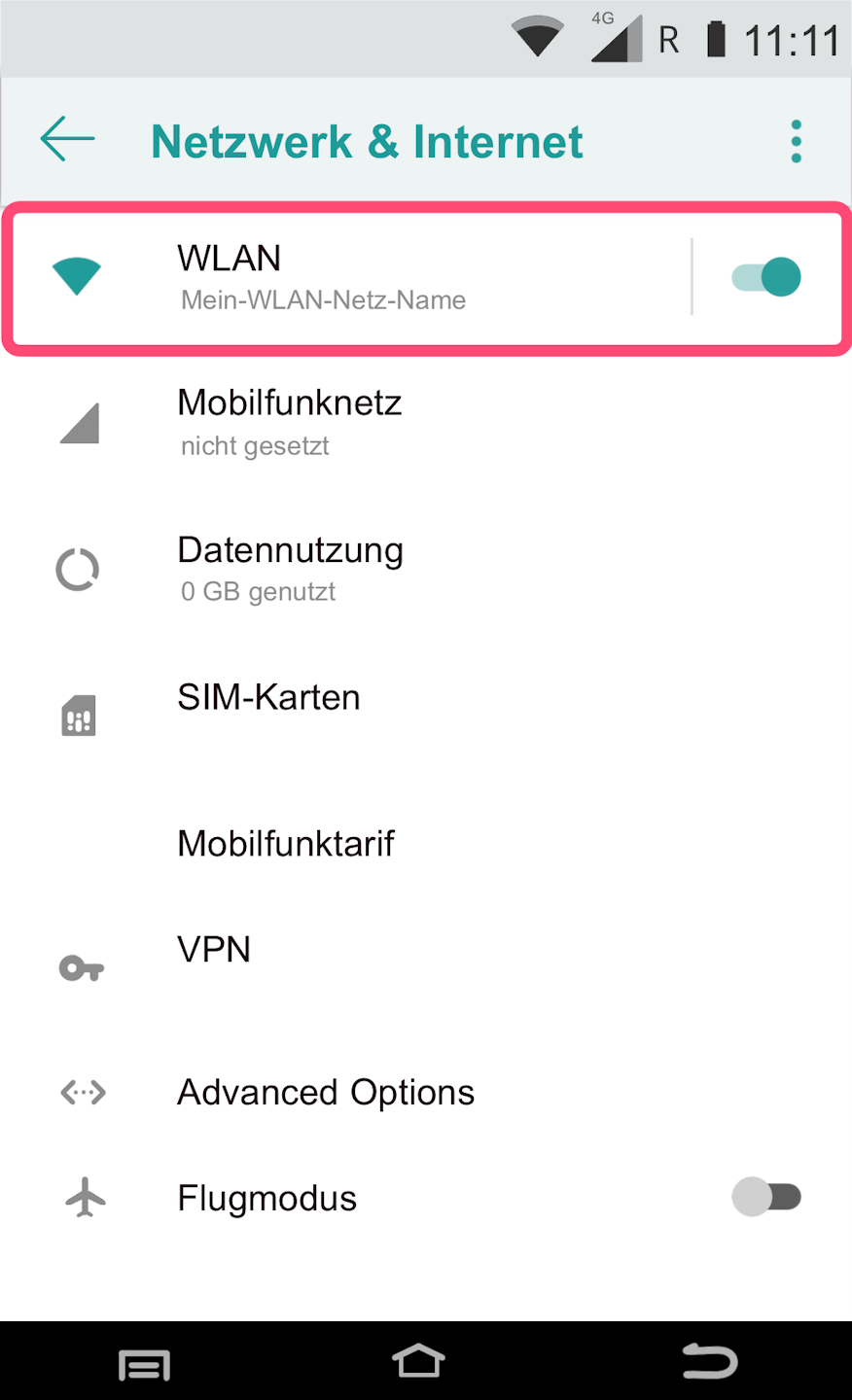
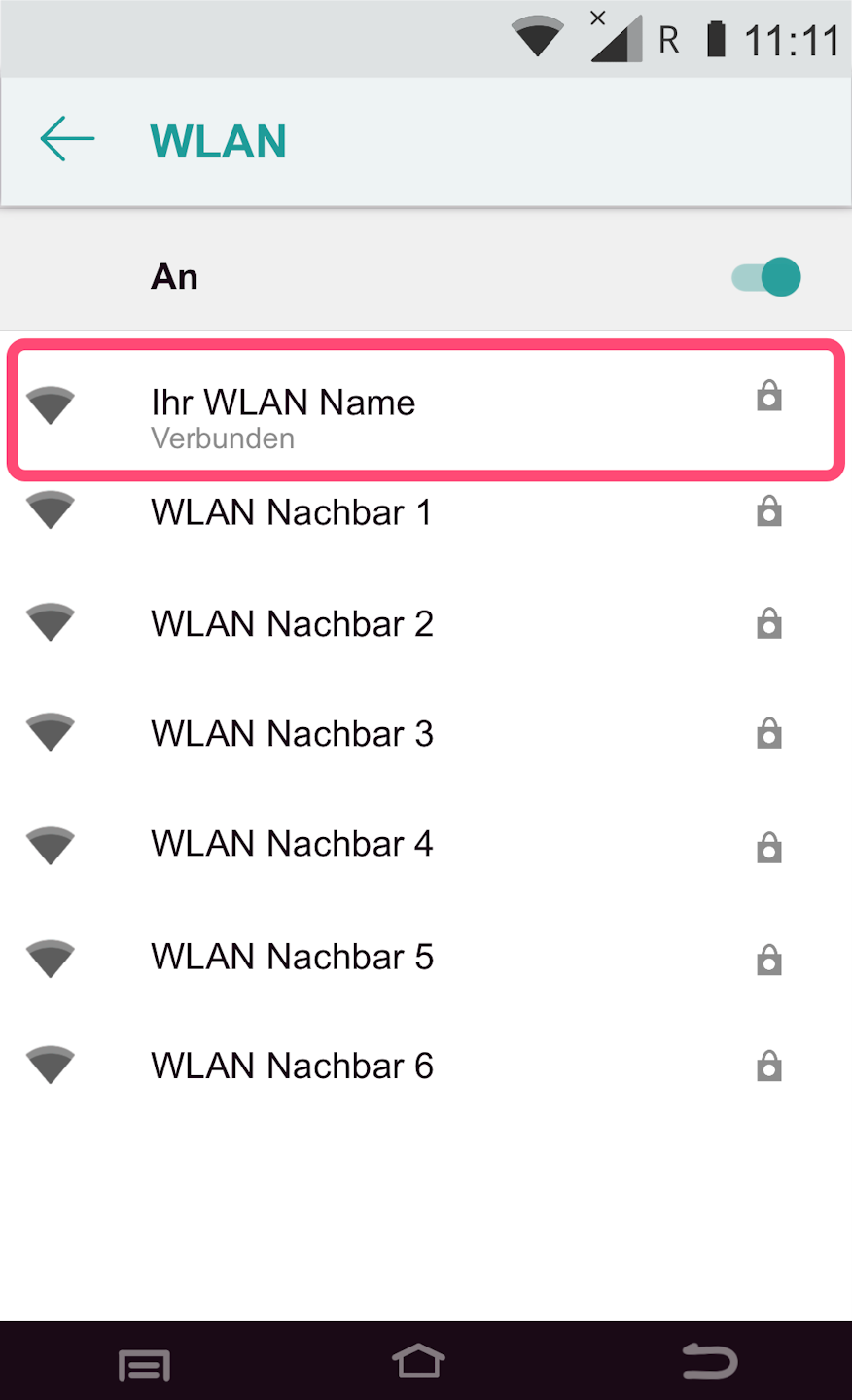
To display the network information, please navigate as shown in figures 1–3.
Select by tapping.
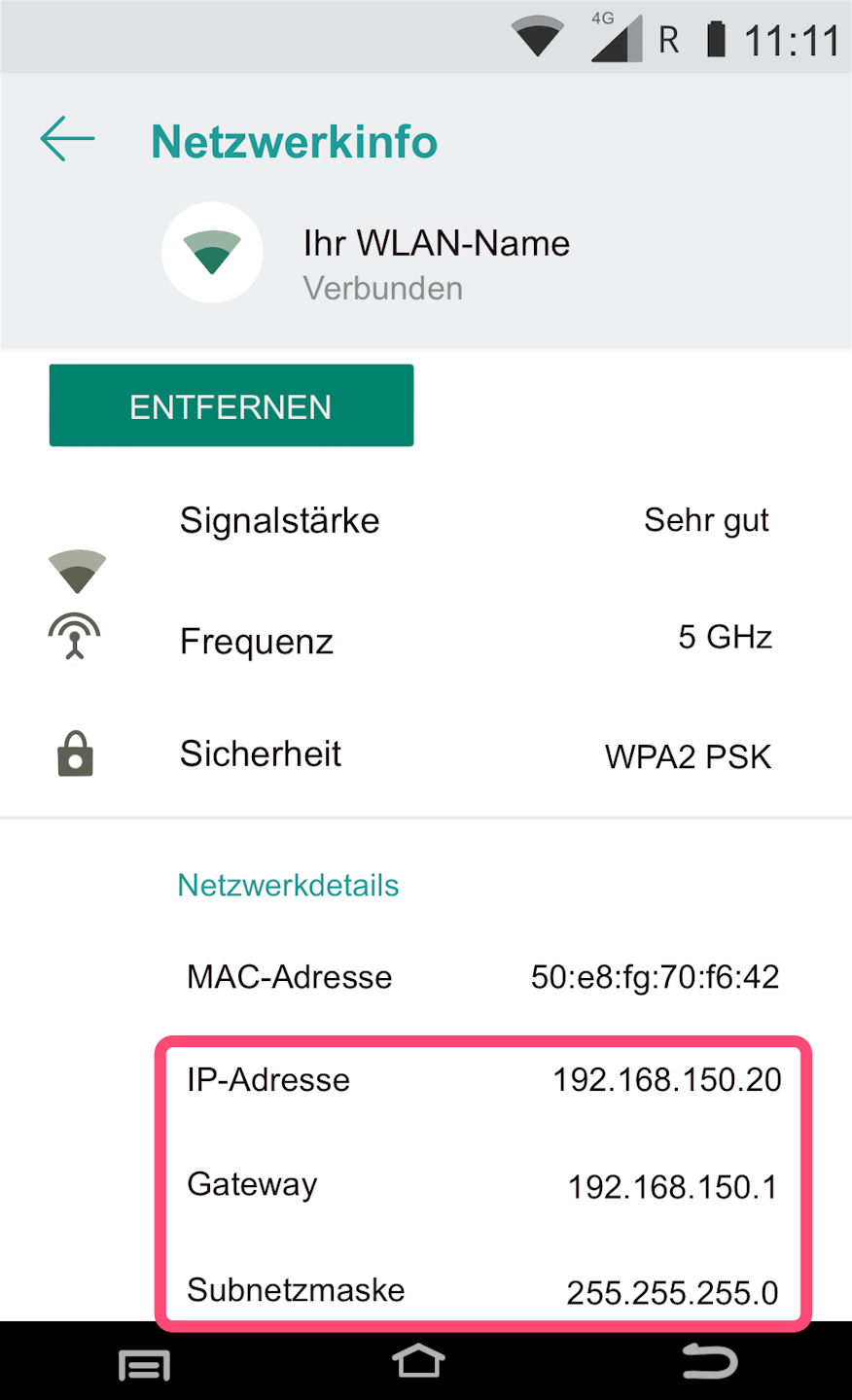
Display of the IP Address
You will now be shown all information about your Wi-Fi network and the IP address.
Was this article helpful?
That’s Great!
Thank you for your feedback
Sorry! We couldn't be helpful
Thank you for your feedback
Feedback sent
We appreciate your effort and will try to fix the article
