T650p - Customize Soft Keys
Modified on Mon, 9 Feb at 4:48 PM
Customize Soft Keys Individually
Your Verifone Trinity T650p card reader gives you the option to customize the soft keys on the main display to your preferences.
For example, for tip payment within a transaction.
We’ll show you how to assign soft keys.
Main Menu
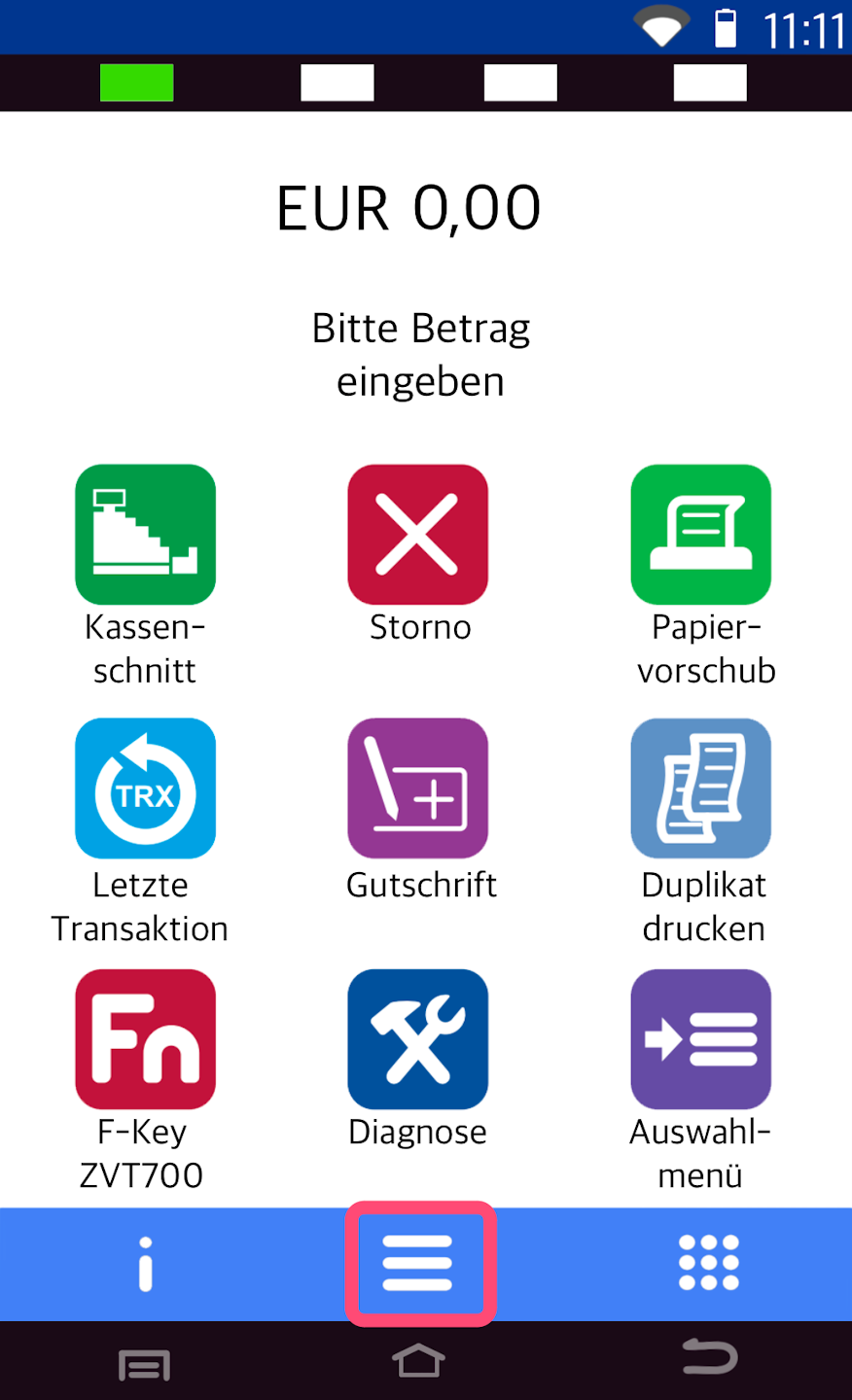
Here you see your starting display.
Please tap the button with the three horizontal lines to access the main menu.
Administration
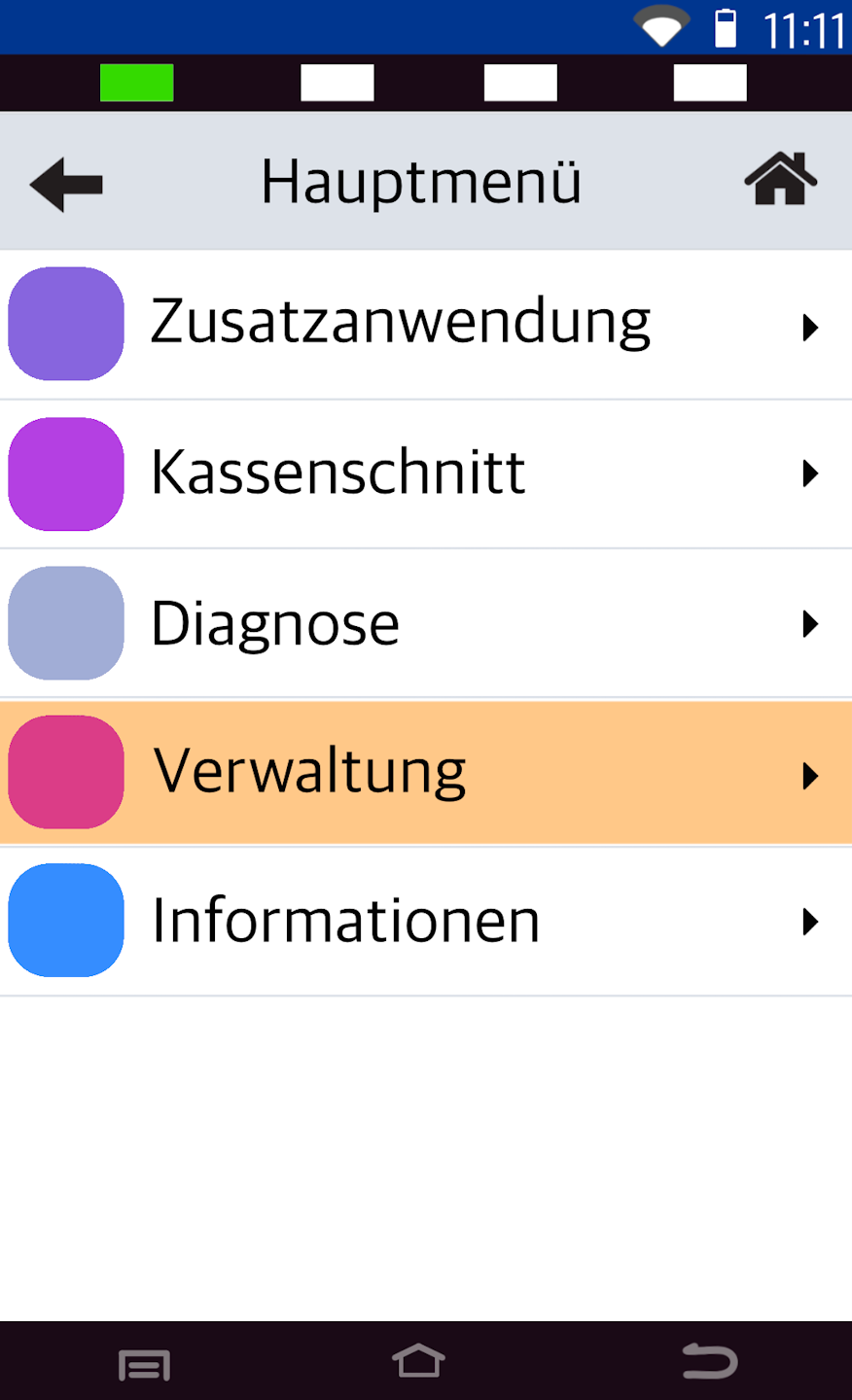
Now please select the menu item Verwaltung.
Password Entry
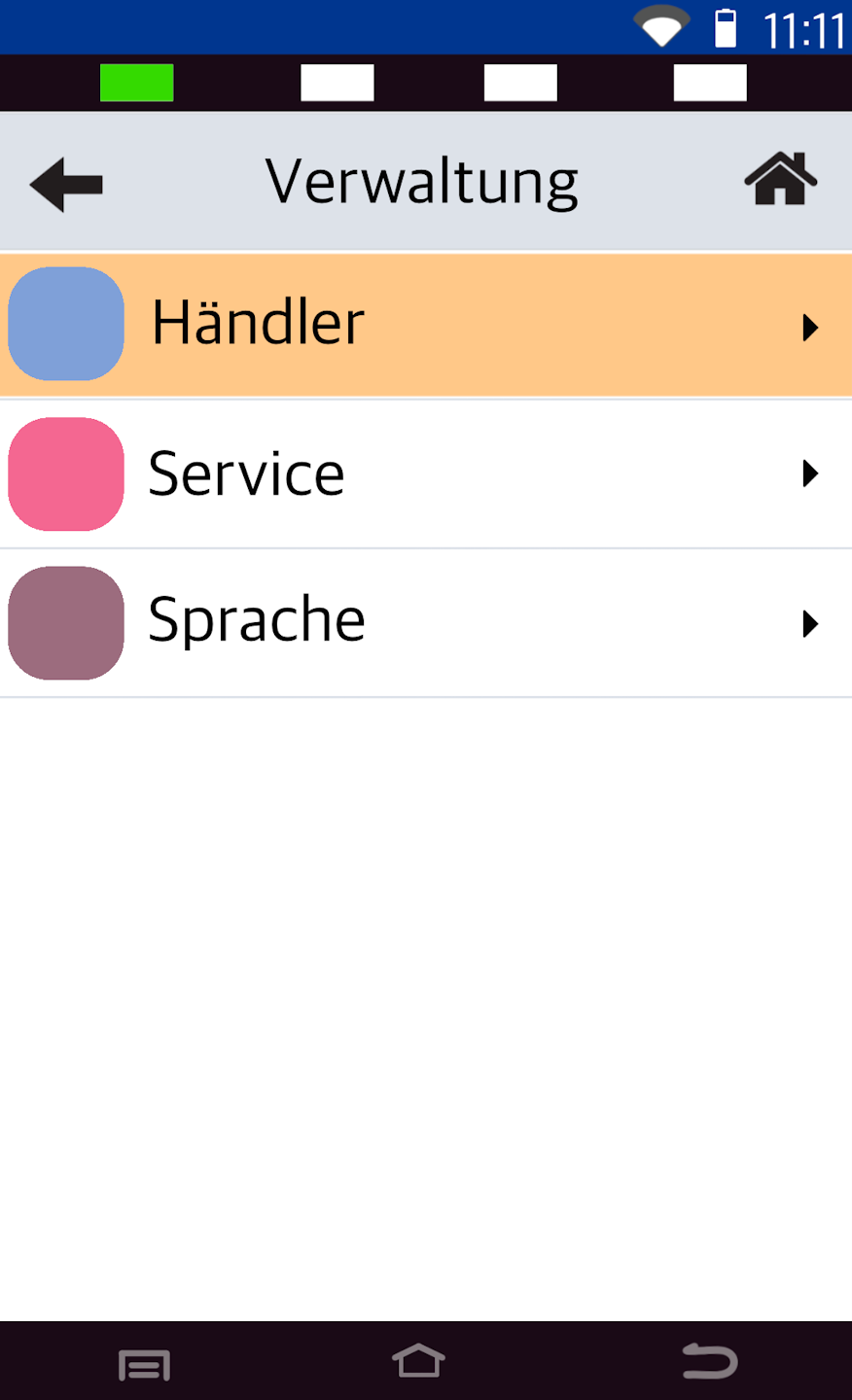
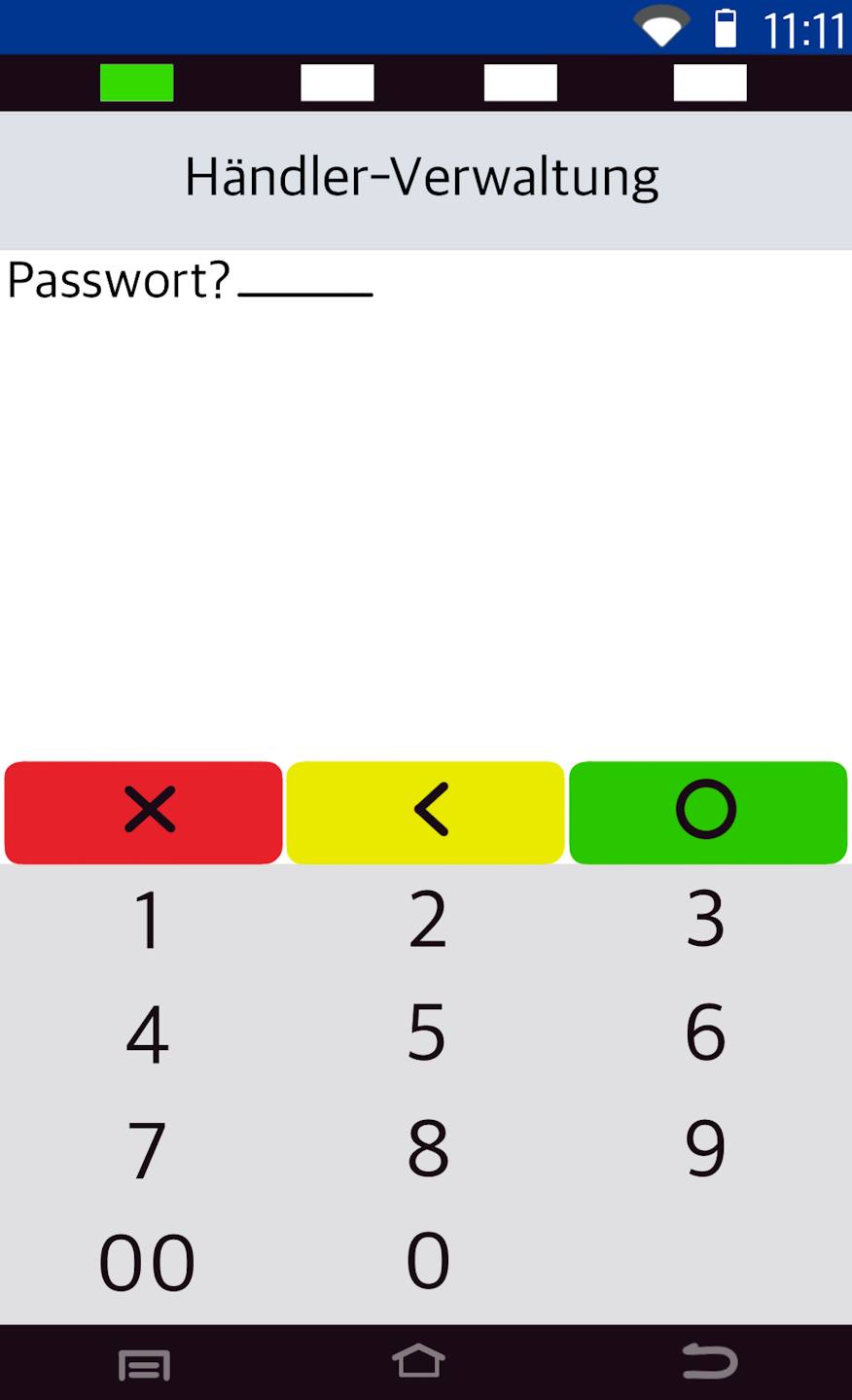
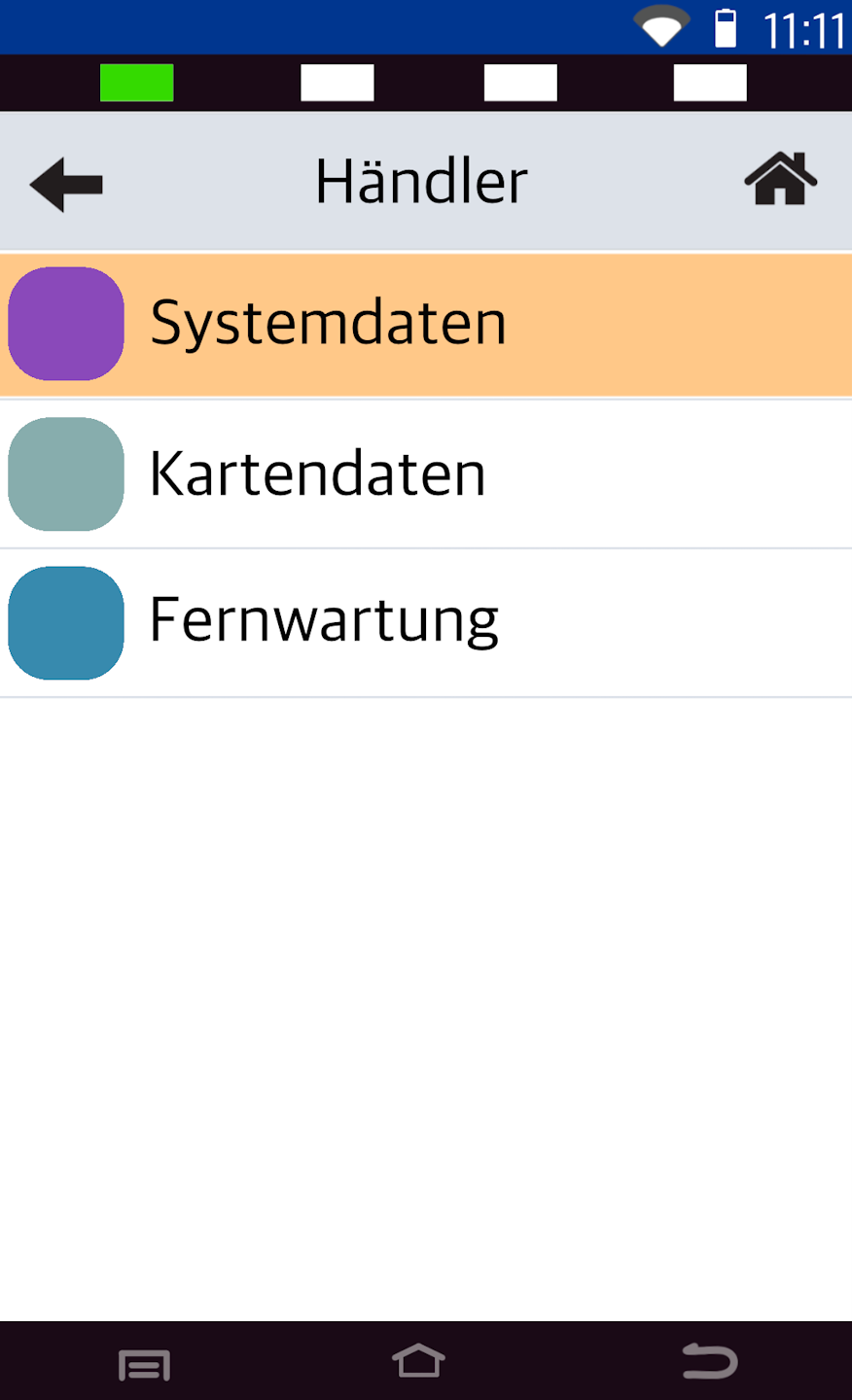
In Fig. 1, please select Merchant and enter your 6-digit merchant password (Fig. 2).
The default is: 00 00 00.
Menu Navigation
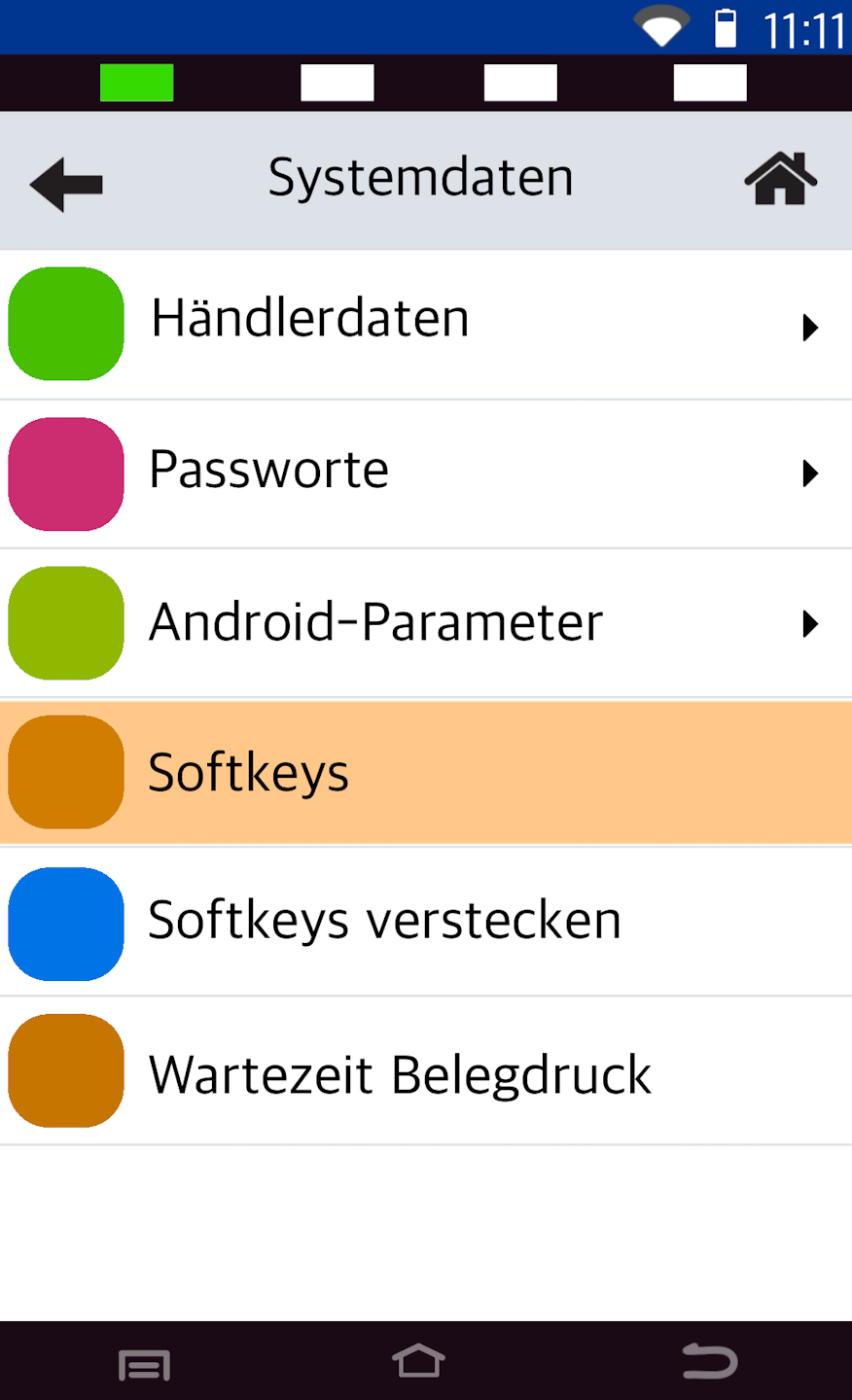
In this step, please navigate to the menu item Systemdaten and then to the menu item Soft Keys (Fig. 2).
Customize Soft Keys
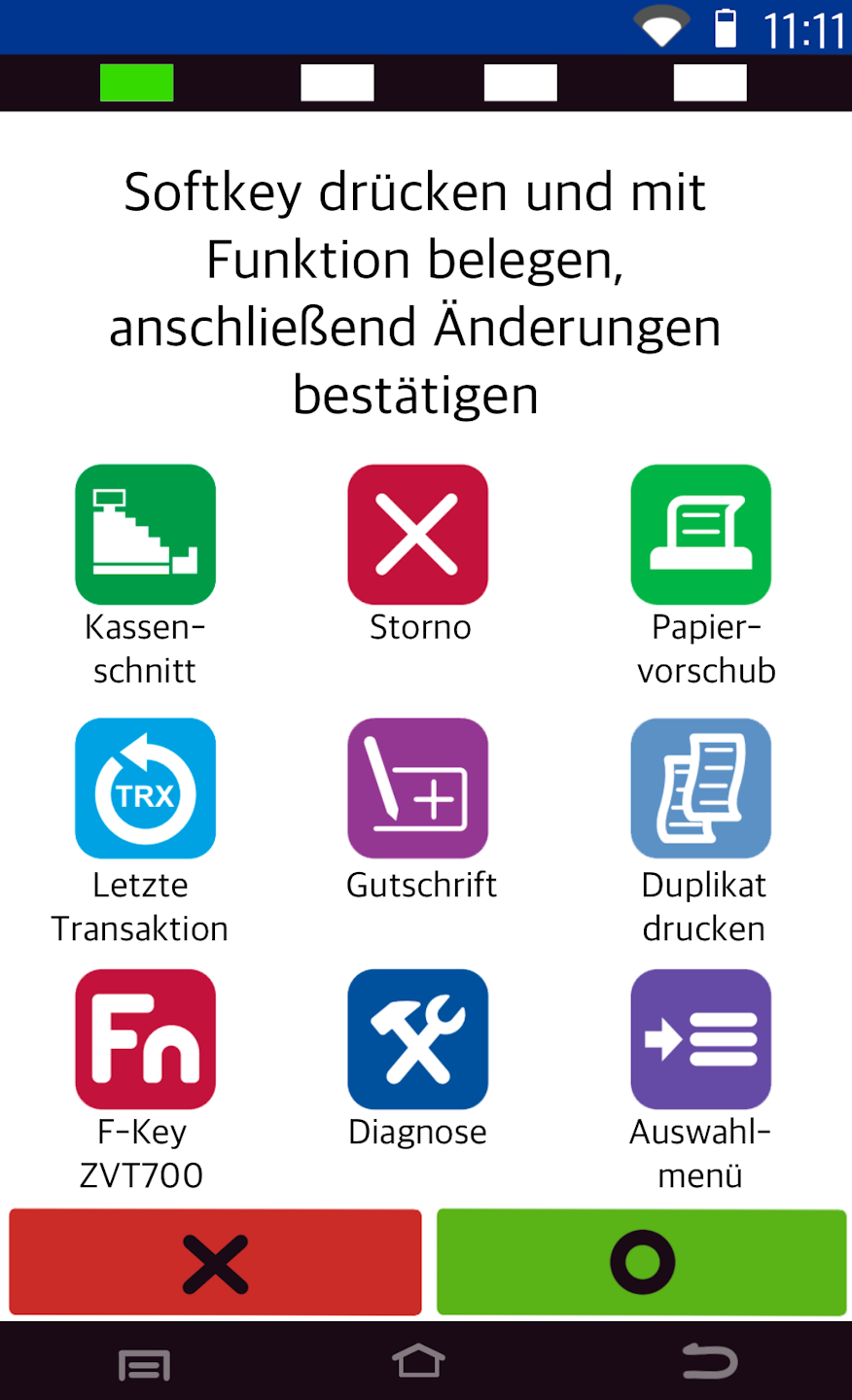
You will now be prompted to select a soft key you want to replace with another.
Once you have selected a soft key, a list of possible soft keys will be displayed. Select the desired soft key as needed and confirm the selection to complete the process.
To return to the starting display, please use the small house icon at the top right of the display.
The configuration is now complete.
Was this article helpful?
That’s Great!
Thank you for your feedback
Sorry! We couldn't be helpful
Thank you for your feedback
Feedback sent
We appreciate your effort and will try to fix the article
