T650p - Using the Tip Function
Modified on Mon, 9 Feb at 4:48 PM
In this tutorial, we would like to give you a brief overview of the tip function on your Verifone Trinity T650p card reader.
Some useful information for you:
Manual tip entry (no percentage entry)
Tip prompt directly after entering the amount (single transaction)
Payment processing via contactless or chip card insertion
No tip shown on the end-of-day closing (only with activated cashier management)
No tip limit
Main Display
Please press the button with the 9 dots in the bottom right corner for transaction options.
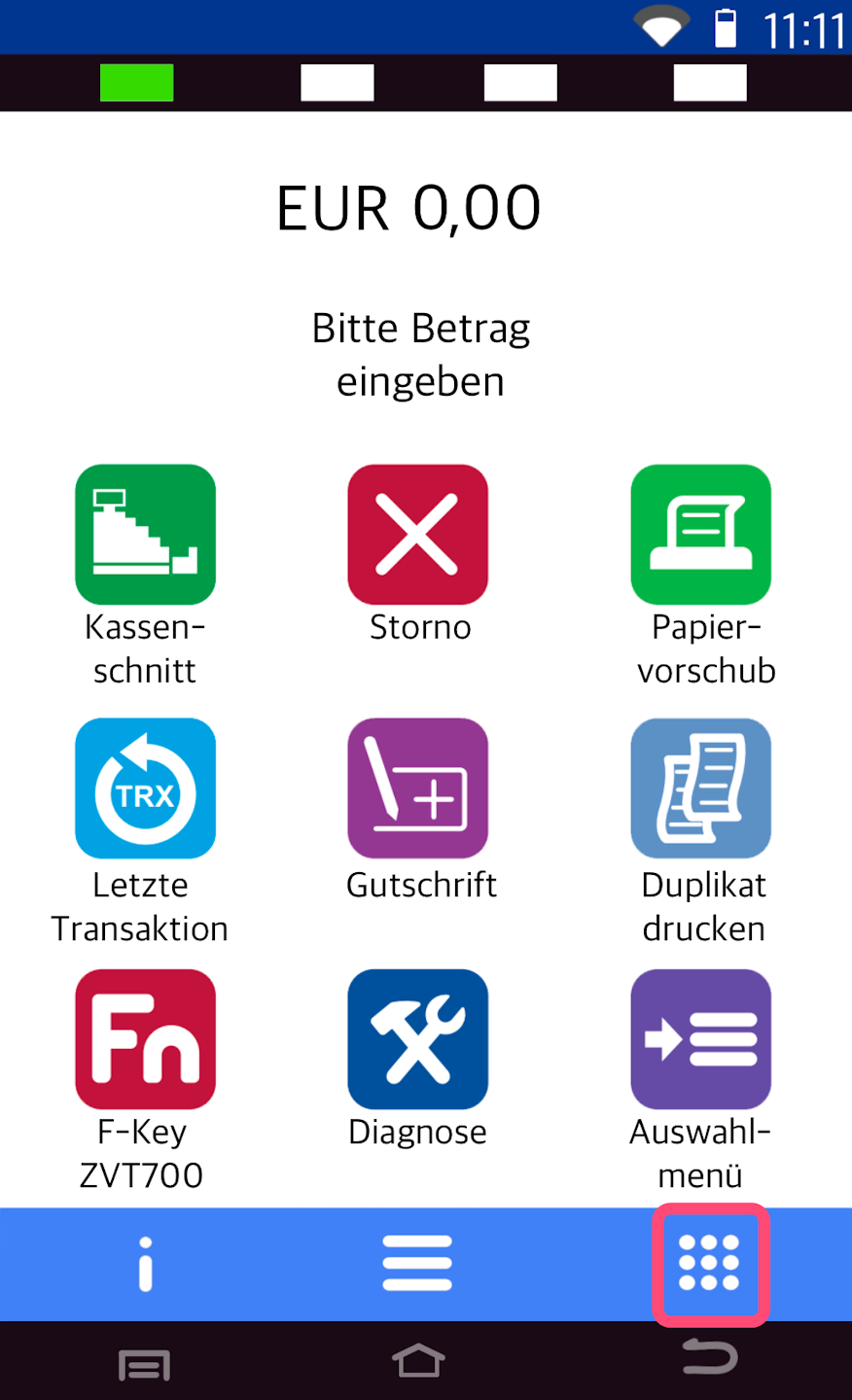
Transactions
The tip function is offered as a separate soft key on Verifone card readers. The tip prompt occurs within a single transaction.
With a simple amount entry, no tip prompt will occur.
Would you like to place the soft key on your main display? Then please use our tutorial for Customize Soft Key.
Please select the soft key Zahlung mit Trinkgeld.
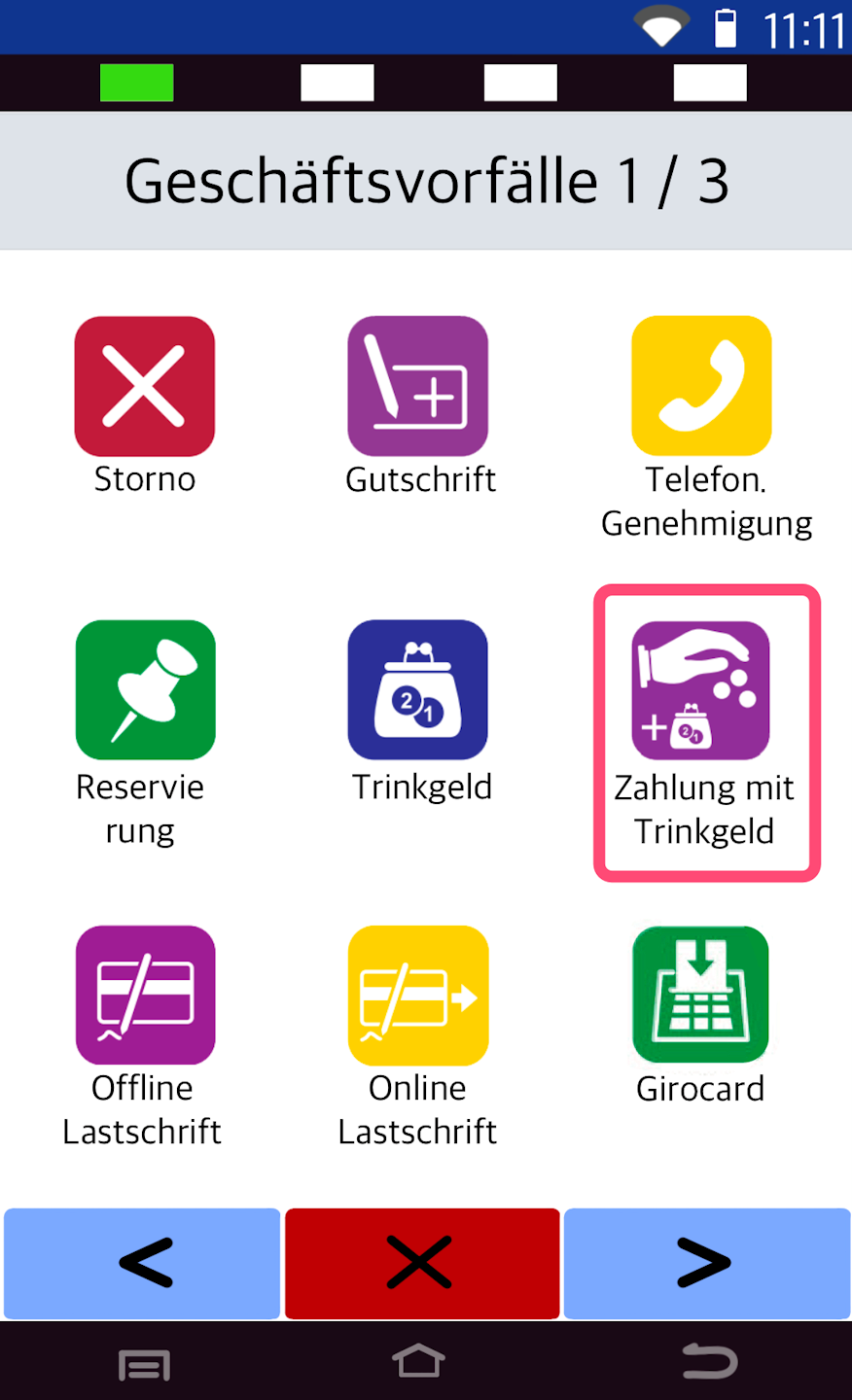
Payment & Tip Entry
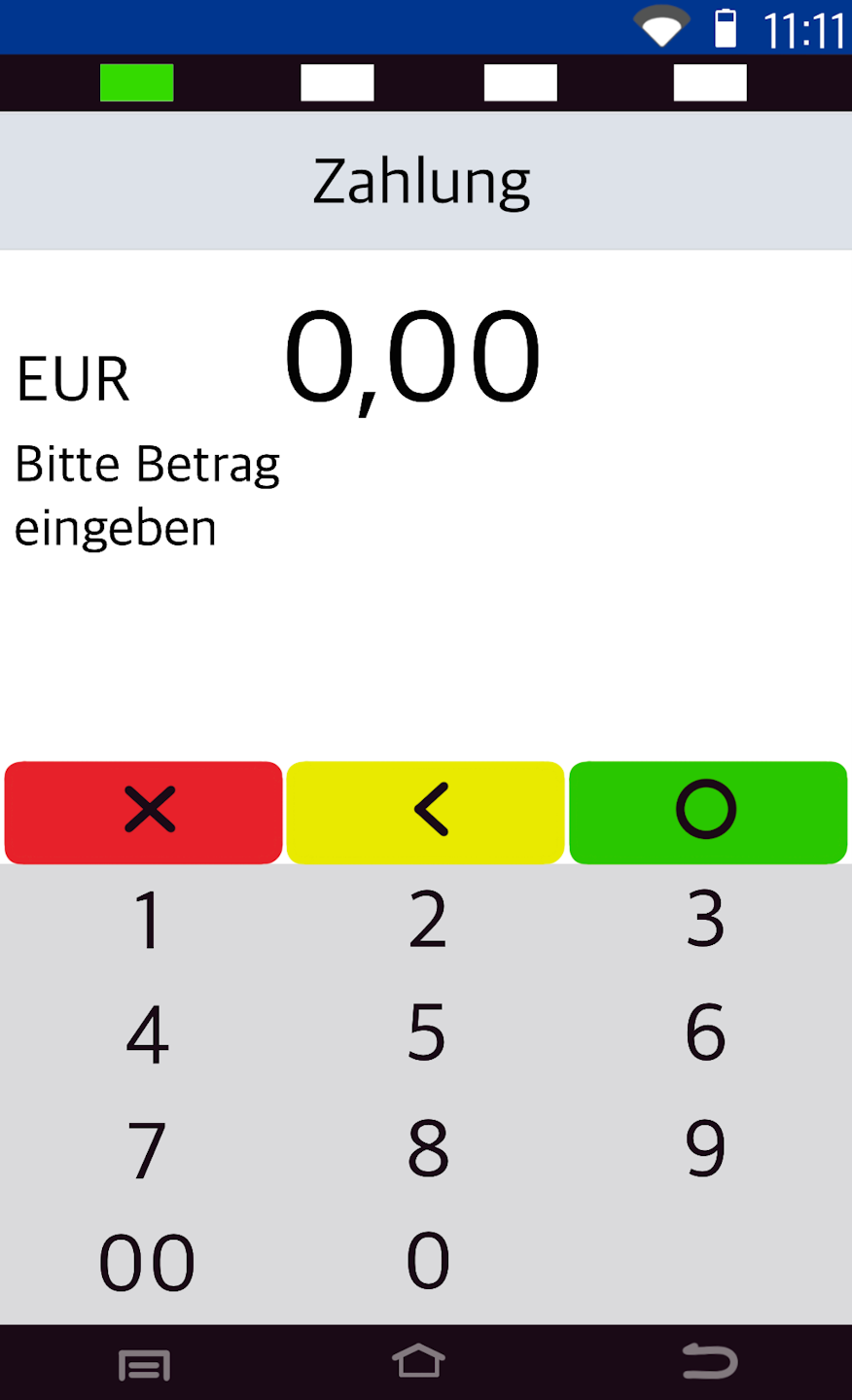
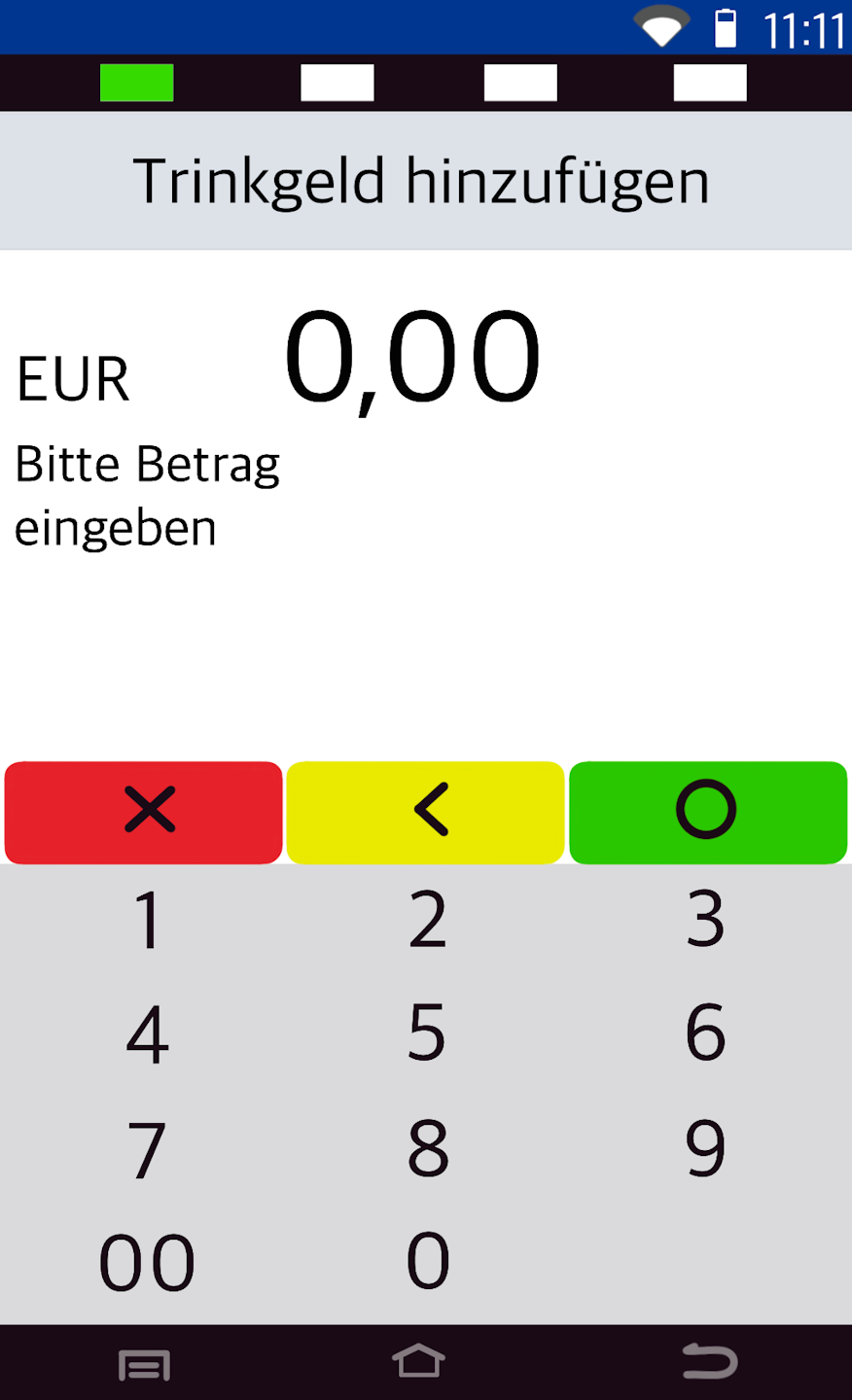
In Fig. 1 the payment amount is requested. After confirmation, the tip is requested (Fig. 2).
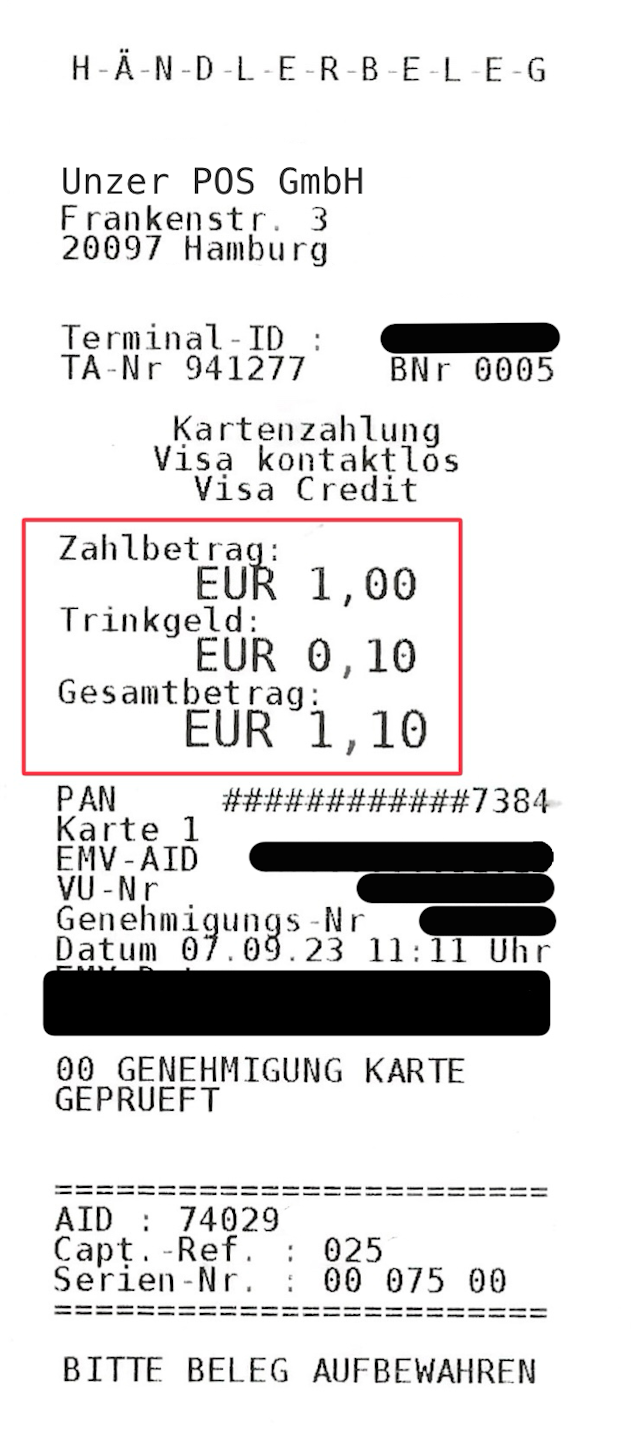
In Fig. 3 you see a merchant receipt. The tip is shown there.
Would you like to place the soft key on your main display? Then please use our tutorial for Customize Soft Key.
The tip is shown on the merchant receipt, but not on the end-of-day closing. Only with activated cashier management will the tip be shown per cashier on the end-of-day closing.
Was this article helpful?
That’s Great!
Thank you for your feedback
Sorry! We couldn't be helpful
Thank you for your feedback
Feedback sent
We appreciate your effort and will try to fix the article
