Ingenico - Using the Tip Function
Modified on Tue, 10 Feb at 4:03 PM
The Tip Function
In this tutorial, we’ll give you a brief overview of the tip function on your Ingenico Move5000 and Desk5000 card reader.
Ingenico - Using the Tip Function
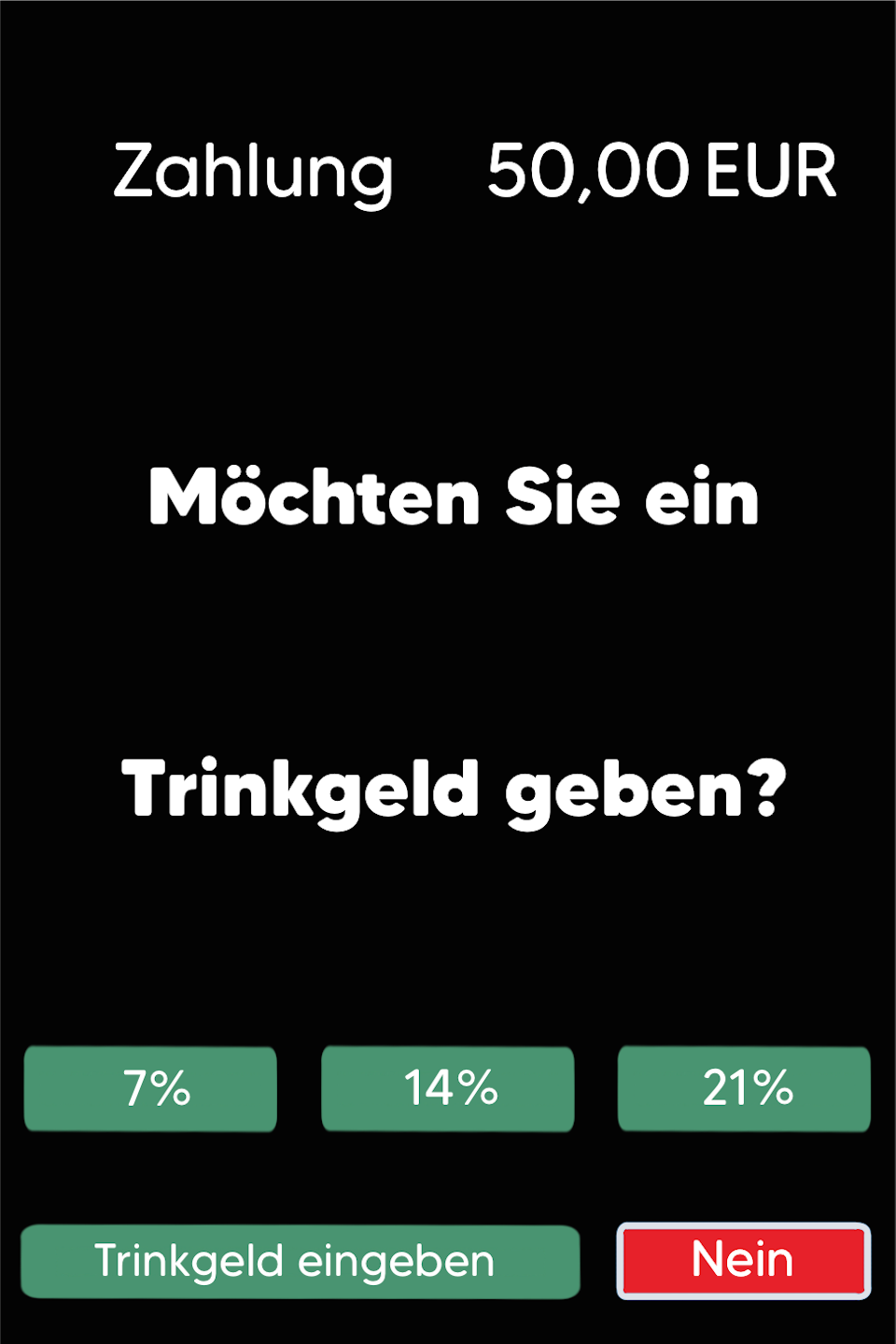
Fig. 1 – The tip prompt appears directly after the amount is entered.
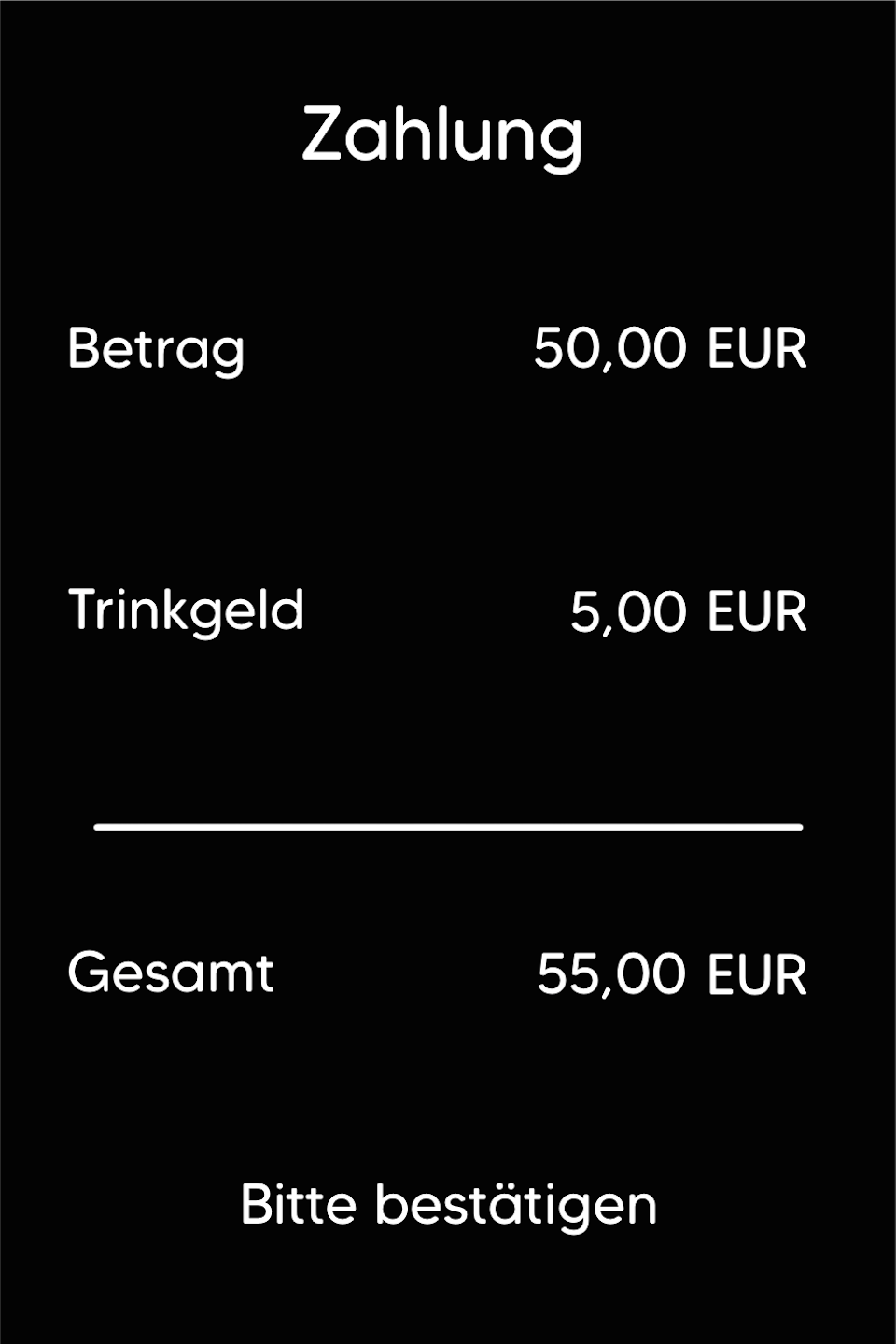
Fig. 2 – A transaction summary is displayed.
Please confirm the summary with the green OK button.
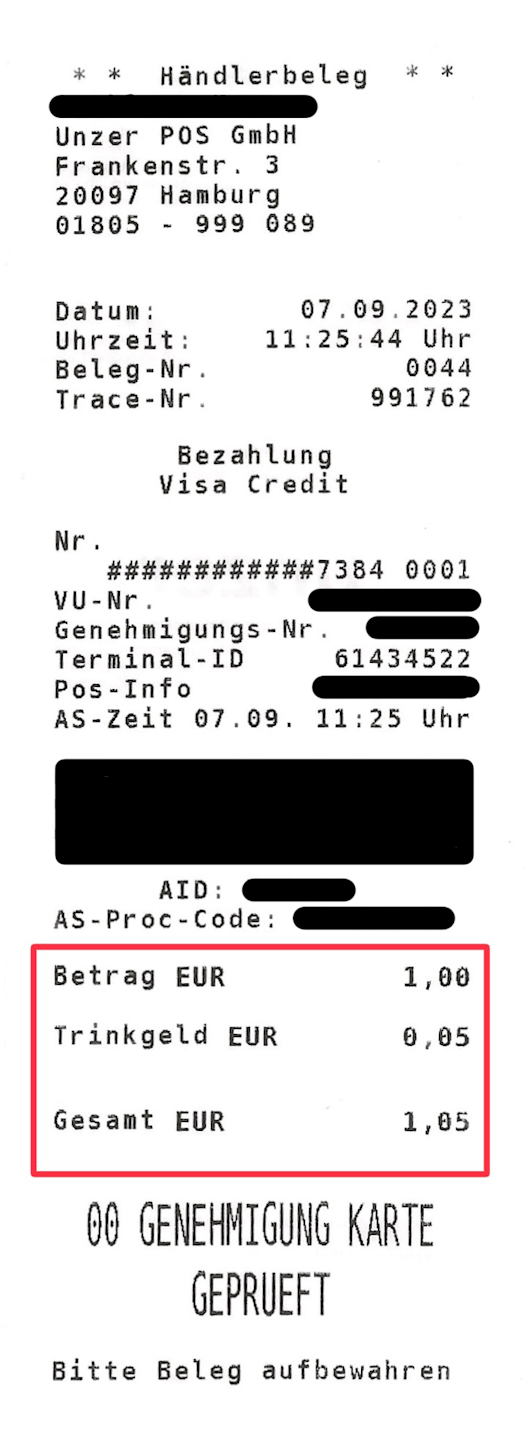
Fig. 3 – Example of a merchant receipt
Some useful information for you:
Tip entry possible as a percentage or manual amount
Tip prompt appears directly after entering the amount
Payment can be processed contactlessly or by inserting the card
Tips are not shown on the end-of-day report
Tip amount is limited to 25%
TIDs starting with 61xxxxxx – currently only possible with credit card
Was this article helpful?
That’s Great!
Thank you for your feedback
Sorry! We couldn't be helpful
Thank you for your feedback
Feedback sent
We appreciate your effort and will try to fix the article
