Reservation settings
Modified on Mon, 16 Feb at 10:11 AM
General reservation settings
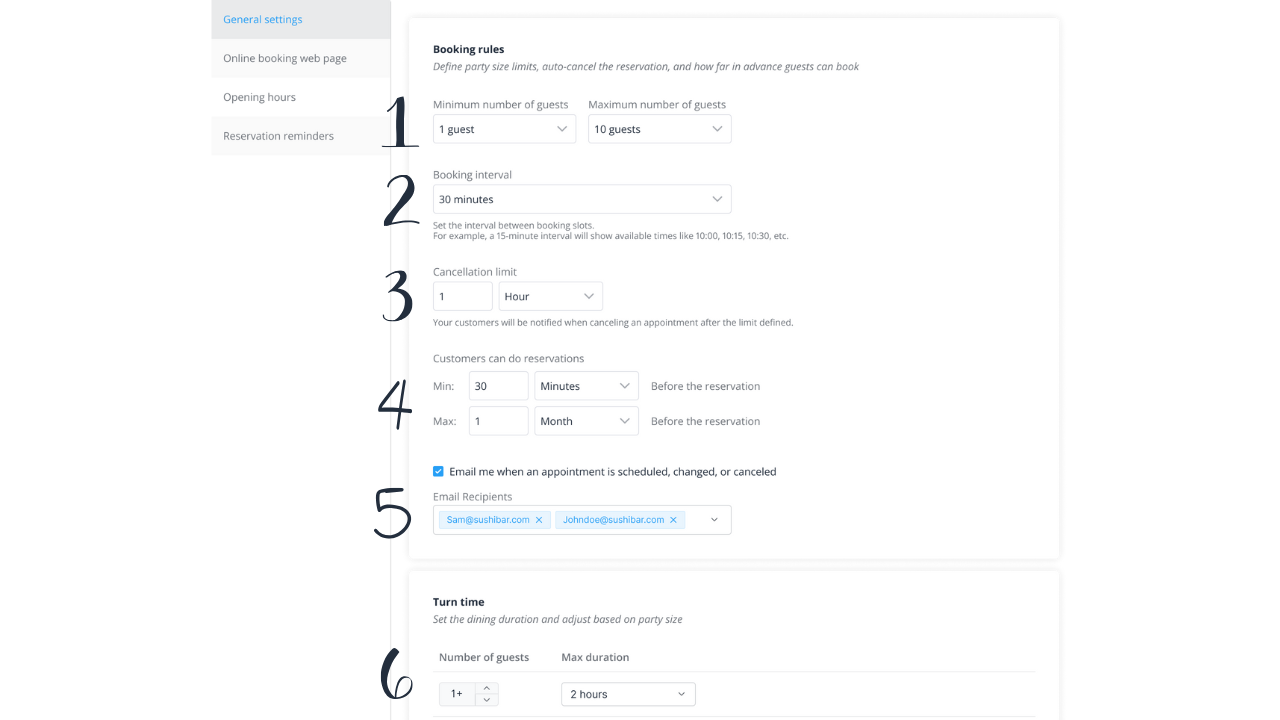
Go to Settings > Reservations in the menu. Under General settings you can define basic parameters for your bookings:
- Set the time intervals in which guests are allowed to book.
- Set a time limit for cancellations.
- Define the minimum and maximum lead time between booking and reservation time.
- Enter email addresses that should automatically receive notifications about changes, cancellations, or reschedules.
- Adjust the duration of a booking depending on the number of guests.
Online bookings via the website
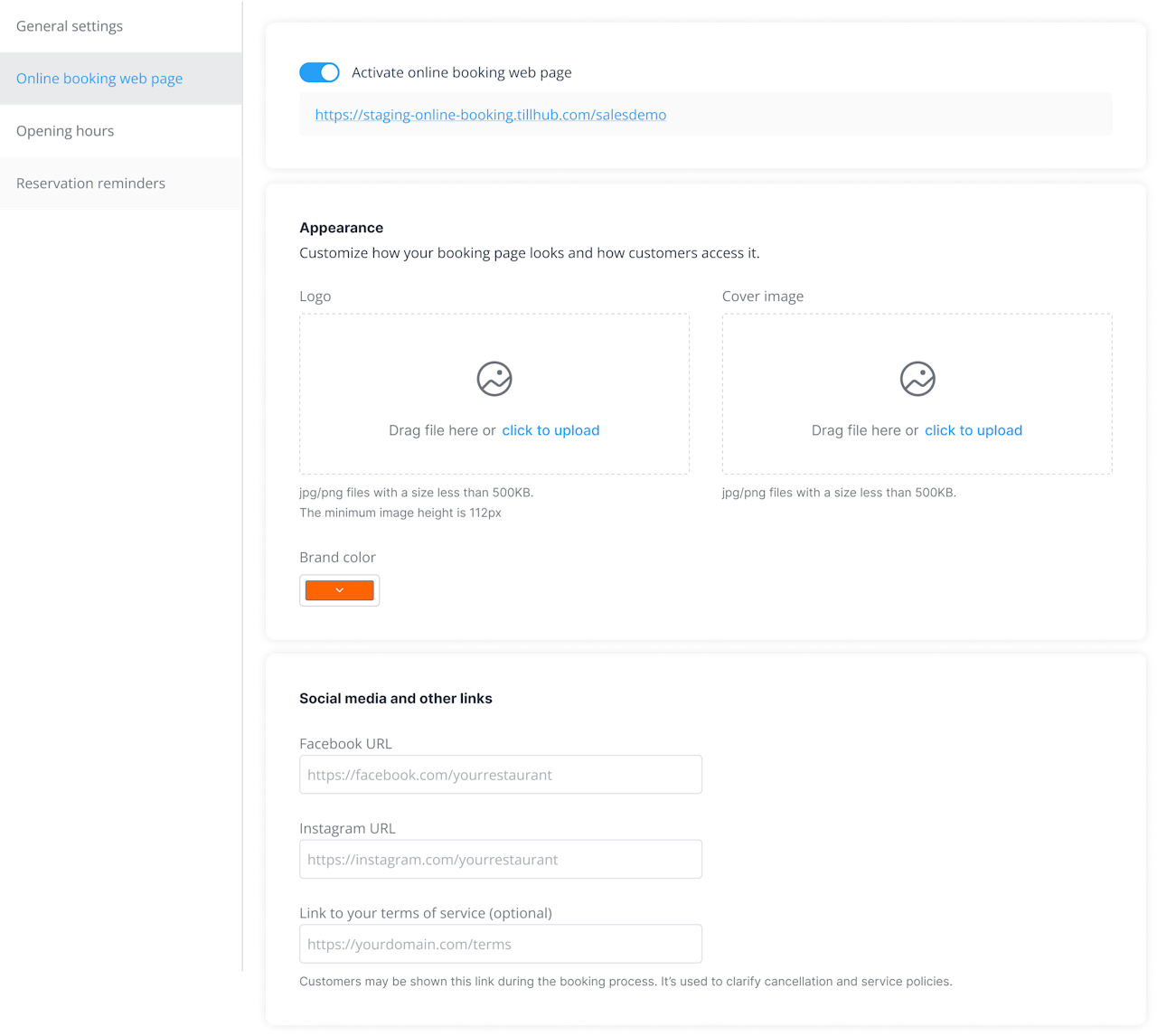
Enable the booking page where guests can reserve online. You can add a logo and a header image for the page. You can also link the booking page with other platforms (e.g., Instagram) to make access easier for guests.
Reservation reminders
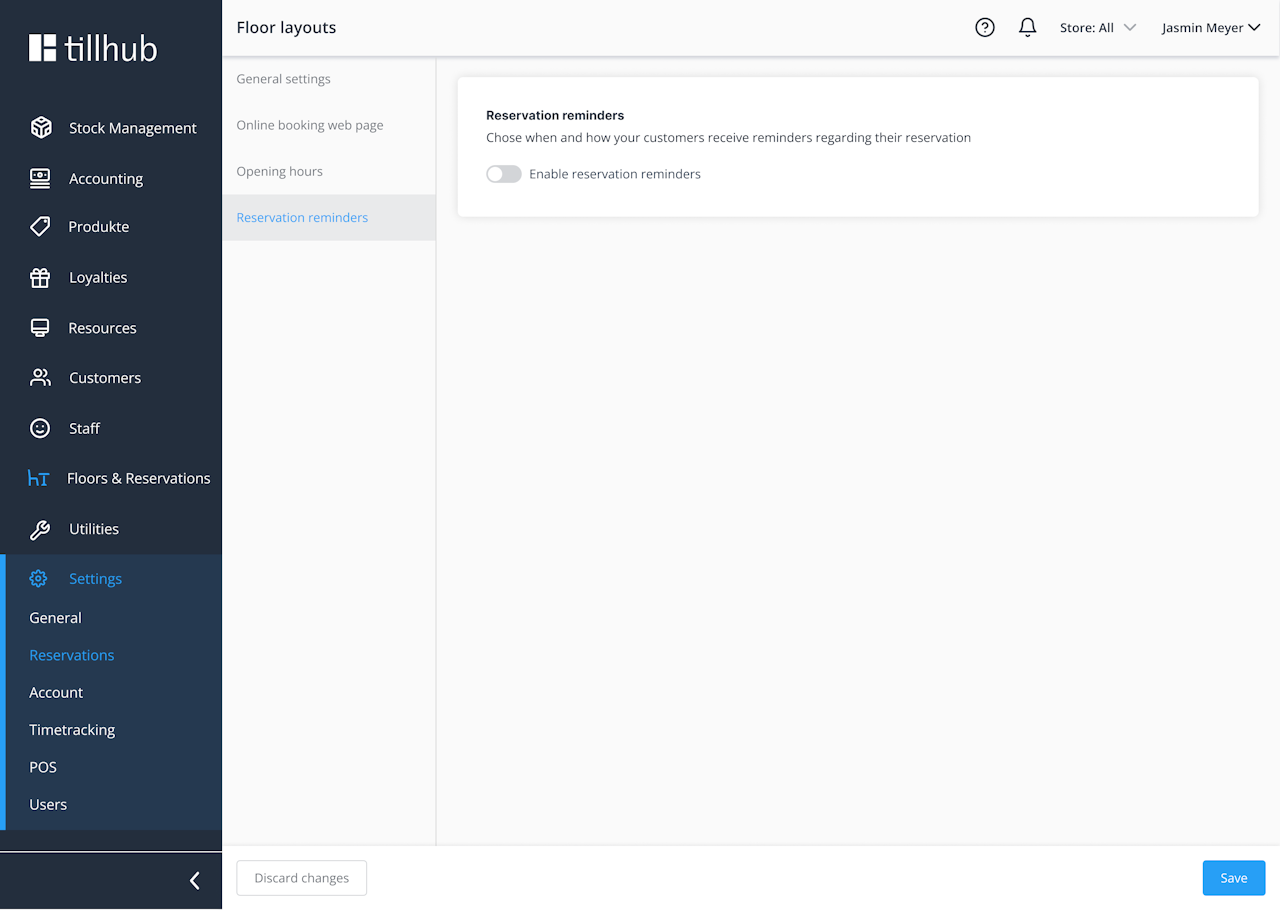
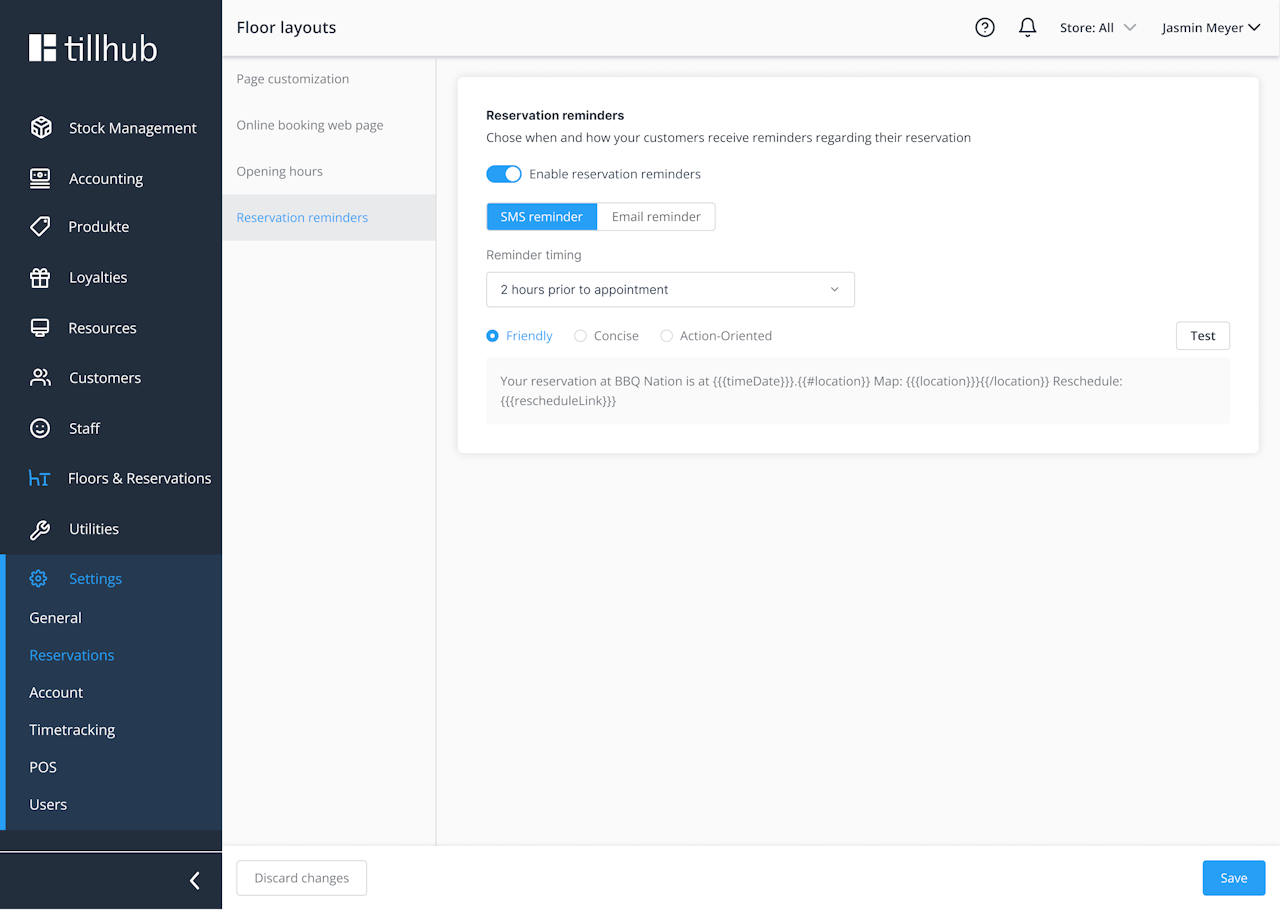
In Reservation reminders, you can enable automatic reminders for guests. Turn this on if you want to send reminders, choose whether they are sent by SMS or email, and select one of three templates to use as the default text.
Was this article helpful?
That’s Great!
Thank you for your feedback
Sorry! We couldn't be helpful
Thank you for your feedback
Feedback sent
We appreciate your effort and will try to fix the article
