Online reservation page
Modified on Mon, 16 Feb at 10:11 AM
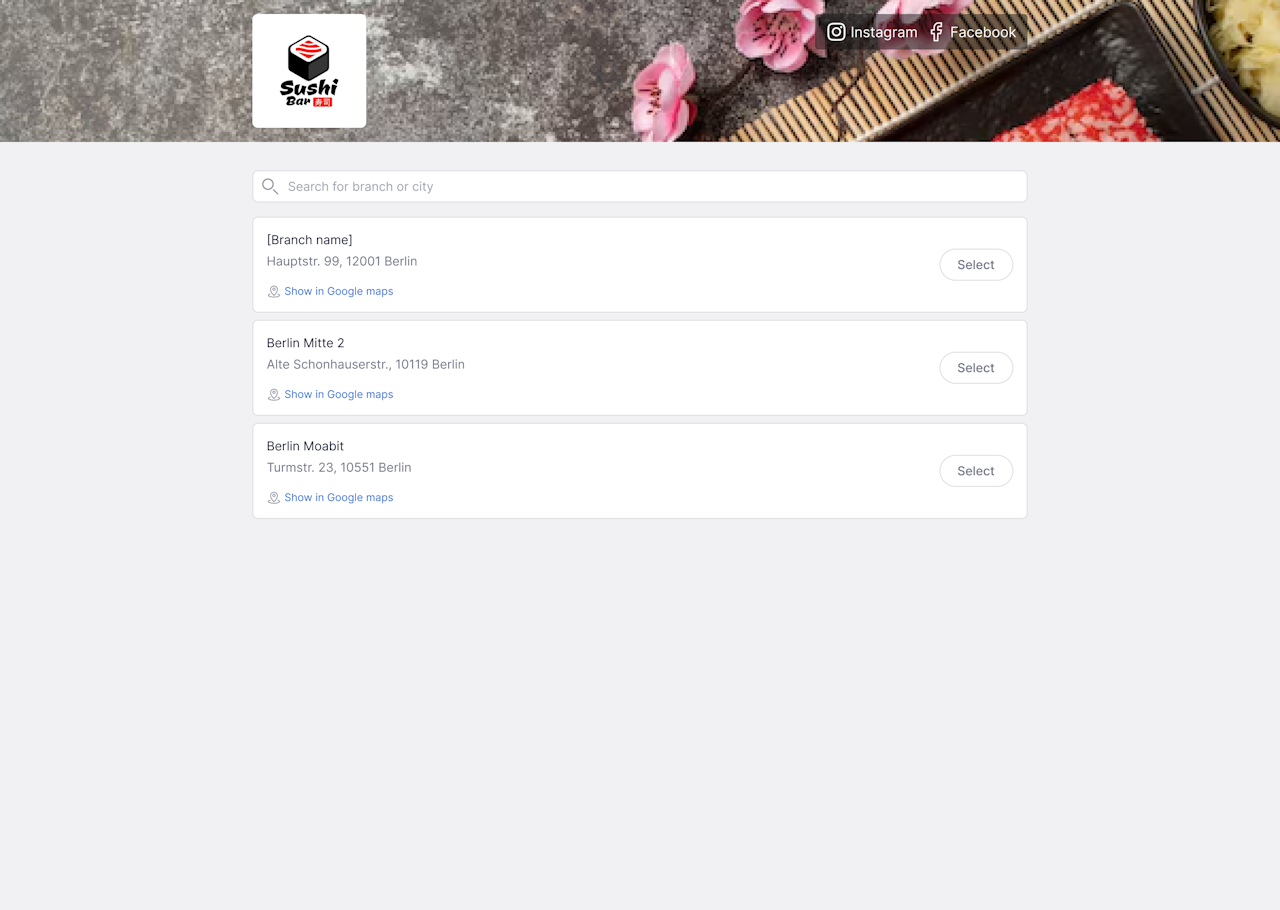
Through the online reservation page, guests can quickly and conveniently book a table at their preferred location. When the page opens, all available branches/restaurants are displayed so the appropriate location can be selected.
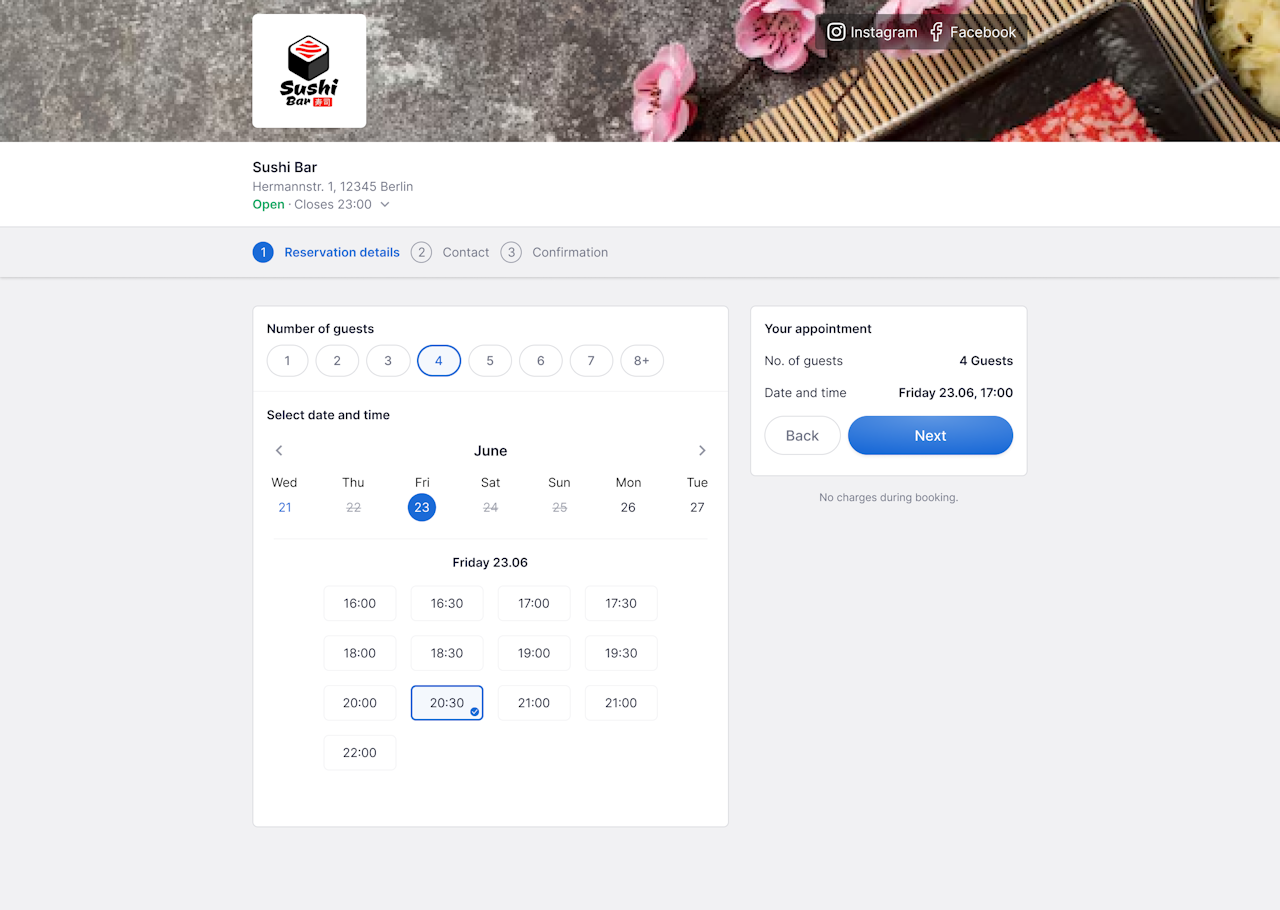
After that, the reservation form opens, where the number of guests, the desired date, and the preferred time are entered.
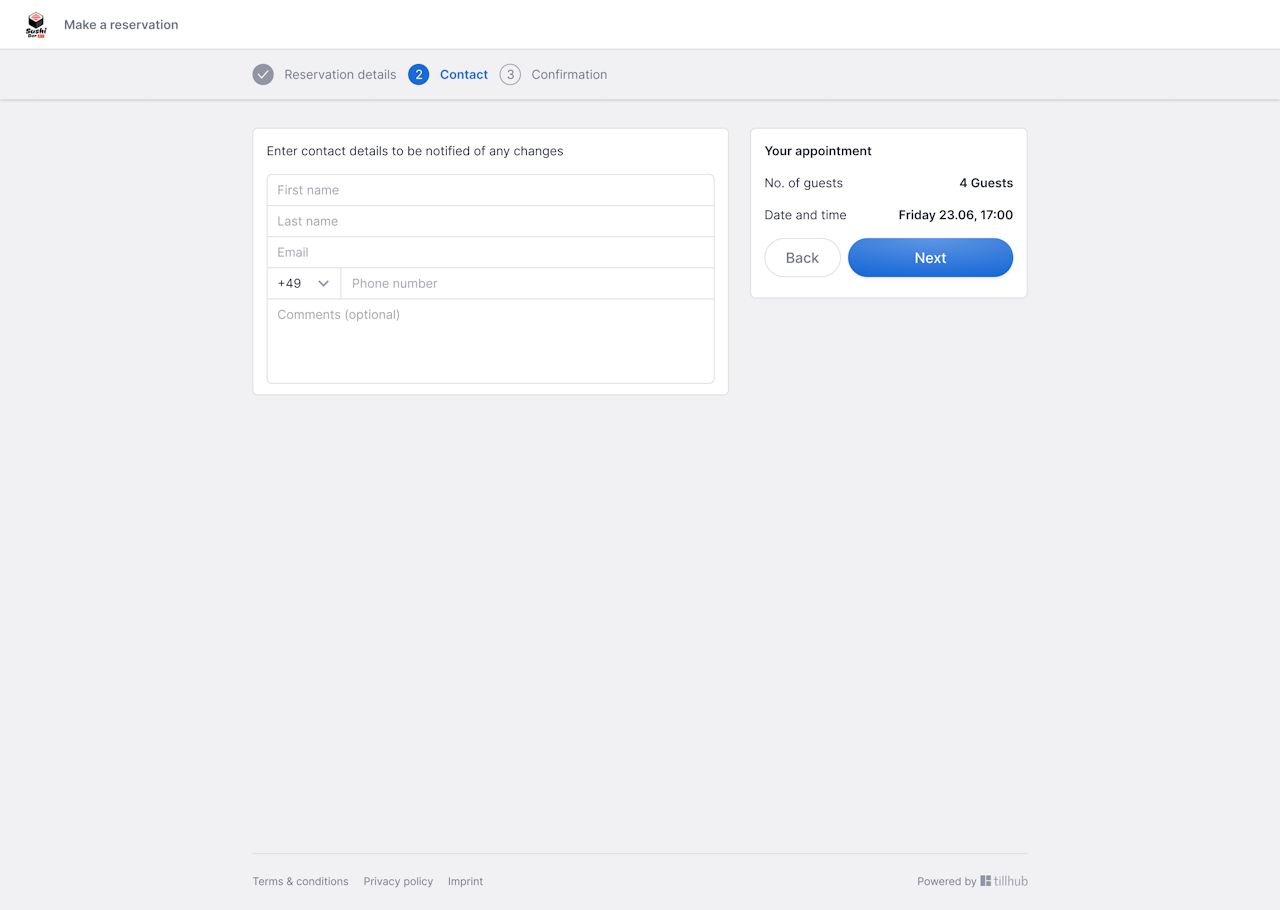
Next, personal details are provided: first name, last name, email address, and phone number. A comment field is also available for special requests or notes.
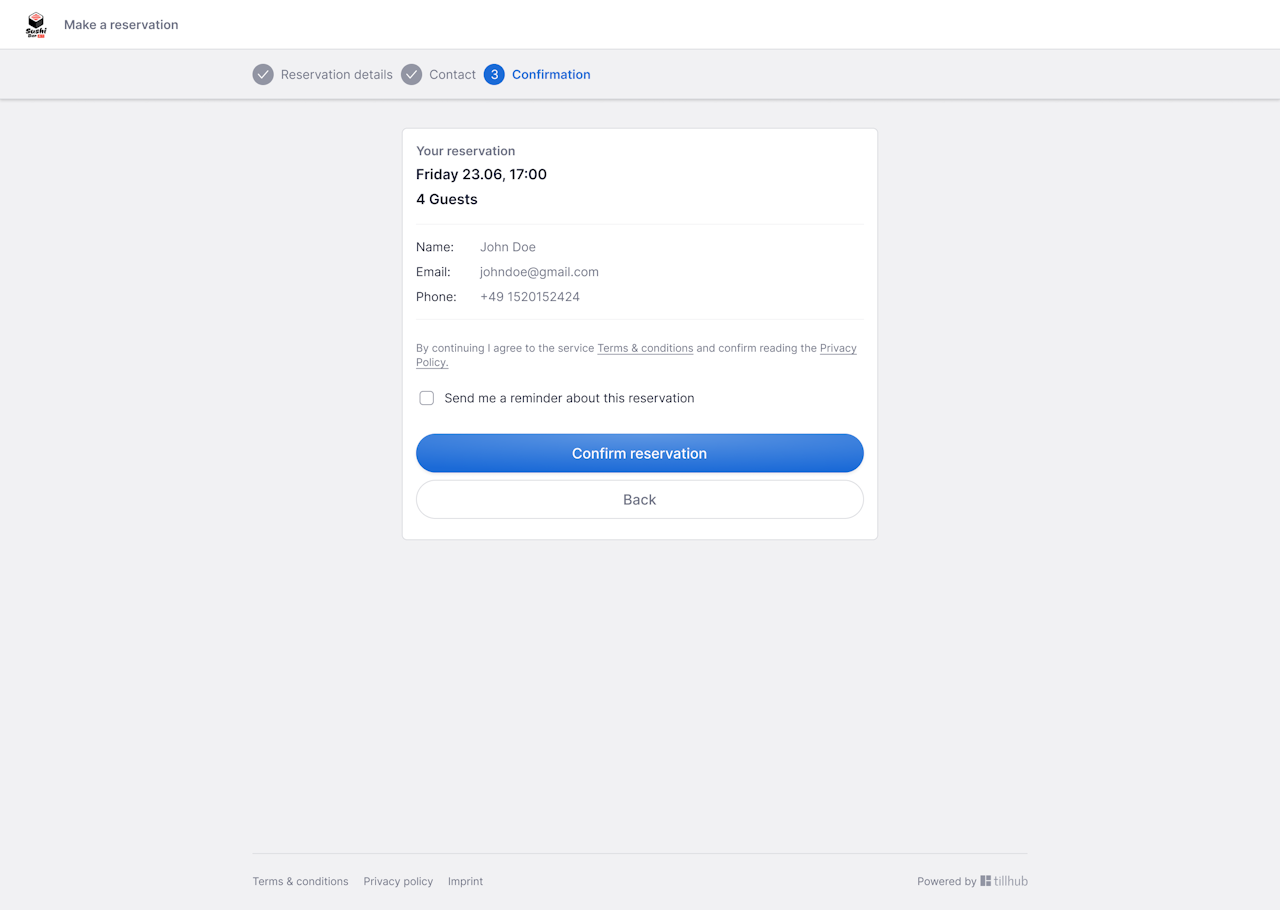
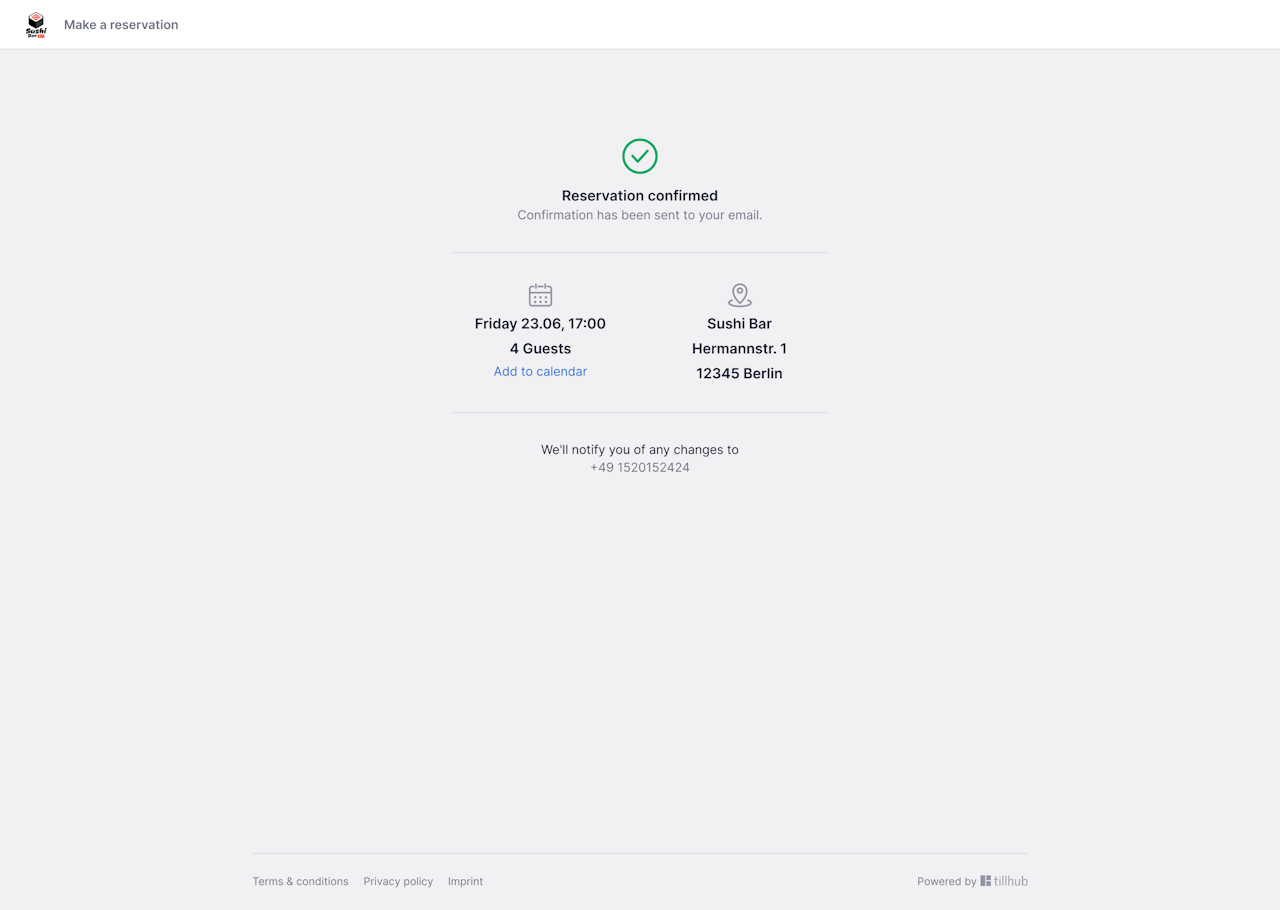
Before completing the booking, the guest sees an overview of all entered data and can add the reservation to their own calendar or enable a reminder. Clicking Confirm reservation completes the process and sends a confirmation email.
Changes and cancellations
If adjustments are needed, the reservation can be changed or canceled online within the specified time window.
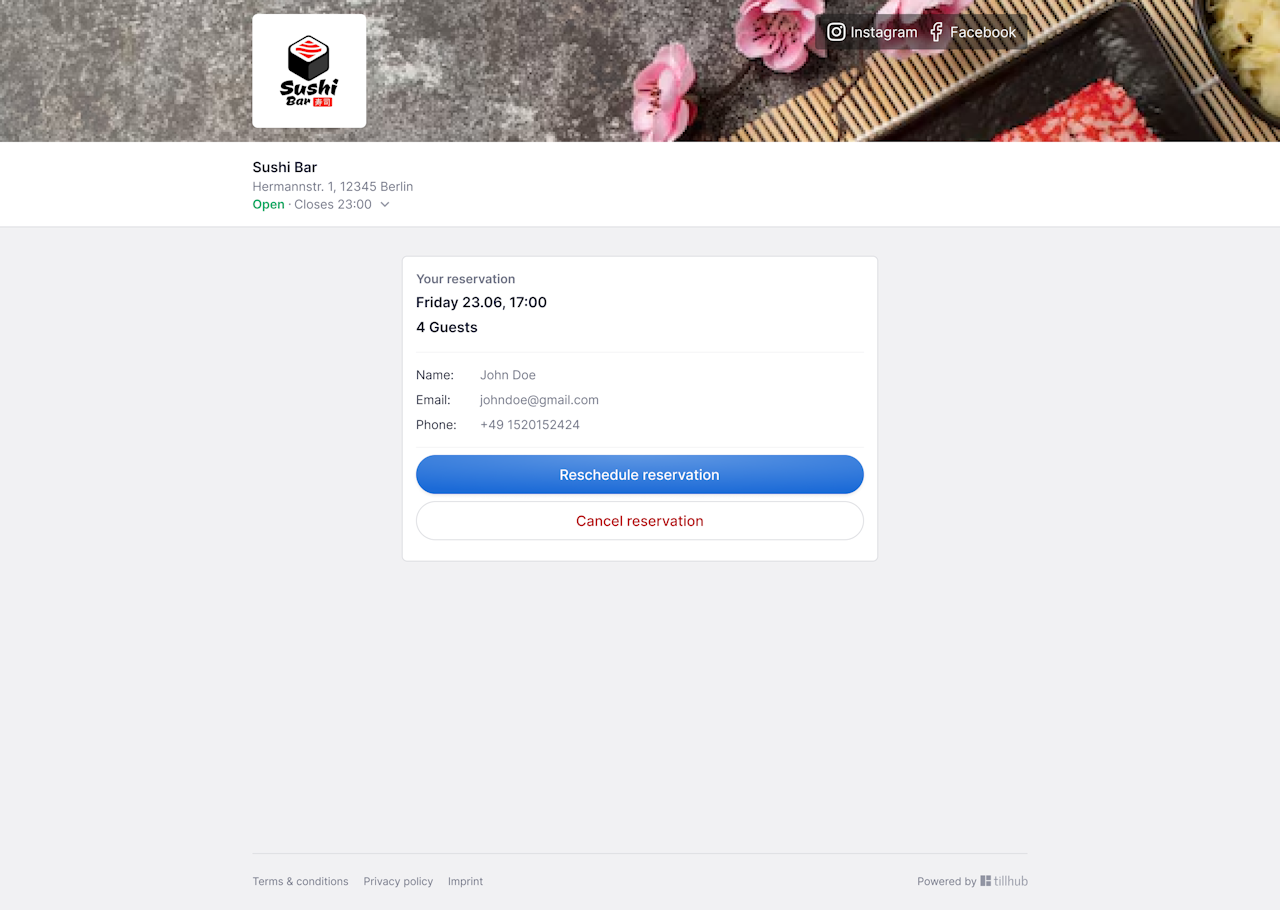
Possible changes include the number of guests, the date, or the time. Each change must be confirmed again and is sent to the guest via an updated confirmation email. A cancellation can be made just as easily via the reservation page, provided it is done within the allowed period.
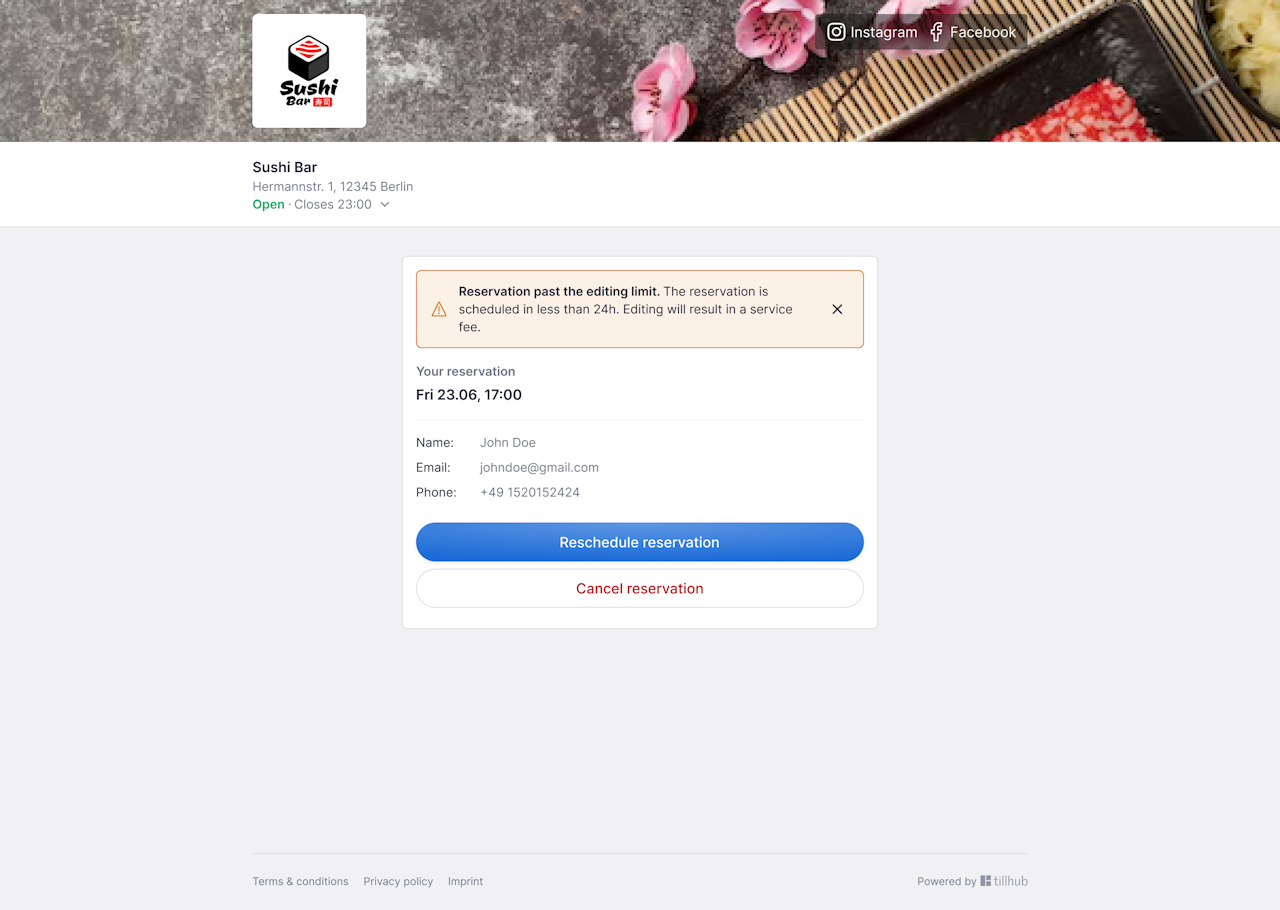
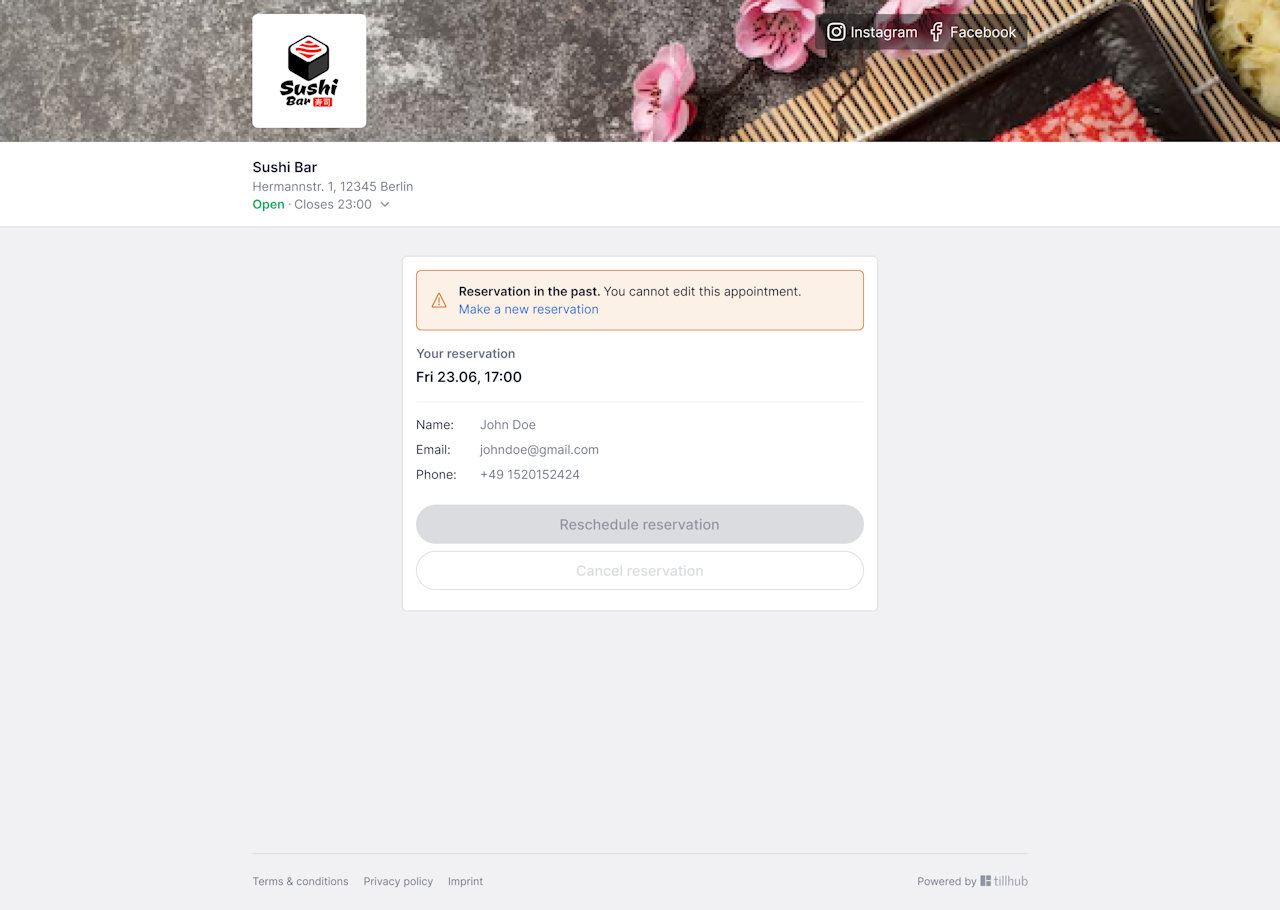
After the deadline for changes and cancellations has passed, existing reservations can no longer be edited. If the booked time has already passed or was missed, only a new reservation can be made.
Was this article helpful?
That’s Great!
Thank you for your feedback
Sorry! We couldn't be helpful
Thank you for your feedback
Feedback sent
We appreciate your effort and will try to fix the article
