3. Performing the Terminal Close
Modified on Fri, 27 Feb at 4:42 PM
After successfully linking the terminal and selecting the ZVT terminal, an additional menu item called “Terminal Close” will appear in the menu (accessible via the three lines at the top left). Open the menu and select “Terminal Close”. The system will automatically start the process, complete the terminal close on the device, and then return you to the main checkout screen. No further input is required, and the process only takes a few seconds.
‼️Important Notes‼️
Within a week, you will receive reminders if the terminal close has not yet been performed. If the terminal close is still not carried out manually after one week, the system will perform it automatically. In this case, additional costs will definitely be incurred. You can avoid these costs by performing the terminal close yourself at least once a week. Please also note that payouts from card transactions are only released after a successful terminal close.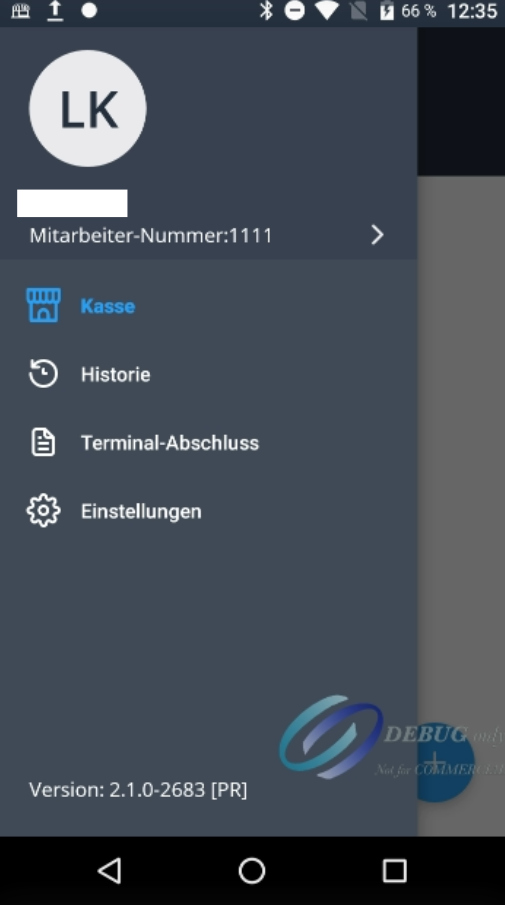
Was this article helpful?
That’s Great!
Thank you for your feedback
Sorry! We couldn't be helpful
Thank you for your feedback
Feedback sent
We appreciate your effort and will try to fix the article
