How to Reset Two-Factor Authentication (2FA)
Modified on Fri, 8 May at 11:34 AM
Two-factor authentication can only be reset for users who have already completed their account setup.
For the administrator
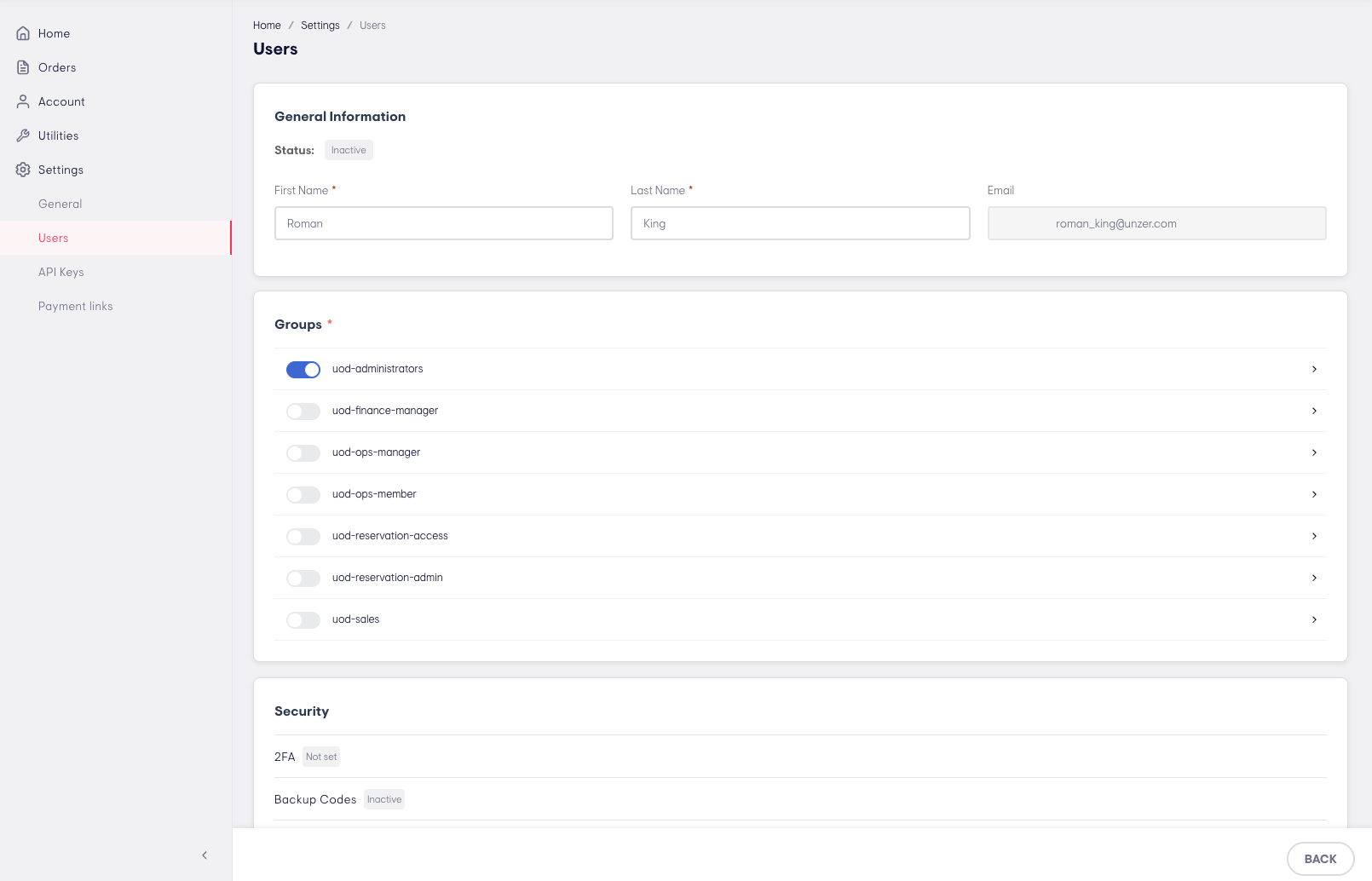
Step 1: Navigate to the user
Go to Settings → Users and open the relevant user.
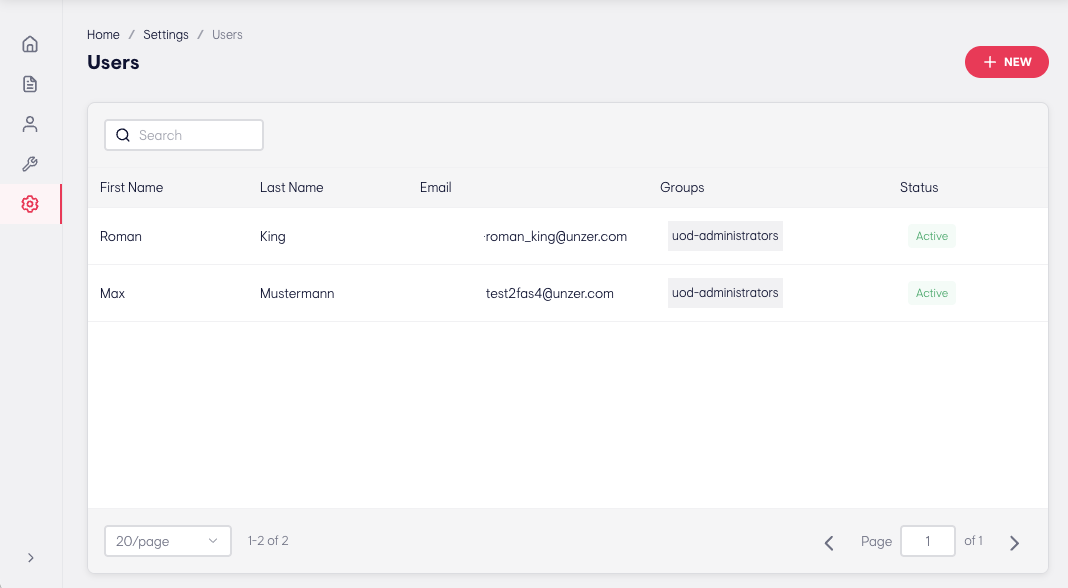
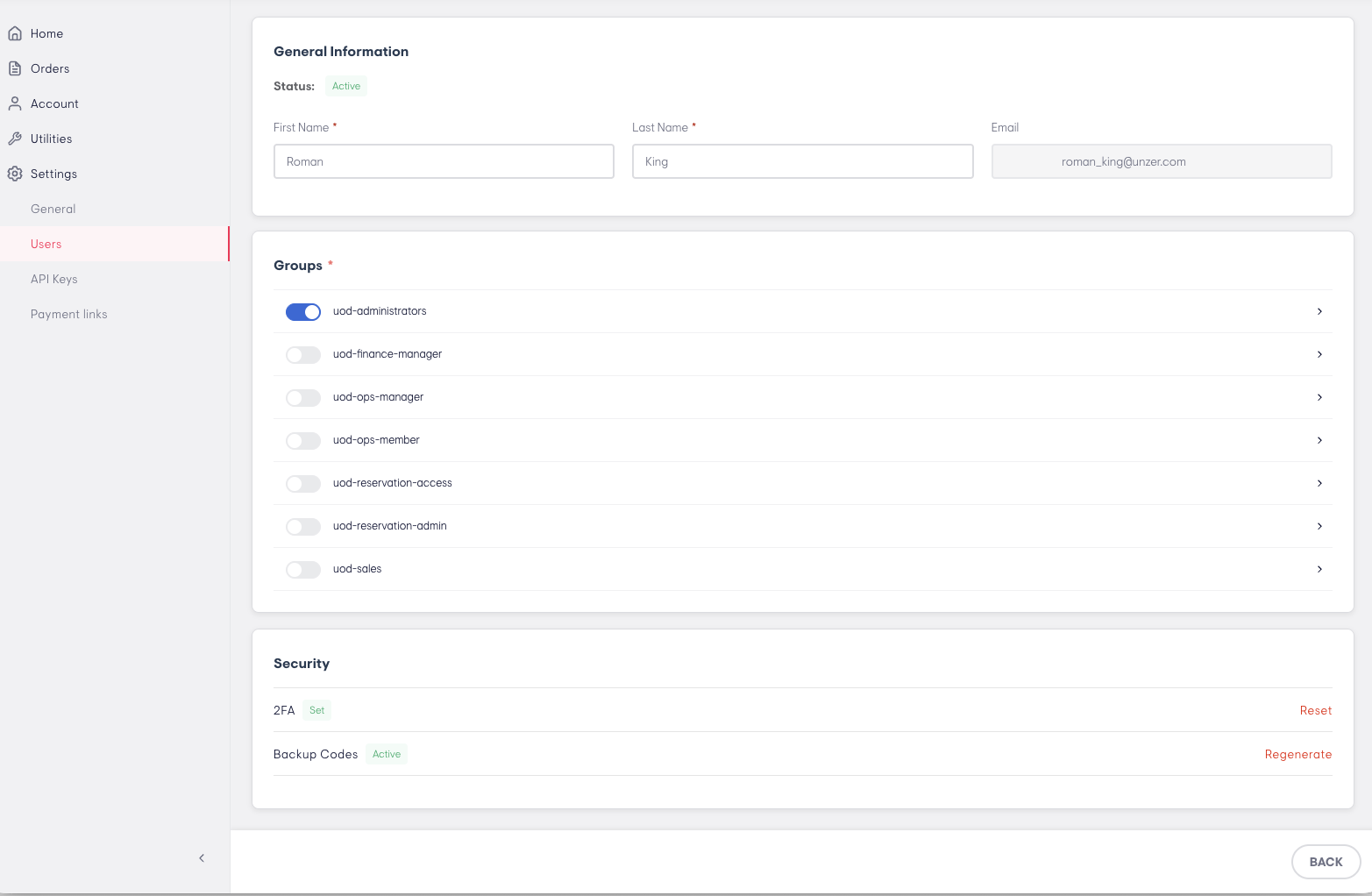
Step 2: Initiate the reset
Click 2FA - Reset.
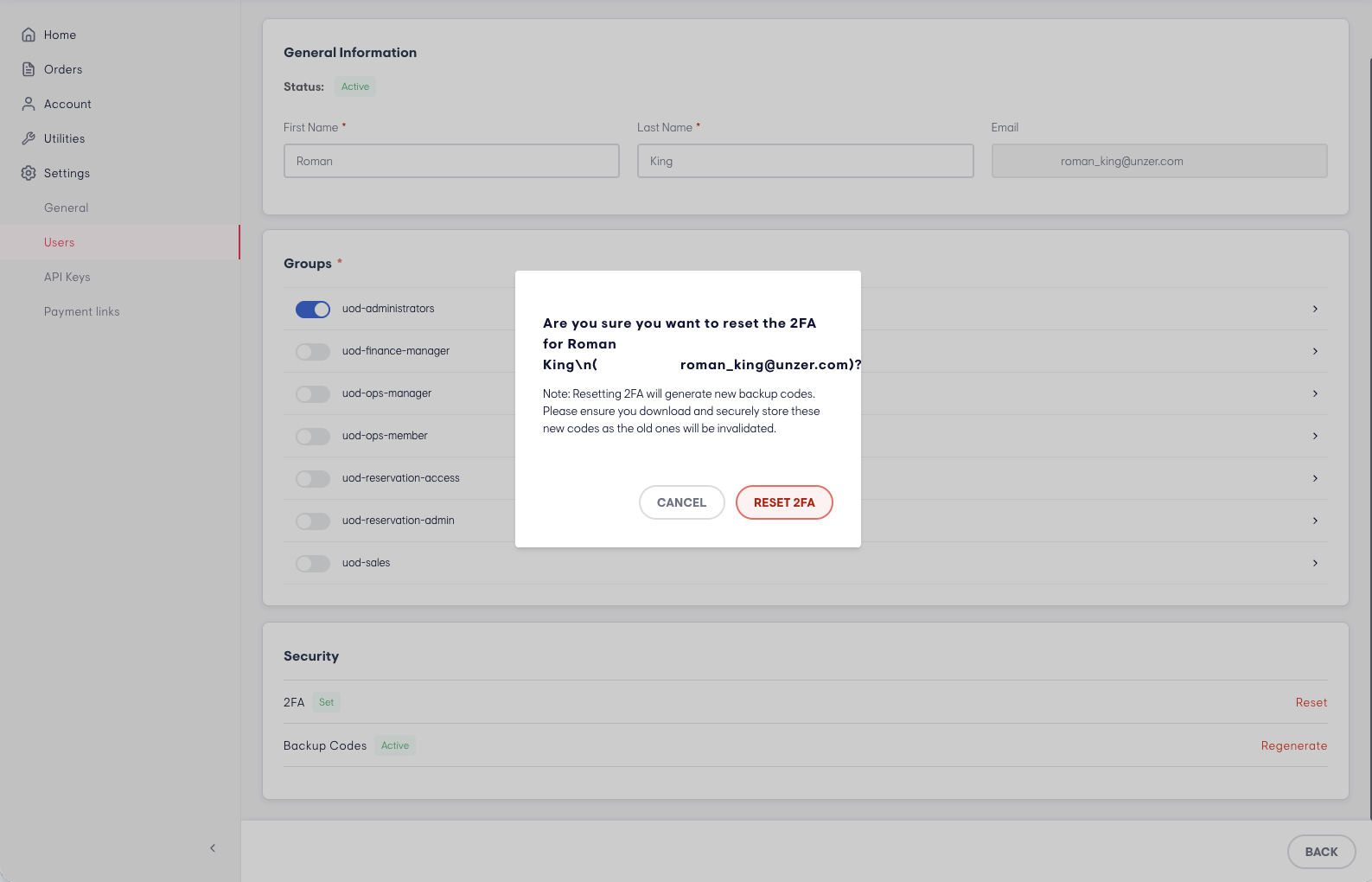
Step 3: Confirm the action
Click Reset 2FA to confirm.
Step 4: Verify with your 2FA code
As this is a sensitive action, you will be asked to enter your own 2FA code to proceed.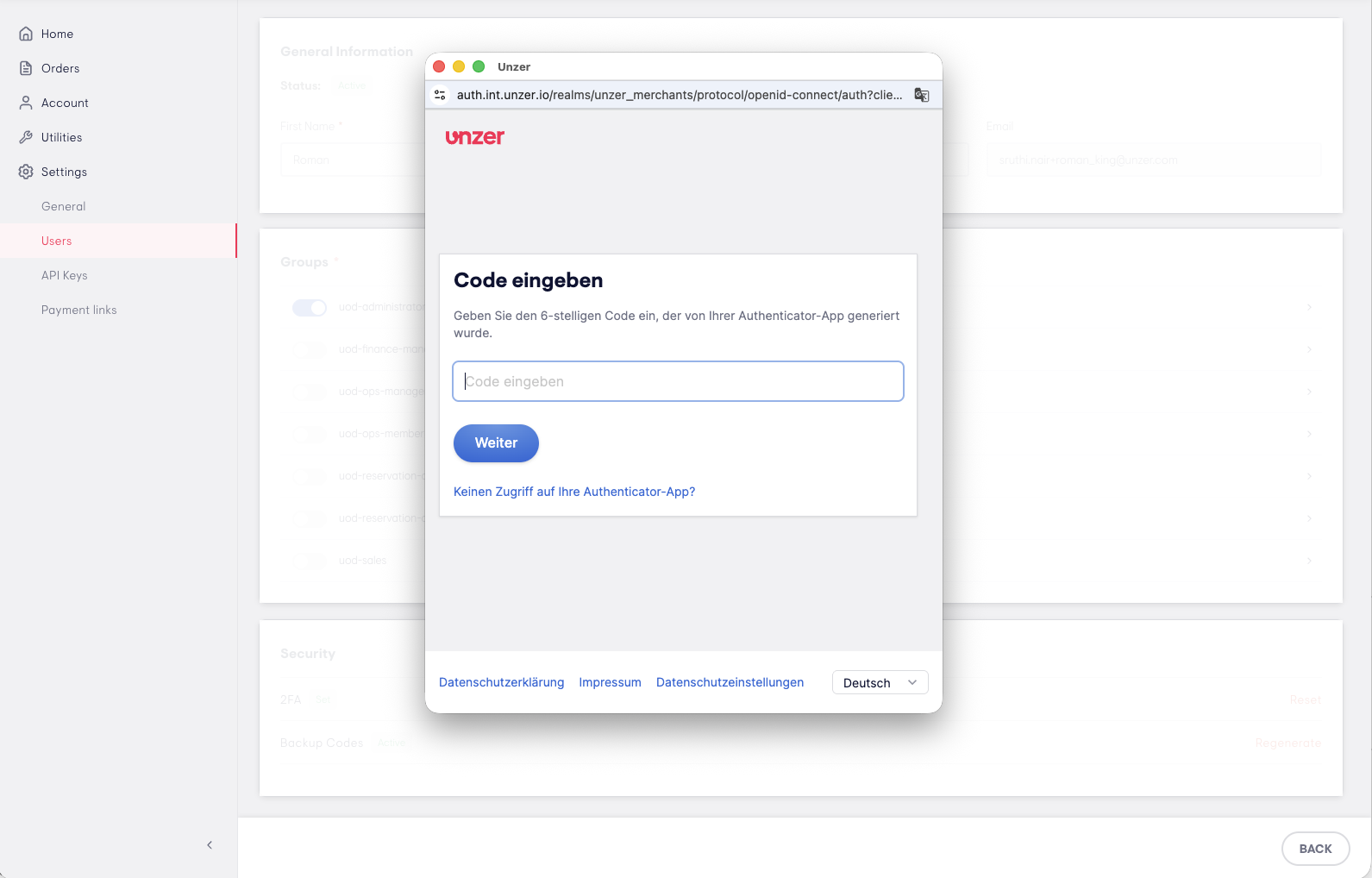
Step 5: Reset complete
The user's 2FA is now invalidated. The user will receive an email with instructions to set up a new authenticator.
For the user
Step 1: Check your inbox
You will receive an email with a link to reset your 2FA. Click the link to get started.
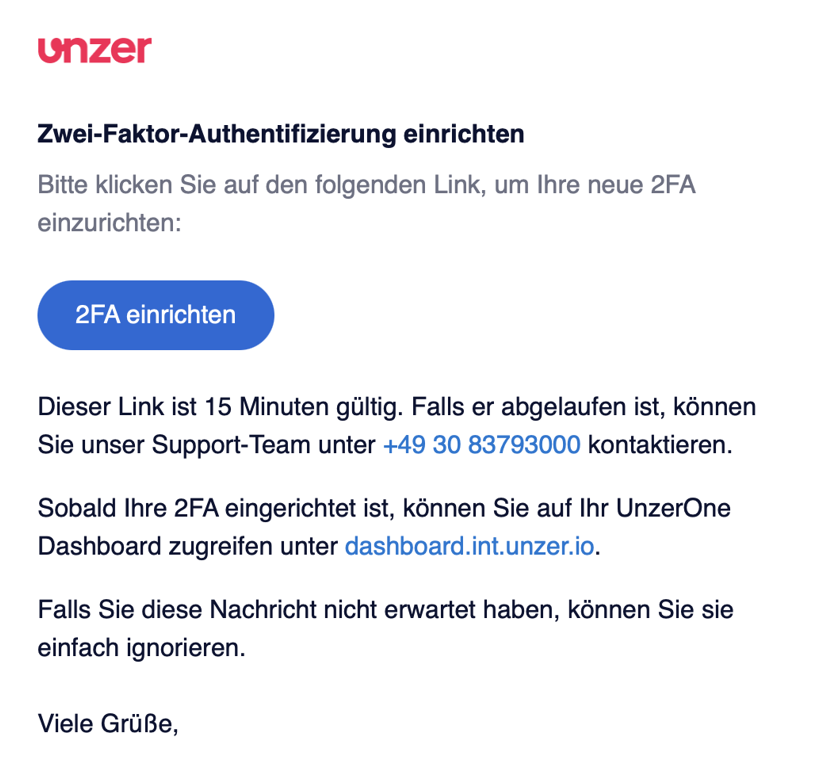
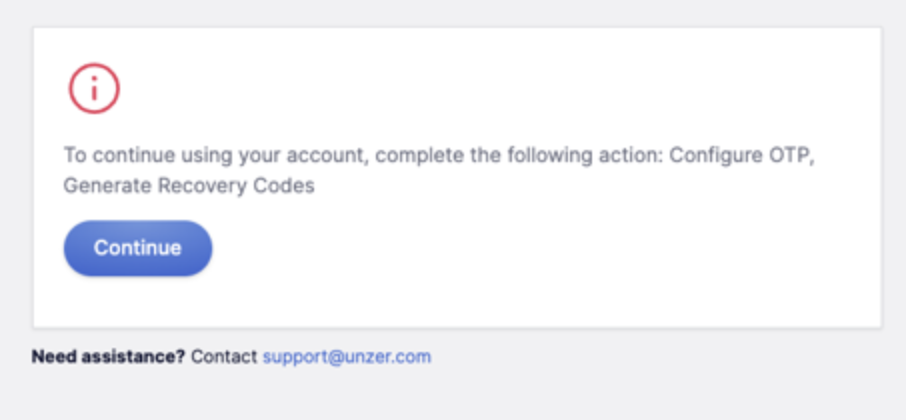
Step 2: Click Continue. You will be taken to the setup page.
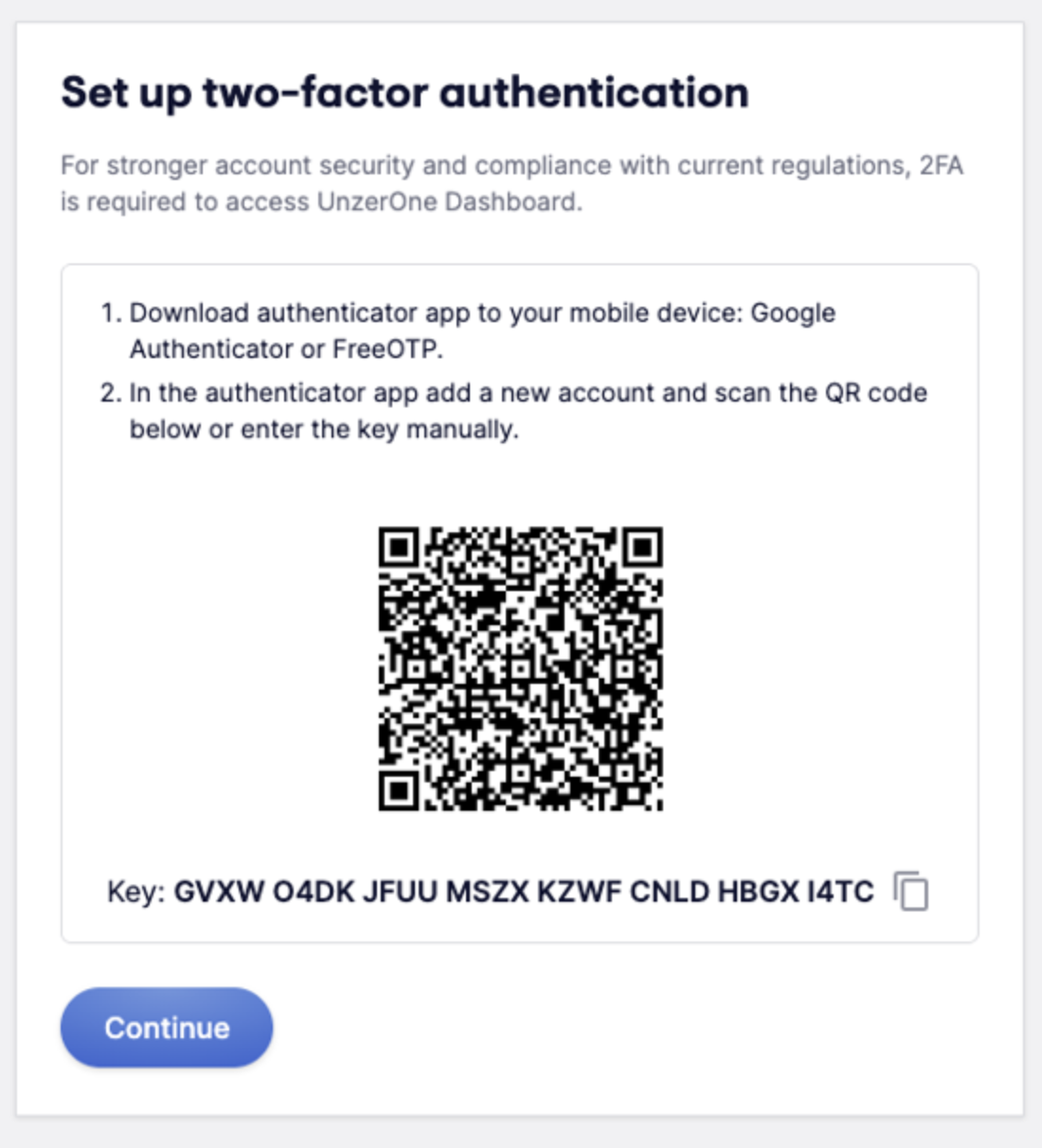
Step 3: Set up your new authenticator
Scan the QR code in your authenticator app to register your account.
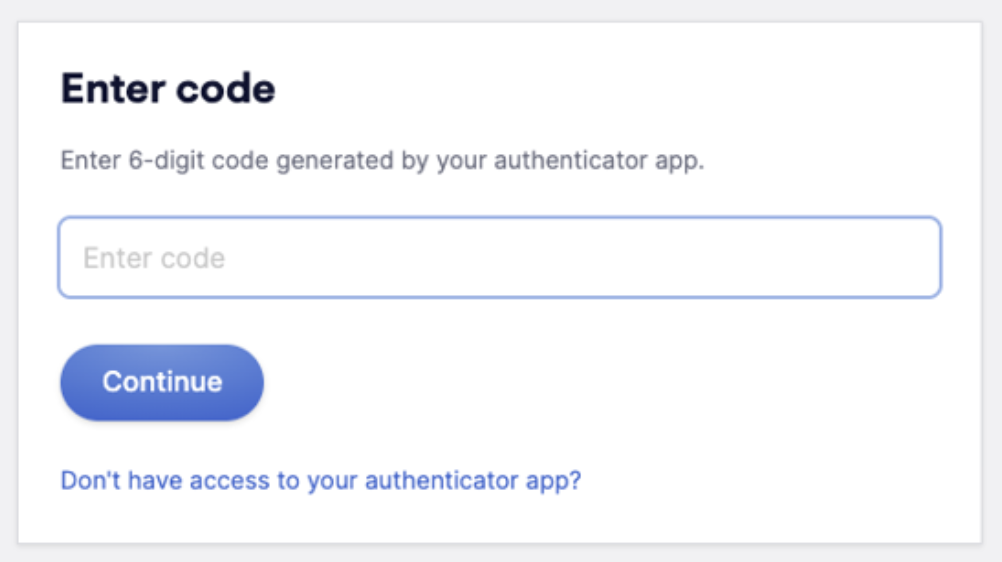
Step 4: Enter the 6-digit code from your authenticator app.
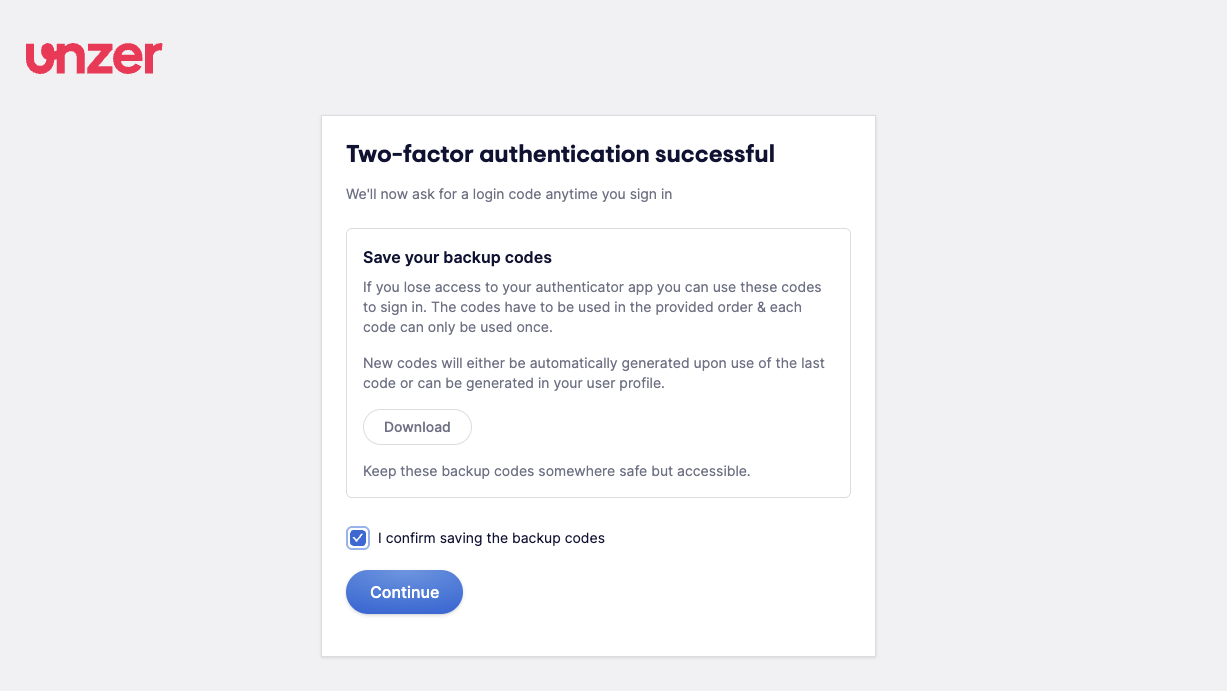
Step 5: Save your new backup codes
Download and save your new backup codes in a secure place, then click Continue.
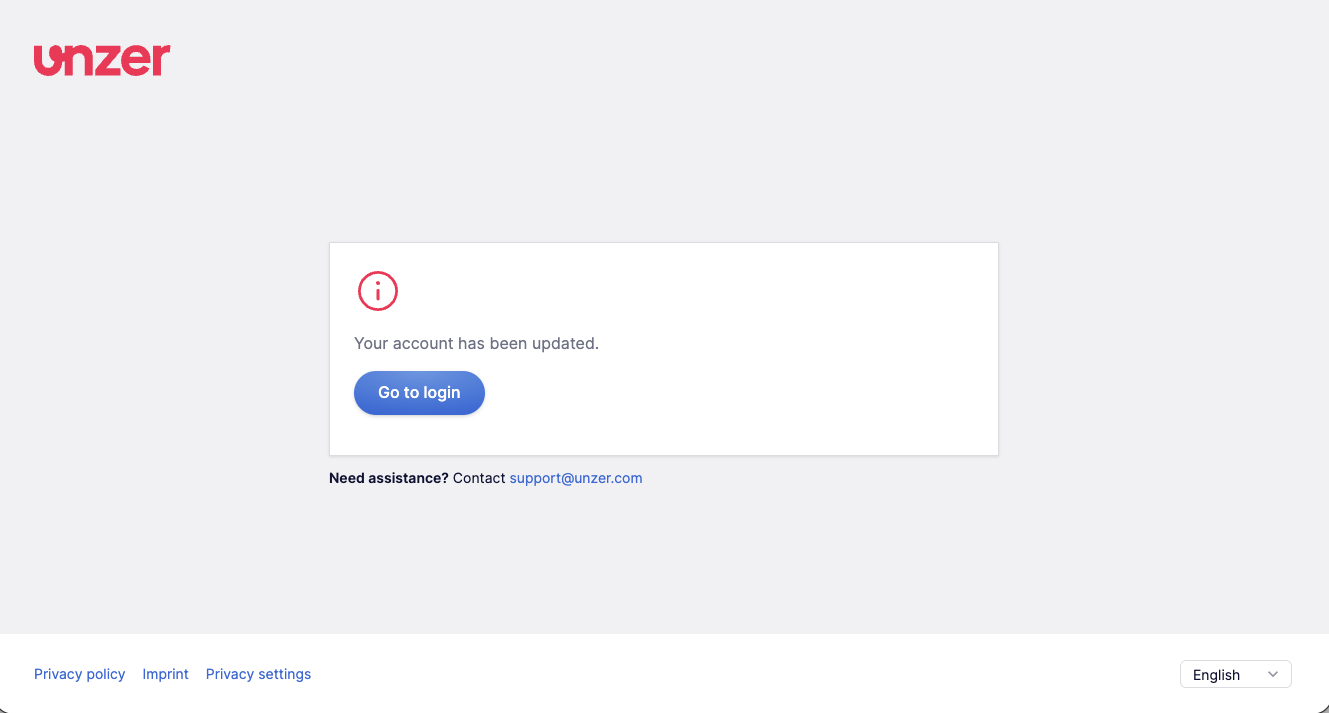
Step 6: You are all set. You will see a confirmation that your account has been successfully updated.
Please note:
- Your old 2FA code and backup codes will no longer work after the reset. Only your new authenticator and backup codes are valid going forward.
- If you attempt to log in directly before following the email link, you will be prompted to reset your 2FA as part of the login flow. Once completed, the email link will no longer be valid.
Was this article helpful?
That’s Great!
Thank you for your feedback
Sorry! We couldn't be helpful
Thank you for your feedback
Feedback sent
We appreciate your effort and will try to fix the article
