Setting Up Two-Factor Authentication (2FA) – Voluntary Setup
Modified on Fri, 8 May at 11:34 AM
Set Up Two-Factor Authentication (2FA) Voluntarily
Starting June 3, 2026, Two-Factor Authentication (2FA) will be mandatory for all UnzerOne Dashboard users. Until then, you can set it up voluntarily when you log in.
Step 1: Log in to the Dashboard
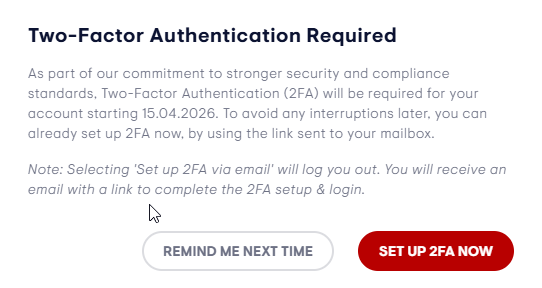
Log in with your username and password as usual. If you have not yet set up 2FA, a pop-up will appear offering you two options:
- Remind me next time
- Set up 2FA now
Step 2: Select "Remind me next time"
If you click Remind me next time, the pop-up will close and you can continue using the Dashboard without setting up 2FA. You will be prompted again the next time you log in.
Step 3: Select "Set up 2FA now"
If you click Set up 2FA now, the following will happen:
- You will be signed out of the Dashboard
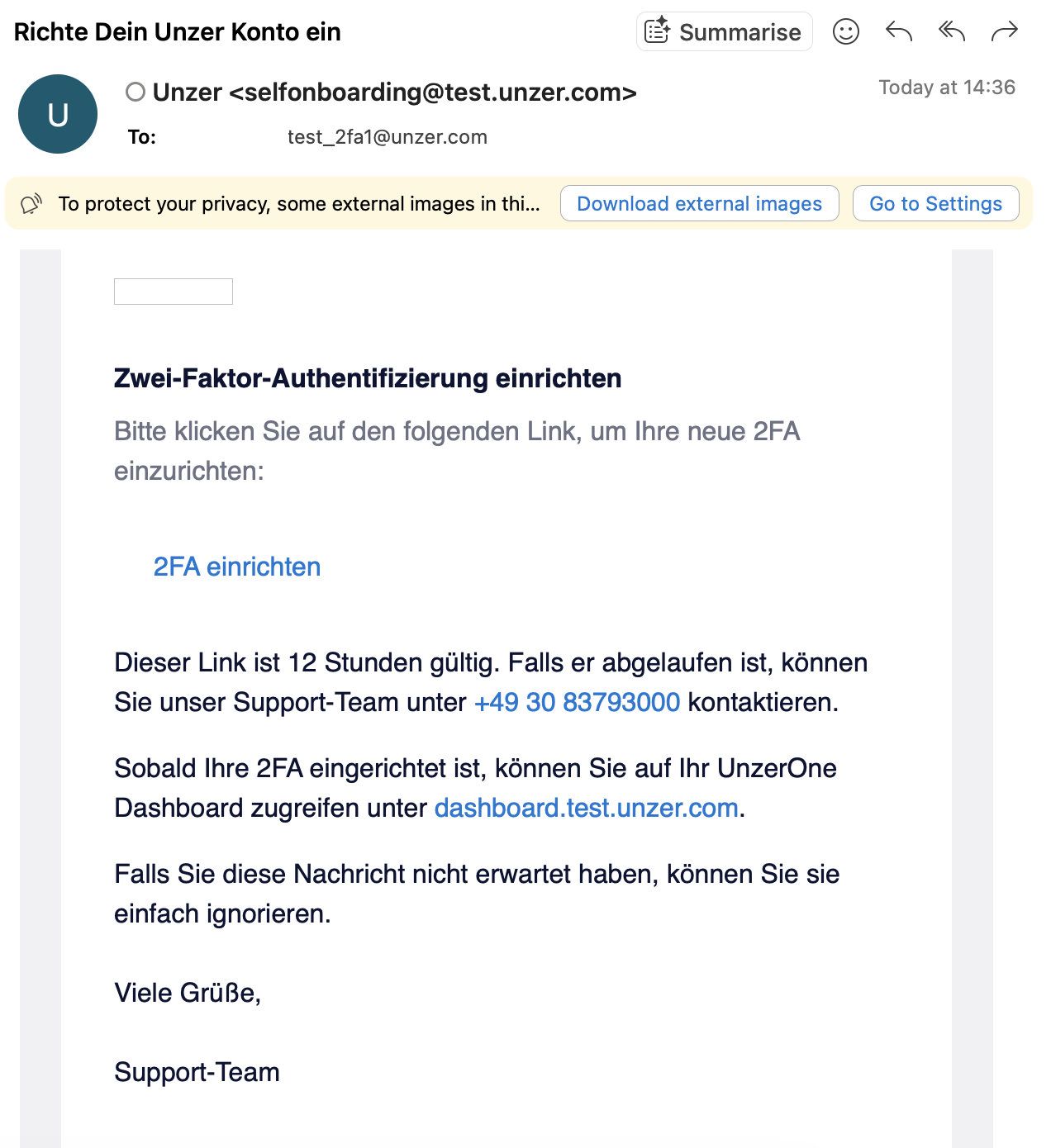
- An email will be sent to your registered email address
- The email will contain instructions to complete your 2FA setup
Please note
- If you log in again before completing your 2FA setup from the email, the same pop-up will appear.
- If you previously had 2FA set up in the Dashboard, please log in using your authenticator app as usual. You can then navigate to your user profile to generate new backup codes if needed.
- Users who log in via Single Sign-On (SSO) are required to use 2FA at all times.
Was this article helpful?
That’s Great!
Thank you for your feedback
Sorry! We couldn't be helpful
Thank you for your feedback
Feedback sent
We appreciate your effort and will try to fix the article
