CCV - Using the Tip Function
Modified on Wed, 4 Feb at 9:50 AM
In this article, we would like to show you how the tip function works on your CCV Mobile Premium or CCV Base Next card reader.
Some key information summarized:
- percentage-based and manual tip input possible
- Girocard and credit cards accepted via contactless and chip-based methods
- tip prompt appears directly after the amount entry
- tip amounts shown as a total per card type on the end-of-day report
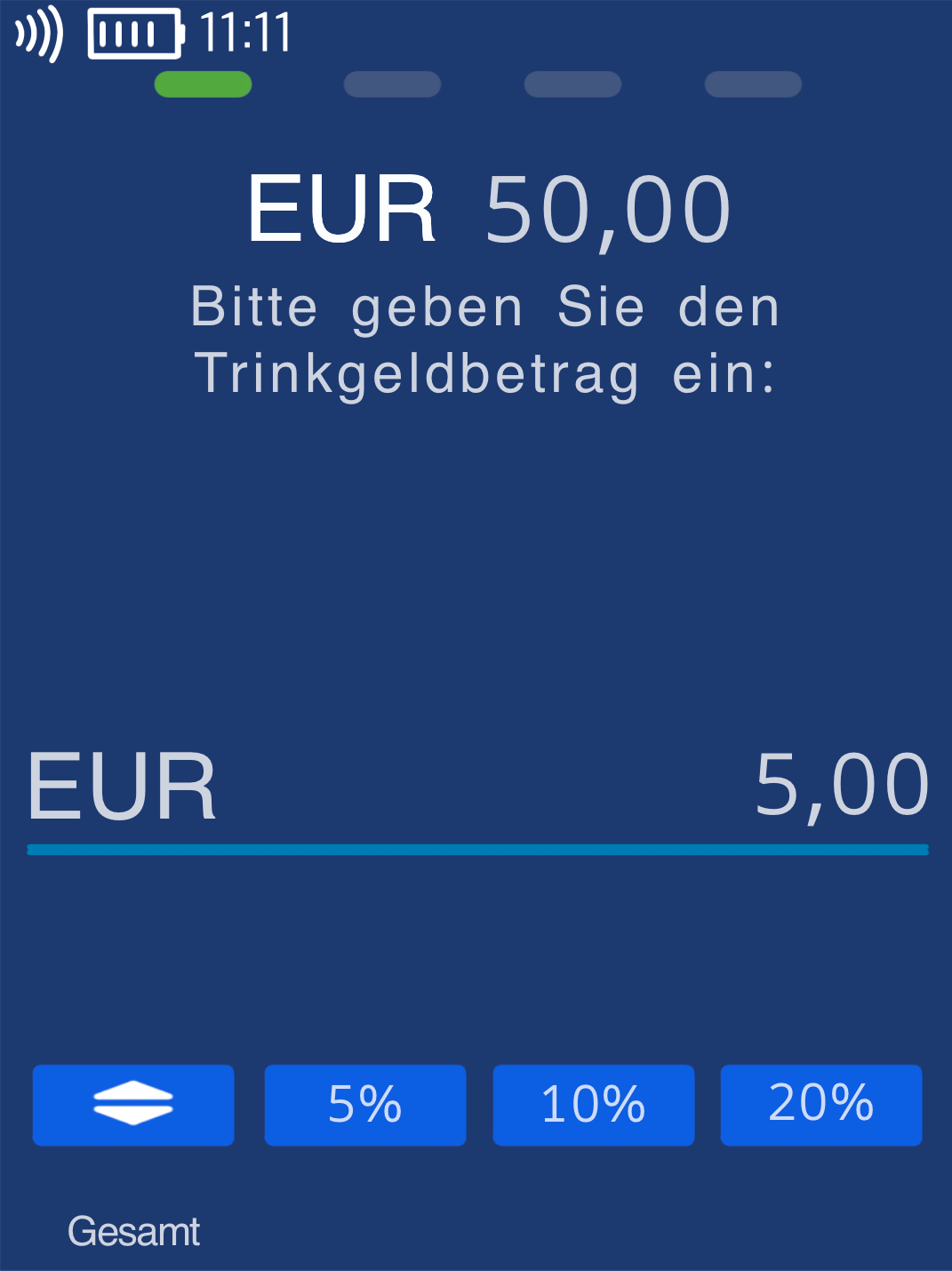
In Fig. 1, you can see the tip prompt after the amount entry.
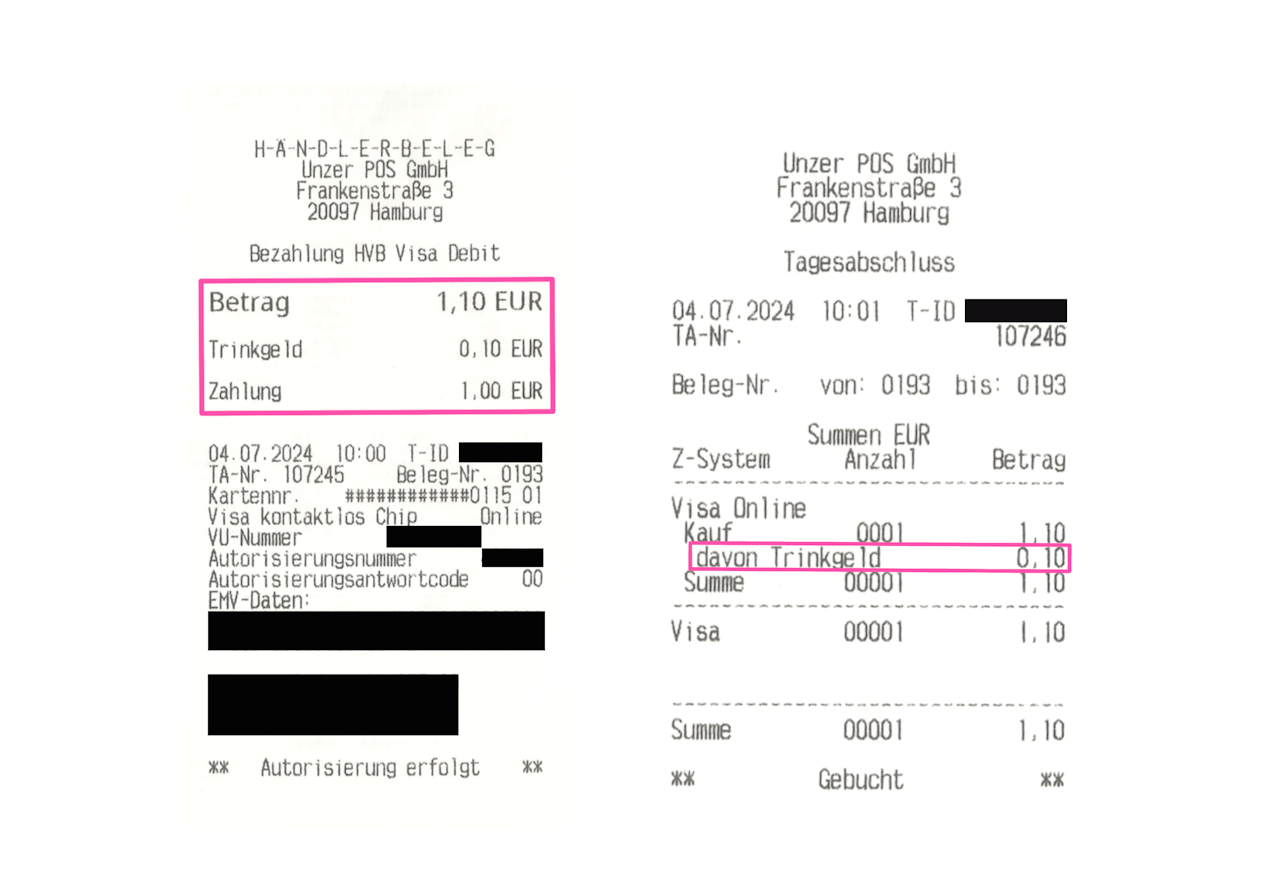
Fig. 2 shows the layout of the merchant receipt as well as the TIP display on the end-of-day report.
The tip function is not yet active on your device? You can request activation here.
Was this article helpful?
That’s Great!
Thank you for your feedback
Sorry! We couldn't be helpful
Thank you for your feedback
Feedback sent
We appreciate your effort and will try to fix the article
