CCV - Customize Softkey
Modified on Wed, 4 Feb at 9:50 AM
Would you like to customize the icons, known as softkeys, on your home screen to suit your needs? Then we’ll be happy to show you how to do this on your CCV Mobile Premium or Base Next device.
Home Screen
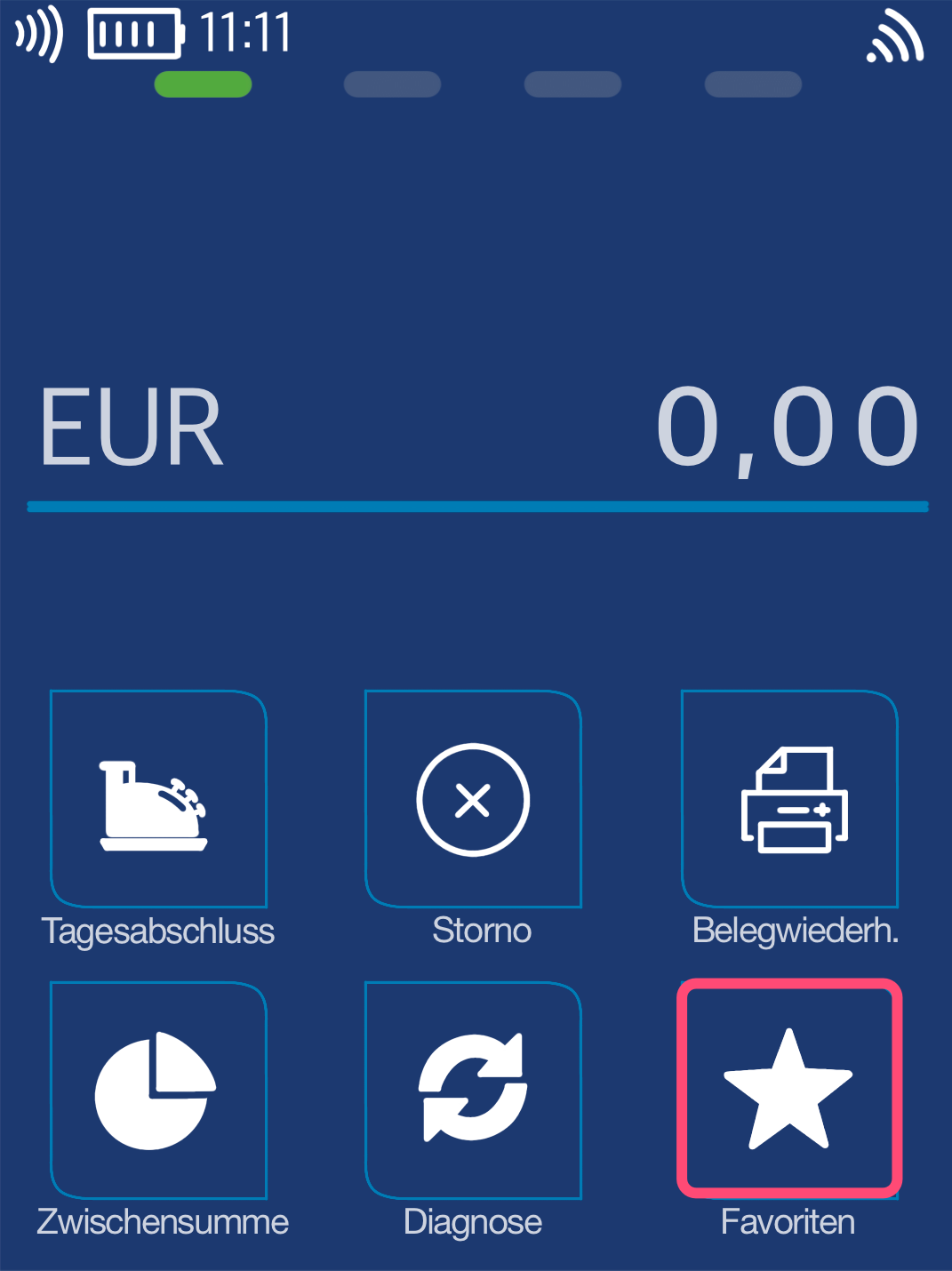
Fig. 1 - Please tap the Favorites softkey.
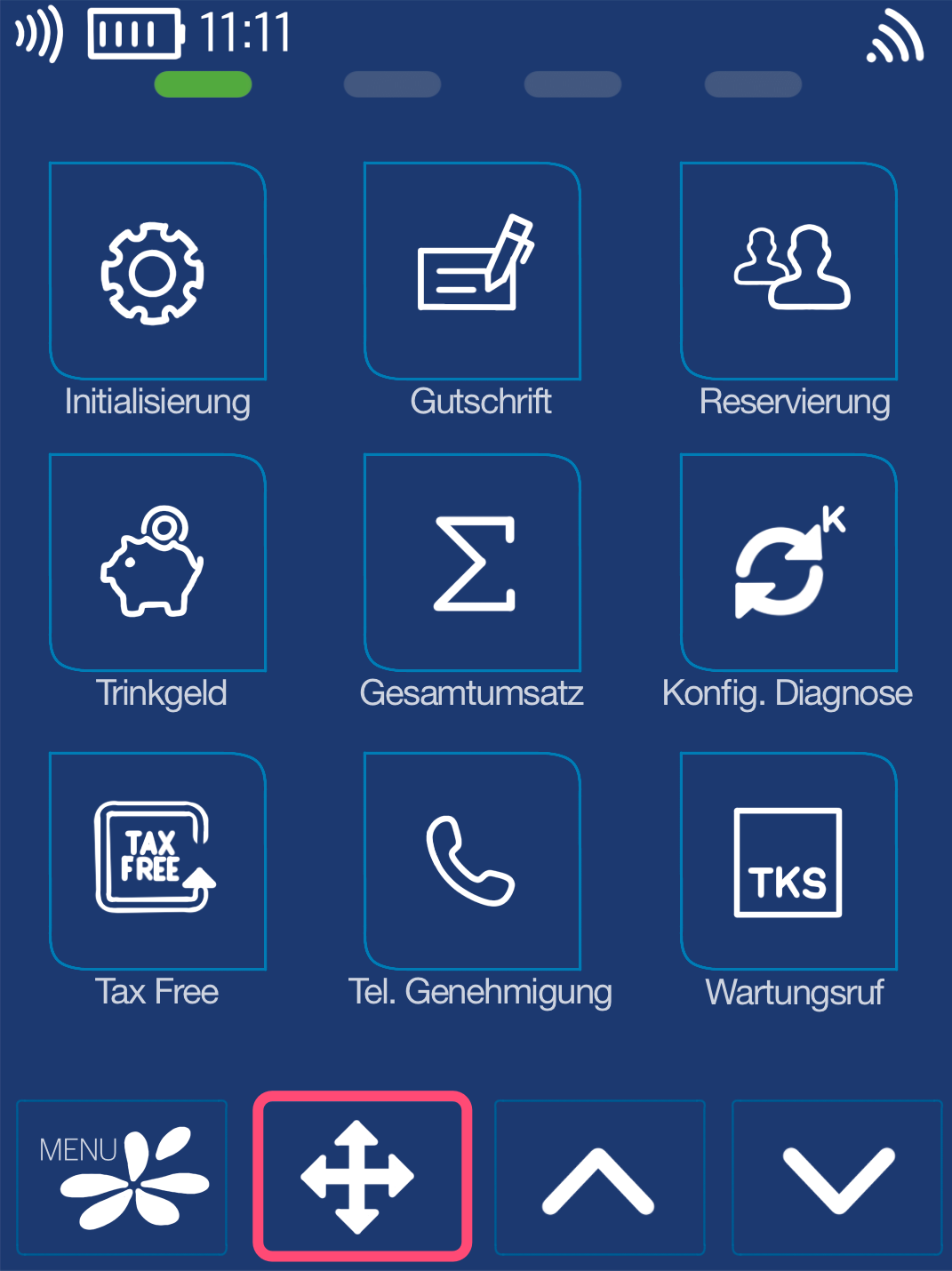
Fig. 2 - Now please tap the navigation arrow.
Selecting the Softkey to Replace
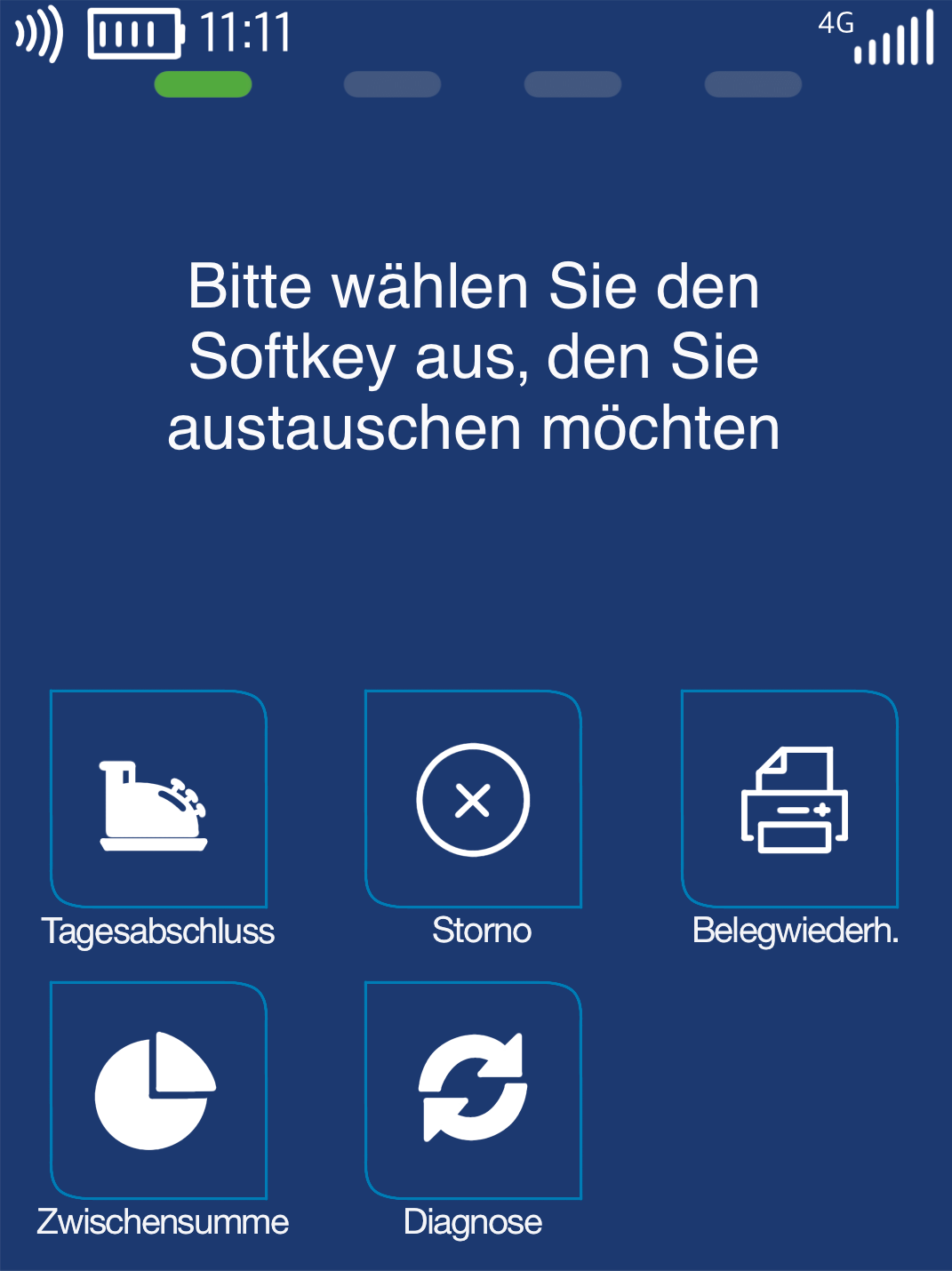
Please select the softkey you no longer want to have on your home screen.
Selection by tapping
Selecting the New Softkey
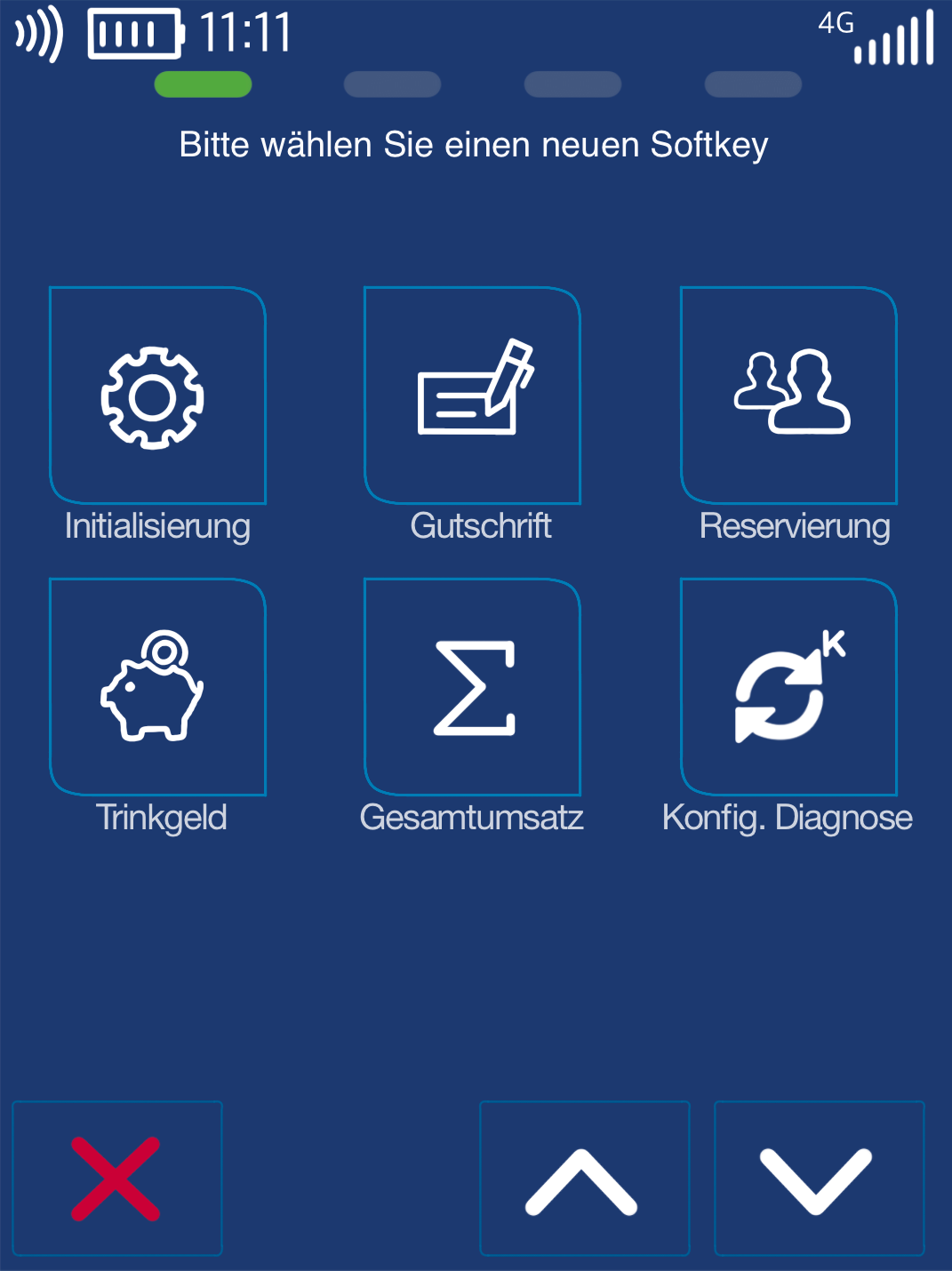
Now please select the desired softkey you would like to display on your home screen.
You can scroll through all available softkeys using the up and down arrows and select the one you want.
After making your selection, the display will return to your home screen.
The configuration is complete.
Was this article helpful?
That’s Great!
Thank you for your feedback
Sorry! We couldn't be helpful
Thank you for your feedback
Feedback sent
We appreciate your effort and will try to fix the article
