Ingenico - Restart
Modified on Tue, 10 Feb at 4:03 PM
Restarting the Card Reader
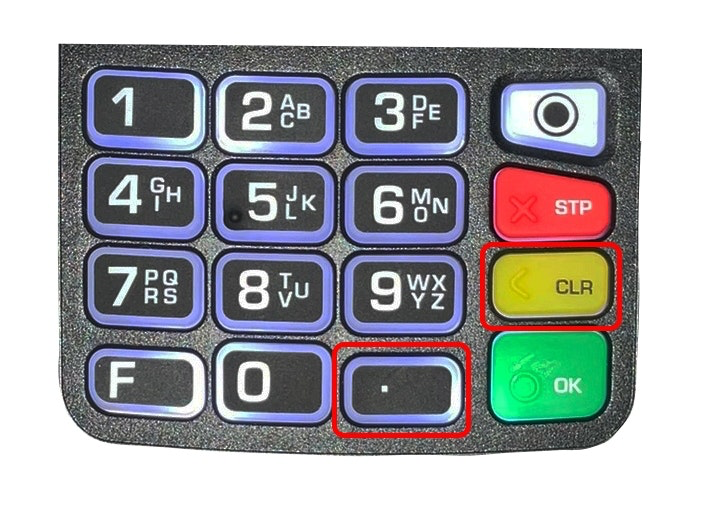
To turn off your card reader, please press the following key combination:
Press Dot (.) and CLR together for approx. 3 seconds.
If your card reader is connected to power, it will restart immediately. Manual restarting is then not necessary.
Turning on the Card Reader
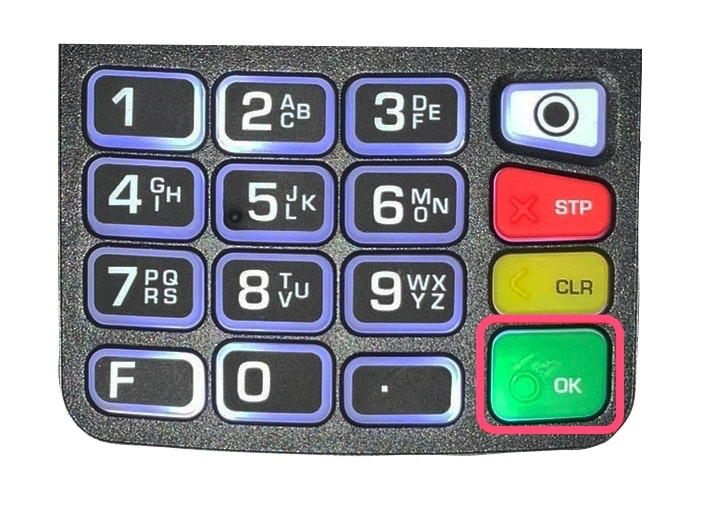
To turn on the card reader, simply press the green OK button.
Was this article helpful?
That’s Great!
Thank you for your feedback
Sorry! We couldn't be helpful
Thank you for your feedback
Feedback sent
We appreciate your effort and will try to fix the article
