T650p - Performing Diagnostics
Modified on Mon, 9 Feb at 3:43 PM
The diagnostics contain all necessary information for handling payment processing.
Contents of the Diagnostics
Receipt text
Payment types
Card acceptance
Payment authorizations
Additional functions
For the changes to take effect, it is important to apply them manually in a specific order. Here we show you how to load the diagnostics.
Number of Diagnostics
- Advanced Diagnosis
- Config Diagnosis
- Config EMV Diagnosis
Main Menu
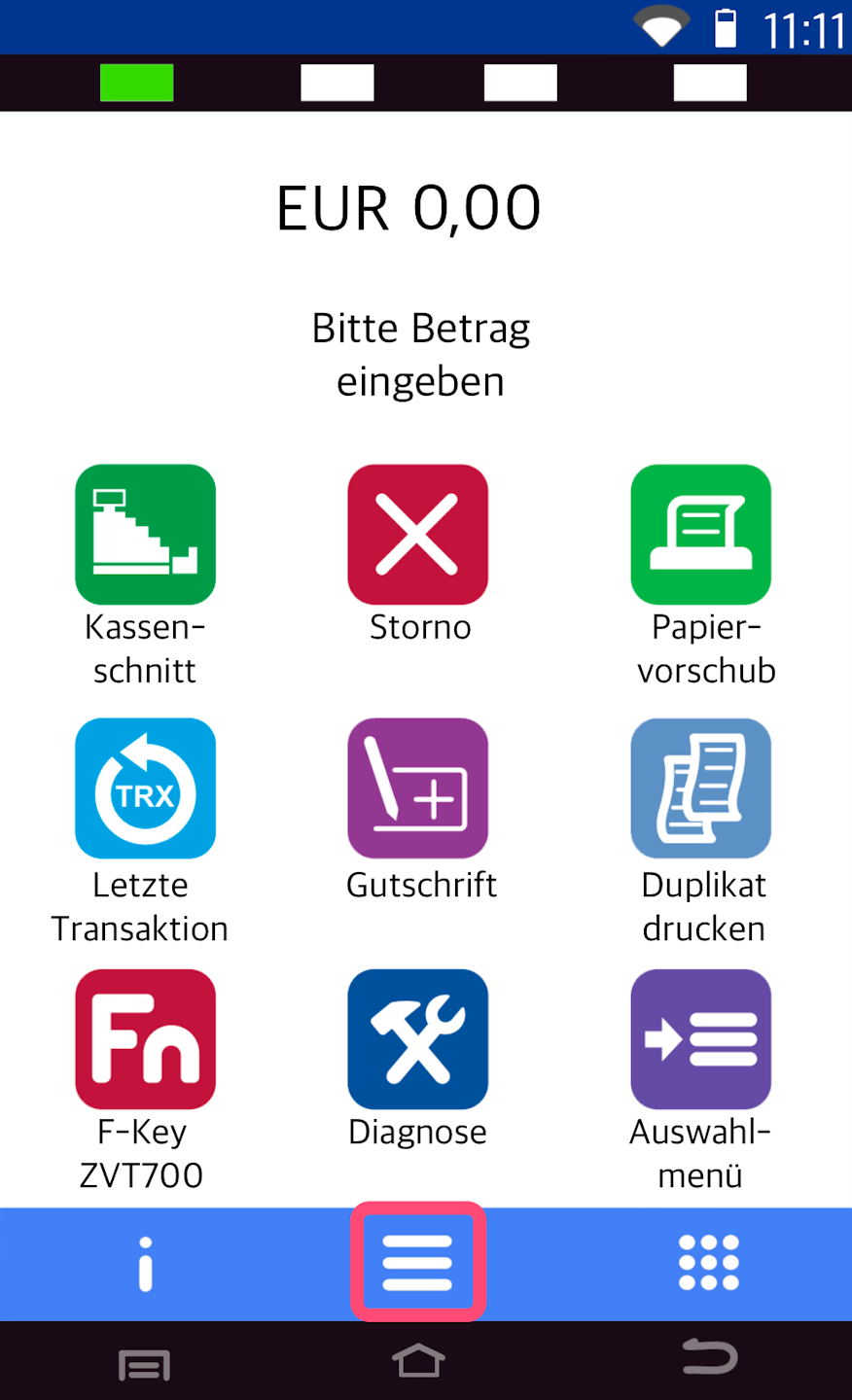
Here you see your starting display.
Please press the button with the three horizontal lines to access the main menu.
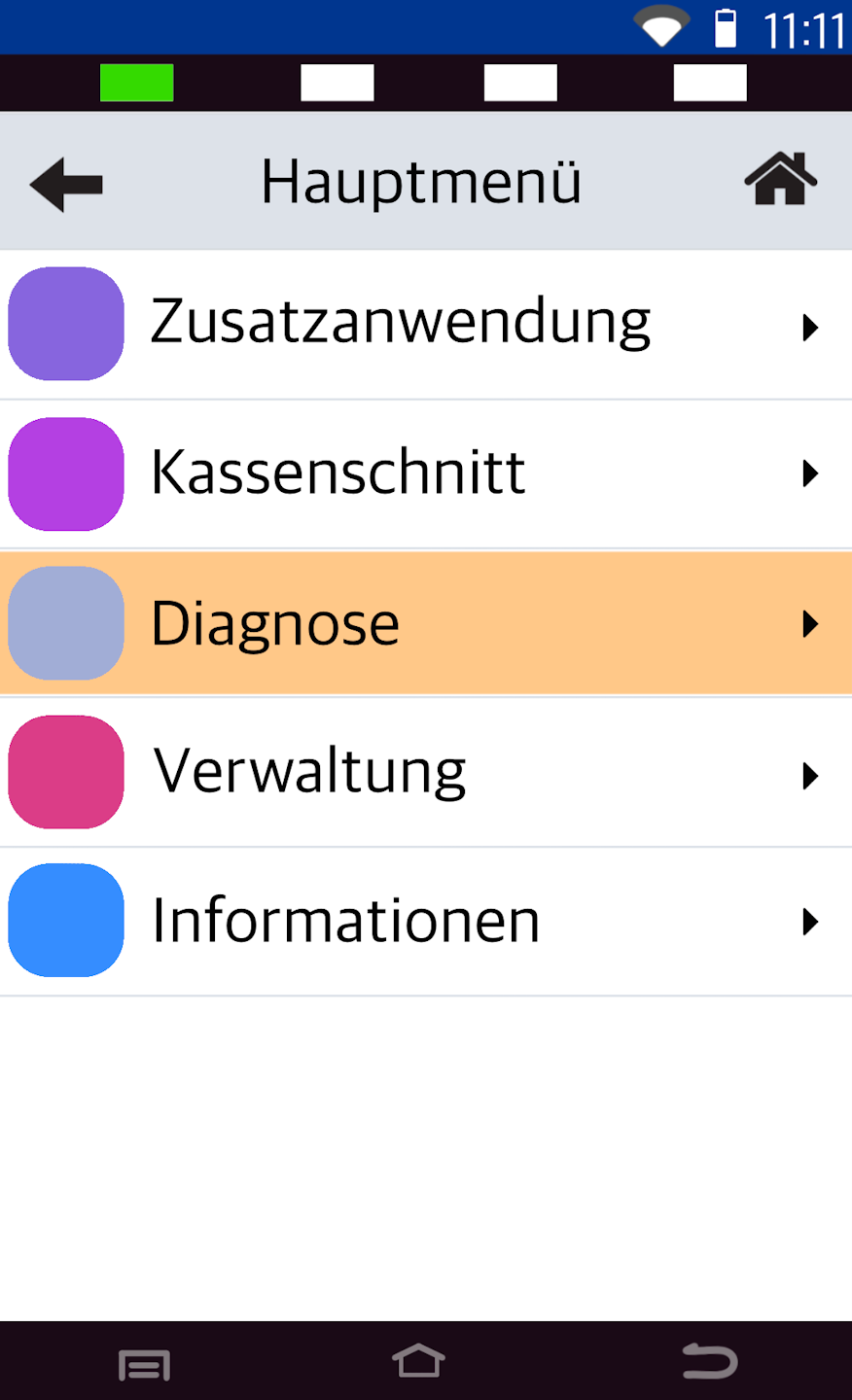
Diagnostics
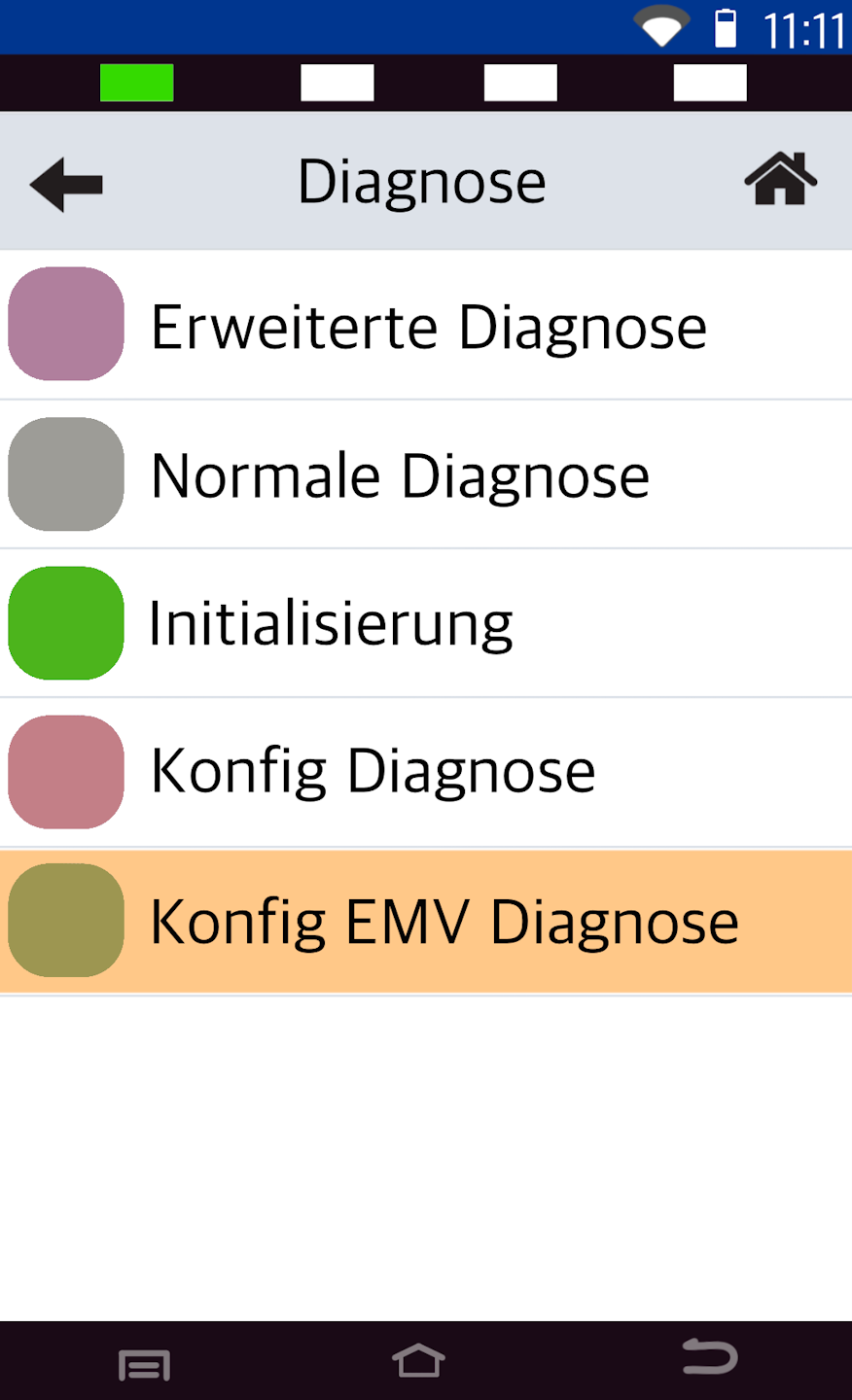
Please select the menu item Diagnose.
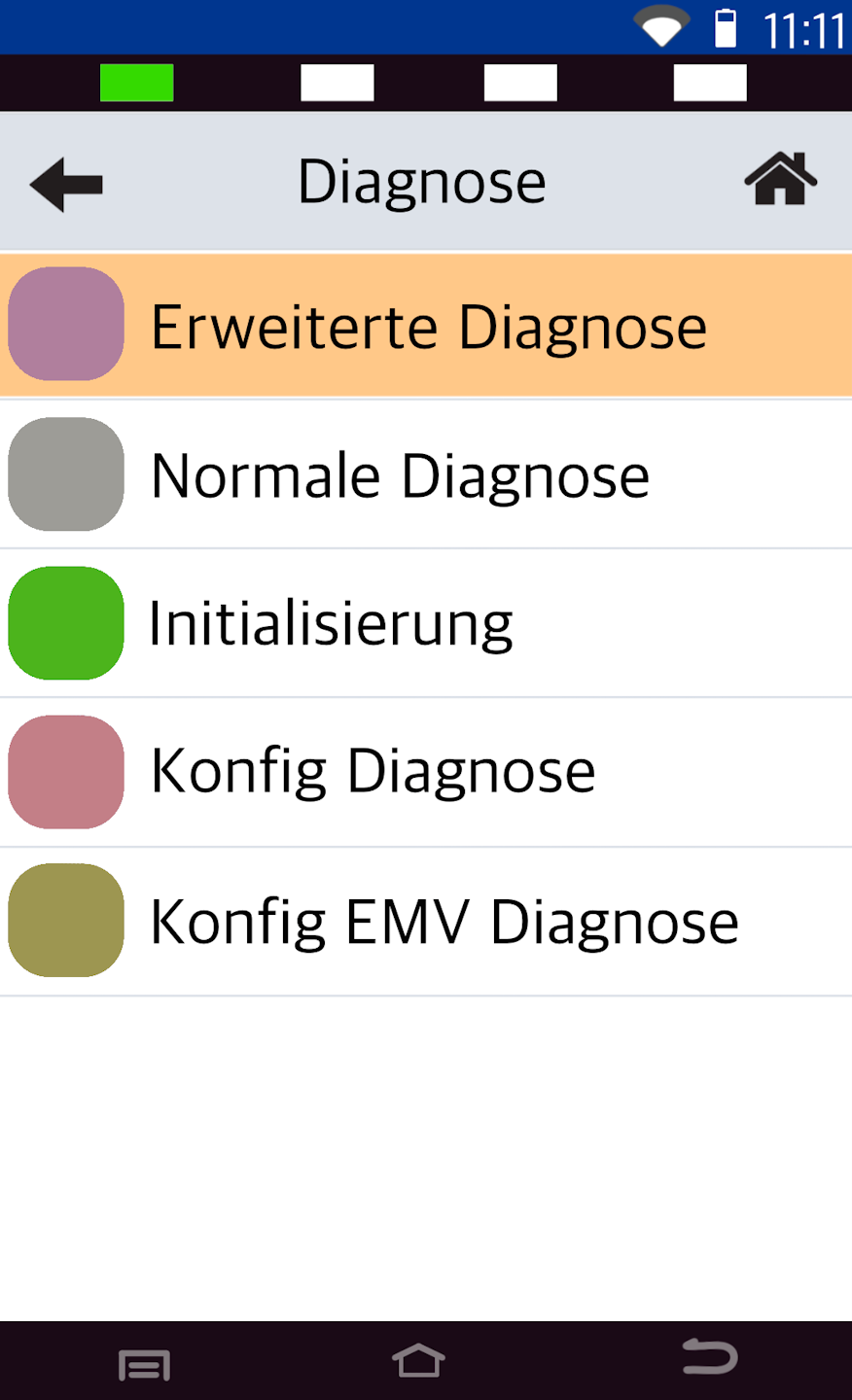
Advanced Diagnosis
In step 1, please select Erweiterte Diagnose.
A printout with "Network ready for operation" will follow.
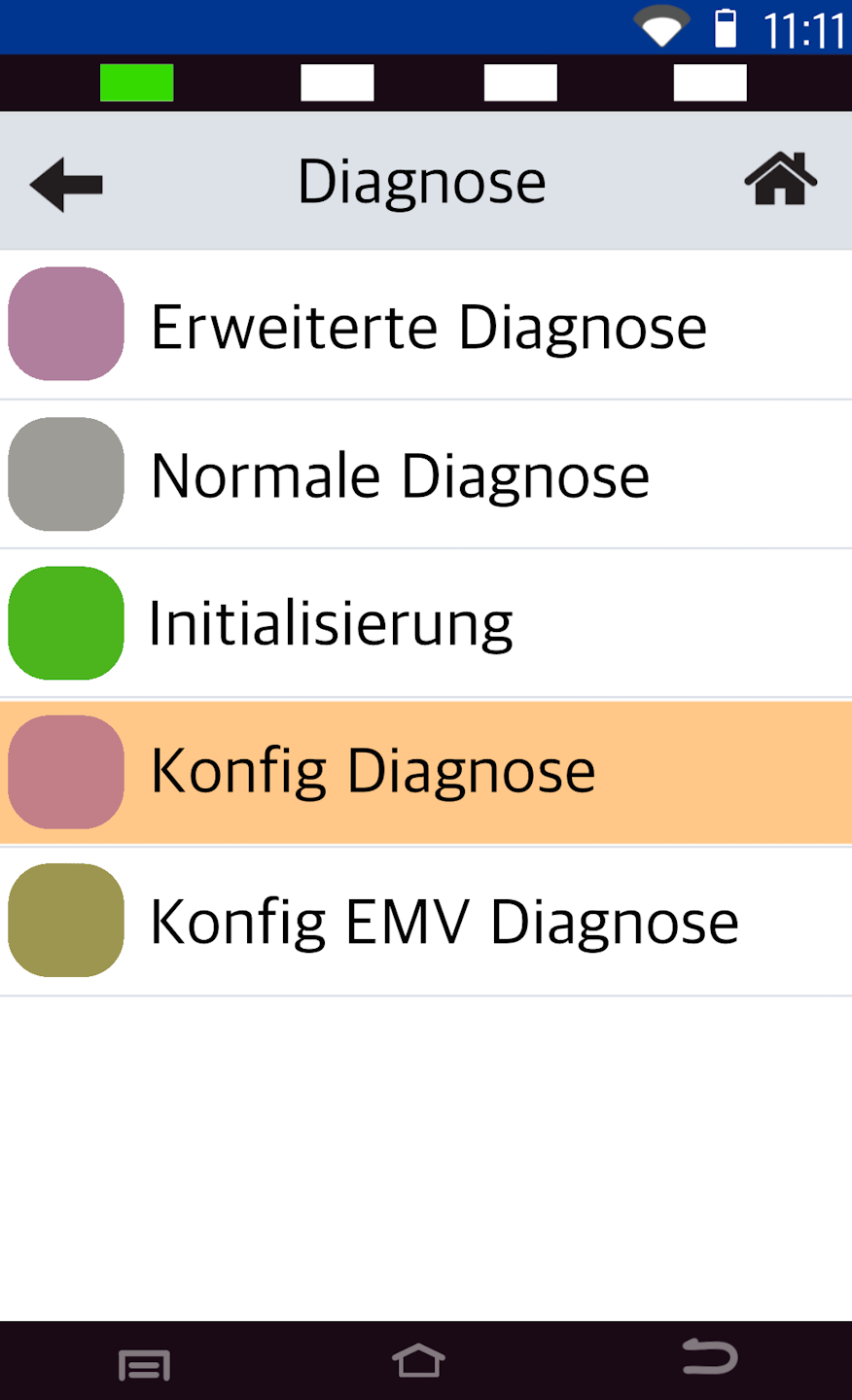
Config Diagnosis
In step 2, please select Konfig Diagnosis.
A printout with "Network ready for operation" will follow.
EMV Diagnosis
In the final step, please select Konfig EMV Diagnose.
Again, a printout with "Network ready for operation" will follow.
The card reader has now adopted all stored changes and updates.
Was this article helpful?
That’s Great!
Thank you for your feedback
Sorry! We couldn't be helpful
Thank you for your feedback
Feedback sent
We appreciate your effort and will try to fix the article
