Price books
Modified on Mon, 16 Feb at 10:11 AM
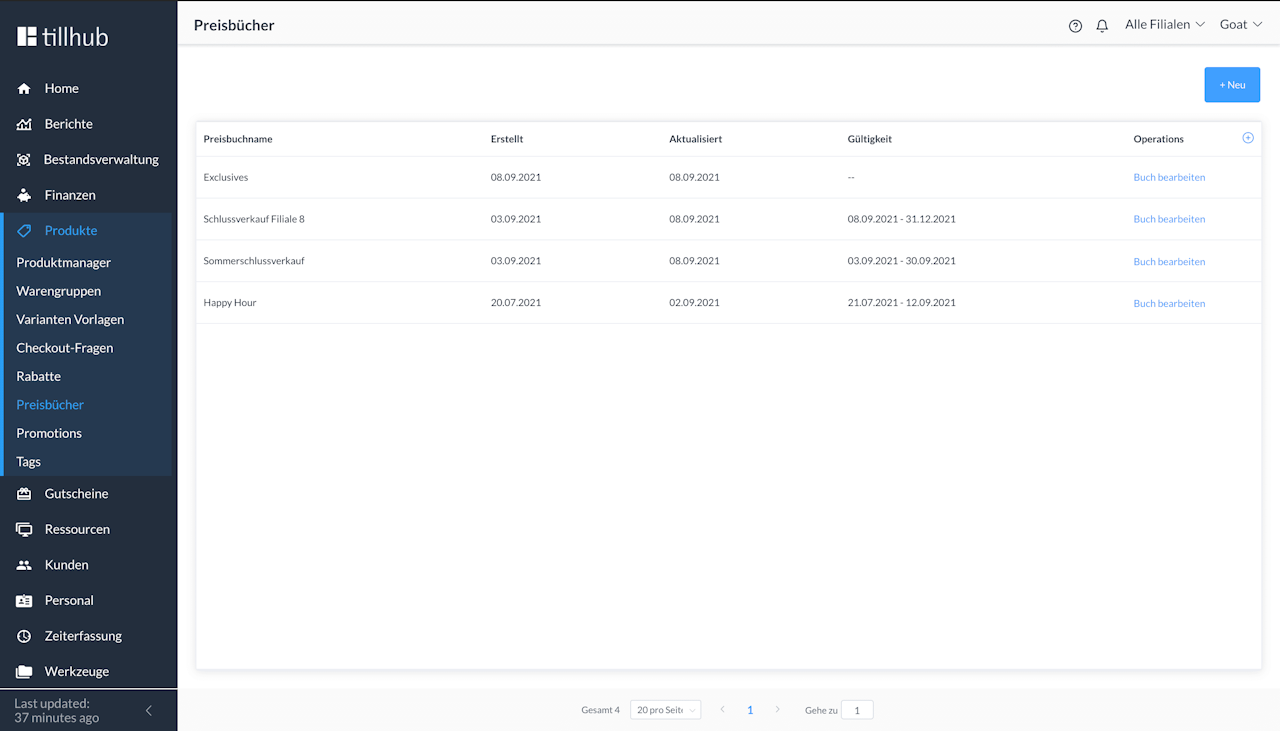
Price books allow you to make price changes for specific stores/locations and/or time periods.
The advantage is that you get a clear overview of all price books and list prices—where they apply and when they apply—and you can quickly add or remove items.
How are price books used? Navigate to “Items” → “Price books”, create a price book, add locations and the validity period, then add any items and product groups and adjust their prices.
Price books can be configured to be valid for specific:
- Weekdays and times, e.g. every Saturday 8:00–10:00
- Time periods, e.g. the Black Friday weekend
- Locations, e.g. cost center (KST) 5516 and/or KST 1404
Example:
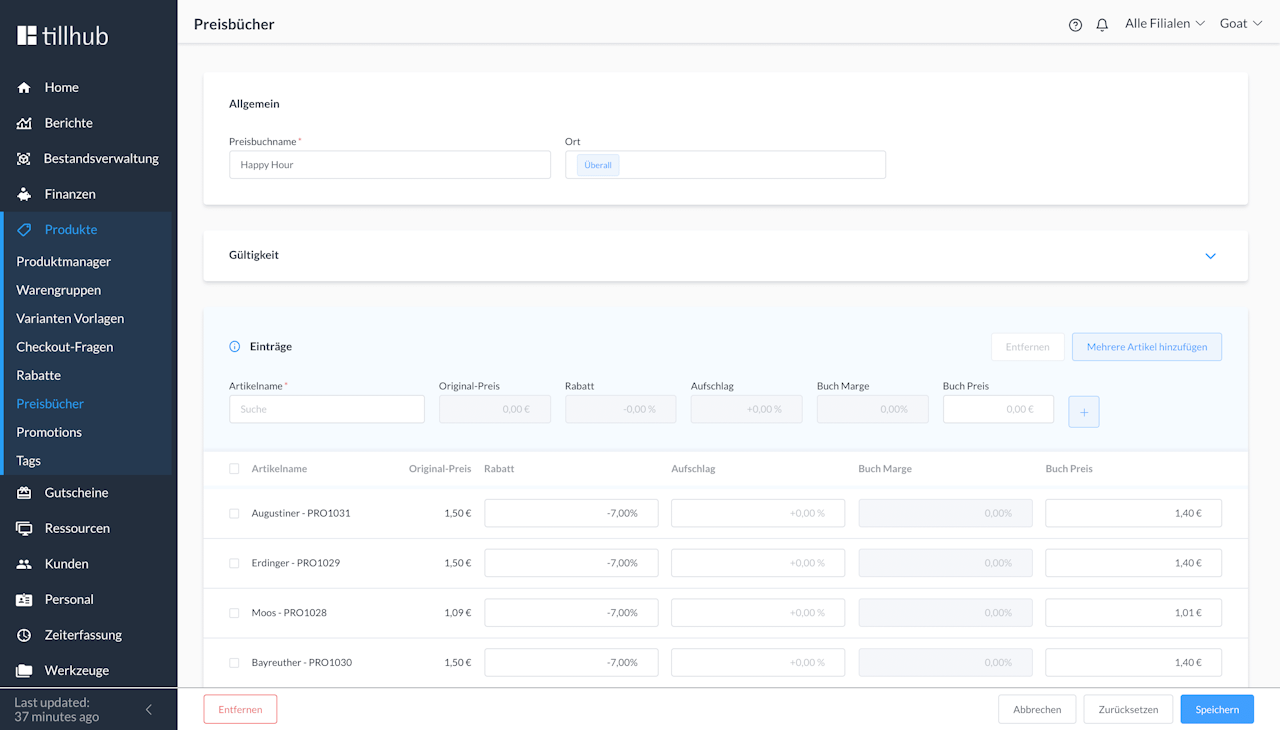
The item “Women’s haircut” should cost less during off-peak times. You therefore create a price book called “Happy Hour” for Monday–Wednesday 15:00–18:00 to encourage more customers to book appointments during these times. You can also choose whether this should apply to all locations or only one or a selection. Then the items are added individually or via multi-select and assigned a new price book price.
This price book price becomes the new gross list price.
In the price list, you can easily see whether the price results in a reduction or a surcharge of x% for the item.
If you accidentally create prices that are not economically viable (negative margin), the price book will warn you.
For the future, it is planned to link the price reduction (discount) to a discount from the system instead of replacing the gross price. This enables clear customer communication in line with marketing; the discount is shown on the receipt and thus makes accounting easier.
After you have created the price book, go back to the product catalog, click the desired item, and link the price book to the item you want to add it to. Scroll down, click Price book, and then select the price book you created.
Was this article helpful?
That’s Great!
Thank you for your feedback
Sorry! We couldn't be helpful
Thank you for your feedback
Feedback sent
We appreciate your effort and will try to fix the article
