Account
Modified on Mon, 16 Feb at 10:11 AM
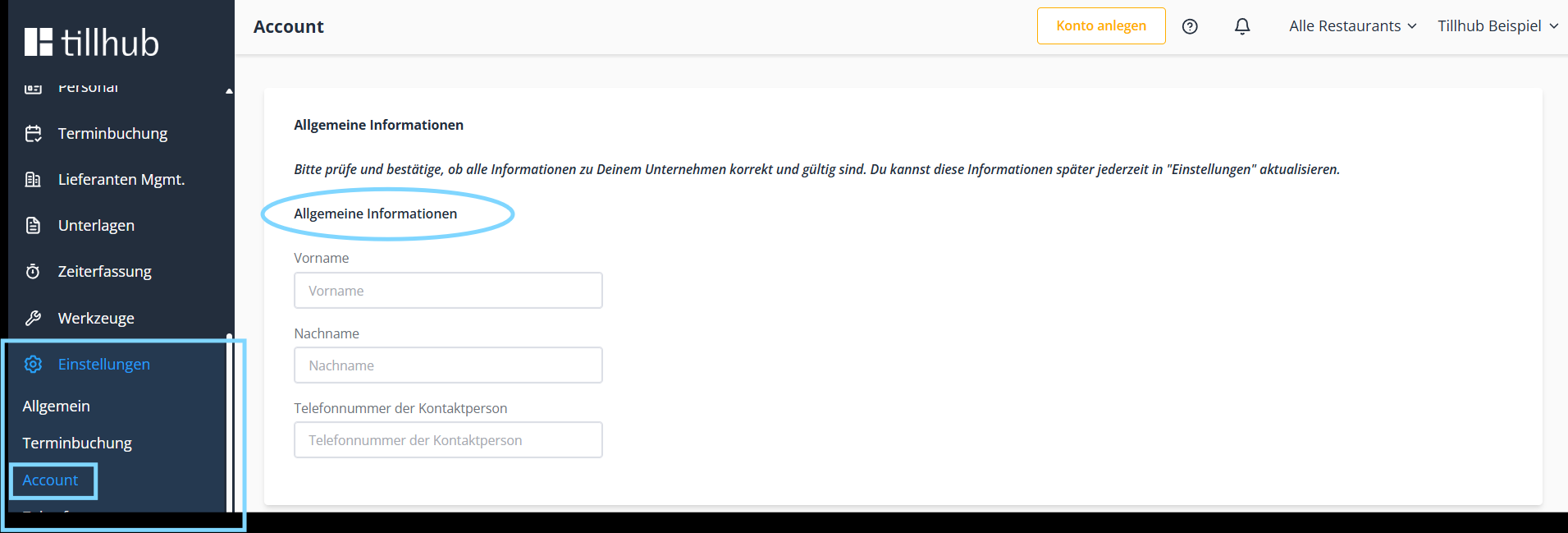
To access the Account section, navigate in the dashboard to “Settings” and “Account.”
Important: Please check that all information about your company is correct and valid. You can update the information at any time.
Account information
In this section, enter general information such as the contact person’s first name, last name, and phone number (Figure 1).Basic information about your company
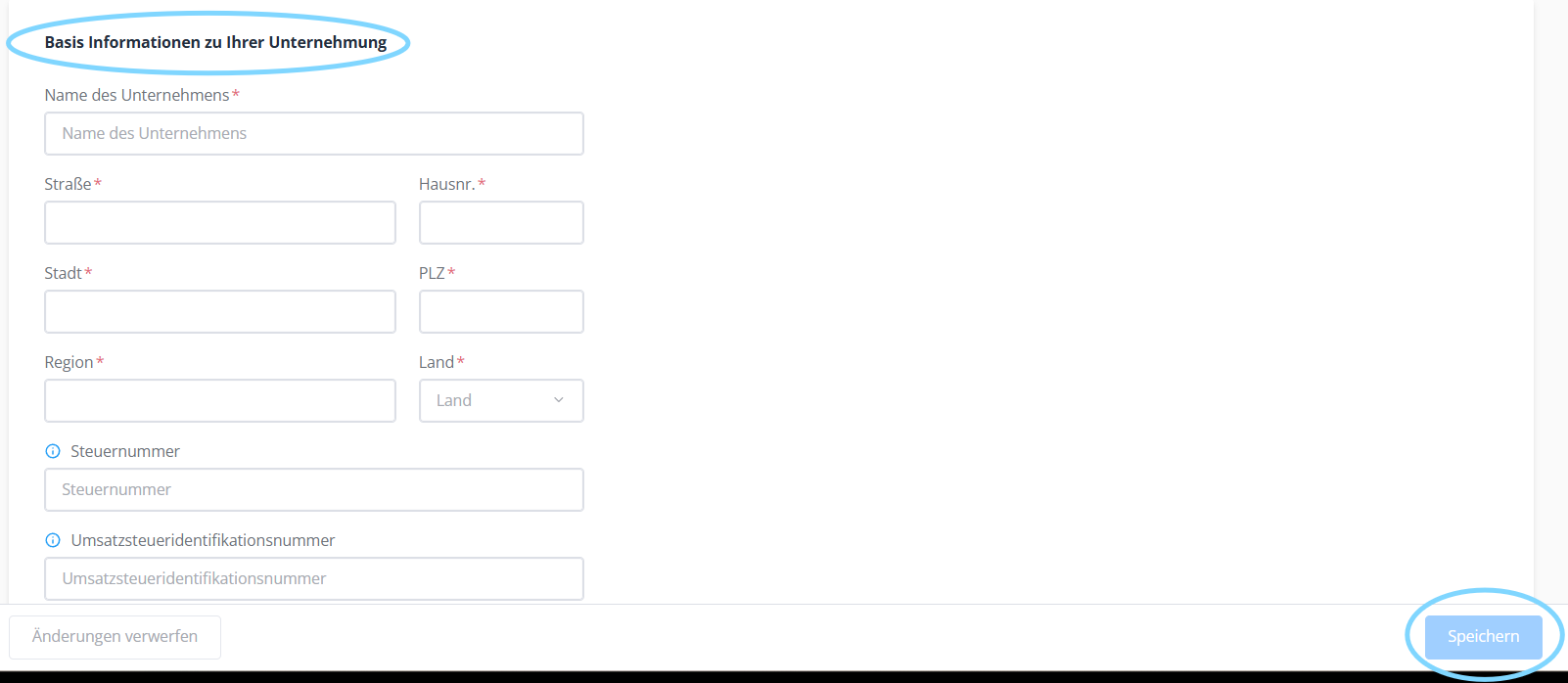
Enter information about your company here, such as the company name, address, or tax number. Fields marked with ***** are mandatory. Confirm the process by clicking “Save”
Was this article helpful?
That’s Great!
Thank you for your feedback
Sorry! We couldn't be helpful
Thank you for your feedback
Feedback sent
We appreciate your effort and will try to fix the article
