Scanning third‑party cards
Modified on Mon, 16 Feb at 10:11 AM
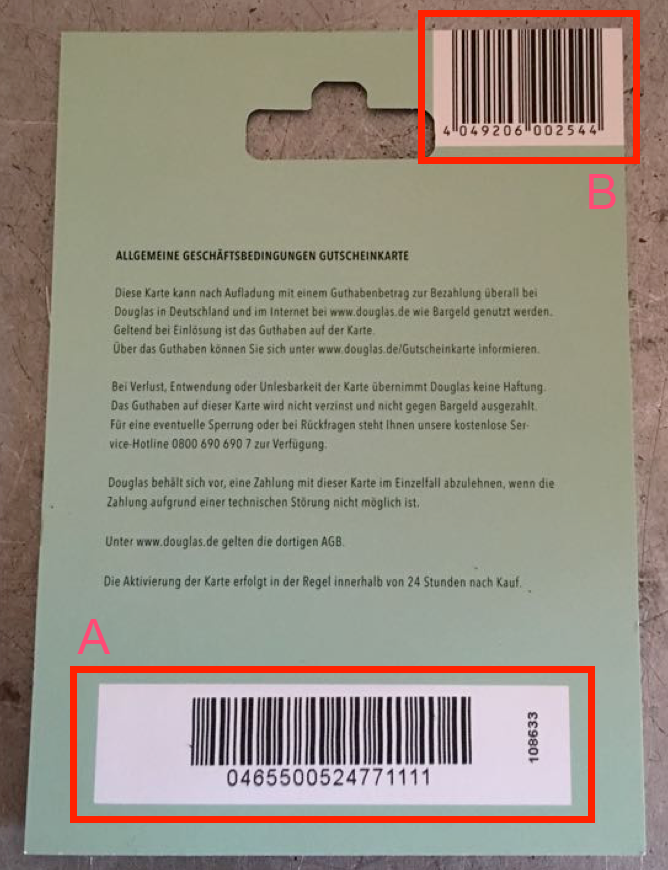
As shown in Image 1, two codes are relevant for scanning third‑party cards.
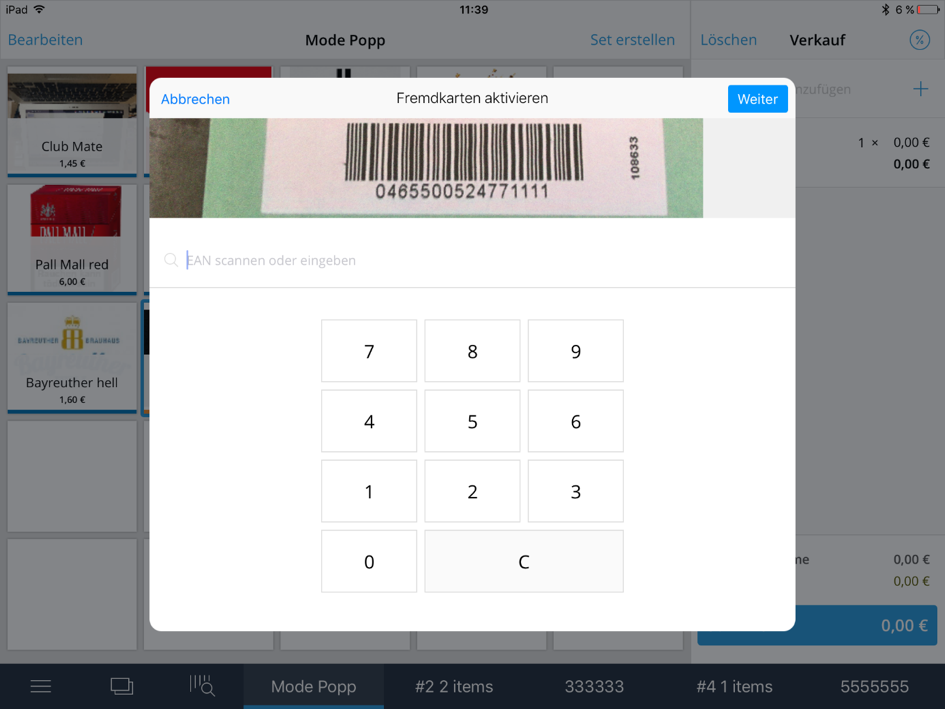
- First, scan the large barcode at the bottom on the back (A) of the card.
- Once the barcode is recognized, the blue "Continue" button is enabled. Tap it.
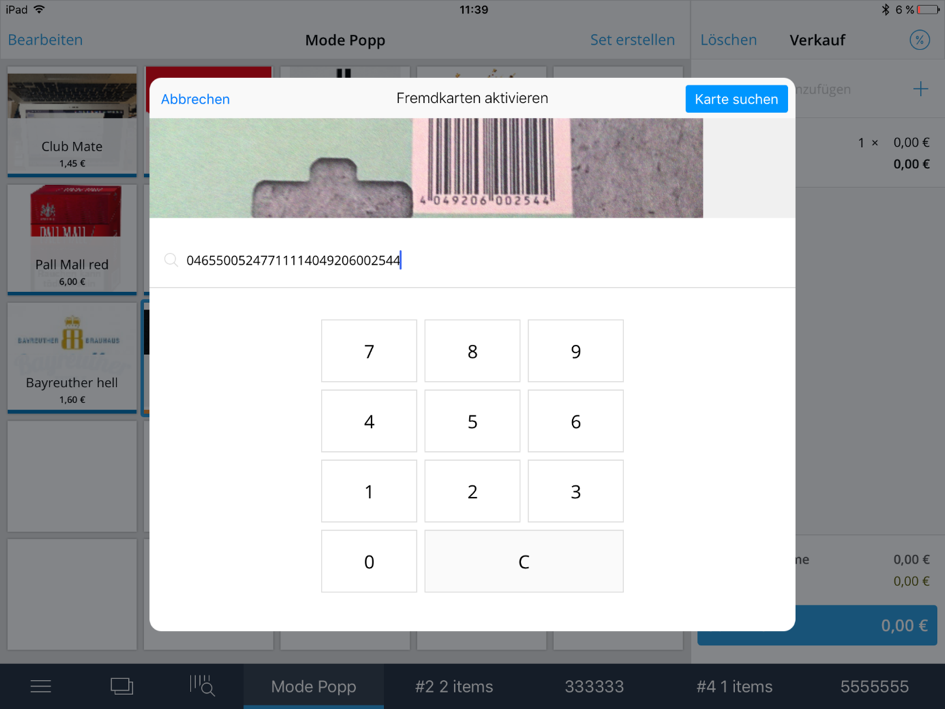
- Then scan the smaller barcode at the top on the back (B) of the card.
- The second barcode will be appended to the first code and the "Search card" button becomes active. Tap this to display the card’s value and add it to the sale (cart).
- You can now complete the checkout as usual.
Was this article helpful?
That’s Great!
Thank you for your feedback
Sorry! We couldn't be helpful
Thank you for your feedback
Feedback sent
We appreciate your effort and will try to fix the article
