Booking Page for Your Customers
Modified on Mon, 23 Feb at 10:36 AM
Your customers can use the booking page to reserve appointments. Simply activate it in the settings and share the generated link with them.
How your customers can book an appointment:
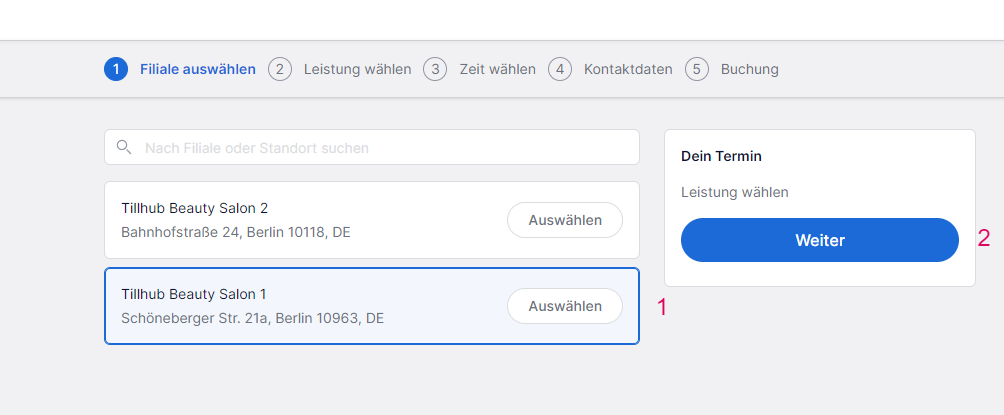
- Optional: Select the branch where they would like to book a service.
- Confirm the selection by clicking Next.
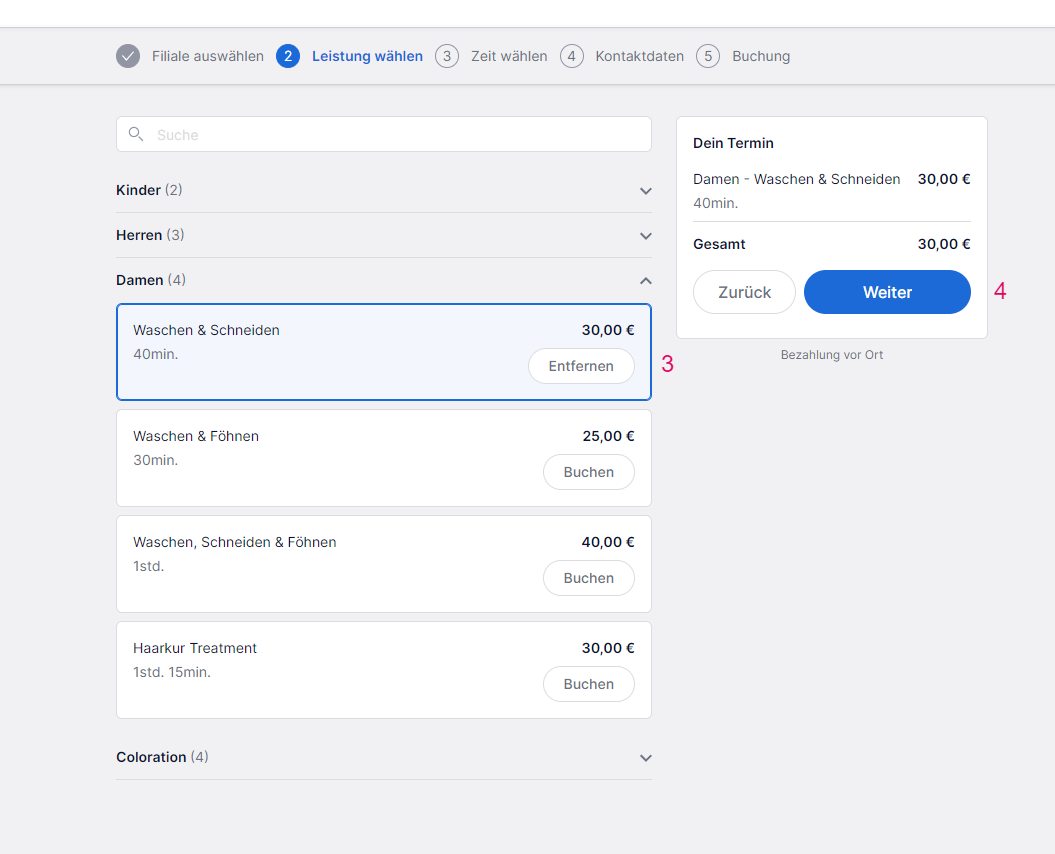
- Choose a service within the service categories by clicking Book.
- Confirm the selection by clicking Next.
- Optional: Select an employee for the chosen service.
- Choose a day and time.
- Confirm the selection by clicking Next.
Contact Details & Booking
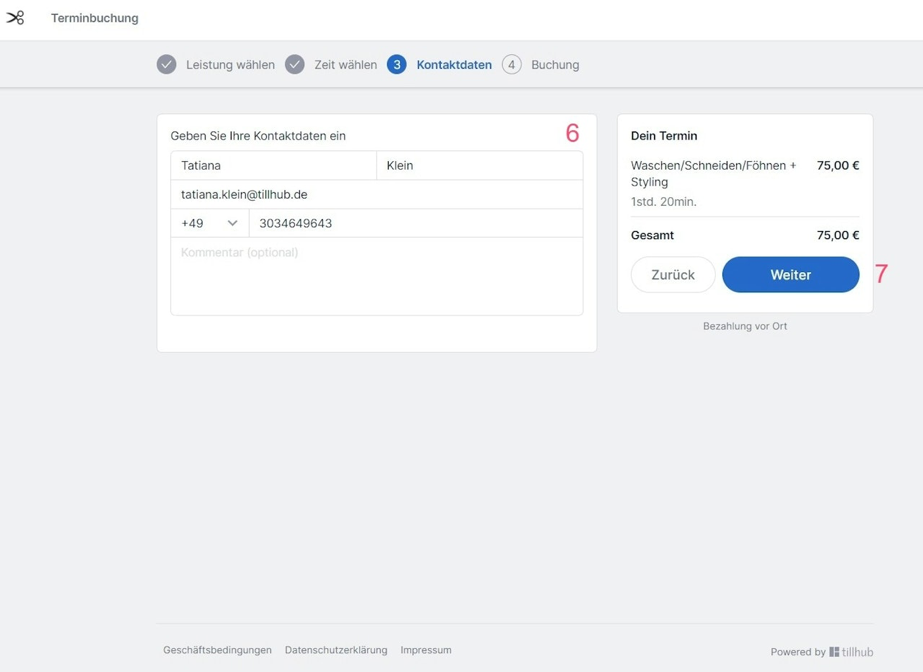
- Enter your contact details and optionally add a note.
- Confirm the information and continue by clicking Next.
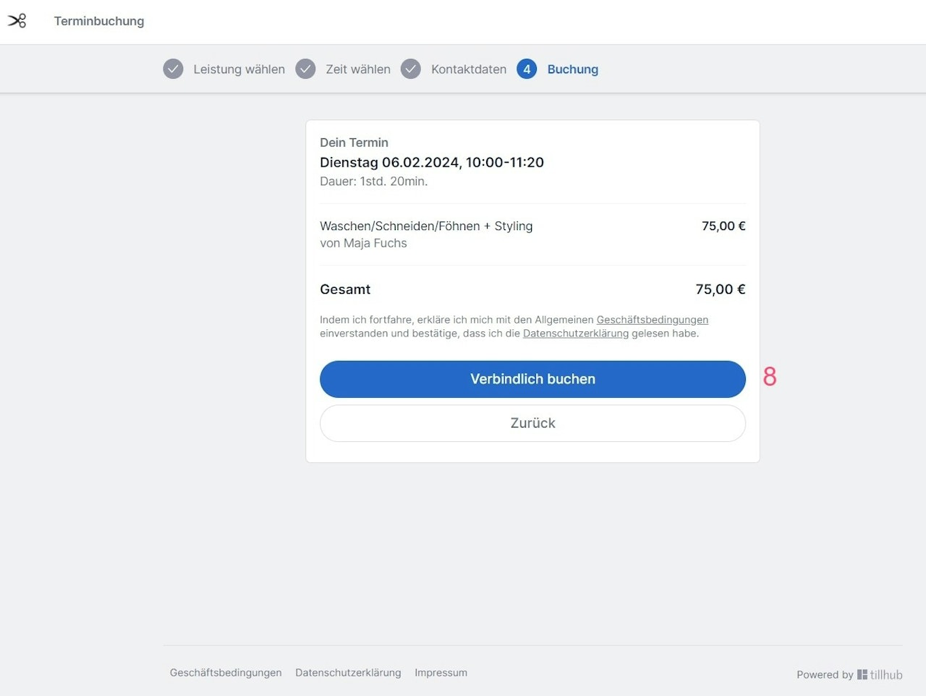
- The booking is now binding. Your customers will receive a confirmation email containing a link to cancel the appointment if needed.
Was this article helpful?
That’s Great!
Thank you for your feedback
Sorry! We couldn't be helpful
Thank you for your feedback
Feedback sent
We appreciate your effort and will try to fix the article
