Enter account data
Modified on Tue, 17 Feb at 2:16 PM
Step 1: General information
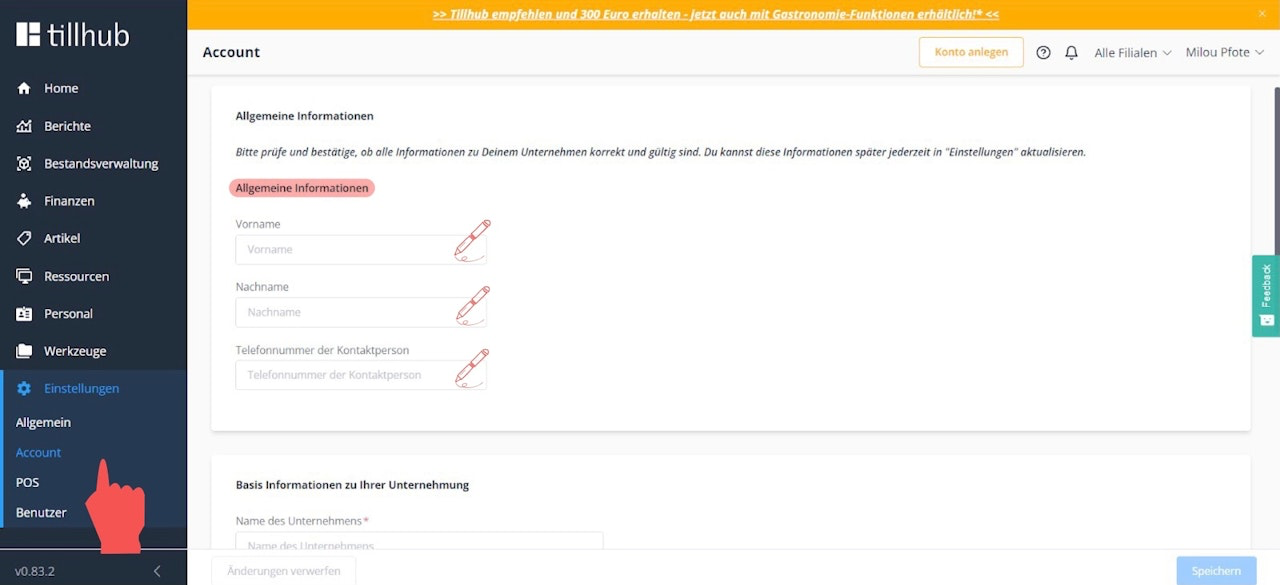
In the dashboard, navigate to Settings > Account and fill in all fields on the right side of the screen under “General Information.”
Step 2: Basic company information
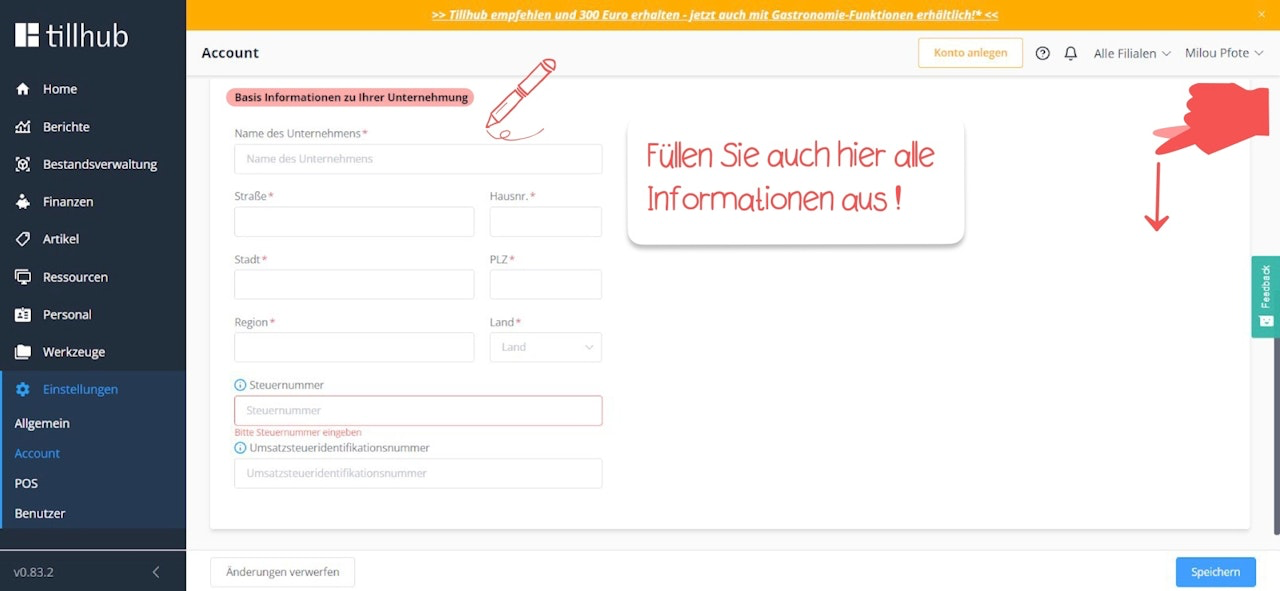
Scroll down and fill in all required fields under “Basic information about your company.”
If you do not know your tax number or company tax ID, please ask your tax advisor.
Finally, tap “Save” at the bottom right.

Was this article helpful?
That’s Great!
Thank you for your feedback
Sorry! We couldn't be helpful
Thank you for your feedback
Feedback sent
We appreciate your effort and will try to fix the article